


- What The Official Pages Show About Connectivity
- Where Netlify Fits In A Real Stack
- Popular Workflow Patterns
- Setup Approach
In this guide
Why Integrations Matter Here
Netlify hosts the front end. Almost nothing else in a modern web stack lives there. Your content sits in a CMS, your data sits in a database, your users sit behind an identity provider, and your catalogue sits in a commerce platform. Deploying is the easy part. Whether those five systems talk to each other without a week of glue code is what decides the project.
Disclosure: Stack99 earns a commission if you buy through links on this page. It costs you nothing extra and never changes our assessment.
So the question to ask of an integration directory is not how long it is. Ask whether the thing you already use is on it, and whether the connection is a first-party integration or a README telling you to call an API yourself.
If you want to inspect the product while you read, start with Netlify here.
What The Official Pages Show About Connectivity
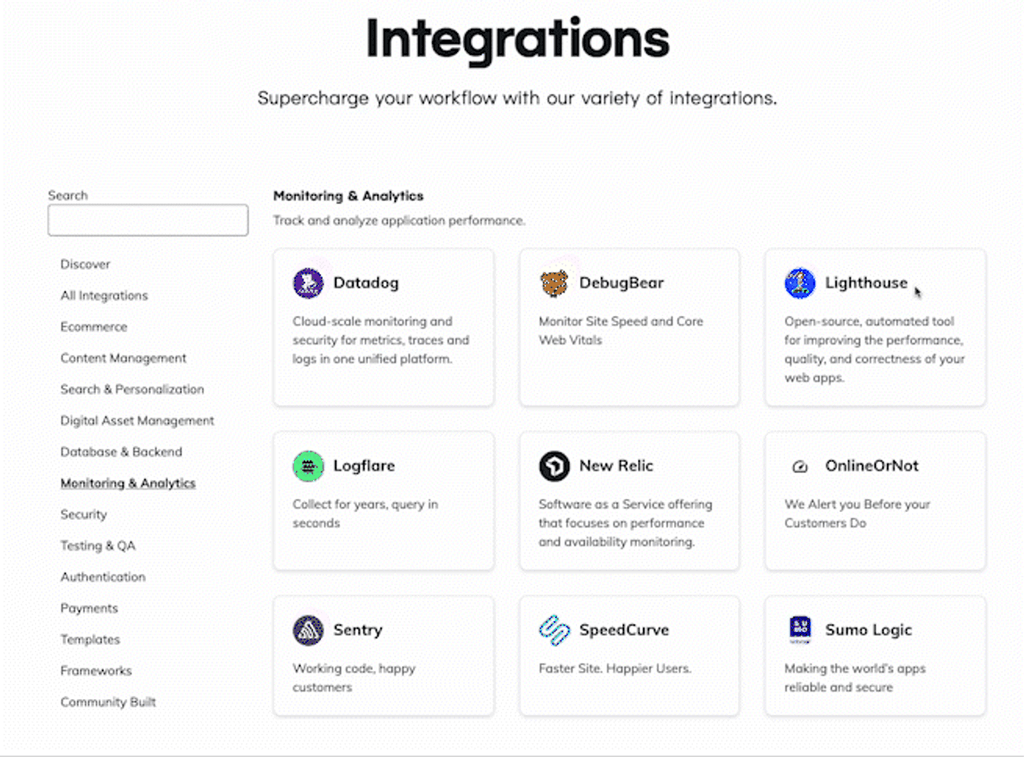
Netlify runs a public integrations directory, and it is organised by what the integration does rather than by partner tier. The filter list carries twelve categories:
- AI agents
- Content Management
- Database and Backend
- Digital Asset Management
- E-commerce
- Frameworks
- Identity and Authentication
- Monitoring and Analytics
- Search and Personalization
- Security
- Templates
- Testing and QA
That shape tells you something before you read a single entry. Content gets its own category, so do data, commerce and identity, which is the honest admission that a hosting platform is a hub rather than a destination. The AI agents category is newer and sits alongside the rest rather than being bolted on as marketing.
Where Netlify Fits In A Real Stack
Work through the directory by category and the picture is a composable web stack with Netlify in the middle.
Content. The CMS list is the deepest section. Contentful, Contentstack, Sanity, Storyblok, Strapi, Prismic, Hygraph, DatoCMS, Directus, Agility CMS, Builder.io, CloudCannon, Kontent.ai, React Bricks, Decap and Paligo all appear, alongside the enterprise platforms: Adobe Experience Manager, Sitecore, Crownpeak, Magnolia, Optimizely and Drupal. Wix is listed too. If your content platform is headless and anyone has heard of it, assume it is covered.
Data. The database section reads like a survey of the last five years of the category. Supabase, PlanetScale, Prisma, MongoDB, Redis, CockroachDB, Couchbase, Fauna, Turso, Xata, Tigris, Neon-style Postgres options such as Nile, TiDB Cloud, DataStax, Aiven and Stately are all present, plus Snaplet and PolyScale for seeding and caching.
Commerce. Shopify, BigCommerce, commercetools, Commerce Layer, Elastic Path, Spryker, VTEX, Nacelle and Salesforce Commerce Cloud. The composable commerce crowd is well represented; the conventional monoliths less so.
Identity, security, operations. Clerk handles user management. Arcjet and HUMAN Security cover bot protection and abuse. Very Good Security addresses payment data compliance. Datadog and Axiom cover observability, SpeedCurve and Lighthouse cover performance, and Hashicorp Terraform brings the whole thing under infrastructure as code. Slack and GitLab appear for workflow.
Testing. Cypress, BrowserStack, LambdaTest, Applitools, Ghost Inspector and QA Wolf.
Search. Algolia leads, with CommandBar for in-app navigation and TakeShape and StepZen offering GraphQL layers over mixed sources.
Popular Workflow Patterns
Four combinations account for most of what people actually build on this platform.
Headless marketing site. A CMS such as Contentful, Sanity or Storyblok holds the content, a framework renders it, Netlify builds and serves it, and a webhook from the CMS triggers a rebuild when an editor publishes. Add Algolia if the site is large enough to need search.
Composable storefront. Shopify or commercetools owns the catalogue and checkout, Netlify serves the storefront, and a search layer sits between them. Payment flows stay inside the commerce provider, which is where you want them for compliance reasons.
Full-stack application. Supabase, PlanetScale or MongoDB holds the data, Clerk handles sign-in, Netlify Functions carry the server-side logic, and Arcjet sits in front for rate limiting and bot defence.
Agent-built project. Netlify lists Claude, Codex, Cursor and Windsurf under AI agents, plus Bolt and Rocket as prompt-to-app builders and Anima for turning Figma files into components. The deploy target is the same; what changes is who writes the code.
Setup Approach
Connect in this order and you will not have to undo anything.
- Connect the repository first. Everything else assumes a working build.
- Add the CMS next, and set the publish webhook to trigger a build. Confirm an editor can publish without a developer present, because that is the actual point of the integration.
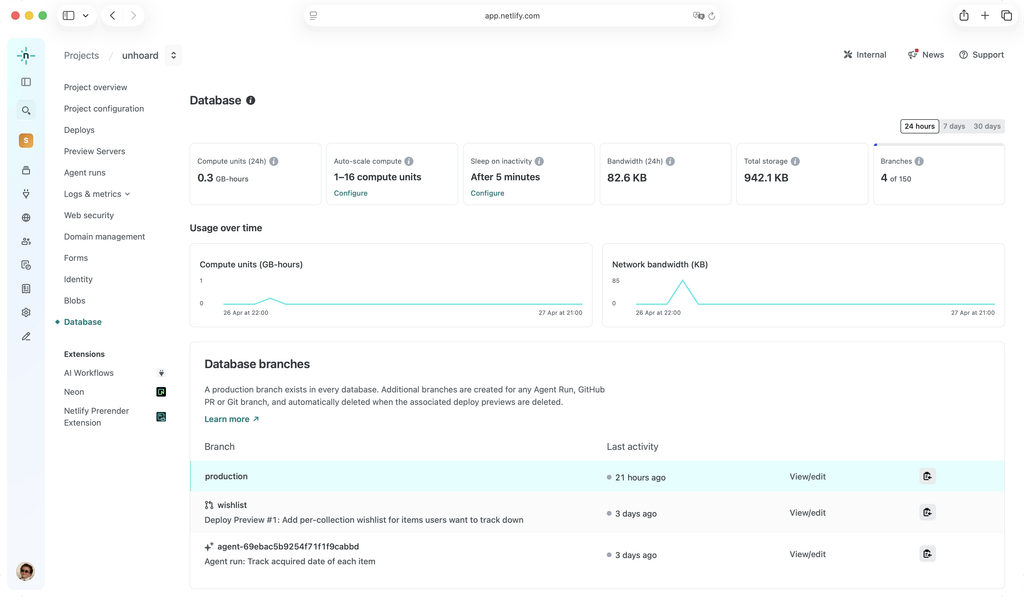
- Add the data layer third. Keep connection strings in environment variables scoped per deploy context so preview builds never touch production data.
- Add identity fourth, once there is something worth protecting.
- Search, analytics and testing go last. None of them blocks a launch, and all of them are easier to configure against a site that already works.
Deploy Previews are the part of this worth exploiting. Each pull request gets its own URL, which means a CMS editor, a client or a QA tool can look at a change before it reaches production. Most of the testing integrations in the directory are designed to run against exactly that preview rather than against a staging server you have to maintain.
Automation And API Considerations
Three mechanisms do most of the automation work here, and they are worth distinguishing because teams frequently reach for the wrong one.
Build hooks are URLs you post to in order to trigger a deploy. A CMS calls one of these when content changes. They are simple and they are also a denial-of-service risk if the URL leaks, since anyone holding it can queue builds against your account.
Functions run server-side code on request, which is how you keep an API key out of the browser when talking to a database or a commerce API.
Environment variables scoped by context are the quiet one. Netlify lets a variable hold different values for production, for deploy previews and for branch deploys. Set this up on day one or you will eventually point a preview build at a live database.
For infrastructure teams, the Terraform integration means site configuration can live in version control rather than in a dashboard somebody clicked through once. Inngest covers scheduled and event-driven background jobs, which Functions alone do not handle well.
Troubleshooting Lens
When an integration misbehaves on this platform, the cause is usually one of five things.
- The build succeeded but the content is stale. The CMS webhook did not fire, or it fired at a URL for a different site. Check the build log timestamp against the publish time in the CMS.
- It works locally and fails on deploy. An environment variable exists on your machine and not in the deploy context you are building. This is the single most common failure.
- A preview build wrote to production data. Context-scoped variables were not configured. Fix the scoping before you fix the data.
- A function times out calling a slow third party. Serverless functions have execution limits. Move long work to a background job rather than raising the timeout.
- Builds queue unexpectedly. A chatty CMS firing a build on every autosave will exhaust build minutes quickly. Debounce at the CMS end.
Verdict
The integration story here is genuinely strong in the categories that matter for a composable stack, and the directory is honest about being organised around other people’s products. Content management is the deepest section by a wide margin, databases are close behind, and commerce covers the composable vendors thoroughly while largely skipping the traditional ones.
Where it is thinner: marketing and sales tooling barely appears, because the platform was never built for it. Should your requirement be a CRM sync or a marketing automation handoff, you will be building that yourself against an API rather than clicking an integration into place.
Check whether your own CMS and database are listed before you commit. Open the Netlify integrations directory here.
FAQ
Why Are Integrations Important For Netlify?
Because the platform deliberately does not own your content, your data or your user accounts. A deployment target is only as useful as its connections to the systems that hold the actual business.
Should I Connect Everything At Once?
No. Repository, then CMS, then database, then identity, then the rest. Each layer makes the next one easier to verify, and connecting five things simultaneously means you cannot tell which one broke the build.
What Matters More Than The Number Of Integrations?
Whether your specific CMS and your specific database are both covered. A directory with two hundred entries that omits your content platform is worth less to you than one with twenty that includes it.
How Should I Evaluate The Integration Fit?
Build one real page. Publish a change from the CMS, confirm it appears, open a pull request and confirm the preview URL renders with preview data rather than production data. That exercise tests the whole chain in about an hour.
When Does The Integration Story Look Weak?
When your stack sits outside the composable web. Traditional commerce monoliths, marketing automation suites and CRM platforms are sparsely covered, and the work falls back to custom code against APIs.
A Better Trial Question
Do not ask whether the platform is good. Ask whether your CMS can trigger a build and whether your database can be reached from a function without leaking a key to the browser. Both are answerable inside an afternoon on the free tier, and both are the things that actually fail on real projects.
The First Week Test
Week one should produce one page that is fed by live content, not a clone of the starter template. Wire the CMS, publish an edit from the CMS interface, and watch the deploy fire on its own. If that loop closes, the rest of the integration work is configuration. If it does not, you have found the problem while it is still cheap.
The free tier is enough for this exercise. Start a project here and connect a repository before you connect anything else.
Adoption Reality
Developers adopt this platform quickly because the deploy step disappears. Content teams adopt it slowly or not at all, because they never touch it directly. Their experience is entirely mediated by whichever CMS you picked, which means your integration choice is really a decision about their daily tool rather than about hosting.
Budget for the CMS training, not the Netlify training. Nobody outside engineering will open the dashboard twice.
What To Measure
- Build minutes consumed per week. A chatty CMS webhook is the usual cause of an unexpected bill.
- Time from publish to live. Content teams care about this number and the one that justifies the architecture.
- Failed deploys per week, and their causes. A pattern of environment variable failures means your context scoping is wrong.
- Function invocation counts and durations, because those scale with traffic rather than with deploys.
- Preview URLs actually reviewed. If nobody opens them, you are paying for a workflow you are not using.
The Handoff Check
The handoff that matters runs from developer to editor. Can somebody in marketing change a headline, see it on the live site, and know it worked, without opening Slack? Run that exact test with a real person before you call the integration finished.
Team Ownership
Three owners, clearly separated. Engineering owns the build configuration, the functions and the environment variables. Content owns the CMS and the publishing schedule. Whoever holds security owns the Arcjet or HUMAN Security configuration and the review of what each integration can reach.
The failure mode is a single developer holding all three. It works until they are on holiday and an editor cannot publish.
Where Complexity Hides
Not in the deploy. Deploying is the simplest part of the system and always will be.
Complexity hides in the seams: webhook payloads that change shape after a CMS upgrade, preview builds that quietly authenticate against production, cached database connections that behave differently in a serverless function than they did on a long-running server, and a build that passes locally because your machine has a variable the deploy context does not. Each one is cheap to prevent and expensive to debug under pressure.
A Fair Evaluation Window
Two weeks. Week one wires the repository and the CMS and proves the publish loop. Week two adds the database and identity, and puts a preview URL in front of somebody who does not write code. Anything shorter only tests the starter template. Anything longer and you are building the project rather than evaluating the platform.
Evidence Over Enthusiasm
A directory listing is evidence that a connection exists, not that it is maintained. Open the integration you care about and look at what it actually is: a first-party build plugin, a maintained template, or just a documentation page pointing you at an API. All three appear in this directory and they carry very different amounts of work.
The categories with the deepest first-party support here are content management and databases. Treat anything outside those as a starting point rather than a finished connection.
The Exit-Cost Question
Ask it before you sign, because the answer here is unusually good. Content stays in the CMS. Data stays in the database. Users stay with the identity provider. Code stays in your repository. A composable stack means the hosting layer holds comparatively little that is yours.
What does bind you: Netlify Functions written against platform-specific signatures, redirect and header rules in the platform configuration file, and any build plugin without an equivalent elsewhere. Keep business logic in portable code and the migration stays a weekend rather than a quarter.
Training Without Theater
Skip the platform tour. Teach three things instead: how to read a failed build log, where environment variables live and how contexts differ, and what a deploy preview URL is for. Those cover most support questions a team will generate in its first six months.
The Honest Limitation Test
The limitation is scope, and the directory states it plainly by what it omits. Marketing automation, CRM and sales tooling are barely represented, because this is a platform for shipping front ends rather than for running go-to-market systems.
If your integration requirement is a Salesforce sync or a HubSpot workflow, that work lives in your application code or in a separate automation tool. Judge the platform on content, on data, on commerce and on identity, which is where it has actually invested.
Decision Baseline
Before you commit, answer three questions. Is your CMS in the directory? Is your database? Can an editor publish without a developer? Two yeses and the integration layer will hold. Three and the stack is already designed for this platform.
For the wider comparison, our Netlify vs alternatives piece covers the hosting decision itself, and Netlify for startups looks at the stage-by-stage fit.
More on Netlify
Hand-picked guides to help you choose the right tool, no fluff.
 FeaturesProcess Street Top Features 2026The standout features and whether they justify the price.
 PricingRunpod Pricing 2026Real tier prices and what each plan actually includes.
 PricingairSlate Pricing 2026Real tier prices and what each plan actually includes.
 Advanced GuidesBitdefender Advanced Guide 2026Deeper workflows once the basics are in place.