


Quick answer: SupportBee lists 21 integrations across six categories. Of those, 11 carry an explicit “on all plans” line on their own vendor page, so you get them on the cheaper Startup seat at $20 a month billed monthly. The pricing table splits “Basic Integrations” from “Enterprise integrations” but never says which apps sit in which bucket, and that unlabelled gap is the one thing to check with sales before you commit a team.
Disclosure: Stack99 earns a commission if you buy through links on this page. It costs you nothing extra and never changes our assessment.
What SupportBee actually connects to
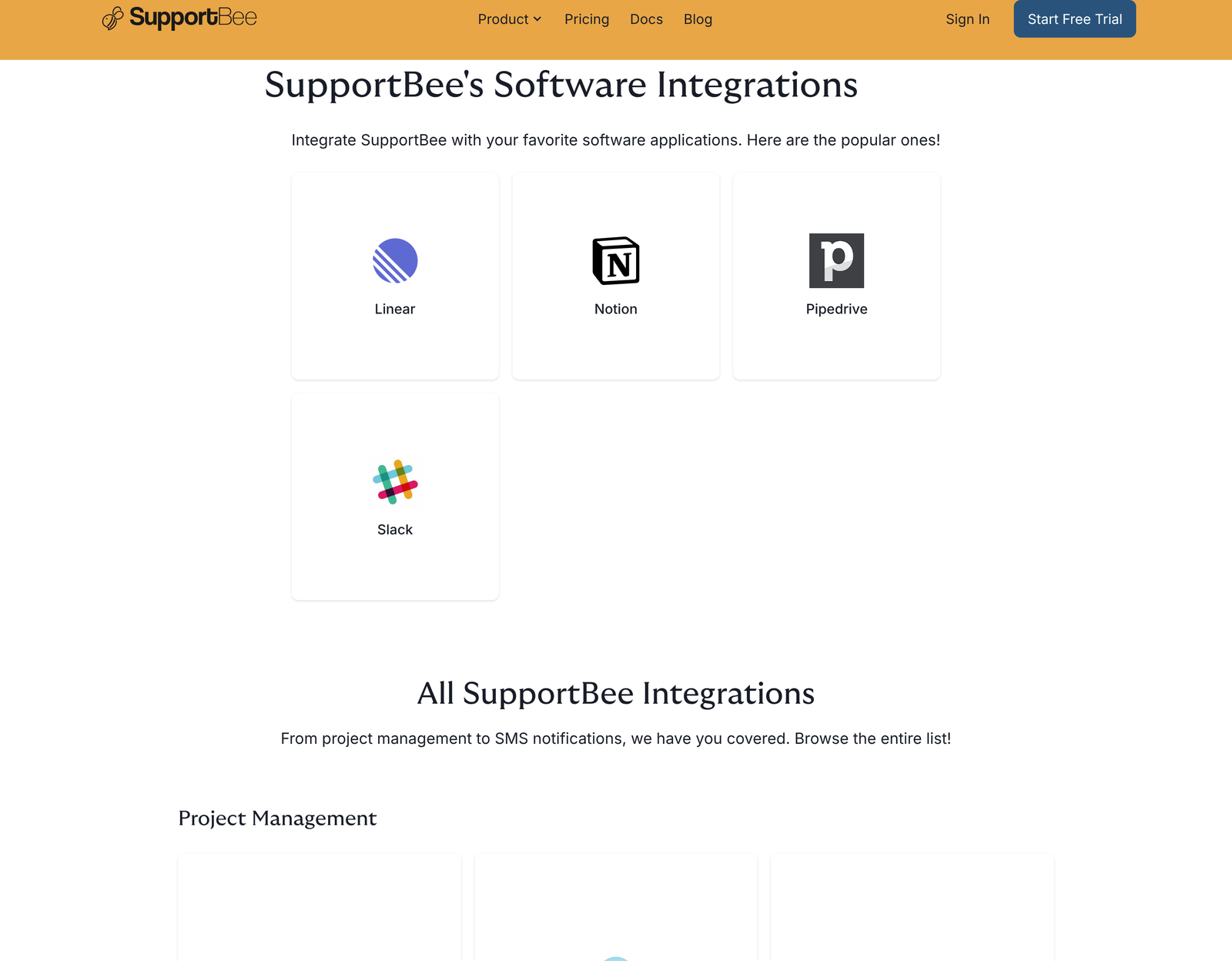
SupportBee is a shared inbox that turns support email into tickets. It does not try to be a platform with an app marketplace. The catalogue on its integrations page runs to 21 entries, and most of them do one narrow job: pull a customer record from somewhere else and drop it into the ticket your agent is already reading.
Here is the full catalogue as published, grouped the way SupportBee groups it.
Project management
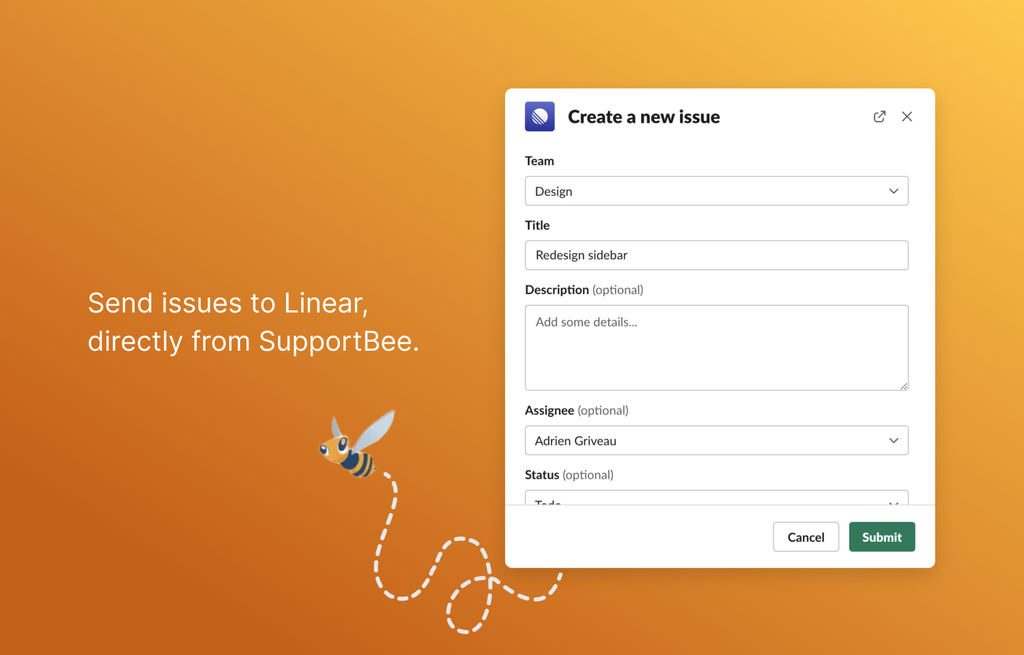
Asana, Basecamp, ClickUp, GitHub Issues, Linear, Notion and Trello. These exist so an agent can escalate a ticket into engineering or operations without retyping it. A bug report arrives by email; the agent pushes it to Linear, and the ticket keeps a link to the issue.
CRM
Buildium, Capsule CRM, Customer.io, Insightly, Pipedrive and Highrise. Six CRM connectors for a two-plan help desk is a lot, and the list tells you who SupportBee’s customers are. Buildium is property management software. Highrise has not taken new customers in years. This is a catalogue built for small teams who picked their CRM a while ago and are not switching.
Analytics
PostHog. The integration surfaces user properties on the ticket, so an agent can see plan type, signup date, company and whatever custom properties you track before they answer. One analytics connector, and it is the product-analytics one rather than a web-analytics one. That choice fits a SaaS support team better than a retailer.
Accounting
QuickBooks Online. On a new ticket, SupportBee looks up the sender’s email across your QuickBooks Customers and Vendors. A match puts a sidebar card on the ticket with the contact’s name, their balance, and a link into QuickBooks. For anyone who fields billing email, seeing an outstanding balance before replying saves a round trip.
Notification
Slack and Webhooks. Both get a section of their own below, because between them they cover almost everything the catalogue leaves out.
Workflow
Archive After Reply, Assign After Reply, Extract Sender from Email, and Show Ticket Number. SupportBee files these under integrations, though they are really toggles. Extract Sender from Email matters if your support address sits behind a forwarder: without it, every forwarded ticket looks like it came from your own alias rather than the customer.
The plan question the vendor leaves open
SupportBee sells two plans. The feature comparison lists “Basic Integrations” against Startup and “Enterprise integrations” against Enterprise. Neither phrase is defined anywhere on the pricing page, and the integrations catalogue carries no plan badges at all.
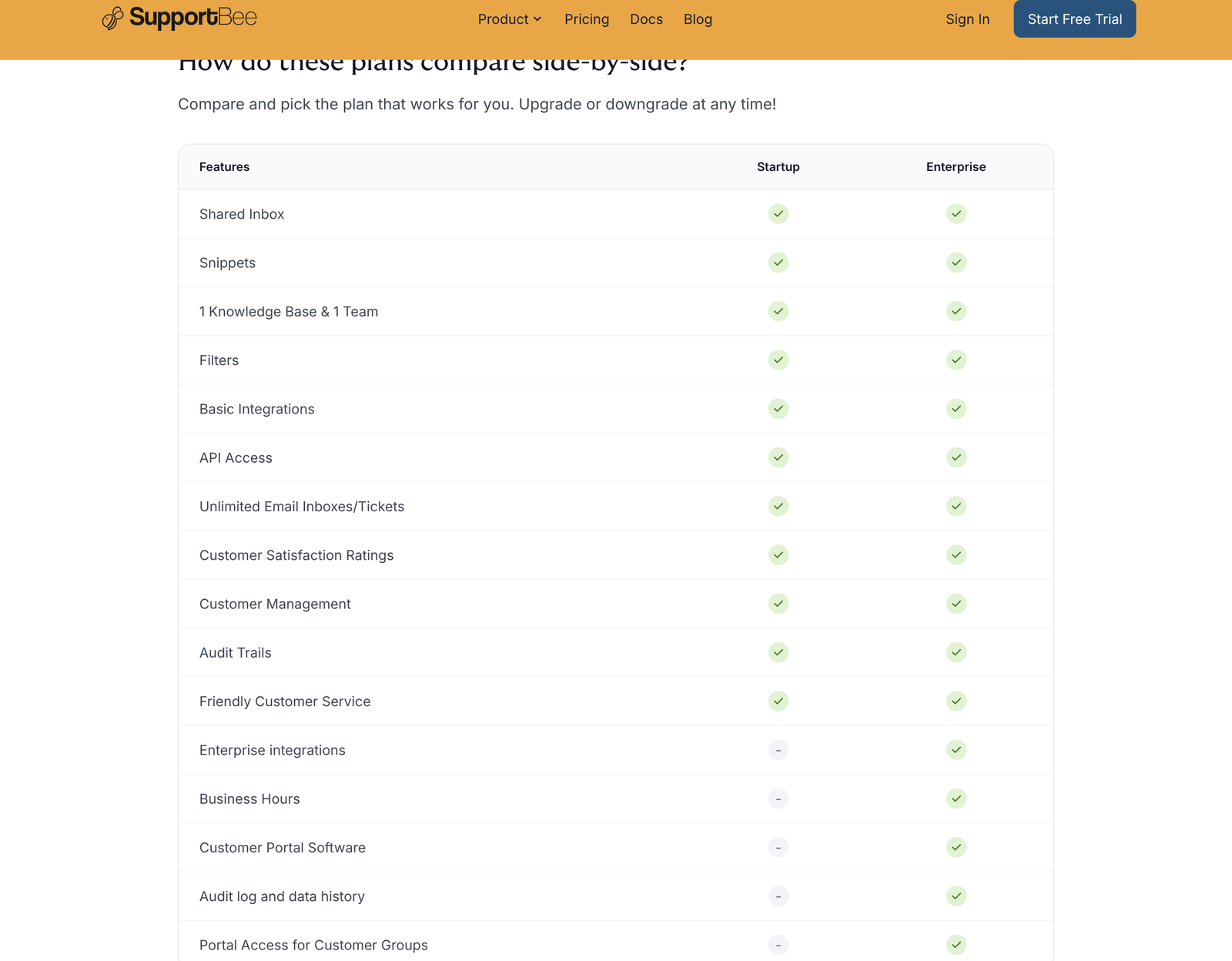
You can close part of that gap by reading the individual integration pages rather than the pricing page. Eleven of the 21 end with a sentence stating the integration is included on all plans. Checked on 25 October 2026, those eleven are Asana, Buildium, Capsule CRM, ClickUp, Customer.io, GitHub, Insightly, Linear, Notion, Pipedrive and Trello.
Ten pages say nothing about plans: Basecamp, Highrise, PostHog, QuickBooks, Slack, Webhooks, and the four workflow toggles. Silence is not the same as exclusion. We are not going to tell you those ten are Enterprise-only, because SupportBee has not said so, and guessing on your behalf is how people end up on the wrong plan. If your workflow depends on Slack alerts or on webhooks, ask before you buy.
What a seat costs while you decide
SupportBee’s pricing page loads with annual billing already selected and a “Save 20%” badge on it. The figures you see on arrival are per seat per month on an annual contract. Switch the toggle to monthly, and both numbers move.
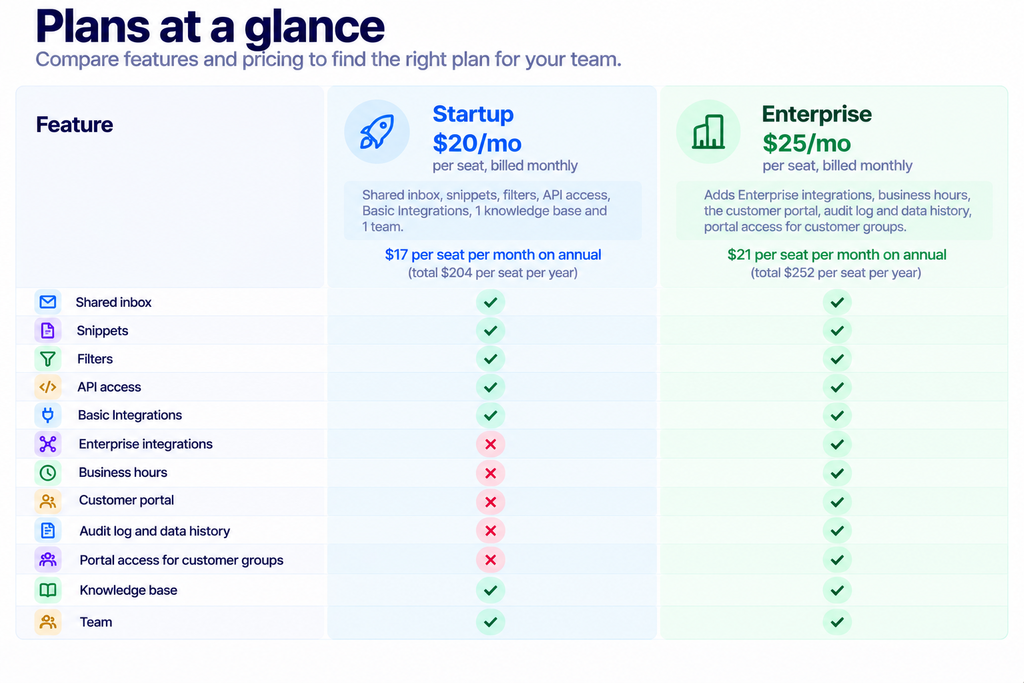
Run the arithmetic on that badge. Startup goes from $240 a year to $204, which is 15%. Enterprise goes from $300 to $252, which is 16%. The badge says 20%. Both discounts are real, and neither reaches the number on the label.
One detail runs against the usual pattern: API access sits on the cheaper plan. Plenty of help desks put the API behind their top tier and charge for the privilege. SupportBee gives it to you at $17 a seat, which changes how you should think about the whole catalogue. You are not limited to the 21 apps. You are limited to the 21 apps plus whatever you are willing to build.
Slack, in detail
The Slack connector posts ticket activity into channels you choose. Six events are available: new tickets, customer replies, agent replies, ticket assignments and comments, with each notification carrying the ticket subject, a snippet of the message and a direct link back into SupportBee.
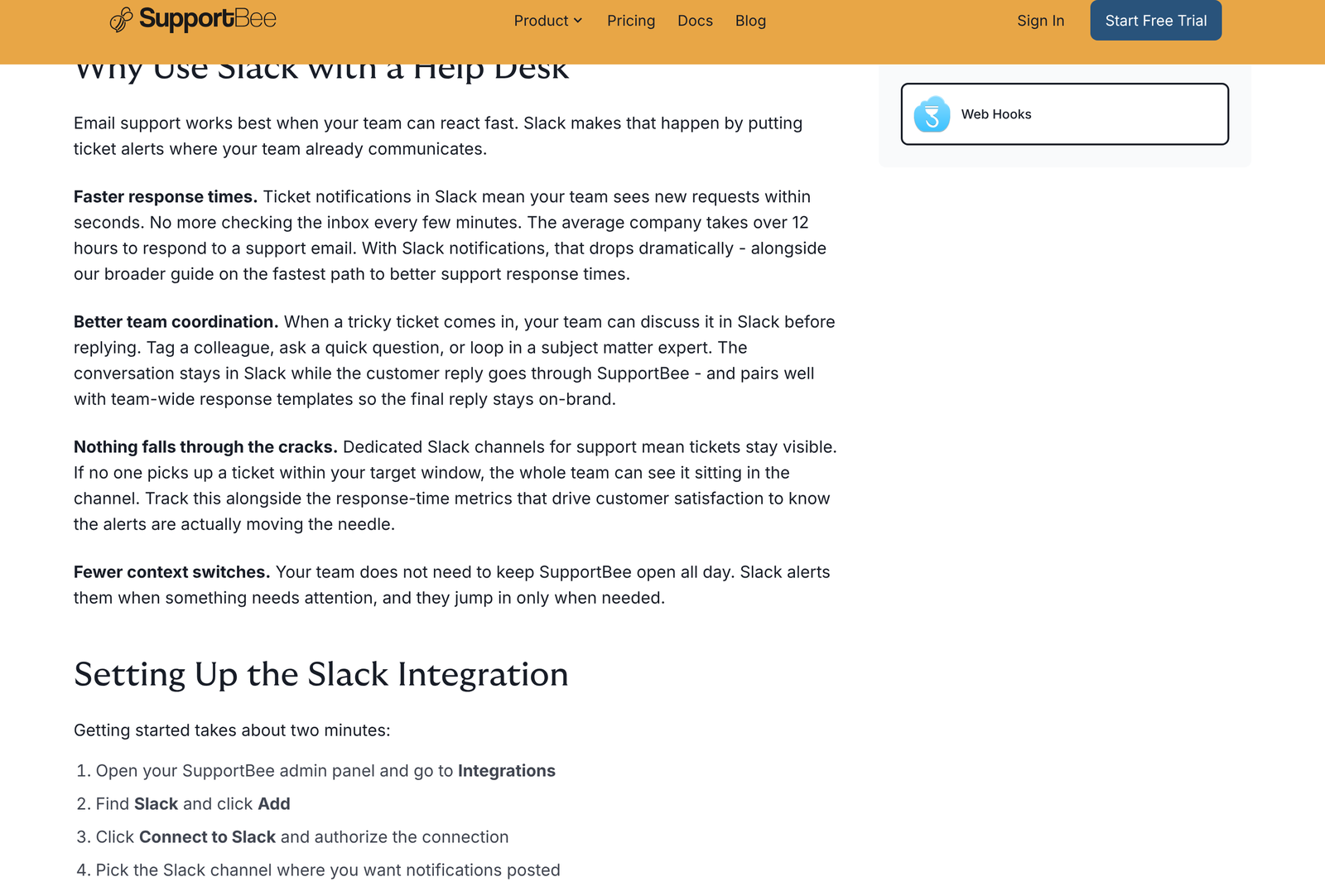
Setup runs six steps: open the admin panel, go to Integrations, find Slack, click Add, authorise the connection, then pick a channel and the events you want. SupportBee supports multiple channel rules, which is the part worth using properly. Sending every event to one channel produces noise that people mute within a week. Splitting new tickets from internal comments keeps each channel readable.
SupportBee suggests a three-channel layout: one for new incoming tickets awaiting triage, one for high-priority or VIP customers, one for internal discussion and assignments. That structure survives contact with a real team better than a single firehose.
If you want formatting the standard connector does not give you, Slack’s own incoming webhooks documentation covers posting arbitrary message payloads to a channel URL. Pair that with SupportBee’s outbound webhook and you can build a richer card than the built-in integration sends.
Webhooks are the real integration layer
Everything the catalogue misses runs through here. SupportBee fires an HTTP POST to a URL you nominate whenever a ticket event occurs, with six documented events: ticket created, ticket replied, customer replied, ticket archived, comment added and ticket assigned.
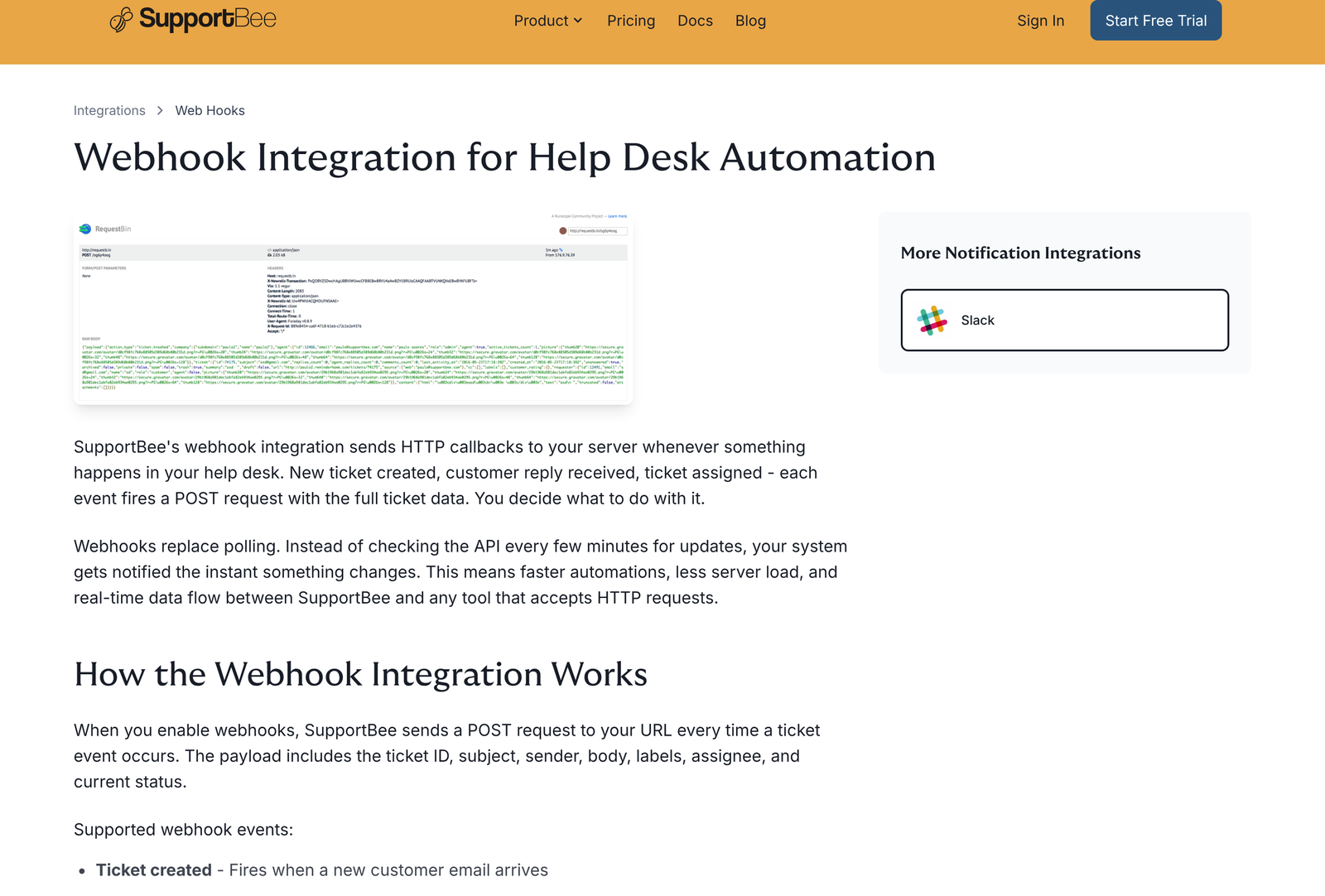
Each payload is structured JSON containing the ticket ID, subject, sender, body, labels, assignee, and current status. Your endpoint must answer with a 200. Return anything else, and SupportBee retries the delivery, which is the behaviour you want but also the behaviour that will hammer a broken endpoint until you fix it.
Two gaps in the catalogue close immediately once webhooks are running. There is no Zapier app in SupportBee’s list, so a webhook caught by Zapier or Make becomes your bridge to several thousand other tools. Nothing in the catalogue feeds a data warehouse either, and a webhook pushed into your own store gives you a complete ticket event stream for reporting or for audit retention.
Treat the retry behaviour as a design constraint rather than an afterthought. Acknowledge with a 200 the moment you have the payload safely queued, then do the slow work out of band. A handler that calls three other APIs before responding will eventually time out, and a timeout looks exactly like a failure to the sender.
The CRM connectors, and what they really do
Pipedrive is the best documented of the six, and the pattern it follows applies to the rest. A ticket arrives, SupportBee looks up the sender’s email address in Pipedrive, and a match posts a comment on the ticket carrying the contact’s profile and a direct link to their sales history. No match, and the integration can create the contact for you.
A second switch deserves thought before you flip it. SupportBee can push full ticket contents into Pipedrive as notes on the contact, message body, and attachments included. Your sales team then sees every support conversation on the customer timeline. That is useful for an account manager and uncomfortable for anyone whose support email carries anything a salesperson should not read. Decide deliberately.
Setup is five steps and needs no API key: go to Admin then Integrations, search for Pipedrive, click Add to My SupportBee, authorise access, then choose whether to auto-create contacts and whether to push ticket contents as notes. Anyone who has wired a CRM to a help desk through OAuth apps and field mappings will find this short.
Our rundown of Pipedrive’s feature set covers what you see once you follow that link into the CRM. If you are weighing SupportBee against heavier help desks, the Freshdesk alternatives comparison covers the tier above this one.
Engineering handoff: Linear, GitHub and the rest
Seven project management connectors is the largest category in the catalogue, and all seven are confirmed on all plans except Basecamp, whose page stays silent. For a support team whose tickets regularly become engineering work, that breadth matters more than the CRM count.
Linear is the sharpest fit. Its developer documentation describes a GraphQL API with webhooks of its own, so a ticket escalated into Linear can send status changes back to a system you control. Round-tripping is not something SupportBee’s connector does for you, though both ends expose enough surface to build it.
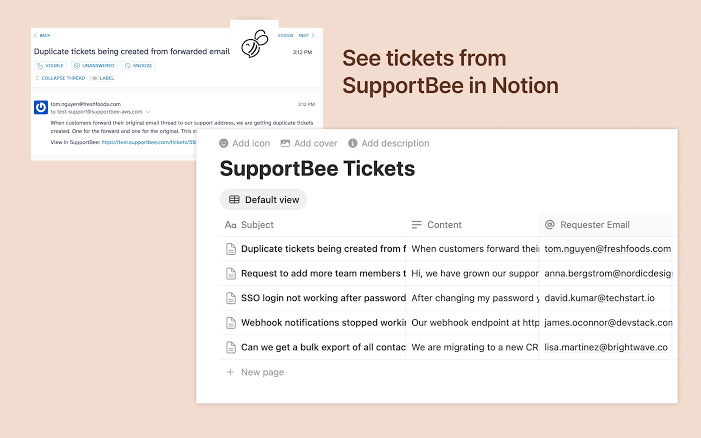
GitHub Issues suits teams whose roadmap lives in a repository. Notion suits teams who keep runbooks and wikis there, and the connector archives support conversations next to the product docs that explain them. ClickUp, Asana and Trello cover the general-purpose board crowd.
A sensible order to switch them on
Teams tend to enable everything in the first hour and then spend a month untangling the noise. A slower sequence works better.
Start with Extract Sender from Email if your support address forwards from somewhere else. Get this wrong and every other integration inherits the error, because the CRM lookups key off the sender address. A ticket that appears to come from support@yourcompany.com will never match a customer record, and you will conclude the Pipedrive connector is broken when the problem sits one layer up.
Next comes whichever CRM you run. Enable the lookup, leave auto-create switched off for a week, and watch the match rate. Customers who email from a personal address rather than their work address will not match, and that tells you something about your data quality before you let an integration start writing records into your CRM.
Slack goes third, with one event type and one channel. Add new tickets only. Live with that for a few days, then decide whether assignments and comments earn their place. Most teams discover that agent replies in Slack duplicate what they already see in the inbox.
Project management connectors come last, once you know which tickets actually become engineering work. Wiring Linear on day one encourages agents to escalate anything they cannot answer in two minutes, which is how a support queue quietly becomes a backlog someone else owns.
Webhooks belong on a separate track entirely, because they need a developer and an endpoint rather than a checkbox. Build them when a specific gap appears, not in anticipation of one.
Reading the catalogue honestly
Twenty-one integrations sounds small next to a help desk advertising hundreds. Strip the marketing out of those bigger numbers and most of them count Zapier recipes, which is a different claim. SupportBee counts connectors it maintains, plus four workflow toggles it probably should not count at all.
Seventeen real connectors then, and the shape of the list is coherent. Six CRM options, seven places to escalate work, one analytics tool, one accounting tool, Slack for the team and webhooks for everything else. A ten-person support team running Pipedrive, Linear and Slack is fully covered. A thirty-person operation wanting telephony, CSAT survey tooling, a translation layer and a dedicated workforce management tool is not.
Accounting is the thinnest category. QuickBooks Online is the only option, and its page is the shortest of the 21. Xero, FreshBooks and Zoho Books have no connector. If your billing questions arrive by email and your ledger is not QuickBooks, that sidebar card is something you build yourself against the accounting API your provider publishes, or something you live without.
Who this catalogue suits
Choose it if: your CRM is one of the six, your engineering work lives in Linear, GitHub or a mainstream board, and your team already talks in Slack. The connectors you would reach for are among the 11 confirmed on the $17 seat.
Choose it if: you have a developer willing to spend a day on webhooks. API access on the entry plan plus six outbound events gives a small team more reach than the catalogue size suggests.
Look elsewhere if: you need voice, chat widgets, or a survey platform wired in natively. None of those appear in the catalogue, and a shared inbox is not pretending otherwise.
You can test the whole catalogue on a 14-day trial with no credit card. Start a SupportBee trial and connect the two apps you care about most before you talk to anyone about plans. Fifteen minutes of clicking answers the Basic versus Enterprise question better than any sales call.
Frequently asked questions
How many integrations does SupportBee have?
Twenty-one entries are listed, split across project management (7), CRM (6), analytics (1), accounting (1), notification (2) and workflow (4). Four of those are workflow toggles rather than connections to outside software, so the count of genuine third-party integrations is 17.
Which SupportBee integrations are on the cheaper plan?
Eleven integration pages state outright that they are included on all plans: Asana, Buildium, Capsule CRM, ClickUp, Customer.io, GitHub, Insightly, Linear, Notion, Pipedrive and Trello. The remaining ten pages make no plan statement, so confirm those with SupportBee rather than assuming either way.
Does SupportBee work with Zapier?
No native Zapier app appears in the catalogue. SupportBee’s own webhook page points at Zapier and Make as services that can catch its outbound webhook, so the connection exists through the webhook rather than through a listed app.
Is API access limited to the Enterprise plan?
API access is listed against the Startup plan, which is the cheaper of the two at $20 per seat per month billed monthly, or $17 per seat per month on annual billing.
What events can trigger a SupportBee webhook?
Six: ticket created, ticket replied, customer replied, ticket archived, comment added, and ticket assigned. Each sends JSON containing the ticket ID, subject, sender, body, labels, assignee, and status, and your endpoint needs to respond with a 200 or the delivery is retried.
Can SupportBee create CRM records automatically?
Yes, with Pipedrive. When a ticket arrives from an address with no matching Pipedrive contact, the integration can create that contact, and it can optionally copy the full ticket body and attachments into the contact’s notes.
Sources
- SupportBee integrations catalogue, read 25 October 2026
- SupportBee pricing, both billing states captured 25 October 2026
- SupportBee webhook integration, event list and payload fields
- Slack incoming webhooks reference
- Linear developer documentation
- Intuit QuickBooks Online API getting started guide