


In this guide
- Why Features Matter
- Feature 1: AI Conversation Intelligence
- Feature 2: Power Dialing And Reach Acceleration
- Feature 3: Analytics Wallboards And Real-Time Reporting
- Feature 4: Live Coaching And Call Quality Management
- Feature 5: Integrations And Workflow Automation
- Features Coming Soon
- What Is Unique Versus Competitors
- Verdict
- FAQ
Why Features Matter :
A feature list tells you what a product can do. It does not tell you which features you will configure in week one, which ones sit idle, or which require a plan you were not planning to buy. This guide goes through the five capabilities CloudTalk builds its platform around and what each one asks of you once it is switched on.
Disclosure: Stack99 earns a commission if you buy through links on this page. It costs you nothing extra and never changes our assessment.
Everything below is taken from CloudTalk’s own feature, pricing and integration pages, read on 5 October 2026. Where the published material does not settle a question, we say so rather than filling the gap.
One structural note before the features. CloudTalk organises its product into six areas: AI Voice Agents, the AI Dialer, Conversation Intelligence, the Business Phone System, Messaging, Number Management. The five features below cut across those groupings, because that is how they are actually used.
If you want to follow along in the product, you can open CloudTalk here.
Feature 1: AI Conversation Intelligence
This is the area CloudTalk has invested in most visibly, and its component parts are listed separately on the vendor’s own navigation rather than bundled into one claim.
- Call Scoring, marked Popular by CloudTalk, which auto-scores calls against criteria you define.
- AI Call Summary and Tagging, producing a recap and labels without an agent writing notes.
- Call Transcription, described as multi-lingual.
- Topics, surfacing recurring and trending subjects across calls.
- Sentiment Analysis.
- AI Notes, which push call notes into your CRM.
The configuration work sits almost entirely in Call Scoring. Automatic scoring is only as good as the criteria behind it, and those criteria are yours to write. A team that defines four clear things a good discovery call contains will get useful scores in a fortnight. A team that accepts a generic template will get numbers nobody trusts and will stop opening the dashboard by month two.
AI Notes is the feature most likely to change daily behaviour rather than manager behaviour. Pushing a summary into the CRM record removes the after-call admin that reps skip when they are busy, which is usually when the notes matter most.
Transcription being multi-lingual matters for a specific buyer: support desks covering several European markets from one team. Verify which languages before committing, since vendors rarely enumerate the list on a marketing page.
Feature 2: Power Dialing And Reach Acceleration
The dialer is one product with several modes rather than several products. CloudTalk names three on its own navigation.
- Parallel Dialing, which it describes as dialling up to 10 lines at once and connecting the agent to whoever answers.
- Power Dialing, an automatic dialler with adjustable pacing between calls.
- Click-to-Call, placing a call from the browser or directly from a CRM record.
Pacing is the setting that decides whether this helps or hurts. Dial too slowly and you have bought nothing. Dial too fast and your agent arrives on a live call still typing notes from the last one, which the person on the other end can hear. Start conservative and tighten it over a fortnight with the team in the room.
Parallel dialling carries a second consideration. Calling ten lines at once and dropping the ones that answer late produces abandoned calls, and abandoned call rates attract regulatory attention in several markets. Check your own jurisdiction’s rules before enabling it rather than after.
Click-to-Call is the mode with the lowest setup cost and the highest adoption rate. For a team that currently copies numbers between a CRM and a handset, it is the single change that saves the most time per day.
Feature 3: Analytics Wallboards And Real-Time Reporting
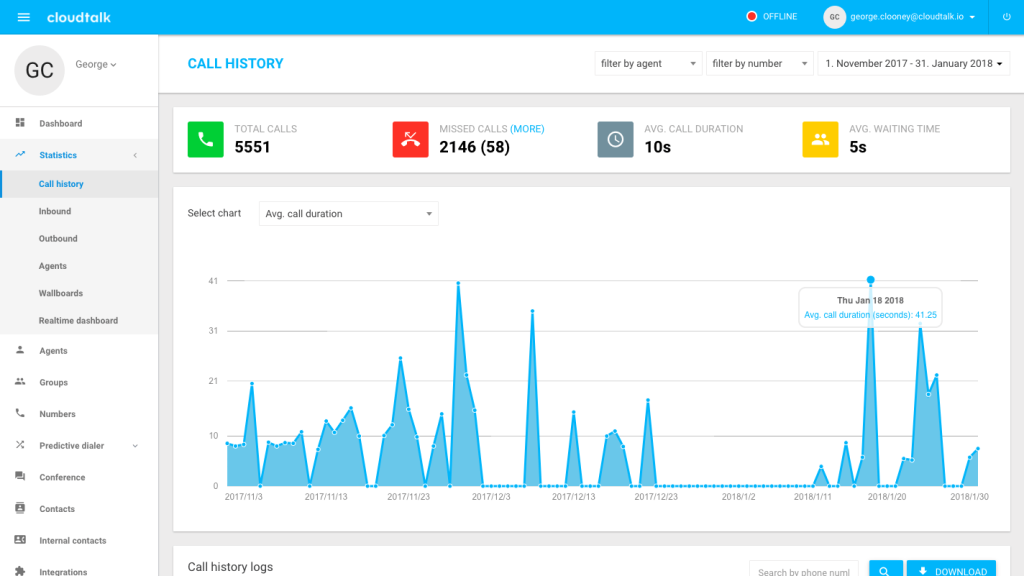
Reporting is where a phone system either earns its place in a management routine or quietly becomes a dialler with a bill attached. CloudTalk lists Analytics and Reporting plus Real-Time Monitoring under its Business Phone System group, with wallboard-style live views alongside historical reporting.
Three distinctions decide how useful this is to you.
- Live versus historical. A wallboard answers “what is happening now” and belongs on a wall in a support room. Historical reporting answers “did last month improve” and belongs in a weekly review. Teams that confuse the two end up managing by the live screen and reacting to noise.
- Agent versus group. Per-agent numbers drive coaching. Group numbers drive staffing. Publishing per-agent figures to the whole floor without a coaching conversation attached is how reporting gets resented.
- Call data versus conversation data. Call logs tell you volume, duration and outcome. the intelligence layer tells you what was said. The second only exists if you have the AI features configured.
Business hours configuration quietly governs all of it. Response and wait-time figures that include nights and weekends flatter nobody and mislead everybody, so set working hours before you trust the first report.
Feature 4: Live Coaching And Call Quality Management
Real-Time Monitoring lets a manager listen to a live agent call. The capability is straightforward; the practice around it is not.
Two rules make the difference between coaching and surveillance. Tell agents monitoring exists and when it is used, as a matter of policy rather than discovery. Separate the listening from the judging, so that a session ends in a conversation rather than a score appearing in a system.
There is a legal dimension as well. Recording and monitoring consent requirements vary by jurisdiction and sometimes by state or province, and the obligation sits with you rather than with the platform. Agree your announcement wording and your retention period with whoever owns compliance before the first session.
Coaching works best where the calls are hard and the cost of getting one wrong is high.
- New hires in their first eight weeks.
- High-value sales conversations where one call carries the deal.
- Support calls involving a technical diagnosis.
- Escalations, where tone decides the outcome.
- Any team whose script changed in the last month.
Call Recording and Call Scoring cover the asynchronous half of the same job. Live monitoring catches what is happening today; recordings and scores catch patterns across a quarter. Most teams need both, and most start with recordings because they demand less of a manager’s calendar.
Feature 5: Integrations And Workflow Automation
CloudTalk advertises more than 100 integrations and names six on its own navigation: HubSpot (marked Certified), Pipedrive, Salesforce, Zoho CRM, Microsoft Teams, Zendesk.
The HubSpot certification is the detail worth noticing. A certified listing in a vendor’s app marketplace carries review requirements that a self-published connector does not, so it is a reasonable proxy for how well maintained that particular integration is. The others are not described as certified on the same page.
What an integration actually needs to do splits into four jobs, and connectors vary widely on which they handle.
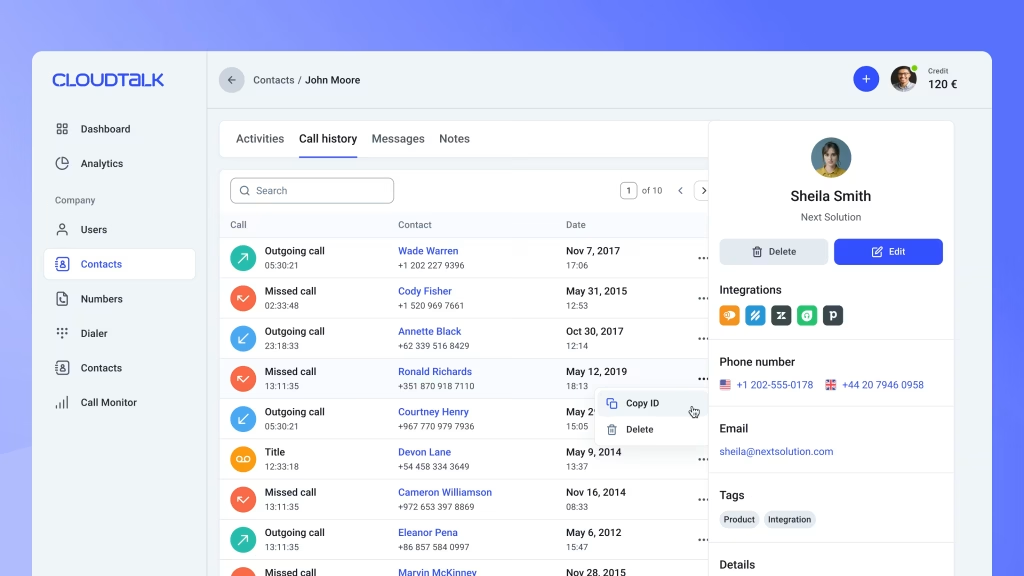
- Logging. Every call appears on the right contact or deal record with its duration and outcome.
- Context on answer. The agent sees who is calling and their recent history before they speak.
- Writing back. Notes, summaries and tags flow from the phone system into the CRM, which is what AI Notes is for.
- Triggering. A call outcome moves a deal stage or starts a sequence without anyone clicking.
Ask your shortlist which of those four a given connector covers. Logging alone is common and is the least valuable of the set, because it produces a record nobody reads rather than a workflow that saves time.
Bring Your Own Carrier appears in the same product group and deserves a mention here. For a company with an existing carrier contract or specific number requirements, keeping the carrier while changing the software is sometimes the only workable migration path.
You can check the integration list against your own stack before you shortlist.
Features Coming Soon :
We do not publish roadmaps we cannot source, so this section covers what CloudTalk is visibly building rather than what it has promised.
The direction is unambiguous. AI Voice Agents now occupy the first position in CloudTalk’s own navigation, ahead of the phone system, with agent types broken out as an AI receptionist, outbound agents and an inbound support agent. The vendor lists jobs those agents are meant to do: booking appointments, qualifying inbound leads, covering after hours, chasing payments, handling lead follow-up.
Voice Agent Templates and a calendar-connected appointment booking skill are both flagged as new on the same pages. A partner programme paying 15% of every minute spent on voice agents tells you where the commercial emphasis sits.
- Conversation Intelligence is already a full product area rather than a single feature.
- The dialer has consolidated three modes into one interface.
- Voice agents are being positioned ahead of human-dialled calling.
- Messaging now spans WhatsApp and international SMS across more than 160 countries.
Treat the voice agent line as the part of the platform changing fastest, which cuts both ways: rapid improvement, and documentation that may lag what the product does.
What Is Unique Versus Competitors :
Plenty of vendors do calling well. Fewer combine high-volume outbound dialling with conversation analysis in a single subscription, and that combination is CloudTalk’s clearest argument.
The practical version of that claim: an SDR team running parallel dials and a manager reviewing scored, transcribed calls are working in the same system rather than exporting between two. Compare that against a dedicated dialler plus a separate revenue intelligence tool, where you pay twice and reconcile two sets of numbers.
Three other points of difference show on the published pages. The pricing page lists SOC 2, GDPR and HIPAA alongside anti-spam number registration, which matters if you are in healthcare or financial services and would otherwise need a separate conversation. Bring Your Own Carrier is not universal among competitors at this level. Branded Caller ID, putting your name on the outbound call, addresses the answer-rate problem directly rather than through dial volume.
On price, the pricing page shows three named per-user tiers plus a custom option: Starter at $25, Essential at $29, Expert at $49, with a “Pay annually, save 3+ months” prompt above the cards. We were not able to confirm from this pass whether those displayed figures are the monthly rate or the annual-commitment rate, so check the billing toggle yourself before budgeting. Note also that a Lite tier referenced in older material no longer appears on the live pricing page.
24/7 chat and email support is listed as included on all plans, which is unusual at the entry level and removes one common upgrade trigger.
Verdict :
CloudTalk is strongest for a team whose problem is call volume and call quality at the same time. The dialer modes address the first, and the intelligence layer addresses the second. Buying it for only one of those is paying for a platform to use half of it.
The features that will take real work from you are Call Scoring criteria, dialer pacing, business hours, and whichever integration carries your CRM. Budget a week of someone’s attention for those four rather than an afternoon.
Smaller support desks with modest outbound volume should price the simpler options first. The intelligence layer here is built for teams reviewing more calls than a manager can listen to, and under roughly a hundred calls a day that problem may not exist yet.
For the evaluation framing rather than the feature detail, see our CloudTalk review, and CloudTalk vs alternatives for the competitive shortlist. If you are ready to try it, start with CloudTalk here.
FAQ :
What are CloudTalk’s best features in 2026?
Conversation Intelligence (call scoring, AI summaries and tagging, multi-lingual transcription, topic detection, sentiment analysis, AI notes into your CRM) and the AI Dialer (parallel dialling up to 10 lines, power dialling with adjustable pacing, click-to-call). The Call Flow Designer, which CloudTalk labels its flagship feature, handles custom routing.
Does CloudTalk include analytics?
Yes. Analytics and Reporting sits in the Business Phone System group alongside Real-Time Monitoring, covering live wallboard views and historical reporting by agent and by group. Set your business hours first, otherwise response-time figures include nights and weekends.
How much does CloudTalk cost?
The pricing page lists Starter at $25, Essential at $29 and Expert at $49 per user, plus a custom quote tier. A prompt above the cards offers a saving of three or more months for paying annually. We could not confirm in this pass which billing basis the displayed figures use, so read the toggle on the page before you budget. A Lite tier mentioned in older material is no longer shown.
Is CloudTalk good for outbound teams?
That is the use case it is built around. Parallel dialling across ten lines, power dialling with pacing control, voicemail handling and click-to-call from the CRM all target outbound throughput, and the scoring and transcription layer then tells you whether the extra volume is converting.
More on CloudTalk
Hand-picked guides to help you choose the right tool — no fluff.
 ReviewsCloudTalk Review 2026Hands-on verdict with the pros, cons and who it fits best.
 ComparisonsCloudTalk vs Alternatives 2026The strongest competitors compared side by side.
 ReviewsFreshdesk Review 2026Hands-on verdict with the pros, cons and who it fits best.
 Use CasesZenzap for Frontline Teams 2026A practical look at where it fits your stack.