



Quick answer: Checkr publishes 103 prebuilt integrations across five categories, with applicant tracking systems and HR platforms making up 70 of them. If your stack is on that list, connecting is a settings exercise. If it is not, you build against a REST API at api.checkr.com, and the real work is webhook handling rather than ordering reports. Two things catch teams out: you cannot touch production until Checkr credentials your account, and the staging environment does not support post-adverse-action, so the compliance path you most need to test is the one you cannot test there.
Disclosure: Stack99 earns a commission if you buy through links on this page. It costs you nothing extra and never changes our assessment.
What is actually in the directory
Checkr keeps a public partner directory with a search box and a category filter. We counted it on 28 October 2026 and found 103 named partners. The split is lopsided in a way that tells you who Checkr built for.
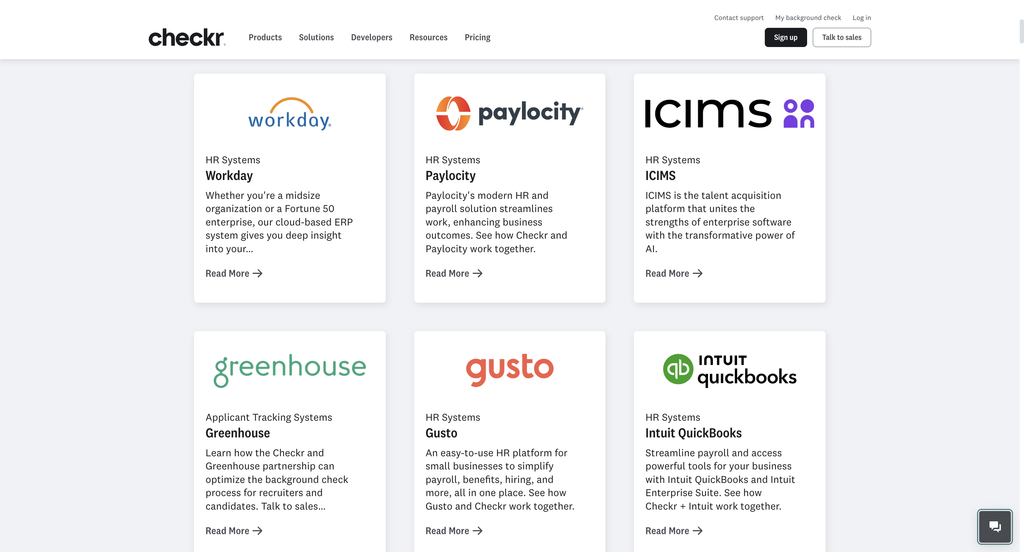
Two patterns stand out. The HR Systems bucket is the largest and it is where payroll lives, which means Checkr is reachable from the system that already holds your worker records rather than only from the system you recruit in. And the Industry Platform category is unusually specific: church management in Planning Center and Rock RMS, youth sports in TeamSnap and SportsPlus, healthcare credentialing in Medallion and WellSky, mobility in Ridecell and Vulog. Those are volunteer and gig screening markets, not corporate hiring.
A caveat on the list: a directory entry means a prebuilt connection exists, not that every screening type flows through it, and not that it is included in your partner’s plan. Several ATS vendors gate background-check connectors behind a higher tier. Our write-up on Breezy HR integrations walks through one example of that gating.
Three ways in, and they are not interchangeable
- A prebuilt partner integration. You authenticate your Checkr account inside your ATS or HRIS and order checks from that interface. No code. This is the right answer for most hiring teams and needs no developer involvement beyond someone with admin rights in both systems.
- Your own API integration. You call the Checkr API directly from your application. Appropriate when you have a custom hiring workflow, an internal tool, or a marketplace that onboards workers at volume.
- Checkr Partners. A different thing entirely. This is for software companies that want to offer background checks to their customers. You get a Partner Application with client credentials, create customer accounts through a dedicated endpoint, and connect each customer’s Checkr account via OAuth. Checkr describes a self-serve sign-up flow that lets a partner’s customers start running checks within minutes of their account being credentialed.
The third path carries an oauth_authorize parameter on account creation. Set it to true, and Checkr returns the authorization code in the account response, which you exchange at oauth/token for a token that lets you create candidates and reports inside the customer’s account. Set it to false, and your customer walks the authorization step themselves. Choose deliberately, because the first option skips a consent screen your customer might reasonably expect to see.
Credentialing comes before everything
You cannot sign up, grab a key, and start screening. Checkr requires credentialing first, and the docs are blunt about it: before you get access to the APIs and the dashboard, you must work with a support representative, supply the required documentation, and complete the process. Separately, your production API key will not be enabled for Reports until you email clients@checkr.com and ask for the account to be switched on for live requests. The docs also ask you to make contact before you start building, to learn the production approval process.
Budget calendar time for this, not engineering time. Background screening is a regulated activity, and the credentialing step exists because Checkr is a consumer reporting agency answering for who it lets pull reports. A sprint plan that assumes a same-day sandbox-to-production path will slip.
The API, in the shape you will meet it
Checkr describes itself as a RESTful, API-driven screening service with resource-oriented URLs and JSON responses throughout. Every example in the documentation uses cURL. Two hosts matter:
- Production:
https://api.checkr.com/v1 - Staging:
https://api.checkr-staging.com/v1
Keys come in two kinds, and the distinction is a security boundary rather than a convenience. A Secret key performs any API request on your account without restriction and belongs only on your own servers. A Publishable key exists for the JS API, identifies your account, and can only create candidates, so it is safe in client-side JavaScript or in a mobile app build. Both are generated under Account Settings, then Developer Settings. If a key leaks, you expire it from that page and create a replacement.
One warning in the docs deserves repeating: do not use your production Publishable key for testing. Production checks are billable events and a test harness pointed at the wrong key spends real money on real reports.
The canonical happy path is short. Create a Candidate. Create an Invitation. Wait. Retrieve the Report. Parse the results. Everything interesting happens in the waiting, which is what webhooks are for.
Webhooks are where integrations break
Checkr supports two webhook transports. Standard HTTPS to a public endpoint, with Basic Auth available by putting URL-escaped credentials in front of the hostname. Or AWS SNS, addressed as sns://key:secret@region/owner/topic, where the access key should carry only the Publish right in IAM. Webhook URLs must be HTTPS and the endpoint must be publicly reachable, which rules out posting straight into a private network.
Four behaviours to design around:
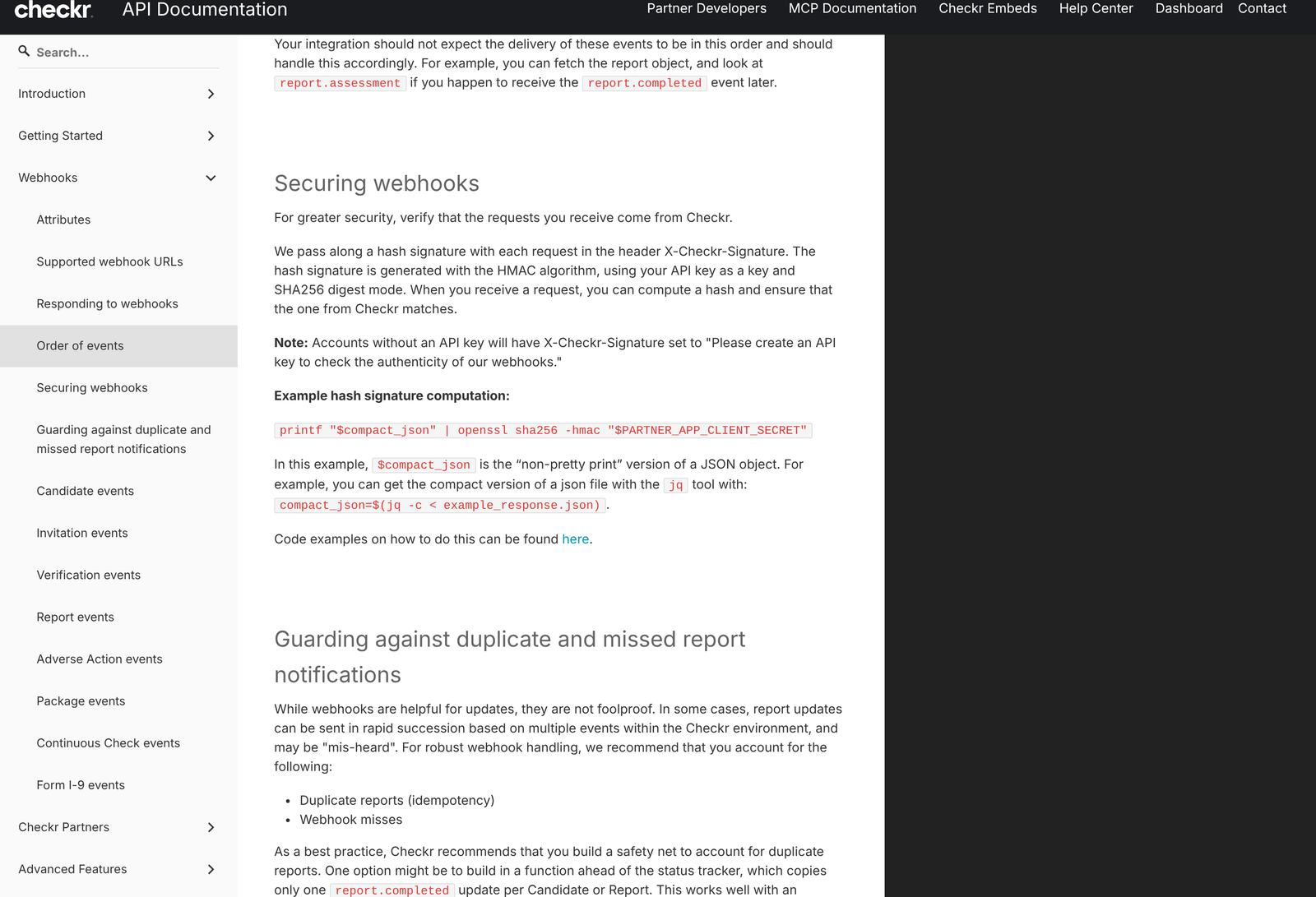
- Verification. Each request carries
X-Checkr-Signature, an HMAC-SHA256 hash computed over the compact JSON body using your API key as the HMAC key. Compute your own and compare. Accounts with no API key receive a placeholder string in that header instead of a signature, which is a silent way to end up verifying nothing. - Retries. Return a 2xx promptly to acknowledge receipt, and nothing else in your response body is read. A failed delivery is retried every minute for ten minutes, then hourly for twenty-four hours. That gives you a long tail of redelivery and a strong reason to make handlers idempotent.
- No ordering guarantee. Checkr states plainly that events are not delivered in the order generated. The documented example is a report that comes back with a result of consider, generating both
report.completedandreport.engaged. The recommendation is to fetch the report object and readreport.assessmentrather than infer state from arrival order. - Duplicates and misses. The docs acknowledge updates can arrive in rapid succession and be misheard, and recommend a safety net that lets only one
report.completedupdate per candidate through to your status tracker.
Event families span candidates, invitations, verifications, reports, adverse actions, packages, continuous checks and Form I-9. Subscribe selectively from the Developer Settings page rather than taking everything, and keep an eye on the webhook logs in the dashboard when something goes quiet.
Staging, and the gap you cannot close in it
Checkr offers a staging account that mirrors your production settings and lets you submit orders without billable events. It works through mocked candidate profiles that return predictable outcomes, and you must enter the mock data exactly as supplied. Get a character wrong, and the report sits in pending indefinitely rather than failing loudly. Reports normally complete within minutes.
Staging does not support four things that exist in production:
- Post-adverse action is not supported.
- Invitations never expire.
- Invoices are not created.
- Analytics are unavailable.
Read the first one twice. Adverse action is the single most legally sensitive branch in any screening integration, and it is the branch you cannot exercise end-to-end before launch. Plan a controlled production rehearsal with internal candidates, and get the notices in front of your employment counsel before a real applicant sees them. Note also that a staging account can only be created from a production account that is already authenticated, so credentialing gates even your sandbox.
One more hazard in the small print: Checkr says its own teams use the staging environment to test new functionality, so a mock candidate may occasionally return something unexpected. The advice is to try a different mock profile with a similar predefined outcome before raising a ticket. A flaky sandbox is survivable; a flaky sandbox you assume is deterministic will send you chasing phantom bugs in your own code.
Continuous checks change the integration, not just the order
Two resources in the API reference are worth planning for before you need them. Continuous Checks keeps monitoring a worker after the initial report, which means your system stops dealing with a one-off result and starts handling an open subscription that can surface a new record months later. Subscriptions schedule recurring screening on a cadence. Both have their own webhook event families.
The design consequence is that a candidate record cannot be archived once the report comes back clean. Something in your application has to stay listening, route a late hit to a human, and start the adverse action process again if that is where it leads. Teams building for gig marketplaces and healthcare credentialing hit this first, which is why so much of the Industry Platform category serves those markets.
Form I-9 events appear in the same list. If you handle employment eligibility verification through Checkr, that is a separate statutory regime from the FCRA with its own deadlines, and the webhook stream will carry both kinds of events into the same endpoint. Branch on event type early rather than writing one handler that grows conditionals.
The compliance seam your integration owns
Where you collect consent decides which obligations land on your code. Checkr offers a Hosted Apply Flow where the candidate signs disclosures and authorizations and enters their own personal information on Checkr’s pages, with eSignature captured on your behalf. Build a custom self-hosted flow instead, and you collect the authorizations yourself and pass candidate data through the API. A third route, the Manual Order in the dashboard, has you gather consent offline and then certify that you obtained it.
Choosing the self-hosted route means inheriting a record-keeping specification. Checkr’s guidance is to identify the candidate by username and password, have them type their name into a signature box, store the date, timestamp, IP address and signed name on submission, and be able to reproduce a PDF of the authorization form on demand with those details intact. Build that before you build the pretty bits.
The underlying law sits with the Fair Credit Reporting Act, and the FTC’s guidance for employers is specific. Before you obtain a report, you must give a written disclosure in a stand-alone format, which cannot be buried inside the job application, obtain written permission, and certify to the reporting company that you did both, complied with the FCRA, and will not misuse the information. Before you take adverse action, you must provide a notice including a copy of the report and a copy of “A Summary of Your Rights Under the Fair Credit Reporting Act”. After the action, the notice must name the reporting company with its address and phone number, state that the company did not make the decision and cannot give reasons for it, and tell the person about their right to dispute the information and to a free additional report if they ask within sixty days.
Map each of those to something in your integration. The stand-alone disclosure is a page or a Checkr-hosted screen. The pre-adverse notice is triggered off an adverse action event and needs the report attached. The sixty-day window is a date calculation someone has to own. None of it is hard; all of it is the part that gets skipped when a prebuilt connector makes ordering feel like sending an email.
Which path fits which team
Hiring in one ATS, under a few hundred checks a year: take the prebuilt connector and stop. Confirm with your ATS vendor that the connector is on your plan, and confirm which screening packages it can order, since connectors frequently expose a subset.
Custom workflow, or a product that onboards workers: build on the API. Spend your estimate on webhook idempotency, signature verification, and the adverse action branch. Ordering reports is a morning’s work; the rest is the project.
Shipping screening to your own customers: Checkr Partners, and start the business development conversation early because partner credentials come through a partner application rather than self-serve. Our Checkr review covers the five separate price lists, which matters here because the package your customers order determines what they pay.
Already on a platform in the directory for a different reason: check whether your existing vendor is on the list before you add another system. If you run payroll in Rippling or Gusto, both appear under HR Systems and the connection may already be one toggle away.
Frequently asked questions
Does Checkr have a public integrations page?
The directory lives at checkr.com/partners rather than at an /integrations path, which 404s. Developer material is separate again, at docs.checkr.com.
Can I test the full flow before going live?
Mostly. Staging covers ordering, reports, and webhooks with mocked candidates, but post-adverse action, invoices and analytics are not available there, and invitations do not expire. The adverse action path needs a production rehearsal.
How does Checkr authenticate API requests?
With API keys, created under Account Settings, then Developer Settings. Secret keys stay server-side and can do anything on the account. Publishable keys are for the JS API and can only create candidates.
What happens if my webhook endpoint is down?
Checkr retries every minute for ten minutes, then every hour for twenty-four hours. Beyond that, you are reconciling by polling the API, so treat a long outage as a data-integrity task rather than a transient blip.
Are webhook events delivered in order?
No. Checkr states explicitly that it does not guarantee ordering and recommends fetching the report object and reading report.assessment instead of relying on which event arrived first.
Do I need a developer to connect Checkr to Greenhouse or Workable?
No. Both are prebuilt ATS integrations in the directory. You will need admin rights in both systems and a credentialed Checkr account.
Is there an OAuth option for connecting customer accounts?
Yes, through Checkr Partners. It is intended for software companies offering screening to their own customers, not for an employer connecting its own stack.
Sources
- Checkr partner directory, counted 28 October 2026.
- Checkr API documentation, covering authentication, staging, webhooks, and Checkr Partners.
- FTC, Using Consumer Reports: What Employers Need to Know, for the FCRA disclosure, authorization, and adverse action obligations.
This page describes integration mechanics, not legal advice. Screening decisions and notice wording belong with your employment counsel.
Check whether your ATS is already on Checkr’s partner list before you scope a build.