


Disclosure: Stack99 earns a commission if you buy through links on this page. It costs you nothing extra and never changes our assessment.
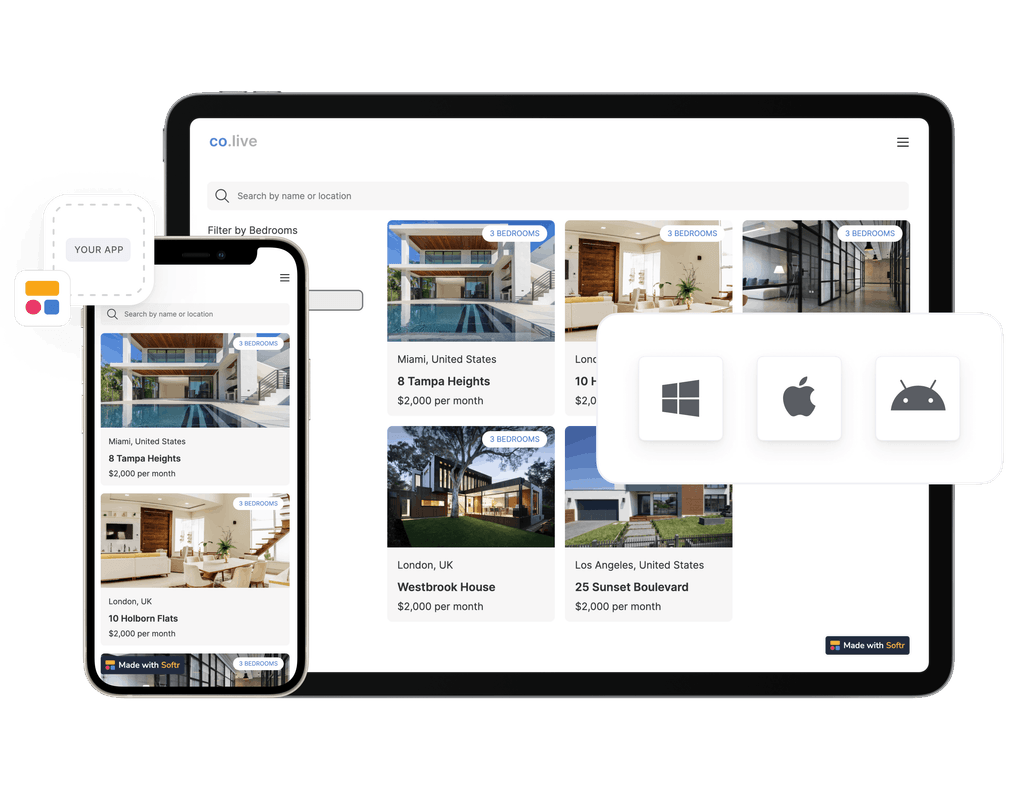
Softr builds client portals, internal tools, and small business apps on top of data you already keep somewhere else. Airtable, Google Sheets, a Postgres database, or Softr’s own built-in tables. You lay out pages, set who can see what, and publish. No deployment step, no hosting bill, no front-end code.
The product is good at that job. The pricing is where people get caught, and the trap is set before you read a single number. Every figure below was read off softr.io/pricing on 25 November 2026.
The toggle is already on Yearly
Two buttons sit above the plan cards: Monthly and Yearly. Yearly carries the active state in the page markup when it loads. Its own label reads “2 months off”. So the first price anyone reads on that page is a discounted annual rate, dressed as a monthly figure.
Here is how you can confirm it without taking my word for anything. Scroll to the FAQ and open “What if I need more custom domains?”. Softr answers that extra domains cost “$15/month, or $13/month when billed annually”. Two rates, clearly separated, with the annual one lower. The plan cards show only one rate each, and the toggle controlling them sits on Yearly.
So $19 is what Basic costs per month if you pay for a year up front. The monthly-billed figure is higher. Softr does not render it in the page source, and I could not read it without running the site’s own scripts, so it is not in the table below. Treat any article quoting Softr at “$19 a month” as quoting the annual rate.
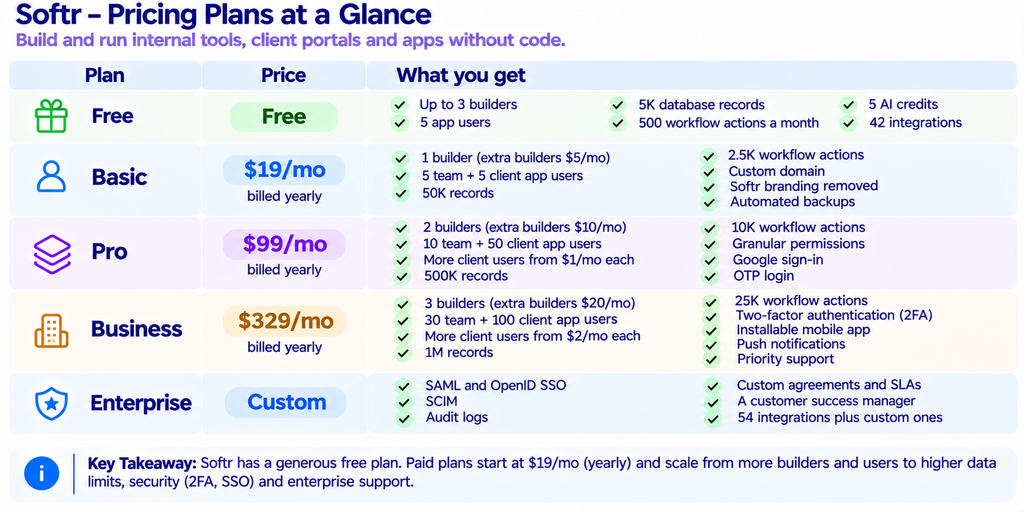
Softr pricing, annual billing
Softr runs a 50% discount for non-profits and education, claimed through a form rather than applied at checkout. Refunds run 14 days from your first payment on monthly billing and 30 days on yearly. Basic, Pro, and Business take credit cards only. Enterprise can pay by invoice, purchase order, wire, or ACH.
Builders and app users are the real meter
Two separate populations get counted, and each is charged differently.
A builder is anyone who can open Softr Studio and change things. Basic includes one. If you and a colleague both need to edit, Basic costs $19 plus $5, so $24 a month on annual billing. Pro includes two builders and charges $10 for each extra. Business includes three at $20 each after that.
An app user is someone who logs in to the thing you built. A client checking their project status. A contractor submitting a timesheet. These are counted by unique email address across every app in your workspace, so the same person in three portals counts once. Deactivated users drop off the count. Builders can be added as app users at no charge, which quietly matters if your internal team is also the audience.
Team users and client users are not the same allowance
From Basic upward, your app user allowance splits in two. A team user shares a business email domain with one of your builders. A client user is everyone else. Softr counts free domains such as Gmail as client users regardless of who they are.
Pro gives you 10 team and 50 client. That shape tells you exactly who Softr thinks is buying: a small internal team serving a much larger outside audience. Build a staff-only intranet for 40 employees on Pro, and you will exhaust the team allowance at user eleven while 50 client slots sit idle. The split does not flex. You buy more.
One wrinkle catches freelancers. If your builders use a Gmail address, then your colleagues on Gmail are client users too, and your team allowance goes unspent. A custom domain on your own email fixes that, and Basic is the tier where custom domains start.
What each step up actually buys
Run the arithmetic across the ladder, and the shape of it becomes clear.
- Free to Basic, $0 to $19: app users go 5 to 10, records 5K to 50K, workflow actions 500 to 2,500. You also stop showing Softr’s branding and get a custom domain.
- Basic to Pro, $19 to $99: the price multiplies by 5.2. App users go from 10 to 60, a factor of six. Records multiply by ten. Workflow actions by four.
- Pro to Business, $99 to $329: price multiplies by 3.3 while app users go from 60 to 130, roughly 2.2 times. Records double. Workflow actions multiply by 2.5.
Basic to Pro is the one step where the capacity grows faster than the price. Pro to Business is the opposite, and you are paying mostly for security controls rather than volume: two-factor authentication, domain-restricted signup, global data restrictions, filtered user sync, push notifications, and a packaged mobile app. If none of those appear on a compliance checklist you have been handed, Business is poor value, and buying extra app users on Pro at $1 a month is cheaper for the long run.
Work that out properly. Pro at $99 with 70 extra client users at $1 each lands at $169 a month. Business costs $329 and includes 130. Crossing over needs about 230 extra users on Pro before Business wins on headcount alone, and by then you have probably hit the 500K record ceiling instead.
Two caps that stop work rather than bill you
Most limits on the page are soft. Two are not.
Workflow actions are metered monthly: 500 on Free, 2,500 on Basic, 10,000 on Pro, 25,000 on Business. Softr states plainly that when you hit the limit, your workflows pause until the allowance renews or you upgrade. Triggers and flow controls are excluded from the count, so only real actions burn it. An automation firing on every form submission in a busy portal will find 2,500 thin.
AI credits behave more kindly. Base credits reset monthly and do not roll over. Add-on credits you buy separately roll over for one month. Running out does not lock you out, because Softr keeps the no-code editor working without AI, which is a genuine difference from builders that stop dead when credits expire.
Integrations grow with the tier
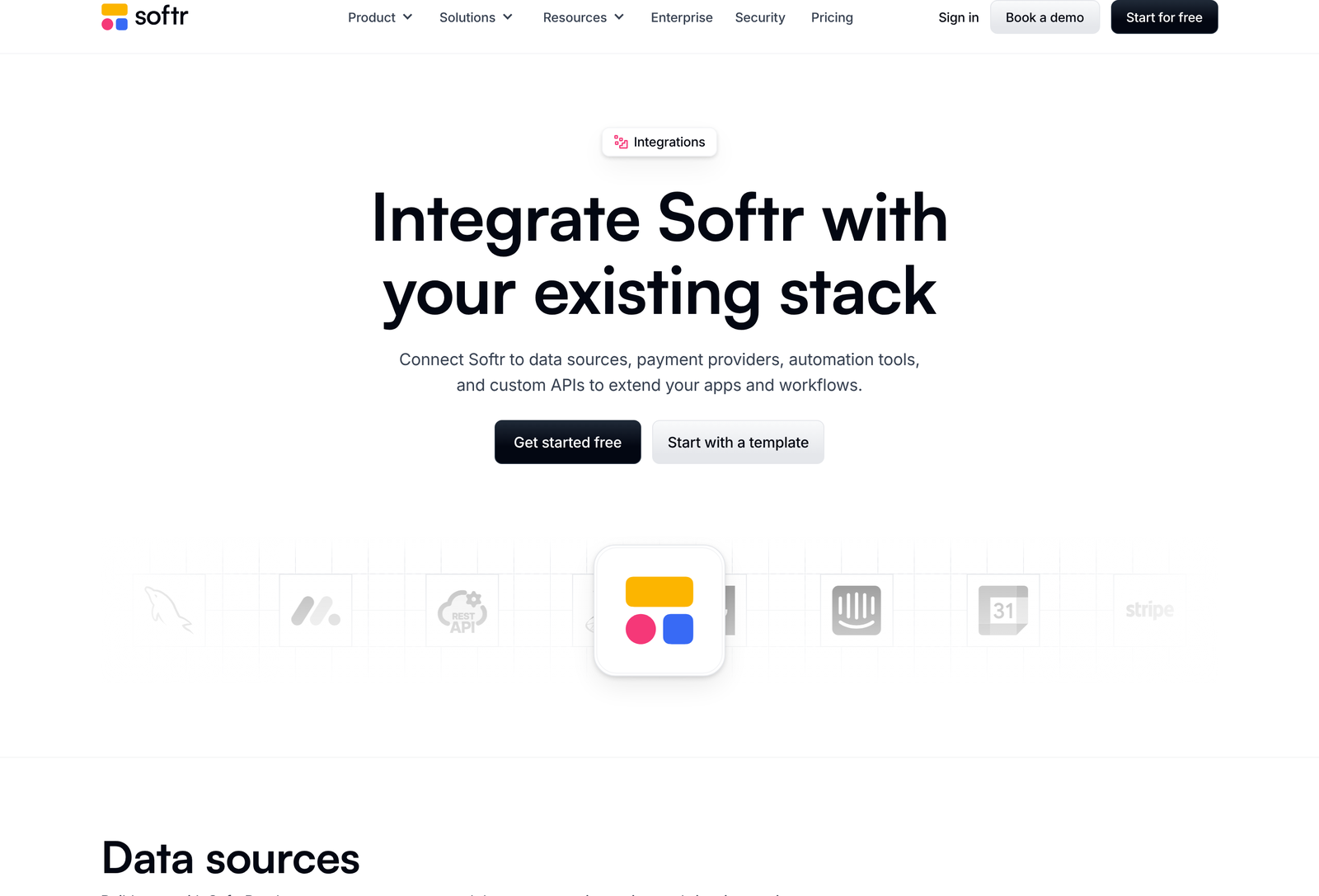
The integration count is not flat. Free and Basic reach 42, Pro 45, Business 52 and Enterprise 54 plus custom connections on request. Softr lists Airtable, Google Sheets, HubSpot, Notion, Salesforce and SQL databases among the data sources, alongside payment providers and automation tools.
Pro adds something more interesting than a count. It lets you build from Claude, ChatGPT or another MCP client using your own AI subscription, with no Softr credits consumed. If you already pay for an AI assistant, that turns the AI credit allowance into a secondary concern on Pro and above.
The Airtable arithmetic
Softr’s strongest argument is not visible on its own pricing page. It shows up when you price the alternative.
Airtable charges per user. Its Team plan is $20 per user per month billed annually, and Business is $45. Give sixty clients direct access to an Airtable base on the Business plan, and you are looking at $2,700 a month. Put Softr Pro in front of the same base and those sixty people log in to a portal instead, at $99 a month plus whatever Airtable seats your actual staff need.
That gap is the entire product. Softr is a licence arbitrage layer with a decent page builder attached. Knowing that reframes the pricing: you are not comparing $99 against a free spreadsheet; you are comparing it against per-seat costs you were going to pay anyway.
Where Softr fits
Choose it if: you have structured data in Airtable, Sheets or Postgres, and you need a controlled front door onto it for people who should never touch the underlying table. Client portals, member directories, applicant trackers, inventory views for branch staff. The permission model earns its keep here.
Choose it if: your audience is much larger than your build team. Every plan is shaped around two or three builders serving dozens or hundreds of app users, and Softr is efficient at exactly that ratio.
Skip it if: you want a public marketing site. Softr prices by logged-in user, which makes no sense for anonymous traffic, and the use cases Softr itself advertises are portals and internal tools rather than websites.
Skip it if: your app is mostly internal staff on a shared domain. The team user allowance is the stingy half of every plan, and you will pay Pro or Business prices for an allowance shaped around clients you do not have.
For a tour of what the builder can do before you weigh the cost, our Softr features rundown and the beginner’s guide cover the editor itself. The advanced guide goes further into permissions and data handling.
What I could not verify
Three things stayed out of this review because I could not read them from Softr’s own pages.
The monthly-billed price of each plan. The page serves only the yearly state without running its scripts, and the difference is not a clean multiple: Softr’s own custom domain add-on moves $13 to $15, a 15% gap, while the plan toggle advertises two months off, which would be 20%. Applying either ratio to $19 would be a guess.
The upper bound on extra app users. Softr says extras are available “up to certain limits” on Pro and above, and points to a calculator rather than naming the ceiling.
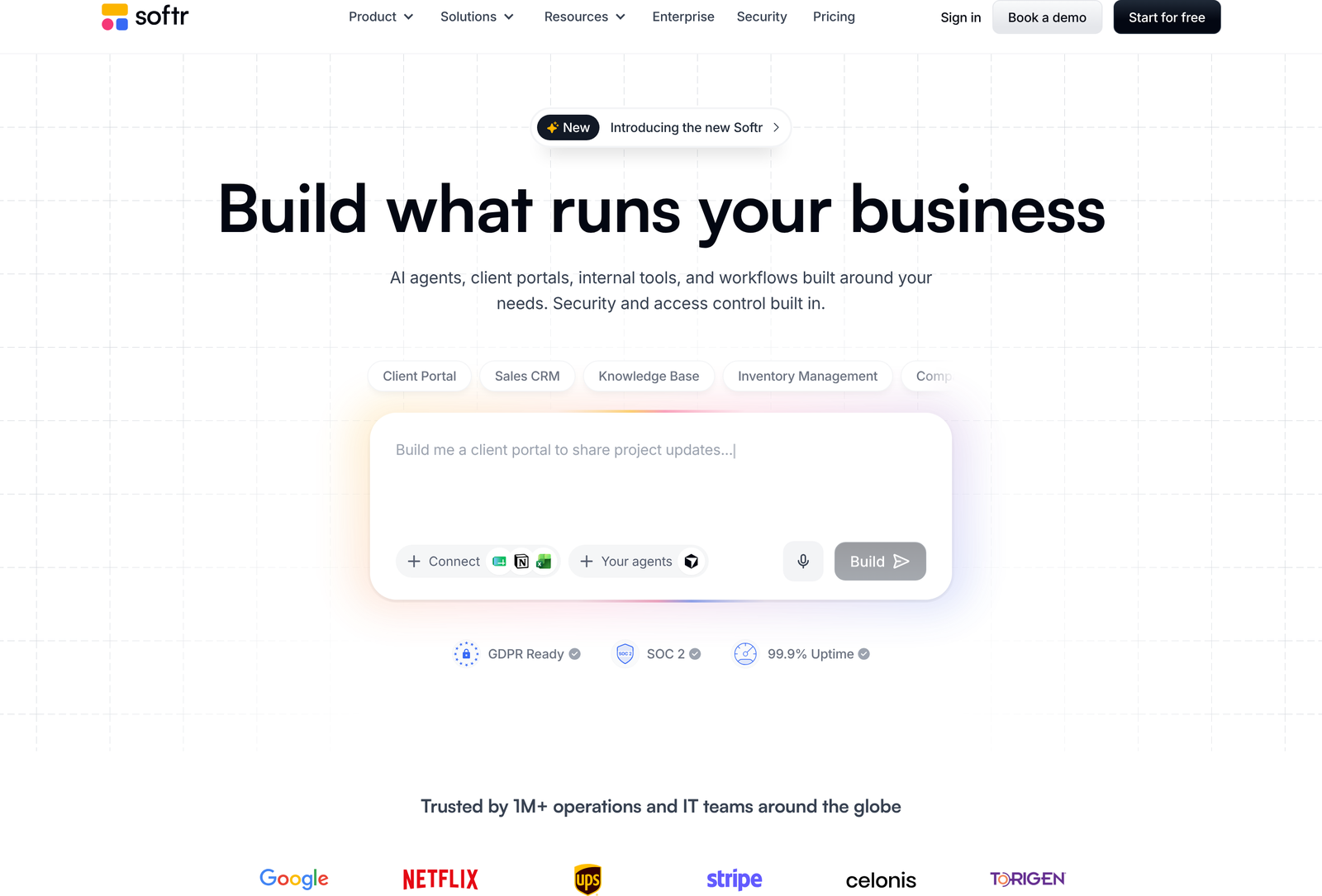
Aggregate review scores. The usual rating platforms refuse automated requests, so there is no star average here. Softr’s homepage claims more than one million businesses, a SOC 2 report, GDPR readiness, and 99.9% uptime, all of which are the vendor’s own claims rather than anything I checked.
Record limits are the quiet ceiling
Database records get far less attention than seats, and they are the limit most likely to surprise an established team. Free holds 5,000 records. Basic holds 50,000. Pro holds 500,000 and Business one million, counted across all your Softr Databases together rather than per app.
Note the wording: this cap applies to Softr’s own built-in databases. If your data lives in Airtable or a Postgres instance and Softr is only reading it, your row count belongs to that system and its limits. Teams that start on an external base and later migrate into Softr Databases to simplify their stack can walk into the record ceiling without changing anything about how many people use the app.
A project tracker with 200 clients, 30 fields, and three years of history gets to six figures of rows quickly once you include logs and line items. Check your row count before you assume Basic covers you.
How to test it without guessing
Softr gives everyone a free trial at signup with no card, and says you can extend it once by choosing a specific plan to trial again. The Free plan itself is permanent. Between those two facts, you can answer the pricing question empirically rather than by reading plan cards.
Build the real app on Free. Connect the actual data source, not a sample. Invite five genuine users and watch which counter moves fastest. Most teams discover their constraint is a single number: the builder count for an agency, the team user split for an internal tool, workflow actions for anything with automated notifications.
Then price the plan that clears that one number with headroom, and treat everything else on the card as incidental. Buying Business for two-factor authentication when your binding limit was workflow actions wastes $230 a month on annual billing.
Verdict
Softr is a sound product sold behind a pricing page that flatters itself. The toggle default is the problem, not the price: $99 for a portal serving sixty clients is reasonable, and it only feels like a bait when you discover the advertised figure assumed a year’s commitment you had not agreed to.
Go in knowing which counter you will hit first. Builders if you are a studio, team users if you are an internal IT function, workflow actions if your portal is busy, records if your Airtable base is already large. Pick the plan that clears that one counter and ignore the feature lists, because the features are rarely what forces the upgrade.
You can start on Softr’s free plan and build a working app before any card is required, which is the right way to find your binding limit.
FAQ
Is the $19 Basic plan really $19 a month?
Only on annual billing. The pricing page loads with the Yearly toggle selected and labels it “2 months off”, so $19 is the per-month rate when you pay for twelve months up front. Switch the toggle to Monthly to see the higher figure before you buy.
What counts as an app user?
Anyone who logs in to an app you published. Softr counts unique email addresses across your whole workspace, so one person in several apps counts once. Deactivated users are not counted, and your builders can be app users for free.
What is the difference between a team user and a client user?
Team users share a business email domain with one of your builders. Everyone else is a client user, including anyone on Gmail or another free provider. Each plan from Basic upward allocates the two separately, and you cannot spend one allowance on the other.
What happens when I run out of workflow actions?
Your workflows pause until the monthly allowance renews or you upgrade. Triggers and flow controls do not count toward the limit, so only executed actions consume it.
Can I keep building after my AI credits run out?
Yes. Softr keeps the no-code editor available without AI credits. Base credits reset each month and do not roll over, while add-on credits you purchase roll over for one month.
Does Softr offer a refund?
Softr states a full refund within 14 days of your first payment on a monthly subscription and within 30 days on a yearly one, requested by email to its support address.
Sources
- Softr pricing page, read 25 November 2026, for all plan figures, allowances and FAQ answers.
- Softr integrations page, for the categories of connections available.
- Airtable pricing, for the per-seat comparison figures.