



Datarails sells financial planning and analysis software to finance teams who do not want to leave Excel. It consolidates data from accounting systems, ERPs, and operational tools into one governed layer, then lets the finance team keep working in the spreadsheet they already know. The product is competent and unusually honest about what separates its plans. The buying process is the opposite: no price appears anywhere on the website, and the plan you need is decided by headcount rather than by what you want the software to do.
Disclosure: Stack99 earns a commission if you buy through links on this page. It costs you nothing extra and never changes our assessment.
The short answer
Datarails is a strong fit for a finance team of two to fifteen people that runs on Excel, consolidates multiple entities and wants AI answers it can defend in an audit. The FinanceOS AI Connector, which exposes governed financial data to ChatGPT, Claude, Copilot, Gamma and Lovable, is the most genuinely differentiated thing the company sells, and it appears on every tier rather than being held back for enterprise buyers.
Two things should give you pause. No price is published anywhere, so every evaluation starts with a sales call. And the entry plan connects exactly one external system against a catalogue of 437, which makes the integration allowance, not the feature list, the thing to negotiate.
What you are actually buying
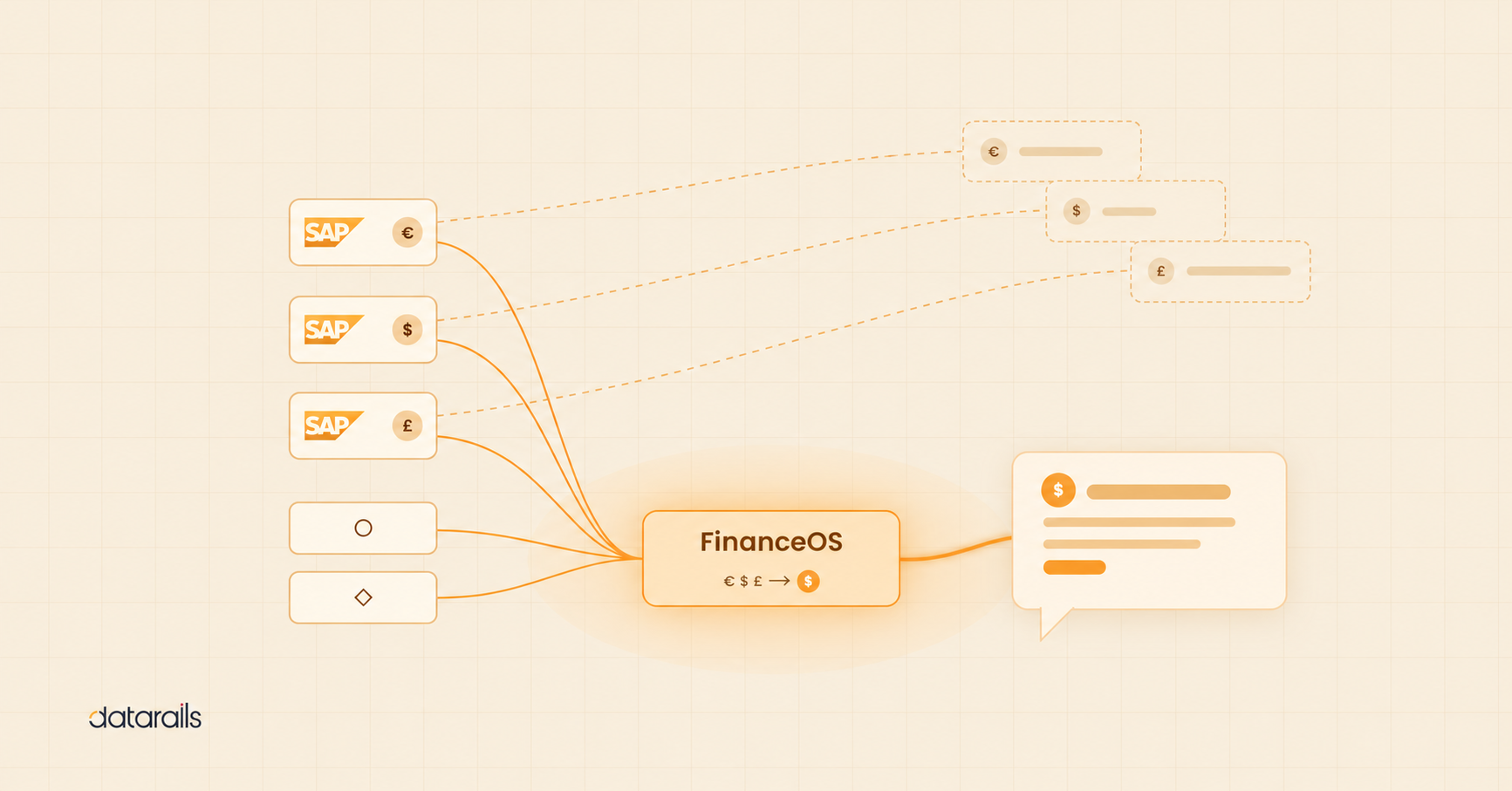
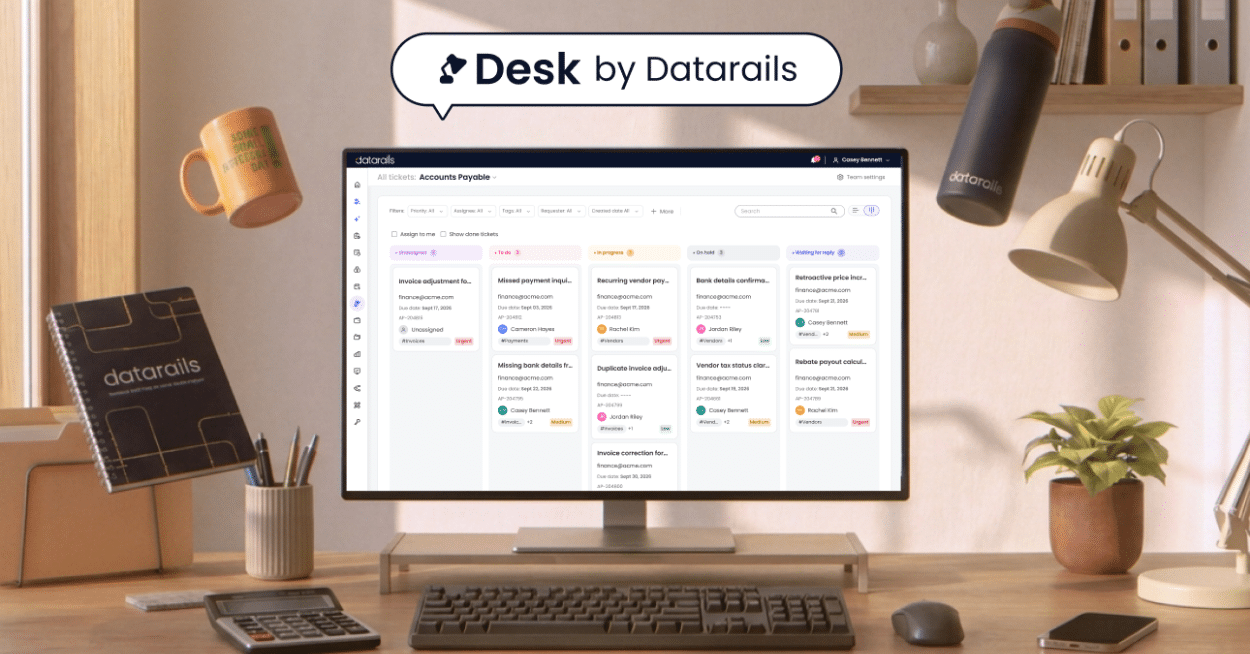
One name covers several products here, and the website does not make the boundaries obvious. FinanceOS is the governed platform layer underneath everything. Datarails FP&A is the flagship: consolidation, reporting, budgeting and planning. Four workflow modules sit alongside it, named Cash, Month-End Close, Spend and Desk. A piece called the FinanceOS AI Connector forms the bridge out to third-party AI tools.
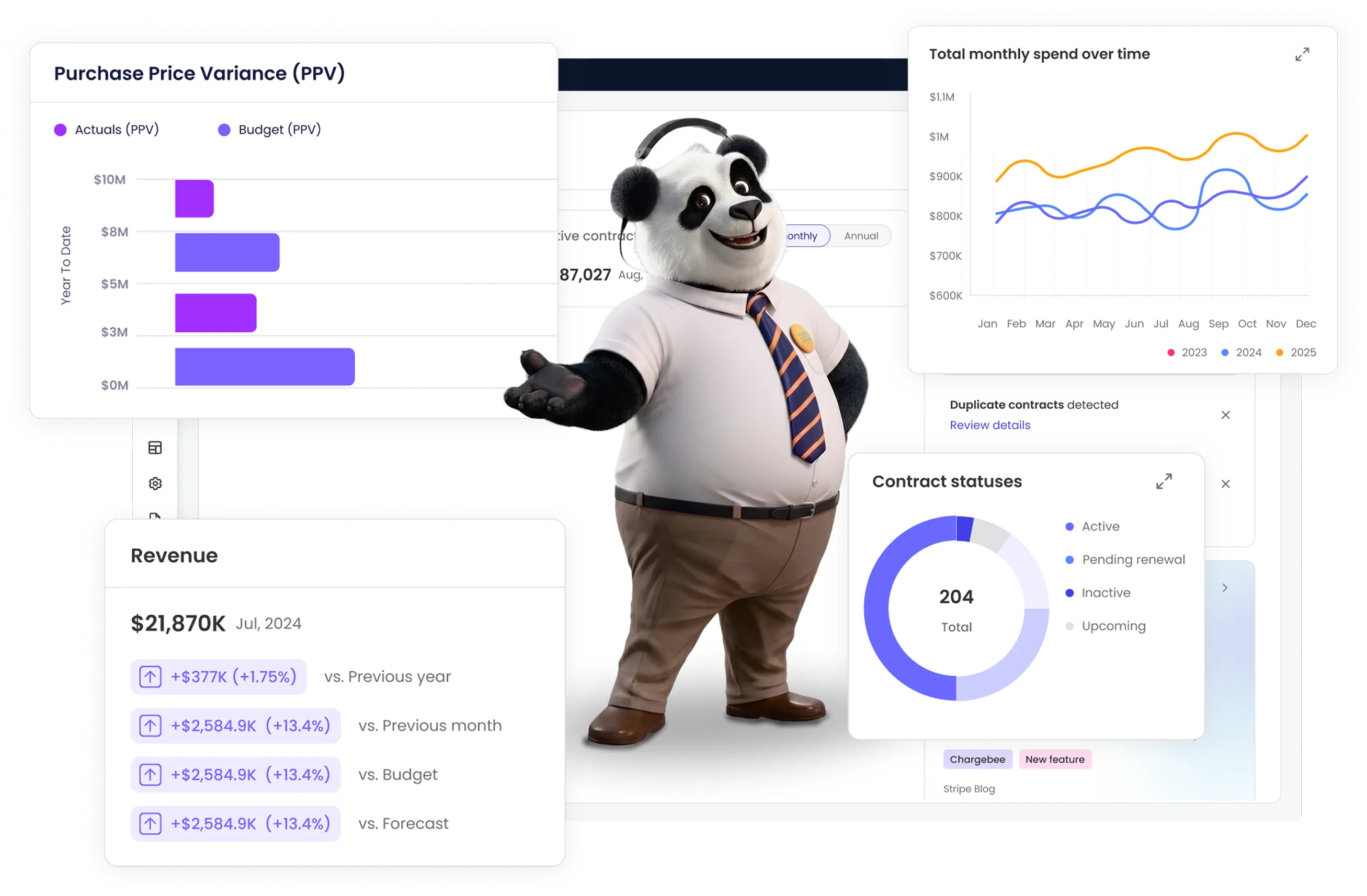
Here the naming gets slippery. The pricing page calls the AI capability “Datarails AI Agents” and “AI Suite”. The company’s own Xero App Store listing calls it “Genius by Datarails”, and names a sixth product, “Datarails Connect”, described as real-time consolidation and reporting with partial access to Genius for teams that do not need full FP&A functionality. Datarails Connect does not appear on the pricing page at all.
For a buyer that matters. If a lighter consolidation-only product exists, it belongs in your evaluation, and you will only find it by reading a third-party marketplace listing rather than the vendor’s own pricing page.
The Excel argument, and its limits
Datarails leads with a claim most of its rivals avoid: your team can stay in Excel. Rather than replacing the spreadsheet, it treats Excel as the front end and puts a governed database behind it, so a model keeps its formulas while the numbers underneath are reconciled and versioned.
That is a real insight about how finance teams work. Analysts who have spent a decade in Excel are fast in Excel, and migration projects that take the spreadsheet away tend to fail on adoption rather than on functionality.
It also inherits the risks of the format. The European Spreadsheet Risks Interest Group maintains a long-running public catalogue of spreadsheet failures in production use, collected over many years precisely because uncontrolled spreadsheets keep causing material errors. Datarails answers that with version control, permissions, audit trails, and data lineage, all of which appear on every tier. Whether those controls are enough depends on how disciplined your team already is, because the product keeps the editing surface that caused the problem in the first place.
Our reading: the governed-Excel approach is a legitimate answer to the adoption problem and a partial answer to the error problem. Buy it because your team will actually use it, not because it eliminates spreadsheet risk.
On the missing prices
Datarails publishes three plans and no figures. Professional, Premium, and Expert each carry a Request Quote button under a headline that reads “Choose your plan. No surprises” and a subheading promising complete cost transparency with no consultant fees.
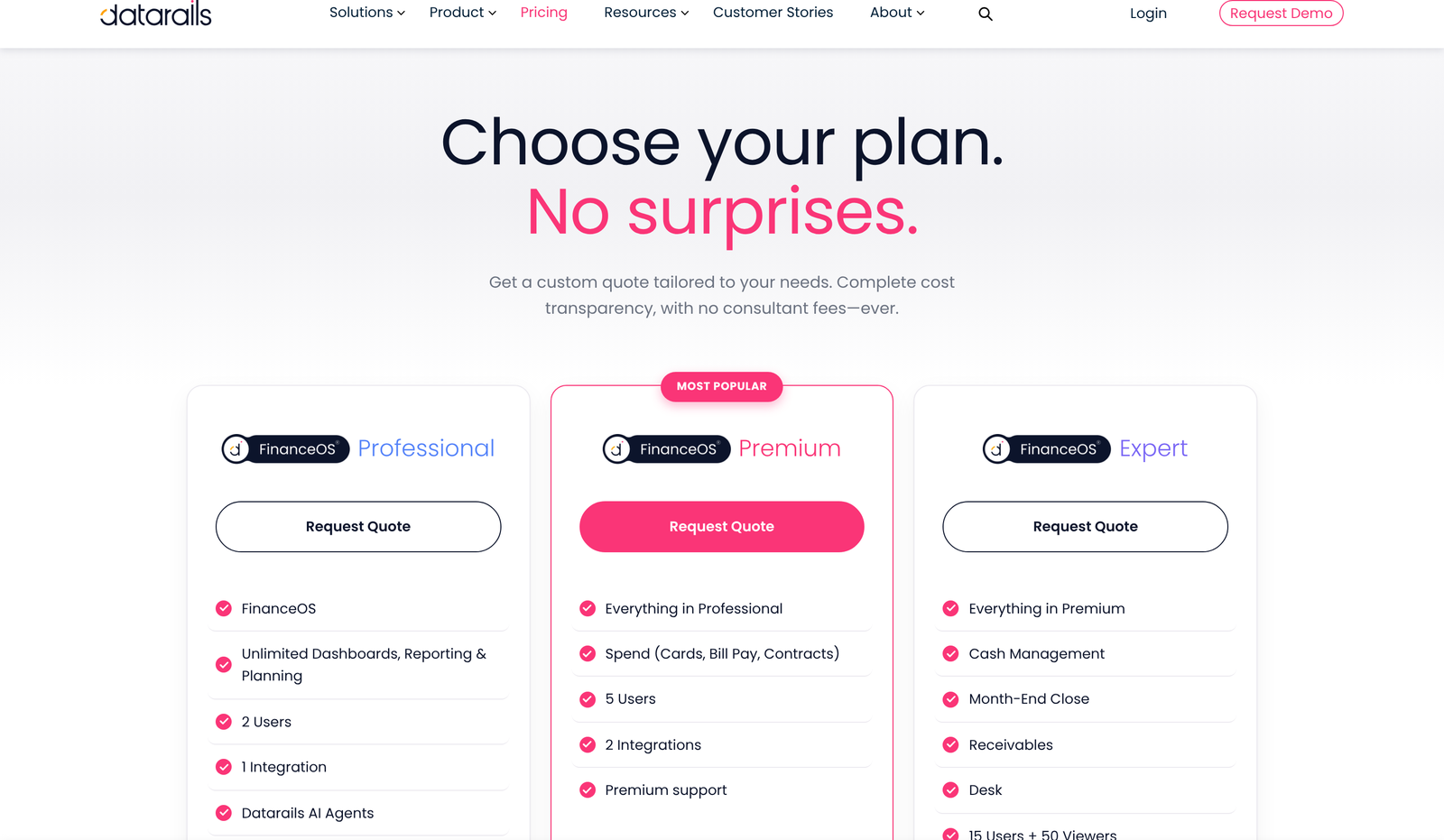
We will not estimate what any of these cost. The page does publish its structural limits precisely, which is more than many quote-only vendors manage, and we have taken that structure apart in detail in our piece on how the Datarails plans actually differ.
The practical effect on a buyer is a timing cost rather than a money one. You cannot shortlist Datarails against a priced rival without booking a call, which pushes it out of any evaluation run on a tight deadline.
Seats decide your tier, not features
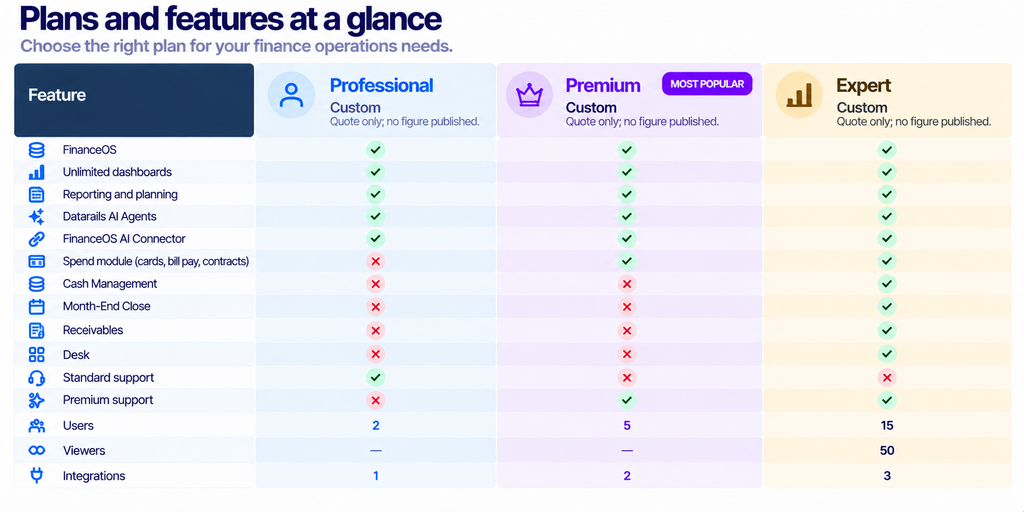
Read the comparison table and the shape of the product becomes clear. Twenty-one rows, and nineteen of them carry a tick in all three columns. Reporting, planning, dashboards, the data mapper, lookups, workflows, filters, version control, permissions, allocations, custom reports, multiple charts of accounts, currency translation, intercompany eliminations, and JV investment accounting are present in whichever plan you buy. Only AI Storyboards and premium support are withheld, both from Professional.
So the ladder is quantitative. Professional gives two named users. Premium gives five. Expert gives fifteen plus fifty view-only seats, which is the first tier that lets the wider business look at finance output without consuming a licence.
Two users is tight. A finance function of a CFO and a single analyst fits; add a controller, and you are already at Premium regardless of what you need the software to do. For a company evaluating FP&A tools because the team is growing, that ceiling arrives faster than the feature list suggests.
The viewer seats on Expert deserve attention. Most planning tools charge for read access, and fifty free viewers is the difference between finance publishing numbers and finance emailing screenshots.
One connection out of 437
Datarails maintains a public integrations directory. We counted the rendered connector cards on 18 October 2026 and there are exactly 437, spanning ERPs, accounting packages, data warehouses, HR systems and industry-specific platforms. The company separately claims support for more than 600 systems, so roughly a quarter are unlisted.
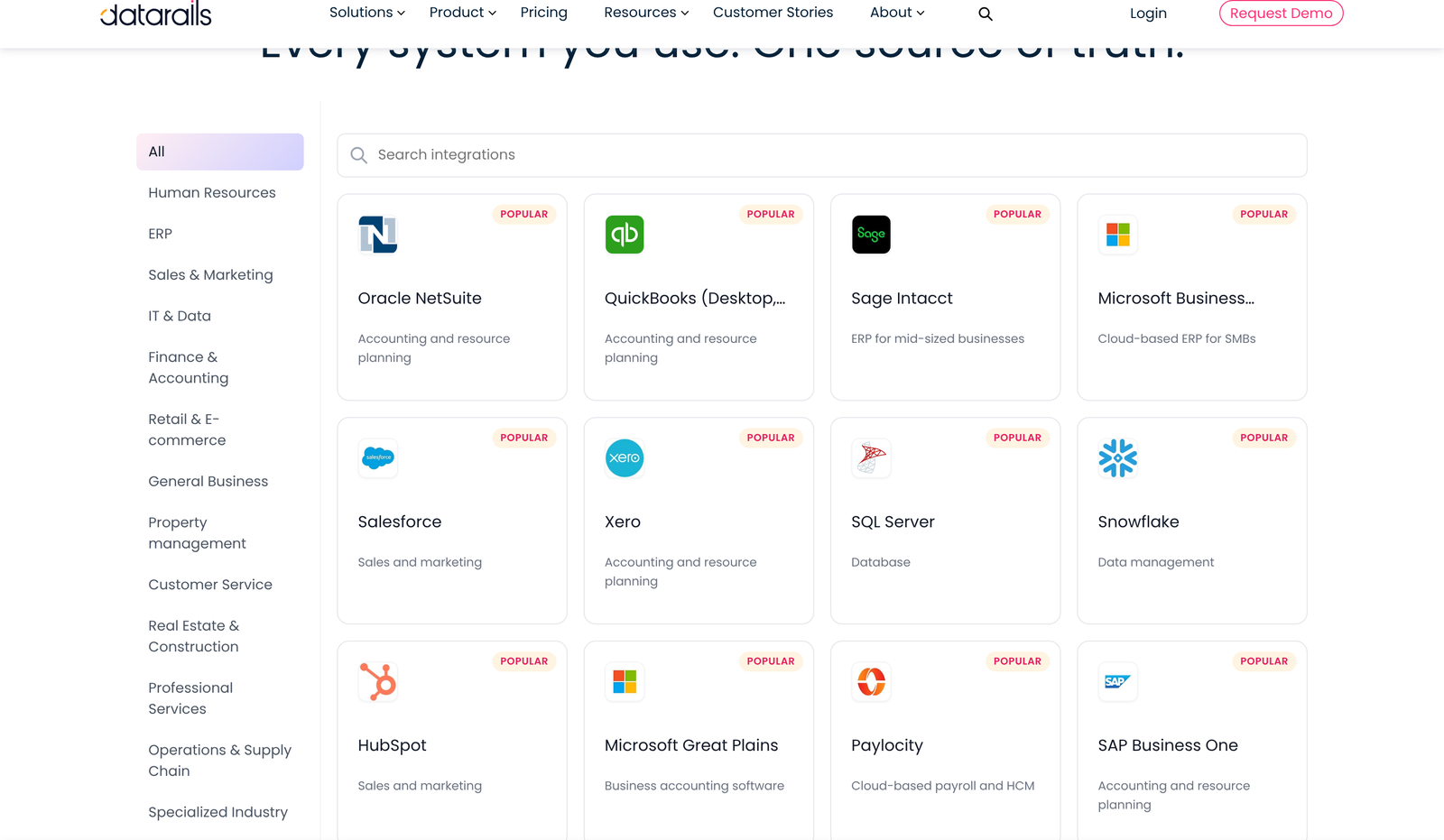
Against that catalogue, the allowance is one connection on Professional, two on Premium and three on Expert. A business running NetSuite, Salesforce and a payroll system needs Expert purely to plug in what it already owns.
Whether a custom API call or an SFTP feed consumes one of those slots is not stated anywhere, and both appear in the catalogue as entries in their own right. Ask that question early, because the answer could move you a whole tier.
The AI connector is the differentiated part
Most finance software has bolted a chat box onto a dashboard and called it AI. Datarails has done something more interesting, and it is the strongest reason to look at the product.
The FinanceOS AI Connector exposes the governed financial layer outward, to ChatGPT, Claude, Copilot, Gamma and Lovable by name. The argument the company makes is sound: most AI tools connect straight to raw systems, inherit fragmented data and produce output a finance team cannot stand behind. Routing those tools through a layer that already carries consolidated figures, finance-defined metrics, permissions, audit trails and lineage changes what the answer is worth.

Note where it sits on the price list. It is ticked on all three tiers, including the two-user entry plan. Governance and AI access are normally the first things a vendor reserves for its enterprise tier, so making this universal is a deliberate and buyer-friendly choice.
What is not published is how the connector is implemented, which permissions model governs an outside tool’s access, or whether query volume is metered. Those are reasonable questions for a demo and none of them is answered in public.
What third parties say
Independent evidence on Datarails is thin, and the honest summary is that very little of it exists in public.
The Xero App Store carries a Datarails listing rated 5.0 out of 5. That rating rests on three reviews, posted in November and December 2022, and all three are about the Xero connector specifically rather than the platform. A perfect score from three reviews that are almost four years old tells you the integration worked for three people in 2022. It is not a verdict on the product.
The listing is more useful for its technical detail. It names twelve Xero objects that flow into Datarails: budgets, timesheets, accounts, payment services, tracking categories, reports, receipts, purchase orders, prepayments, payments, invoices and currencies. Every one is marked as shared from Xero to Datarails. Nothing is listed as flowing back, so treat the connector as a one-way feed into the planning layer.
The app has been listed since May 2022 and is available in Australia, Canada, Ireland, New Zealand, South Africa, the United Kingdom and the United States.
Beyond Xero, we could not corroborate much. The major software review platforms refuse our crawler, and the Microsoft, Salesforce and Oracle marketplaces either block automated reads or return nothing for a Datarails query. We are not going to quote ratings we could not open.
Where the product descriptions contradict each other
Two inconsistencies survived our reading of the site, and both would affect a quote.
The four workflow modules are presented twice. The plan cards bundle them, with Spend arriving on Premium and Cash, Month-End Close and Desk arriving on Expert. Further down the same page, a section headed “Purpose-built modules you can layer onto any plan” sells them as add-ons. Both statements cannot be fully true, and nothing on the page reconciles them. If you want Cash Management without fifteen seats, that distinction is worth several thousand dollars.
Then there is Receivables. It appears in the Expert plan card and nowhere else: not in the module section, not in the product navigation, not in the comparison table, not in the Xero listing. No definition of it exists anywhere we could find on the site.
Getting it running
Datarails positions implementation as short and serviced, with in-house FP&A specialists rather than outside consultants, and the pricing page promises no consultant fees ever. That promise is unusual in this category and worth holding the vendor to in writing.
The company describes getting started as a form submission followed by a personalised demonstration hosted by one of its own FP&A people. No self-serve signup exists, and no trial is advertised anywhere on the site.
What is absent is any published implementation timeline. A finance team choosing a planning tool in October usually wants it live before the budget cycle, and the website gives you no basis for judging whether that is realistic. Ask for a dated plan rather than a duration, and ask who does the data mapping work.
Standard support comes with Professional. Premium and Expert both carry premium support, which the comparison table confirms is one of only two capabilities the entry plan lacks. If support responsiveness matters during a close, that single row may justify the step up more than any feature does.
Who builds it
Datarails was co-founded by Didi Gurfinkel, who serves as chief executive and was previously a general manager at Cisco, and Eyal Cohen, chief product and operating officer, whose earlier company was WalkMe. The business describes its mission as moving finance beyond reporting what happened toward deciding what to do next.
That framing shows up in the product. The four workflow modules cover cash, close, spend and ticketing, which are operational finance jobs rather than planning ones. A company that only wanted to sell budgeting software would not have built a ticketing system for finance teams.
Who it fits
Datarails suits a finance team of two to fifteen that already lives in Excel, consolidates more than one entity and has a genuine governance requirement. Intercompany eliminations, currency translation and multiple charts of accounts are standard across all three plans, so a multi-entity group gets the hard parts without reaching for the top tier.
It suits organisations that want AI in the finance workflow but cannot accept ungoverned answers. This approach to AI access is better thought through than most.
Look elsewhere if you need published pricing to run a procurement process, if your finance team is one person and the two-user floor would be wasted, or if you want to leave spreadsheets behind entirely. Teams hoping a planning tool will force a cultural move away from Excel should buy something that does not have Excel at its centre.
Also think twice if you run many source systems. Three connections is the published ceiling, and a modern mid-market stack passes three quickly.
Verdict
Datarails is a well-built FP&A platform with an unusually generous feature floor, a thoughtful position on AI governance, and a buying process that works against it. The same company that refuses to publish a single price publishes its seat and integration limits in detail, which is a strange combination of transparency and opacity.
Judge it on three questions. Does your team want to stay in Excel? Do you need more than three integrations? Can you tolerate a sales call before you know the budget? Answer those and the fit becomes obvious quickly.
One more note for anyone comparing against a priced rival. Because Datarails hides its figures, the only way to run a fair comparison is to get a quote and then convert it to a per-seat and per-integration cost, so you can line it up against vendors who publish per-user rates. Do that arithmetic before the second call, because it is the number that makes the tiers comparable with anything else on your shortlist.
Frequently asked questions
How much does Datarails cost?
No figure is published for any plan. All three tiers route to a quote request, and we are not going to estimate numbers the vendor does not disclose.
How many users do you get?
Two on Professional, five on Premium, and fifteen plus fifty view-only seats on Expert. The viewer seats appear only on the top tier.
How many systems can Datarails connect to?
The public directory holds 437 connectors, and the vendor claims more than 600 systems. Your plan allows one, two, or three live connections depending on tier.
Does Datarails work with Xero?
Yes. Datarails has been listed in the Xero App Store since May 2022, and the connector moves twelve Xero object types across, including invoices, payments, budgets, and tracking categories. The listed flow is one-way, from Xero into Datarails.
Does it replace Excel?
No, and that is the point. Datarails puts a governed data layer behind Excel, so finance teams can keep using the spreadsheet while the underlying numbers stay consolidated and versioned.
Is there a free trial?
None is advertised. Getting started means submitting a form and taking a demonstration hosted by one of the vendor’s own FP&A specialists, so there is no self-serve route into the product.
Which AI tools can connect to it?
ChatGPT, Claude, Copilot, Gamma, and Lovable are named on the FinanceOS AI Connector page. Access is included on all three plans.
Sources
- Datarails pricing page, read 18 October 2026, for the three tiers, the seat and integration limits, the 21-row comparison table and the module section.
- Datarails integrations directory, read 18 October 2026. The 437 figure is our own count of the rendered connector cards.
- Datarails FinanceOS AI Connector, for the governed data layer description and the named AI tools.
- Datarails in the Xero App Store, read 18 October 2026, for the 5.0 rating from three reviews, the May 2022 listing date, the twelve shared Xero objects and the Datarails Connect and Genius product names.
- European Spreadsheet Risks Interest Group, Horror Stories, a long-running public catalogue of spreadsheet errors in production use, cited as context for the governed-Excel approach.
Verified 18 October 2026. Datarails publishes no prices, and none is estimated above. That connector count was taken from the live directory on the day of writing. The 600-plus systems figure and the Excel-native claim are the vendor’s own and are reported as such. Ratings on the major software review platforms could not be opened by our crawler and are therefore not quoted.