



Quick answer: Rippling uses the word “integration” for three different mechanisms, and picking the wrong one wastes weeks. App integrations, of which Rippling claims more than 600, push identity outward so accounts are created and removed as people join and leave. Data connectors pull third-party data inward on an hourly sync so it can be reported on next to your payroll and headcount. Plugins let Rippling AI query a third-party system live under the viewer’s own permissions, and can write back when enabled. Rippling publishes no prices for any of it, so budget conversations happen with a salesperson.
Disclosure: Stack99 earns a commission if you buy through links on this page. It costs you nothing extra and never changes our assessment.
Three mechanisms, one word
Most HR platforms have an integrations page that is really a logo wall. Rippling has three genuinely distinct systems wearing the same label, and the documentation does not go out of its way to separate them.
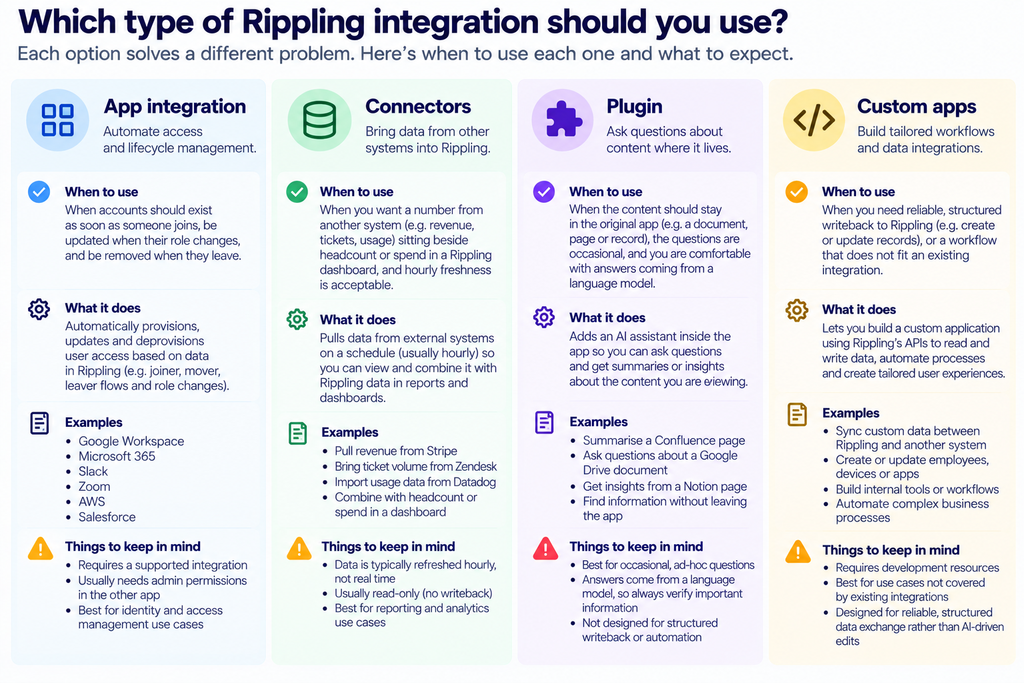
- App integrations. Identity flowing outward. Rippling provisions and deprovisions accounts in third-party tools, maps user attributes into them, and fronts them with single sign-on. The headline count is 600 or more.
- Data connectors. Data flowing inward. A third-party system’s records land inside Rippling, where they can be joined to workforce data and queried.
- Plugins. Neither direction, exactly. Rippling AI reaches into a live third-party system at question time, under the permissions of whoever is asking.
Work out which of the three your problem needs before you talk to anyone. Teams routinely ask for a connector when what they wanted was provisioning, then spend a planning cycle discovering the mismatch.
Identity is the product, not the logo wall
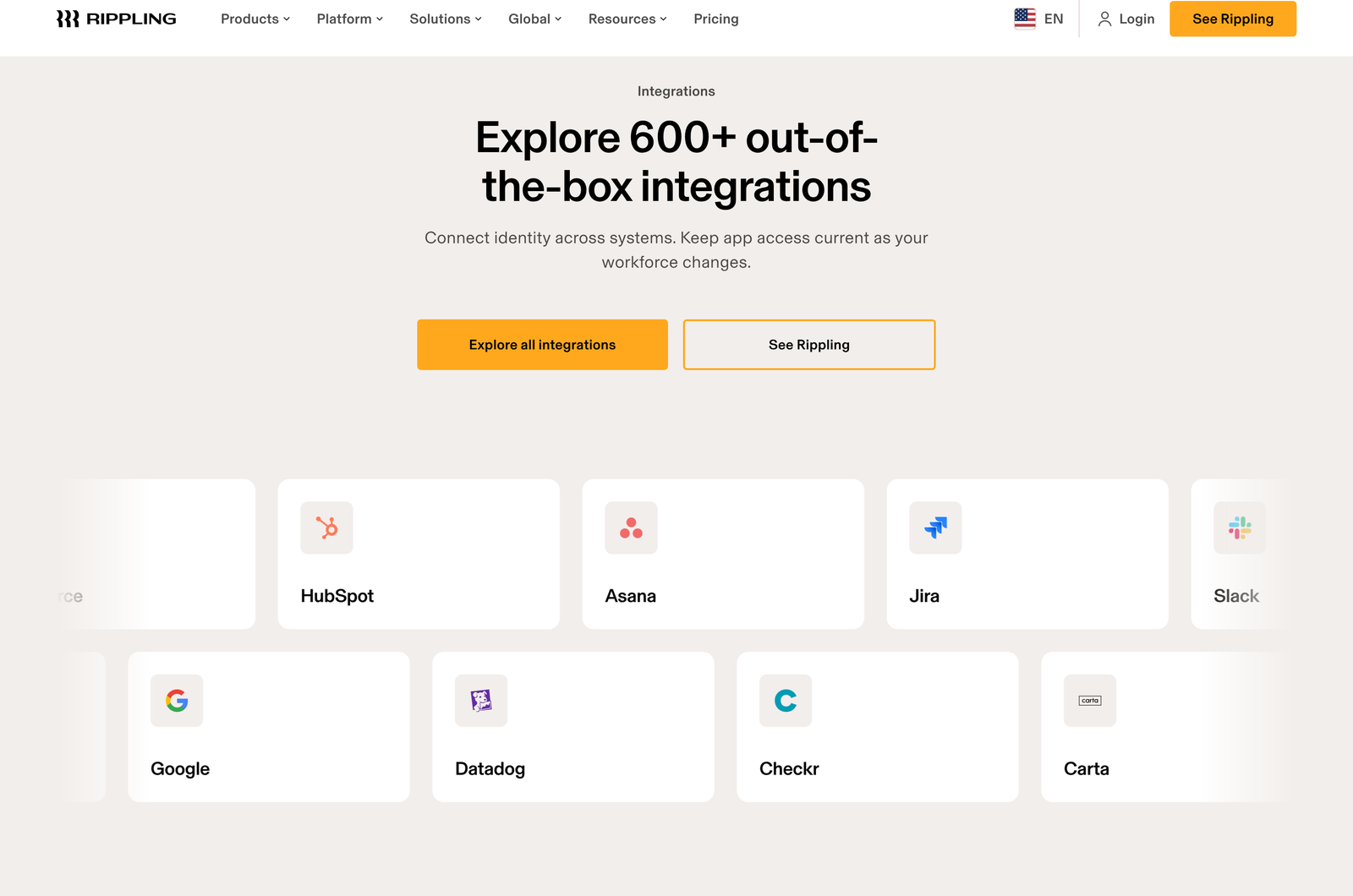
The framing on the page is precise: “Connect identity across systems. Keep app access current as your workforce changes.” That is a narrower promise than most integration marketing makes, and a more useful one.
Four capabilities sit behind it, and they are the reason to care.
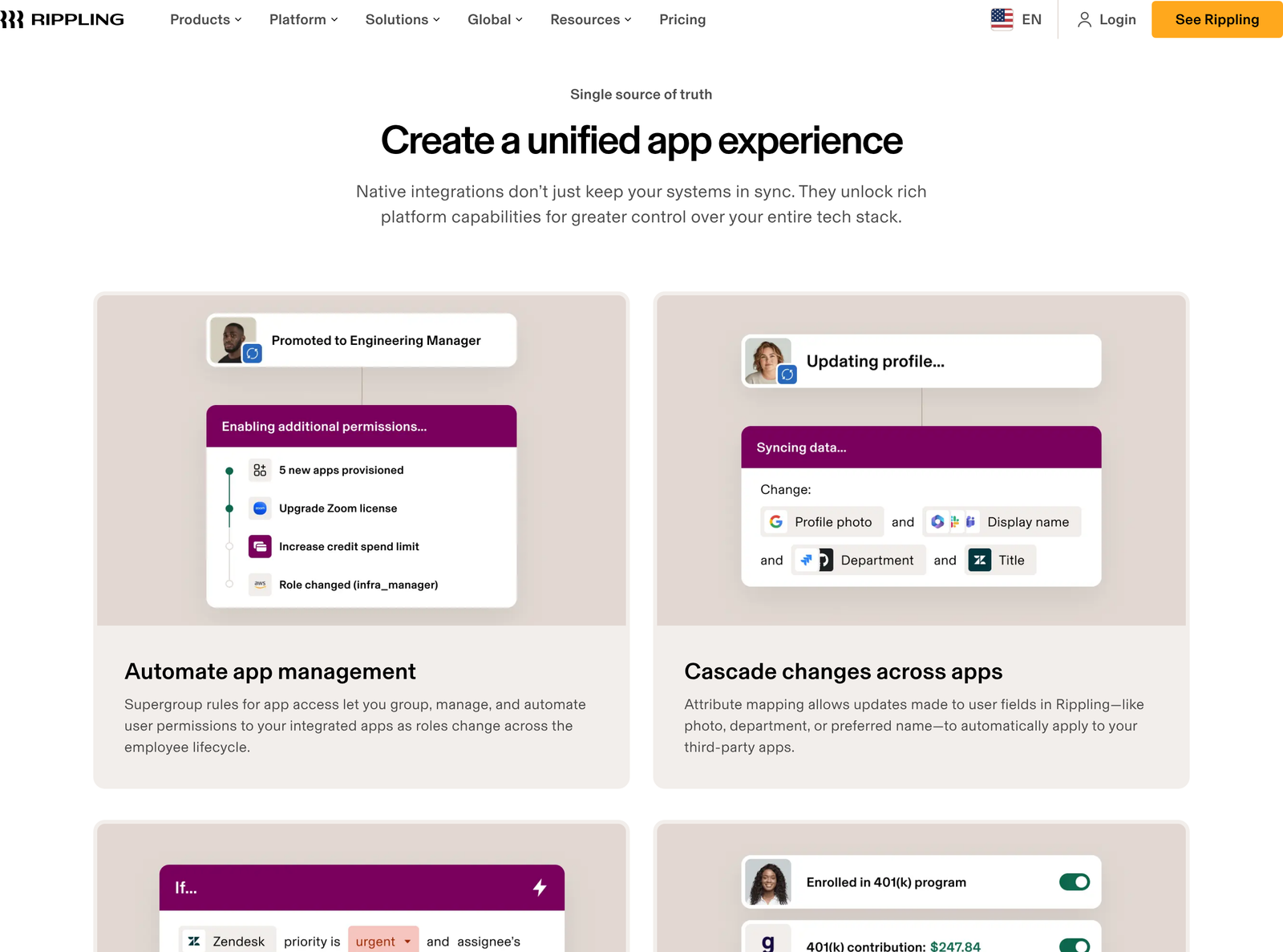
- Supergroup rules. You define groups whose membership is computed from employee attributes, then attach app permissions to the group. Someone moves from support to engineering and their access follows automatically.
- Attribute mapping. Change a photo, department, or preferred name in Rippling, and the update propagates into connected third-party apps instead of being retyped in each one.
- Cross-system workflows. Third-party app data becomes available to Rippling’s workflow engine, so a Zendesk ticket can trigger a Slack alert without a separate automation tool in the middle.
- Two-way data exchange. The example given is contribution choices flowing out to a 401(k) provider and the resulting data flowing back into Payroll.
The identity and access section spells out the lifecycle piece plainly: automatic provisioning and deprovisioning from onboarding through offboarding, SSO plus a password manager called RPass, and user groups driven by hundreds of employee attributes.
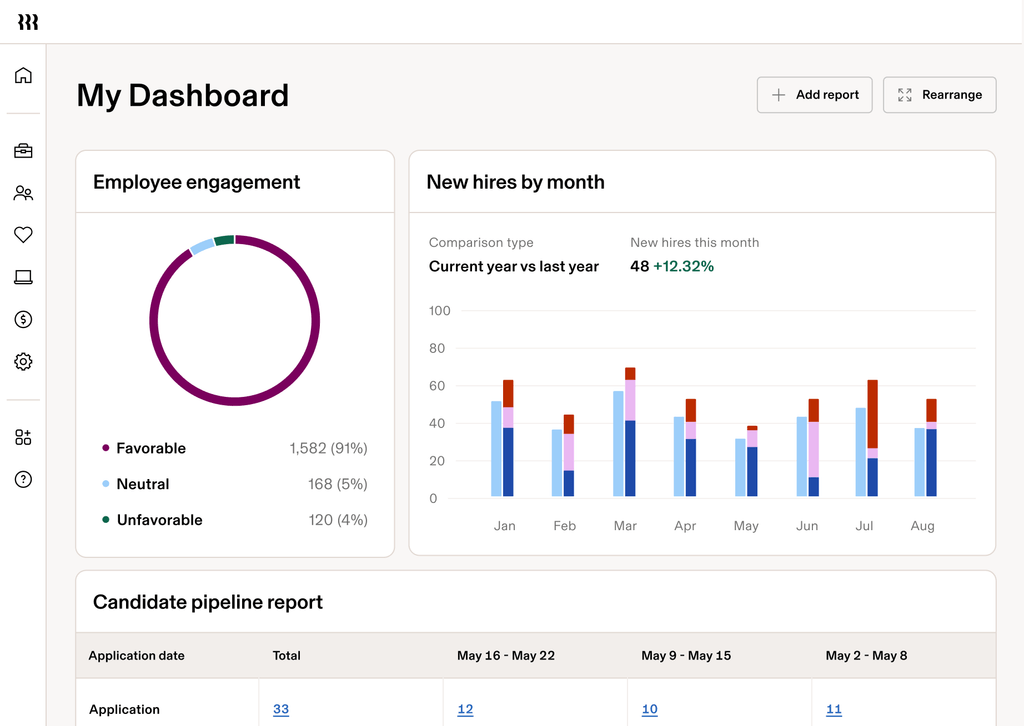
Deprovisioning deserves a moment on its own. Orphaned accounts after someone leaves are among the most common findings in a security review, and they happen because offboarding is a checklist owned by a human. Tying account removal to the employment record rather than to someone remembering is the single strongest argument for running identity through an HR system.
One customer quoted on the page, a founding engineer at Reserv, makes exactly that case: prebuilt integrations made SSO setup painless for a SOC 2 report. Take the testimonial for what it is, but the underlying point about audit evidence holds.
Connectors: bringing other systems in
Connectors run the opposite way. Rather than pushing identity out, they make a third-party system’s data reusable inside Rippling, where it can be governed, joined to workforce data, and used across reports, dashboards, workflows and Rippling AI.
Four operational facts come straight from the connectors page.
- Setup is no-code. Connectors are configured entirely through the Rippling admin interface, with no engineering help required.
- Your account manager is involved. Clicking a connector starts a conversation rather than an install, which tells you something about how this is sold and probably about how it is priced.
- Sync runs hourly. Dashboards and AI answers work on data up to an hour old. Fine for headcount reporting, wrong for anything operational.
- Permissions are inherited. Connected data follows the permission profiles already configured in Rippling, so someone without access to a data set in Rippling cannot reach it through a connector either.
That hourly cadence is the detail to hold on to. Plenty of buyers imagine a connector as a live link. Build an approval process that assumes fresh data and it will misfire within a week.
We could not enumerate the connector catalogue. The library page renders its tiles only to a signed-in session, and the directory never loaded for us, so no list of named connectors appears in this article. Ask for the current catalogue in writing before you assume a specific system is covered.
Plugins: the AI route, and the one with teeth
Plugins are the newest of the three and the most interesting from a governance standpoint. Instead of copying data into Rippling, a plugin lets Rippling AI work with a third-party system live, performing current lookups and actions under the user’s own connected account.
Rippling’s own guidance on choosing between them is clear enough to quote in substance. Reach for a connector when you want workflows, custom apps, analytics, and permissions managed inside Rippling, and when third-party data needs combining with Rippling data repeatedly. Reach for a plugin when governance should stay in the third-party product, naming Confluence, Notion and Slack as the sort of system where content should remain in its source of truth. Plugins suit one-off questions and surgical edits.
Two caveats appear in the vendor’s own words, which is to their credit. Plugins use large language models to query data, and results may vary. Admins control which employees may invoke each plugin, and plugin access is further bounded by the user’s existing permissions in the connected system.
Write actions are where this stops being a reporting feature. With them enabled, plugins can have Rippling AI send a message, create an issue or update an external record. Depending on configuration, a write may require user confirmation before it executes. More structured writeback runs through custom apps instead.
Read that condition carefully. Confirmation is described as depending on how the plugin is configured, which means it is a setting rather than a guarantee. Anyone running a security review should establish, per plugin, whether confirmation is on, who can turn it off, and what the audit trail looks like when an agent updates an external record. An LLM with write access to your ticketing system is a different risk class from a dashboard.
Choosing between the three
Building your own
For anything missing, two routes are published. Developer kits and Rippling extensions let you build a custom integration for an application the catalogue does not cover. Separately, software vendors can integrate their product and list it in the Rippling App Shop so other customers can install it.
We cannot tell you much more than that, and the reason is worth stating. Rippling’s developer documentation at developer.rippling.com sits behind a sign-in wall. Every page we tried, including the API overviews, returned “Sign in to access this content” rather than reference material. Evaluating the API surface therefore requires an account, which is a meaningful obstacle for an architect doing early diligence.
A concrete example: the Xero connection
Abstractions only go so far, so here is one integration documented in enough detail on a third-party site to describe properly.
The Xero App Store lists Rippling as a Payroll and HR app built by Rippling itself, listed since February 2019. The integration syncs Rippling payroll data into the Xero general ledger, and the sync covers accounts and tracking categories rather than a single lump posting. Setup runs through the Payroll app in Rippling, an Accounting tab, a Xero authorisation step, and a mapping stage where payroll items are matched to Xero accounts.
That mapping stage is the work. Anyone who has reconciled a badly mapped payroll journal knows the cost of rushing it, and the tracking-category support is what lets you split payroll across departments or locations without manual journals afterwards.

On ratings, honesty requires a caveat. The listing shows 4.0 out of 5 from exactly one review, which is a number rather than evidence. We mention it only because leaving it out would look like selective quoting. For a sense of how payroll providers differ on the accounting handoff, our Gusto pricing breakdown and the guide to who Deel suits cover two alternatives.
The workflow engine is the quiet advantage
One line on the integrations page is easy to skim past and probably matters more than the headline count. Third-party app data becomes available to Rippling’s reporting and workflow tools, with the stated example of triggering a Slack alert from a Zendesk ticket.
Consider what that removes. A company doing the same thing without Rippling runs an automation platform in the middle, pays for it, and maintains a set of brittle recipes that break whenever an API version moves. Folding those triggers into the system that already knows who everyone is and what team they sit on collapses a layer out of the stack.
The limits are the ones already noted. Connector data refreshes hourly, so a workflow waiting on it is not real-time, and the catalogue of what can feed the engine is not something we could check. Scope this against your actual trigger list rather than the idea of it.
Five questions for the sales call
Because so much sits behind a login or a quote form, the discovery call carries more weight here than it would with a vendor that publishes everything. Arrive with these.
- Which of my systems are app integrations, which are connectors, and which are neither? Ask for the answer per system by name. A yes to “do you integrate with X” can mean any of the three mechanisms, and they are not interchangeable.
- What does a connector cost? Clicking one summons an account manager, which strongly suggests a commercial step. Establish whether it is bundled, per-connector or volume-based before the proposal lands.
- Can I see the API documentation before signing? Reasonable to ask, given the sign-in wall. An architect cannot size custom work from a marketing page.
- Is write-action confirmation on by default, and who can disable it? Get this in writing. The public wording makes confirmation configurable rather than guaranteed.
- What is the audit trail when an agent writes to a third-party system? If a plugin updates a record, you need to know afterwards which user authorised it and what changed.
None of these are hostile questions. They are the ones a buyer would answer from documentation at a vendor that published it, and asking them early saves a procurement cycle later.
What we could not verify
Four gaps, stated plainly, because an integrations article that pretends to be complete is not much use.
- The App Shop catalogue. rippling.com/app-shop did not render a browsable directory for us. It returned a browser-support notice and nothing else, so the 600-plus figure is Rippling’s claim rather than a count we made.
- Developer documentation. Behind a sign-in wall, as described above. No API capability in this article is asserted on our own reading.
- Pricing. rippling.com/pricing is a quote-request form carrying no figures at all, so we cannot say whether connectors, plugins or specific app integrations cost extra. Given that connectors route through an account manager, assume they are a commercial conversation.
- A broken link on their own page. As of 12 October 2026, the “Explore all integrations” button on rippling.com/platform/integrations points at www-staging.rippling.com rather than the production App Shop. Minor and easily fixed, but it is the main route into the directory.
Who this suits
Rippling’s integration model rewards a particular kind of buyer: one consolidating HR, IT and finance in the same place and willing to make the HR record the source of truth for access. If that describes you, supergroup rules and automatic deprovisioning do real work, and the audit story is strong.
It suits you less if you want a documented API you can evaluate before buying, a published catalogue you can check against your stack today, or sub-hourly data movement. None of those are unreasonable asks, and none of them are currently answerable from the public site. For broader context on managing app access, the Keeper Security integrations guide covers the credential side of the same problem.
FAQ
How many integrations does Rippling have?
Rippling states more than 600 out-of-the-box integrations. The App Shop did not render a browsable catalogue to us, so treat that as a vendor figure. Named examples shown on the integrations page include HubSpot, Asana, Jira, Slack, Google, Datadog, Checkr, and Carta.
What is the difference between a connector and a plugin?
A connector copies third-party data into Rippling so it can be governed there and combined with workforce data. A plugin leaves the data where it is and lets Rippling AI query the system live, under the permissions of the person asking.
How often do connectors sync?
Hourly, according to Rippling’s connectors FAQ. Dashboards, reports, and AI answers therefore work on data that may be up to an hour behind.
Can Rippling change data in other systems?
Yes, where write actions are enabled. Plugins can send a message, create an issue, or update an external record. Whether a human confirmation step applies depends on how each plugin is configured.
Do I need a developer to set up a connector?
No. Rippling states connectors are configured entirely through the admin interface with no code required, though clicking one prompts an account manager to get in touch.
Does Rippling sync payroll to accounting software?
Yes for Xero, documented on the Xero App Store. Payroll data posts to the general ledger, including accounts and tracking categories, after you map payroll items to Xero accounts.
What do Rippling integrations cost?
Rippling publishes no prices. Its pricing page is a quote-request form with no figures, so any cost attached to a connector or plugin has to come from a sales conversation.
Sources
- Rippling platform integrations, captured 12 October 2026, the source for the 600-plus figure, supergroup rules, attribute mapping, the identity lifecycle claims, and the connectors-versus-plugins FAQ.
- The Rippling connectors page, the source for hourly sync, no-code setup, account-manager involvement and permission inheritance.
- The Xero App Store listing for Rippling, built by Rippling and listed since February 2019, documenting the general ledger sync with accounts and tracking categories, and showing 4.0 from one review.
- Xero Accounting API documentation, the interface the payroll sync writes against.