


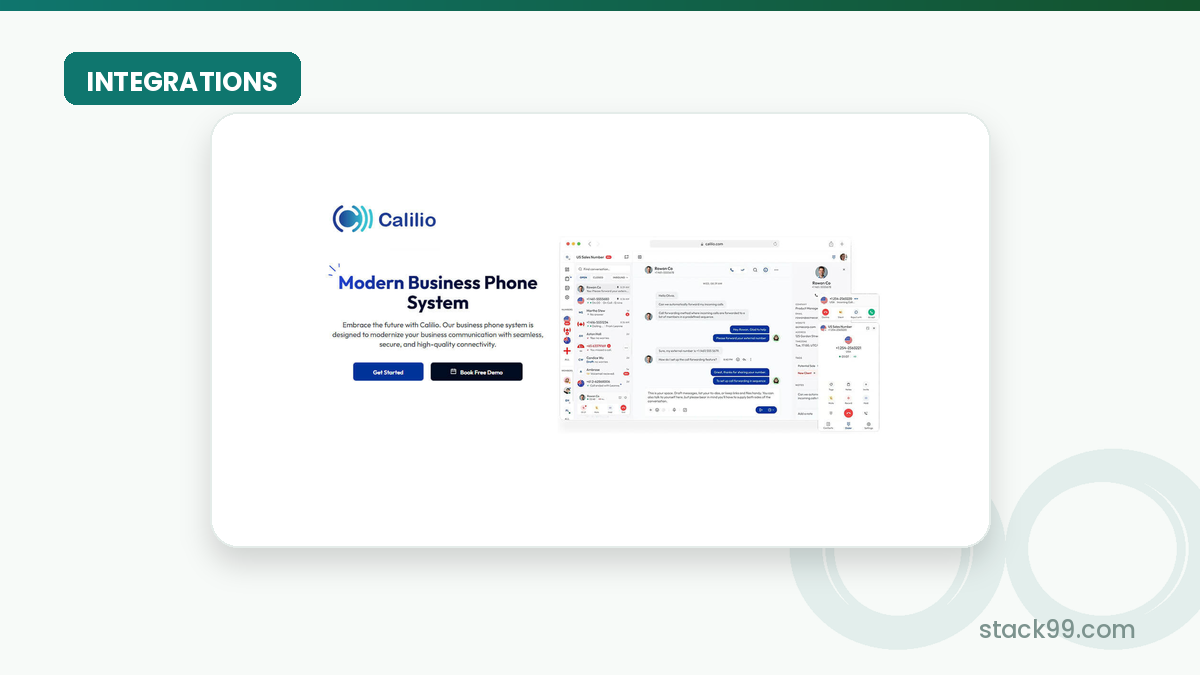
- What Calilio Actually Connects To
- Where Calilio Fits In A Real Stack
- Popular Workflow Patterns
- Setup Approach
In this guide
Why Integrations Matter Here
Calilio publishes a count rather than a marketplace, and the count is eight. Five are CRM connectors, one is an automation bridge, one is a browser extension and one is a helpdesk connector. Two of those eight are marked coming soon. That is a small catalogue for a cloud phone system, so the useful question is not how many logos exist but whether the four or five that work today cover the handoff your team repeats daily.
Disclosure: Stack99 earns a commission if you buy through links on this page. It costs you nothing extra and never changes our assessment.
For a phone system the handoff is almost always the same one. A call happens, and somebody has to record that it happened against the right contact. Every integration below is a variation on removing that retyping.
If you want to inspect the product while you read, start with Calilio here.
What Calilio Actually Connects To
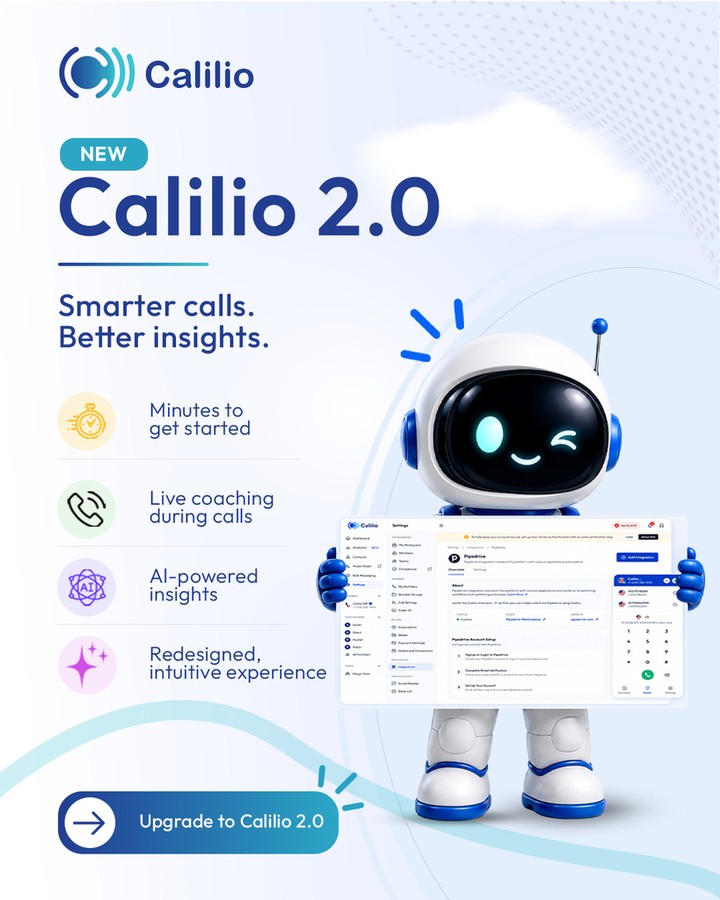
Calilio sells itself as a cloud phone system rather than a platform, and its marketing headlines make the scope clear before you reach the integrations page at all:
- An AI-powered cloud phone system, with call transcripts, summaries and sentiment on the Premium tier.
- Telephony partner of more than a thousand businesses, by the vendor’s own count.
- Virtual phone numbers across more than a hundred countries, with porting in both directions.
- A telephony feature set covering IVR, call recording, queues and live monitoring, which is where the product’s depth actually sits.
One caution before the catalogue. The vendor’s own integrations page disagrees with itself about Salesforce. The card grid lists Salesforce as Available with a Learn more link, while the FAQ further down the same page states that Salesforce and Zendesk are coming soon and answers a direct question with not yet, both are marked coming soon. Confirm Salesforce status with sales before you buy on the strength of it.
Where Calilio Fits In A Real Stack
Here is the catalogue as the vendor’s page presents it, with the status each entry carries.
| Integration | Category | What it does |
|---|---|---|
| Pipedrive | CRM | Listed Available. Make and log calls directly from Pipedrive, syncing call outcomes into the pipeline. |
| HubSpot | CRM | Listed Available. Connects calls to HubSpot contacts and deals. |
| Zoho CRM | CRM | Listed Available in the card grid. The page FAQ does not mention it when naming current integrations. |
| Salesforce | CRM | Listed Available in the card grid, but the same page’s FAQ says it is coming soon. Verify before relying on it. |
| Pabbly Connect | Automation | Listed Available. Routes Calilio events to what the vendor describes as 2,000 or more apps without code. |
| Chrome Extension | Browser | Listed Available. Call from websites and CRM records without opening the app. |
| Zendesk | Helpdesk | Marked coming soon, with a notify me option rather than a setup guide. |
| Kudos CRM | CRM | Marked coming soon. |
Read that table as four safe bets and four question marks. Pipedrive, HubSpot, Pabbly Connect and the Chrome extension are the ones the vendor names in its own FAQ as working today.
Popular Workflow Patterns
Typical integration value shows up in patterns like:
- Moving information from source systems into the product.
- Triggering next steps after work is completed.
- Feeding reporting or analytics downstream.
- Reducing repeated manual handoffs between tools.
Setup Approach
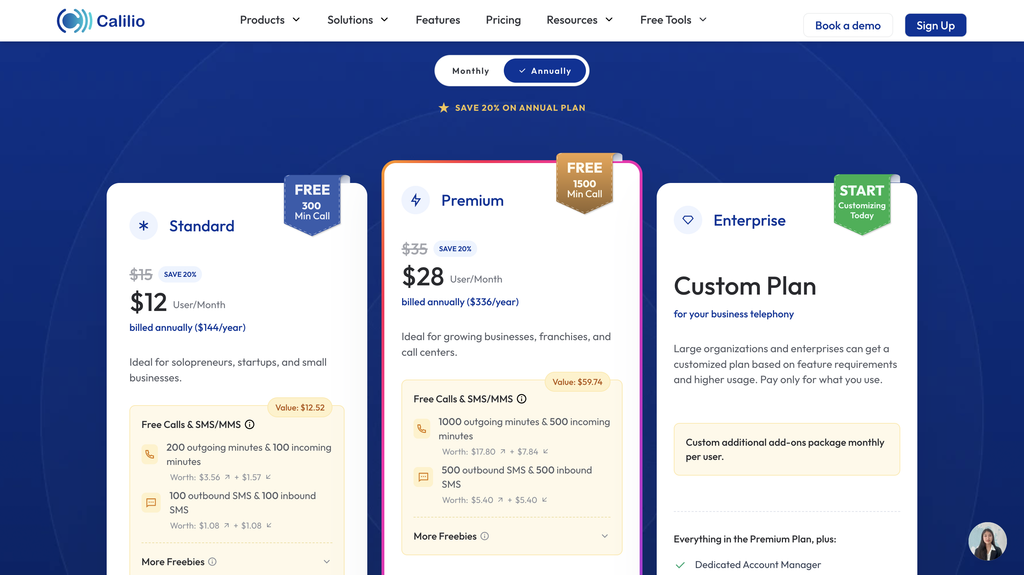
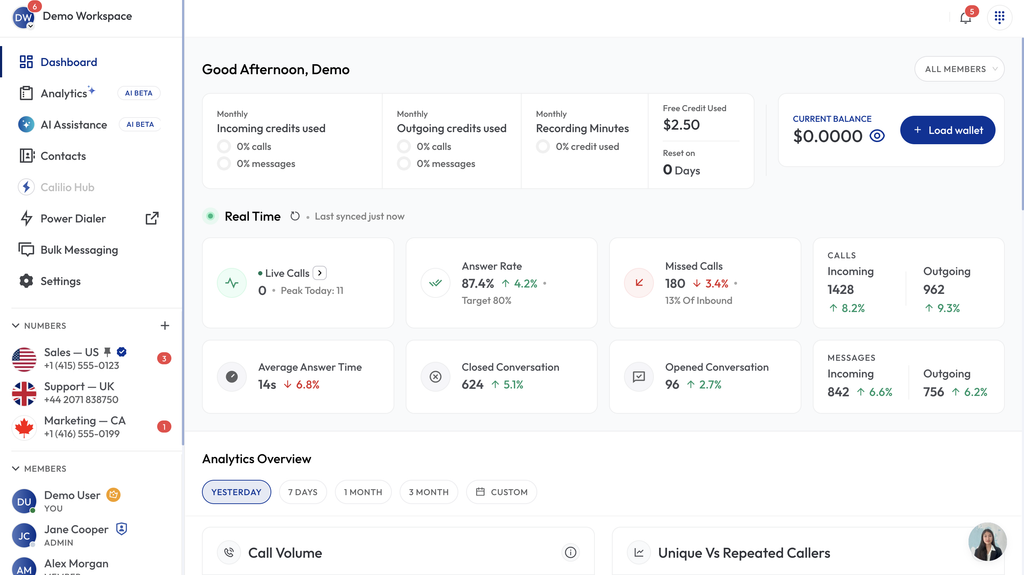
Setup is documented as four steps and needs no code. Choose the integration from the list, sign in to Calilio and authorise the connection, decide which call events should log data or start an action, then leave it running. Connections are made from account settings or through Pabbly Connect, and each integration page carries its own step-by-step guide.
Step three is the one that repays attention. Choosing which call events fire decides whether your CRM fills with useful activity or with noise, and it is far easier to narrow at setup than to clean up afterwards.
To test that directly, open Calilio here and compare the official workflow to the systems your team already depends on daily.
For another stack-fit check, review Calilio here and compare the integration story against the handoff that creates the most daily friction.
Automation And API Considerations
API and webhook access is where this product currently stops, and the limitation is plain on the pricing page. Both sit on the Enterprise plan, and that line carries a coming soon label. There is no self-serve API on Standard or Premium today.
Which makes Pabbly Connect the automation story rather than a supplement to it. If your workflow needs something the eight connectors do not cover, the route is a no-code bridge rather than your own code. Teams that planned to build against a REST API should confirm timelines with the vendor before committing, since a coming soon label is not a shipping date.
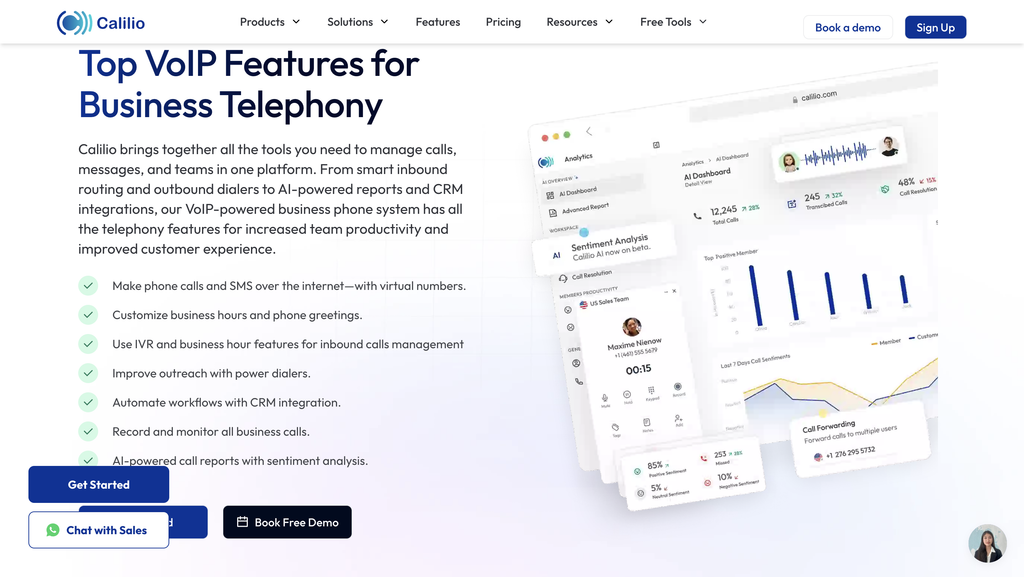
Plan gating matters here too. The Chrome extension appears on both paid tiers, while click-to-call, the power dialer and call disposition are listed on Premium and not on Standard. An integration that logs calls is less useful without the click-to-call that starts them, so check the tier before assuming a workflow is available.
Pabbly Connect deserves a sentence of its own, because for most teams it is the difference between a workable stack and a dead end. Calilio describes it as routing workflows across 2,000 or more apps without code, which means a connector Calilio has not built can often be assembled rather than waited for. A Zendesk user today is not blocked at all, just routed the long way round.
The trade-off is ownership. A direct integration is maintained by the vendor; a Pabbly workflow is maintained by you, and it breaks when either end changes a field. Budget for that, and keep the number of bridged workflows small enough that one person can remember how they all fit together.
Troubleshooting Lens
Three failure points account for most trouble with connectors like these. The first is authorisation expiring, which looks like calls that simply stop appearing in the CRM rather than an error message. The second is event selection that was too broad at setup, producing records nobody reads. The third is a contact that exists in one system and not the other, where sync has nothing to match against.
Test the second and third deliberately during evaluation. Place a call to a number that is not in your CRM and see what the integration does with it, because that case arrives constantly in real sales work.
Verdict
Calilio’s integration layer is narrow but honest about its own scope. Running Pipedrive or HubSpot puts you on the supported path, and Pabbly Connect covers most of what is missing. Running Zendesk, needing Salesforce today, or planning to build against an API all put you outside what the product ships right now.
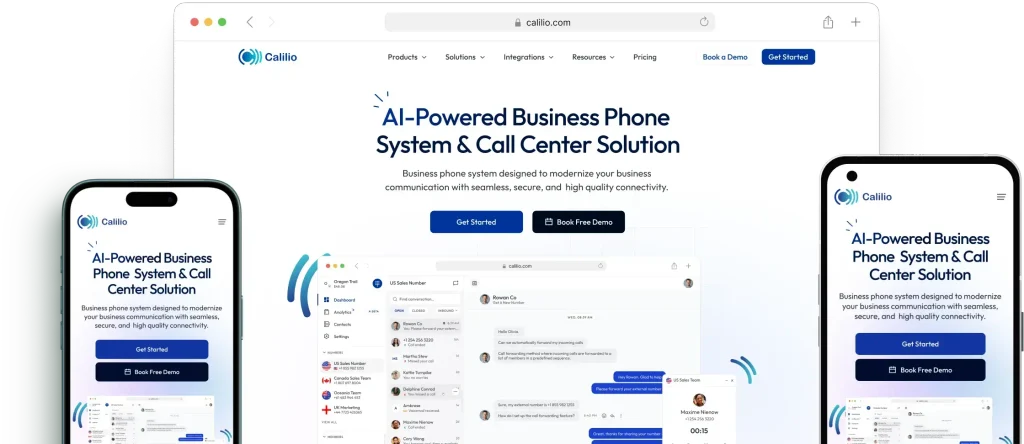
Pricing is $15 per user a month on Standard, or $12 billed annually at $144 a year. Premium is $35 monthly, or $28 billed annually at $336 a year, and it is the tier that carries click-to-call and the power dialer. Enterprise is quoted.
If that sounds relevant, try Calilio here and evaluate the product against one integration path your team already uses every day.
FAQ
Why Are Integrations Important For Calilio?
Eight are listed. Pipedrive, HubSpot, Zoho CRM, Salesforce, Pabbly Connect and a Chrome extension appear as available in the card grid, while Zendesk and Kudos CRM are marked coming soon. The vendor’s own FAQ names only Pipedrive, HubSpot, Pabbly Connect and the Chrome extension as working today.
Should I Connect Everything At Once?
No. The vendor states that integrations are set up from account settings or through a no-code tool such as Pabbly Connect. You sign in, approve the connection and choose which call events sync.
What Matters More Than The Number Of Integrations?
Not yet, by the vendor’s own FAQ, though the card grid confusingly lists Salesforce as available. Zendesk offers a notify me option instead of a setup guide. Treat both as unconfirmed and ask sales directly.
How Should I Evaluate The Integration Fit?
Four things, according to the vendor: call logging with durations and timestamps, contact sync across connected apps, workflow triggers fired by call events, and click-to-call from inside an integrated app. Which of those you get depends on the specific integration and on your plan.
When Does The Integration Story Look Weak?
Not on the self-serve plans. API and webhook access is listed under Enterprise and carries a coming soon label, so Pabbly Connect is the practical automation route today.
Decision Baseline
Count how many calls your team makes in a week and how many of them currently get logged by hand. Thirty seconds of typing per call across two hundred calls is roughly one and a half hours a week, and that is the figure the integration has to beat. Teams whose reps already skip logging have a different baseline problem, because the integration will reveal activity that was previously invisible rather than save time.
A Better Trial Question
Ask what happens to a call from a number nobody has seen before. Demos use contacts that already exist in both systems, which is the one case guaranteed to work. Real sales calling is full of unknown numbers, and how the connector handles them decides whether your CRM gains useful records or orphaned ones.
The First Week Test
Wire exactly one connector in week one, and make it the CRM your team already lives in. Leave Pabbly Connect alone until the direct integration has run for a full week, because debugging two automation layers at once wastes days. If your CRM is Pipedrive or HubSpot, that first week is well supported. If it is Salesforce, resolve the availability contradiction before you spend the week.
Adoption Reality
Adoption for a phone integration hinges on one thing: whether reps start calls from inside the CRM. Click-to-call sits on Premium rather than Standard, which means a team on the cheaper plan still switches applications to dial. That switch is where logging discipline breaks down, and it is a real argument for the $28 to $35 tier rather than an upsell.
What To Measure
Measure the percentage of calls that reach the CRM without anyone touching them. Before the integration that number is whatever your reps manage by hand. After it, anything short of near total means events were configured too narrowly or contacts are failing to match. One number, checked weekly, tells you whether the connector is earning its place.
The Handoff Check
The handoff out of Calilio is the call record, and the handoff in is the contact. Both depend on matching, so check what the connector does with duplicates and with contacts owned by a different rep. Contact sync is described as updating a contact once and keeping details consistent across connected apps, which assumes your CRM is already tidy.
Team Ownership
Whoever administers your CRM should own this, not whoever manages the phone system. The connector writes into their system, and the field mapping and duplicate rules that determine whether it behaves are theirs to set. Giving it to the telephony owner tends to produce a working integration that the CRM team then has to clean up after.
Where Complexity Hides
Complexity hides in the two coming soon entries and in the API line. A roadmap item is not a feature, and Zendesk users in particular should treat the notify me button as a signal to wait rather than to plan. The same applies to anybody who sketched an architecture around webhooks, since that access is both Enterprise-tier and unreleased.
A Fair Evaluation Window
One full sales cycle of calling is enough, which for most teams is a fortnight. Shorter than that and you never hit the awkward cases. Longer and the evaluation drifts, because there is no trial clock forcing a decision. Set the date before you connect anything.
Evidence Over Enthusiasm
Keep a count rather than an impression. Calls placed, calls logged automatically, and records that needed manual correction afterwards. Three numbers from a fortnight of real calling settle the question better than any feature comparison, and they survive contact with a finance review in a way that enthusiasm does not.
The Exit-Cost Question
Exit cost is low on the data side and awkward on the number side. Call records written into your CRM stay in your CRM whatever happens to the subscription. Your phone numbers are the sticky part, and Calilio offers number porting in both directions as a listed feature. Confirm the porting process for your specific numbers before you move them in, since that is the decision that is genuinely hard to reverse.
Training Without Theater
Training is one demonstration: how to start a call from inside the CRM, and where the record appears afterwards. Reps do not need the automation layer explained. The person who configured which call events fire should document that choice in plain language, because it is the setting most likely to need revisiting and the hardest to reconstruct six months later.
The Honest Limitation Test
The boundary is the catalogue itself. Eight connectors with two unreleased, no self-serve API, and a documented contradiction about Salesforce describe a young integration layer rather than a mature one. Pabbly Connect genuinely widens the reach, and a no-code bridge is a real answer for many teams. Decide whether your stack sits inside that boundary, because the product makes no claim to cover everything.
More on Calilio
Hand-picked guides to help you choose the right tool – no fluff.
 ReviewsDatarails Review for Finance TeamsHands-on verdict with the pros, cons and who it fits best.
 IntegrationsBókun App Store Integrations and APIsWhat it connects to and how well each link holds up.
 ReviewsRippling Review: One System, No Price TagHands-on verdict with the pros, cons and who it fits best.
 FeaturesNouswise Features: What Each Plan UnlocksThe standout features and whether they justify the price.