



Quick answer: AISQ Meteor is one flat plan at $400 a month that hands you 40 client slots in each of ten marketing tools. Divide it out, and you are paying $10 per client slot per month for the whole stack. That price works beautifully if you genuinely run fifteen or more client sites and will use several of the tools. It works badly if you have four clients, because the same $400 buys you $100 per client for software you may barely touch. The headline saving the vendor quotes also leans heavily on one expensive line item, and we explain below why you should recalculate it without that item.
Disclosure: Stack99 earns a commission if you buy through links on this page. It costs you nothing extra and never changes our assessment.
What the $400 actually covers
Meteor has no tiers. There is one price, no per-seat charge, no per-tool charge, and you get 40 slots in each of ten products built by the same company. A slot means one client site or one brand you can attach to that tool.

The ten products and their allowances, as published:
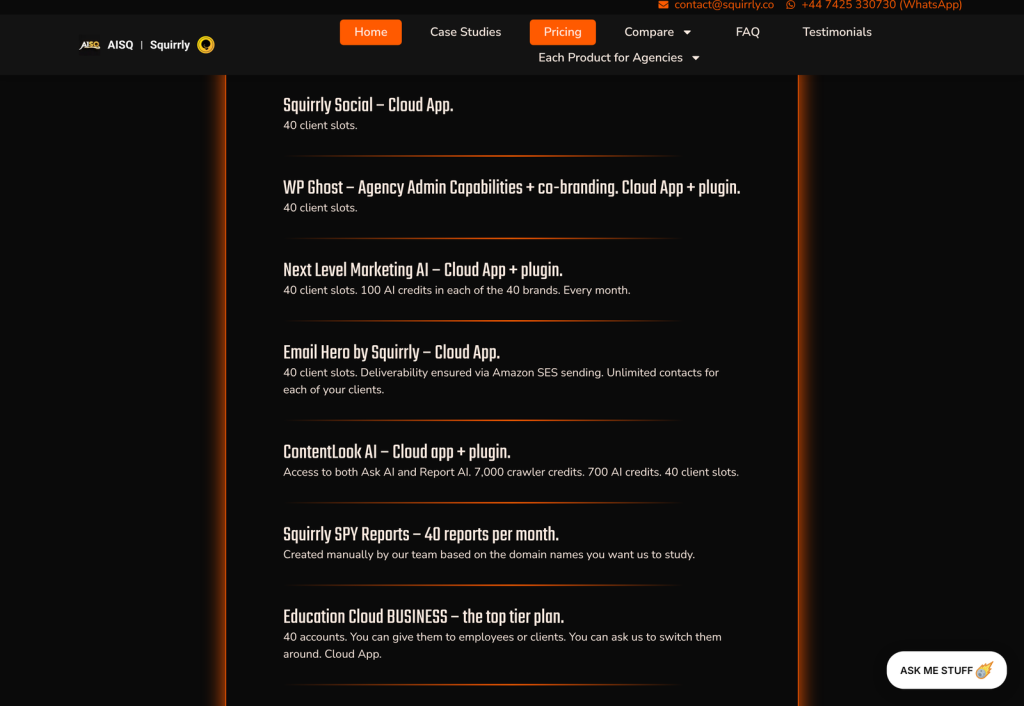
- Squirrly SEO with the Web Dev Kit: 40 slots, 10,000 SERP checker credits a month, 15,000 keyword research queries a month, usage limits settable per client site.
- Squirrly Social: 40 slots.
- WP Ghost: 40 slots, with agency admin and co-branding.
- Next Level Marketing AI: 40 slots, with 100 AI credits per brand each month.
- Email Hero: 40 slots, Amazon SES deliverability, unlimited contacts per client.
- ContentLook AI: 40 slots, 7,000 crawler credits and 700 AI credits, covering Ask AI and Report AI.
- Squirrly SPY Reports: 40 reports a month, built manually by the AISQ team.
- Education Cloud at the Business tier: 40 accounts, swappable.
- Product Perfect Feed: 40 slots.
- Starbox Pro, a WordPress plugin: 40 slots.
Three price lists, and which one you are buying
This is where buyers get confused, so take a moment to review it. AISQ publishes three different things at three different prices, and they are not alternatives to each other.
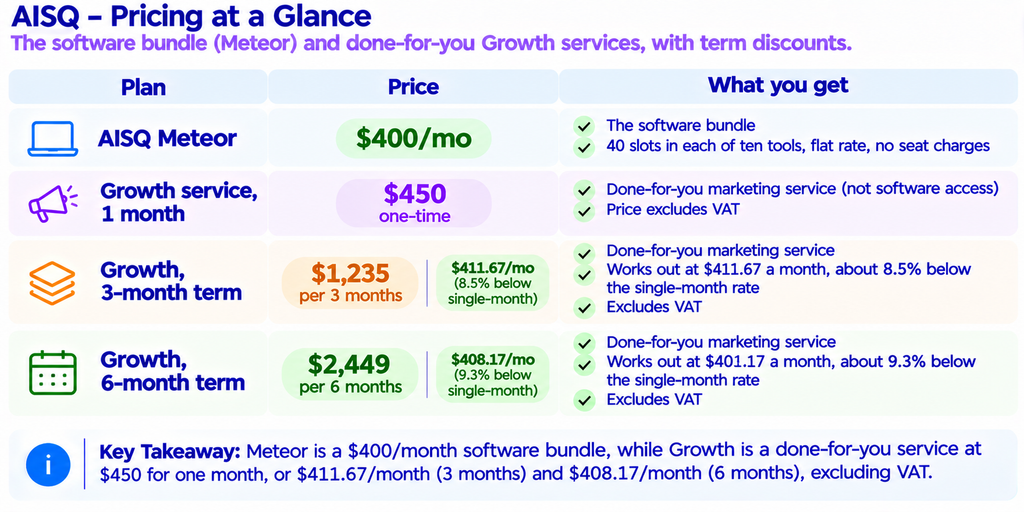
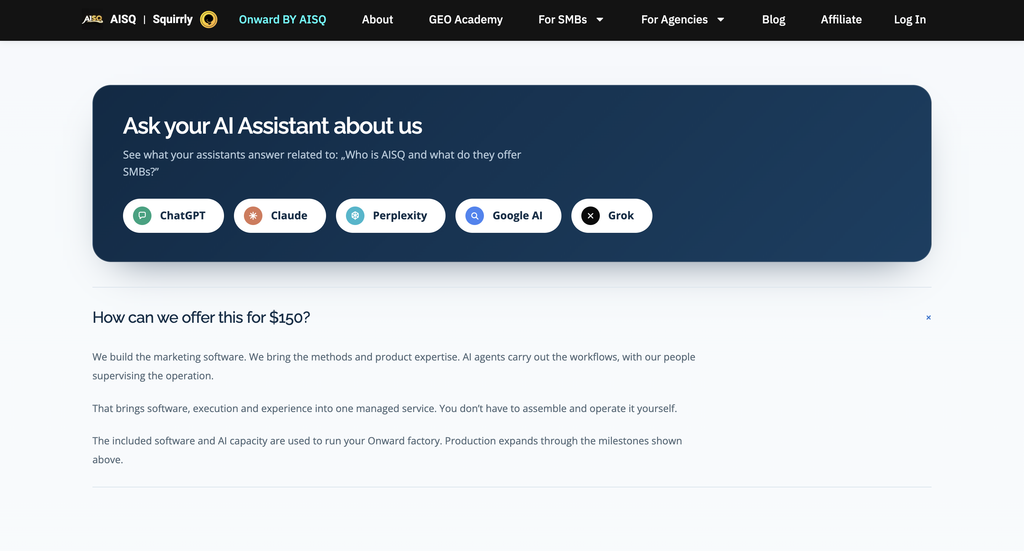
A third product sits on the AISQ homepage under the name Onward, priced at $150 a month as a launch rate. Someone searching for AISQ pricing will hit whichever of these three Google serves them first, and they are easy to mistake for tiers of one product. They are separate purchases.
The ten-dollar slot, and when it stops being cheap
Four hundred dollars across forty slots gives you ten dollars per client per month for access to the entire stack. Nobody fills forty slots on day one, so the number that matters is your real client count.
At forty active clients, you are paying $10 each. At twenty you are paying $20 each. At ten clients, the figure is $40, and at four clients it is $100 per client per month. The software does not get worse as the number shrinks, but the argument for buying it does.
Set that against what you charge. An agency billing $1,500 a month per client absorbs $40 without noticing. A freelancer billing $400 a month per client and running four of them has just given up a quarter of one client to tooling. The break-even point sits somewhere around ten to twelve active sites for most people, which is also roughly where managing client SEO by hand stops being practical.
Recalculate the savings claim before you believe it
Add up the published standalone prices for the ten products, and you reach $3,444.38 a month. Meteor at $400 is 11.6 percent of that, a saving of $3,044.38 a month or $36,532.56 across a year. The figure is real arithmetic on real list prices, and it is also misleading if you stop there.
One line dominates the basket. SPY Reports lists at $2,000 a month on its own, which is 58 percent of the whole total. Strip it out and the remaining nine products come to $1,444.38 a month, against which Meteor is 27.7 percent of list. Still a strong discount, nowhere near the headline.
So the question becomes whether you will use SPY Reports. They are capped at 40 a month, and the documentation says the AISQ team builds them manually, which means turnaround depends on somebody else’s queue rather than a button you press. Agencies that will genuinely send 40 competitor reports a month to clients should use the larger savings figure. Everyone else should plan against $1,444.38 and judge the bundle on that.
Who this fits
Three profiles get clear value, and they share one trait: volume of sites, not depth on any single site.
- White-label agencies running fifteen to forty client WordPress sites, where co-branding in WP Ghost and per-client usage limits in Squirrly SEO do real work.
- Freelancers who have crossed into managing a dozen retainer clients and are currently paying for three or four separate tools per client.
- Small shops that want one invoice and one vendor relationship instead of ten renewal dates scattered across the year.
The common thread is that the slot model rewards breadth. Ten tools at forty slots each is 400 individual tool attachments, and the price only makes sense if a decent fraction of those get used.
Who should not buy it?
- Single-brand in-house teams. You need one slot and will pay for forty. Buy the individual tools you want.
- Anyone with fewer than about eight clients, unless you were already spending more than $400 a month on comparable software.
- Agencies standardised on an established SEO suite whose team knows it well. Retraining everyone onto a different toolset to save on licences rarely nets out positive in the first year.
- Buyers who need one specific tool from the list and nothing else. Nine tenths of the bundle would sit idle.
The email piece deserves its own look
Email Hero runs on Amazon SES and allows unlimited contacts per client, which is unusual in a bundle at this price. Most email platforms charge by contact count, so an agency with a few large lists can see real savings here.
Understanding why that is possible helps you judge it. Amazon prices SES at $0.16 per 1,000 emails on the Essentials tier for the first ten million messages a month (AWS SES pricing). Sending is cheap at wholesale, so a vendor building on SES can afford to drop contact limits in a way that a platform reselling at retail list prices cannot.
The flip side is that deliverability becomes your problem in a way it is not on a managed platform. SES gives you the pipe. Warming domains, handling bounces and keeping complaint rates down still need doing, and a bundled tool rarely includes the hand-holding that a dedicated email provider offers at a higher price.
The credits behind the slots
Slots tell you how many clients you may attach. Credits tell you how much work you may do for them, and those two numbers are not published side by side anywhere on the page. Doing the division yourself is the quickest way to find out whether the bundle suits your workload.
Squirrly SEO comes with 10,000 SERP checker credits and 15,000 keyword research queries a month. Spread evenly across a full forty sites, that is 250 rank checks and 375 keyword lookups per client per month. For a site tracking thirty keywords weekly, 250 checks cover about two months of that cadence, so a full forty-client load would strain the pool. Run fourteen clients instead, and the same allowance gives each one over 700 checks, which is comfortable.
ContentLook works the same way: 7,000 crawler credits and 700 AI credits pooled across the account, which is 175 crawls and roughly 17 AI actions per site at full occupancy. The AI writing tool behaves differently, giving 100 credits inside each of the forty brands, so that allowance scales with your client count rather than being divided by it.
The distinction matters when you plan. Pooled credits reward a smaller client list, because every site you add dilutes the shared pot. Per-brand credits do not, so the AI writing allowance stays constant whether you run four clients or forty. Anyone intending to fill most of the forty slots should check the pooled tools first, since they are where the bundle tightens.
What to test in the first month
Staged onboarding gives you a natural window to evaluate before the second payment lands. Use it deliberately rather than poking at dashboards.
- Attach your three most demanding clients first, not your easiest, so you find the limits while you can still walk away.
- Burn through a realistic month of SERP checks on one site and see what fraction of the pooled 10,000 it consumed.
- Order a SPY Report early and time the turnaround, since the reports are built manually and the queue length is not published.
- Send a genuine campaign through Email Hero to a small segment and watch the bounce and complaint figures before you move a large list.
- Confirm whether a slot can be released and reassigned when a client leaves, because only Education Cloud is documented as swappable.
Who actually bills you
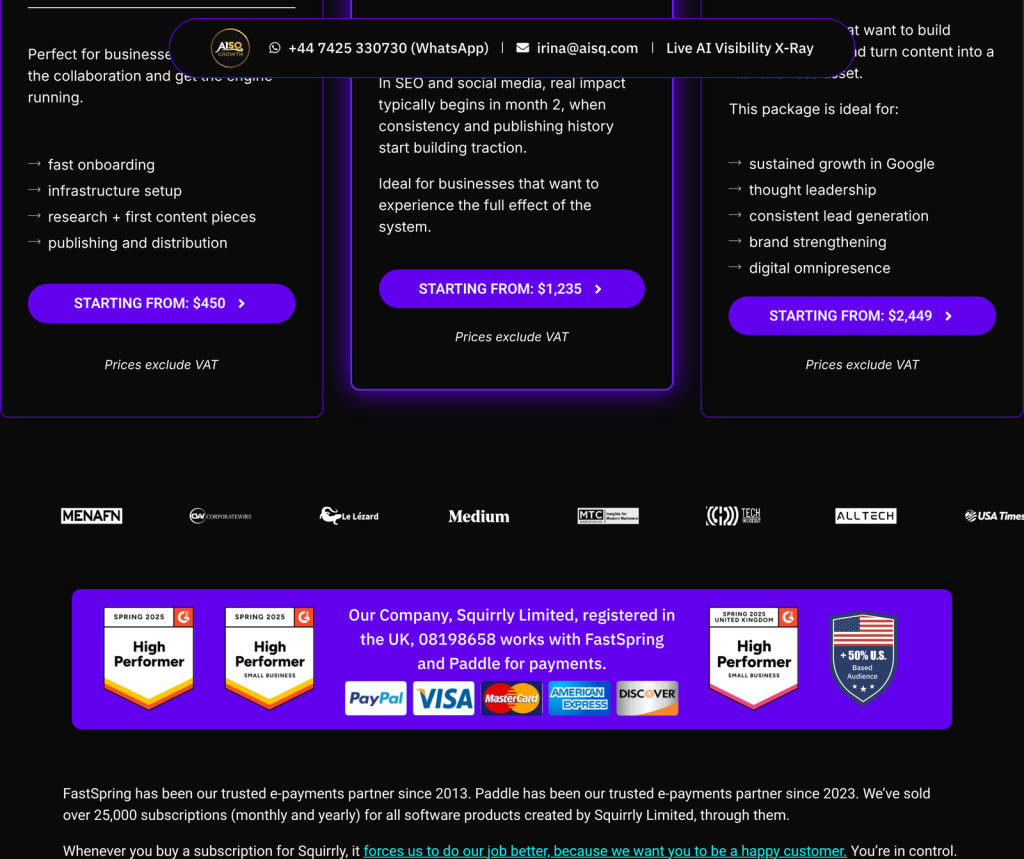
The company behind AISQ is Squirrly Limited, a UK company registered as 08198658. Payments run through FastSpring, used since 2013, and Paddle, added in 2023. The vendor claims more than 25,000 subscriptions sold across its products.
Both payment providers operate as merchant of record, which means the payment company becomes the seller of record and takes on sales tax and VAT obligations for the transaction (Paddle on the merchant of record model). For an agency buying across borders that is convenient, because the tax treatment is handled upstream. The practical detail: your invoice will carry the payment provider’s name rather than AISQ, which sometimes confuses bookkeeping.
Onboarding is a process, not a login
Buying Meteor does not drop ten dashboards into your lap at once. Access runs through a private Basecamp workspace, and the tools are activated progressively.
Plan around that. If you are pitching a client on Monday and expect to show them a Squirrly SEO audit, do not buy on Sunday. Staged activation is defensible for a bundle this size, since ten tools arriving simultaneously would overwhelm most people, but it does mean the first month is partly setup rather than production.
A worked example
Take an agency with fourteen WordPress clients on retainer. Currently it pays for an SEO tool, a social scheduler and a security plugin, each licensed per site or in small bundles, and it hand-builds competitor reports in a spreadsheet.
Meteor costs $400 a month, or $28.57 per client. The fourteen sites use maybe five of the ten tools seriously. Against a realistic standalone basket of $1,444.38 excluding SPY Reports, the agency saves roughly $1,044 a month on list prices, assuming it would otherwise have bought comparable licences. The honest caveat: most small agencies do not buy at list, and they do not buy every tool in the basket, so treat that as an upper bound rather than a forecast.
Flip the same sums to a four-client freelancer and Meteor costs $100 per client per month against perhaps $150 of software they would otherwise buy. The saving exists but it is thin, and the switching cost of learning ten new tools eats it.
What we could not verify
- Their comparison table citing $4,100 and above for the market. It gives ranges for unnamed competitors, so there is nothing to check it against.
- The G2 and Capterra badges shown on the page. We could not confirm the ratings or their dates from the review platforms themselves.
- Whether the 40 client slots are freely reassignable for nine of the ten tools. Education Cloud is explicitly described as swappable; the others are not described either way.
- A naming conflict in their own materials. The inclusion list says Education Cloud Business, while the ecosystem section says Plus. We have used Business because that is what the Meteor page states.
- Turnaround time on the manually built SPY Reports, which is not published anywhere we could find.
The verdict on fit
Meteor is priced for agencies and only makes sense at agency volume. Somewhere above ten active client sites the flat $400 turns into a genuinely low per-client figure, and the slot allowances are generous enough that you will not bump into them before you bump into your own capacity.
Below that threshold, the arithmetic turns against you quickly, and the advertised saving needs recalculating without the $2,000 reports line before you present it to anyone. Count your active sites, decide honestly how many of the ten tools you will open in a normal week, then divide $400 by the first number.
If your count clears ten, look at AISQ Meteor directly and ask about the activation schedule before you commit a month.
Frequently asked questions
Is AISQ Meteor worth it for a small SEO agency?
Above roughly ten active client sites, yes. At fourteen clients, the flat $400 works out at $28.57 per client for access to ten tools. Below eight clients, the per-client cost climbs past $50, and the case weakens considerably.
How many clients can I manage on Meteor?
Forty, in each of the ten tools. The allowance is 40 slots per product rather than 40 across the bundle, so a single client occupies one slot in each tool it uses.
Does Meteor have cheaper tiers?
No. One flat rate of $400 a month is the only Meteor plan. The other prices you may find on the AISQ site belong to a separate done-for-you service and to a different product called Onward.
What is the real saving against buying the tools separately?
Against full list prices, the ten products total $3,444.38 a month. Squirrly SPY Reports accounts for $2,000 of that. Excluding it, the other nine come to $1,444.38, which is the more realistic comparison for most buyers.
Who do I pay, and how is VAT handled?
Billing runs through FastSpring or Paddle, both acting as merchant of record, so the payment provider handles sales tax and VAT and appears on your invoice instead of AISQ. The company behind the product is Squirrly Limited, UK registration 08198658.
Are the SERP and keyword credits per client or shared?
Shared, for Squirrly SEO and ContentLook. The 10,000 SERP checks, 15,000 keyword queries, and 7,000 crawler credits are pooled across your whole account, so each extra client site dilutes the pot. Next Level Marketing AI is the exception and allocates 100 AI credits inside each of the forty brands.
How quickly can I start using all ten tools?
Not immediately. Onboarding runs through a private Basecamp workspace, and tools are switched on progressively, so treat the first month as partly setup.