



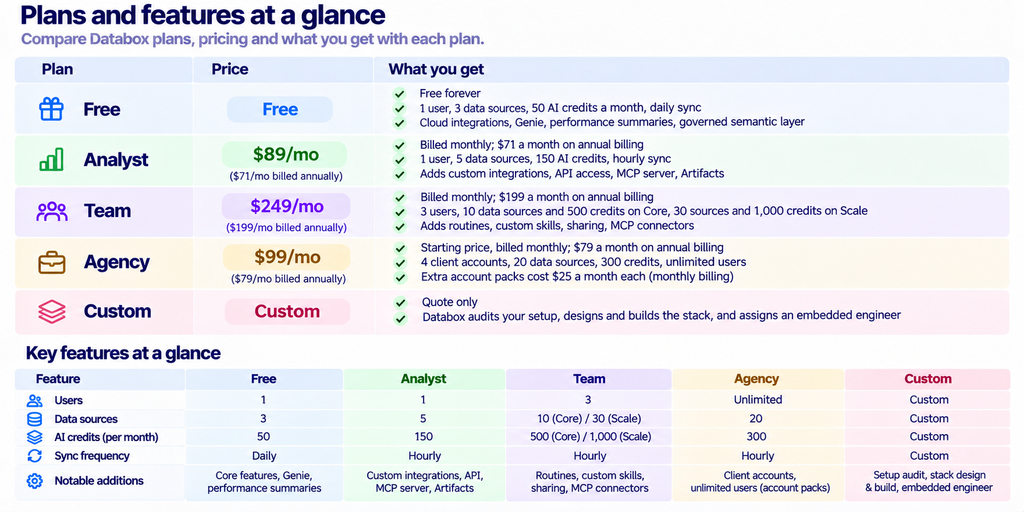
Quick answer: Databox sorts buyers by three limits rather than by features: how many people need logins, how many data sources you connect, and how many AI credits you burn. Free covers 1 user and 3 sources. Analyst costs $89 a month and still covers only 1 user, which is the detail most comparisons miss. Team at $249 a month is where you get 3 seats and 10 sources. Agency starts at $99 a month and prices by client account instead of by seat, which makes it cheaper than Team for anyone managing several clients. Those are monthly-billing figures. The pricing page loads with annual preselected, so the numbers you see first are about 20 percent lower than what monthly billing costs.
Disclosure: Stack99 earns a commission if you buy through links on this page. It costs you nothing extra and never changes our assessment.
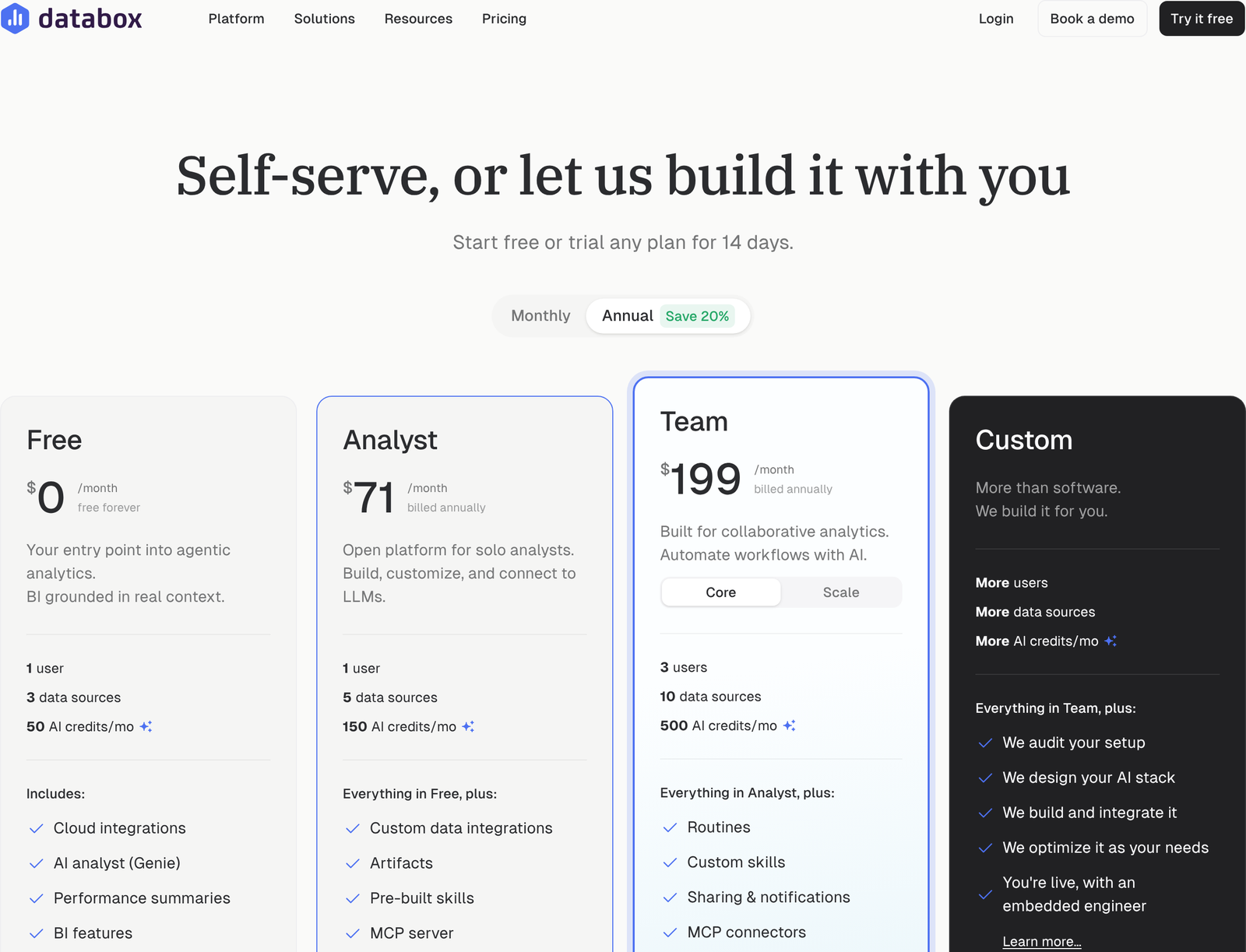
Check the toggle before you read the price
Open databox.com/pricing and the plan cards show $71 and $199. Neither is a monthly rate. The billing toggle sits above the cards with Annual already selected and a green “Save 20%” badge attached, and each card carries the words “billed annually” underneath in small grey type. Miss that, and your budget is wrong by a quarter before you start.
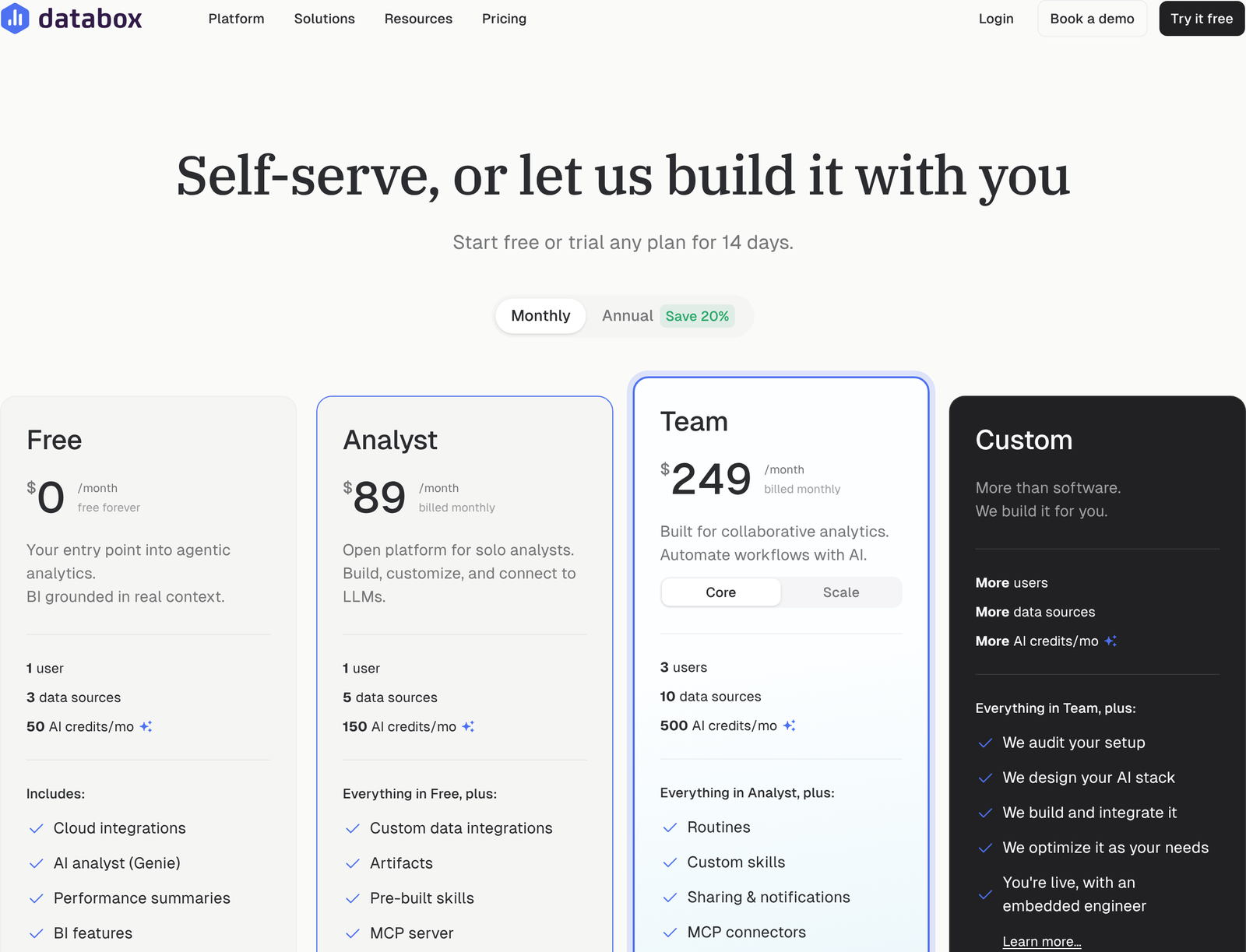
Click Monthly and the figures move to $89 and $249. Nothing else on the cards changes: same seat counts, same source counts, same credit allowances. Annual billing buys a discount and nothing more. The discount is consistent too, at exactly 20 percent on every tier, which you can verify by multiplying: $249 times 0.8 is $199.20, and $89 times 0.8 is $71.20.
Committing to a year on Team saves $600 over twelve months. On Analyst, the same commitment saves $216. Those are real sums, though they only count if the plan still fits you in month nine.
Seats, Sources, and Credits, in that order
Databox prices three resources, and knowing which one you will exhaust first tells you your plan faster than any feature table.
Seats come first because the jumps are brutal. One user on Free. One user on Analyst. Three on Team. Unlimited on Agency. Going from one person to two costs you the entire gap between Analyst and Team, which is $160 a month on monthly billing. Work that out per head, and the second and third seats cost $80 each a month, well above what most reporting tools charge for an extra login.
Data sources come second. Three on Free, five on Analyst, ten on Team Core, thirty on Team Scale, twenty on Agency with five more per pack. Count honestly here. Google Analytics, Google Ads, Meta Ads, HubSpot, and Stripe are five, and that is a modest stack for one business. Agencies blow through source counts faster than anyone, because every client brings their own.
AI credits come third and are the newest constraint. Fifty a month on Free, 150 on Analyst, 500 on Team Core, 1,000 on Team Scale, 300 on Agency. Credits fuel Genie and the MCP server, and Databox says generating insights, building dashboards and asking questions about your data all draw from the same monthly pool. Nobody can predict their credit burn in advance, which argues for starting lower and watching the meter rather than buying headroom you may not touch.
Who the free plan genuinely fits
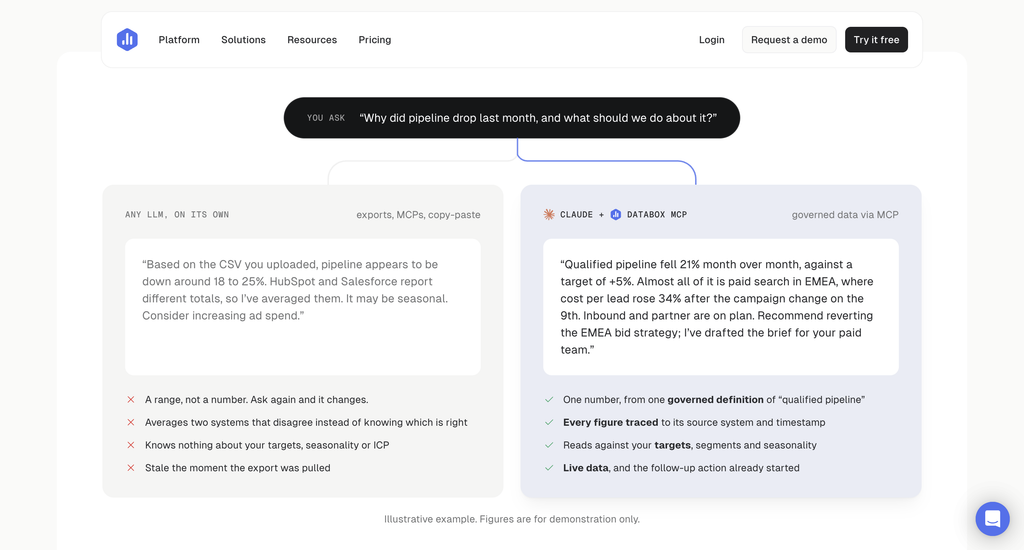
Free is not a trial. Databox labels it “free forever”, and it includes things that are usually paywalled: the AI analyst, performance summaries, the governed semantic layer, data lineage, and an audit trail. One person connecting three sources gets a working product rather than a crippled one.
The ceiling that bites first is sync frequency. Free refreshes daily at most, while every paid tier refreshes hourly. A founder checking numbers with their morning coffee will never notice. Anyone making intraday decisions on ad spend will notice within a week.
Free suits a solo operator with a simple stack, a consultant who wants a shared view with one client, or anyone evaluating whether the semantic layer handles their metrics before spending anything. Stay on it until a limit actually stops you.
Analyst is a single-seat plan, and that surprises people
Here is the most important line on the whole pricing page: Analyst includes one user. Paying $89 a month does not let a colleague log in. Databox describes the tier as an “open platform for solo analysts”, which is accurate labelling, though the word Analyst reads to many buyers as a job function inside a team rather than a team of one.
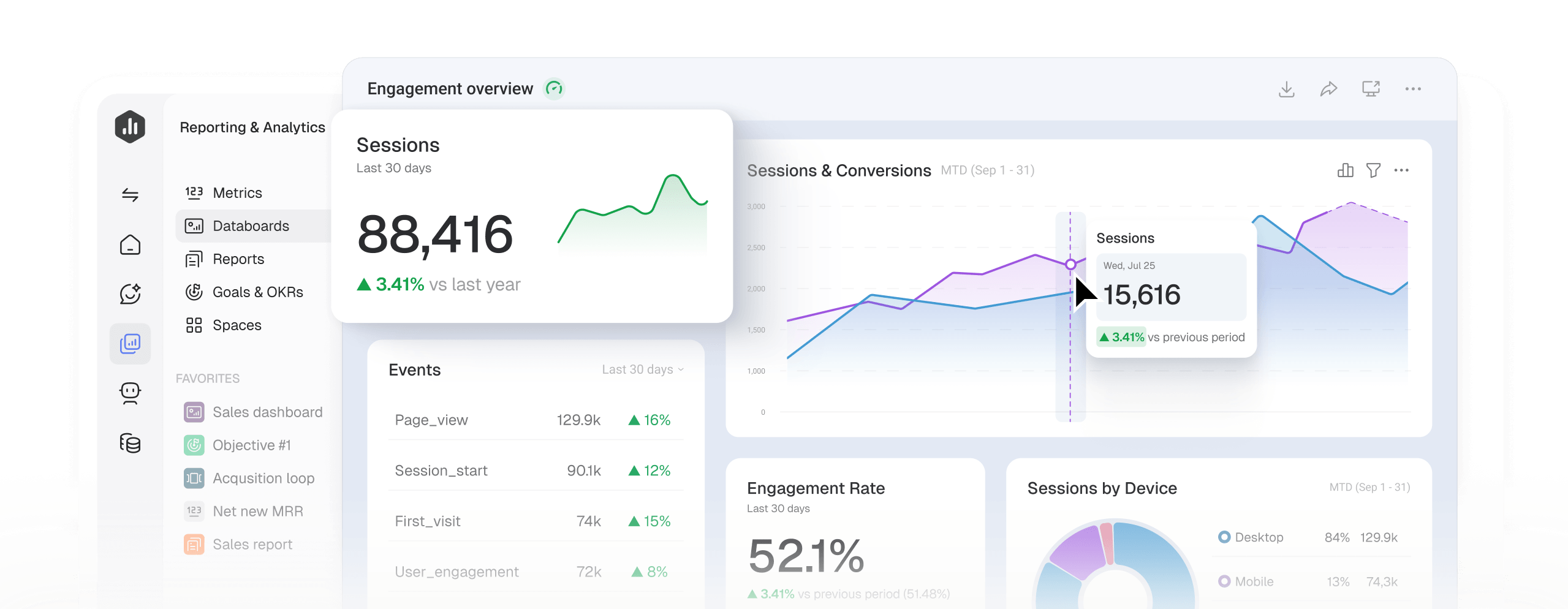
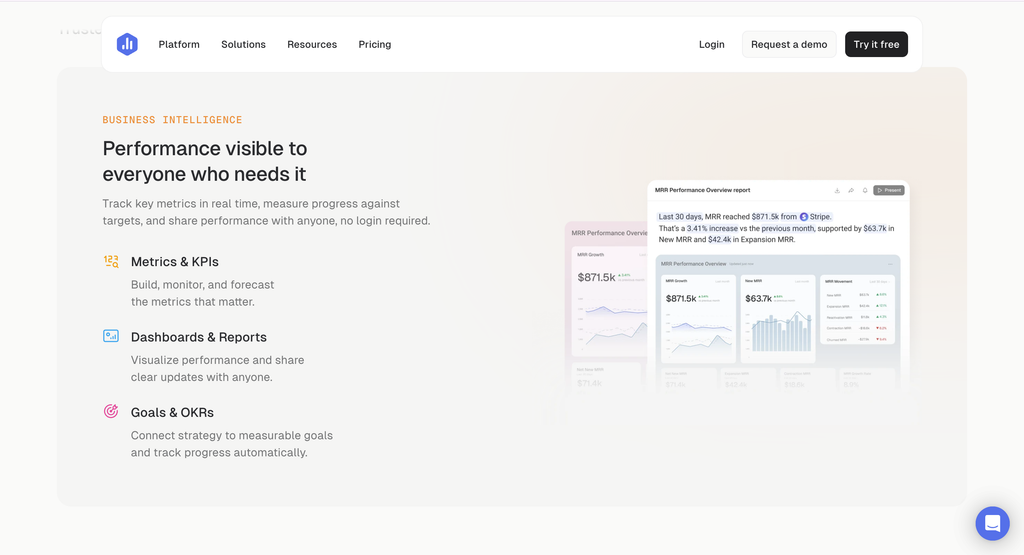
What the money actually buys is capability, not capacity. Custom data integrations, API access, the MCP server, Artifacts and pre-built skills all arrive at this tier, plus two extra data sources, triple the AI credits, and hourly rather than daily syncing. Someone building a bespoke pipeline, pulling from a warehouse, or wiring Databox into an LLM workflow gets real value from that list.
Skip Analyst if your requirement is simply that two people can see the dashboard. No amount of API access solves a seat limit. You are heading for Team, and the sooner you budget for $249 a month, the less painful the conversation.
Team, and the Core versus Scale fork
Team is the first plan built for more than one person: three seats, routines, custom skills, sharing and notifications, MCP connectors, with Agents listed as coming soon. Inside the Team card sits a second toggle, Core or Scale, and it changes two numbers substantially. Core gives 10 data sources and 500 AI credits. Scale gives 30 sources and 1,000 credits.
Tripling your source allowance while only doubling credits tells you something about how Databox expects Scale to be used. Connecting many systems and querying them conventionally is the pattern it is priced for. Heavy AI interrogation of a small number of sources is not.
Team fits an in-house marketing or revenue team of three where one person builds, and two consume. Beyond three people, the maths stops working, because there is no four-seat option. Your next move is Agency or a custom quote, and Agency is worth examining even if you are not an agency.
Agency changes what you are buying
Agency starts at $99 a month on monthly billing and prices by client account rather than by person. The base includes 4 accounts, 20 data sources, and 300 AI credits, with unlimited users, bulk actions, custom templates, and cross-account reporting through Genie and the MCP server. Extra capacity comes in packs costing $25 a month each on monthly billing, and each pack adds 1 account, 5 data sources, and 50 AI credits.
Run the comparison that matters. Six extra packs on top of the Agency base costs $99 plus $150, giving $249 a month for 10 client accounts, 50 data sources, 600 AI credits, and unlimited logins. Team costs exactly the same $249 a month and delivers 3 seats, 10 data sources, and 500 credits. Identical spend, five times the data sources, and no seat ceiling at all.
That comparison is not an argument for misrepresenting yourself as an agency. Account separation is the real difference, and it only helps when your reporting genuinely divides into distinct client or brand workspaces. Multi-brand retailers, franchise groups and holding companies often fit that shape better than they expect. A single team reporting on one business does not.
Add-ons quietly move the real number
Below the plan cards sits a row of add-ons that attach to any tier, and two of them cost more than the plan they extend. Branding and white-labelling runs $250 a month on monthly billing, which removes Databox branding and swaps in your logo, colours and domain. Advanced security management runs $100 a month on monthly billing and enforces SSO and two-factor authentication across the organisation, with session control and login records.
Pause on the first figure. An agency on the $99 base plan that wants client-facing reports under its own brand is looking at $349 a month, and the white-label line is the larger part of that. Budget for it at the start rather than discovering it during a client onboarding.
Databox lists four more extensions: AI credit top-ups, which it prices flexibly rather than at a fixed rate, a fiscal calendar for companies whose financial year does not match the calendar year, OKR tracking tied to live performance data, and 15-minute sync per source for near real-time refresh. We have left exact prices off those four because the toggle changes them, and we could not read each one back reliably enough to publish. Check them on the page with your preferred billing term selected.
Counting your sources before you choose
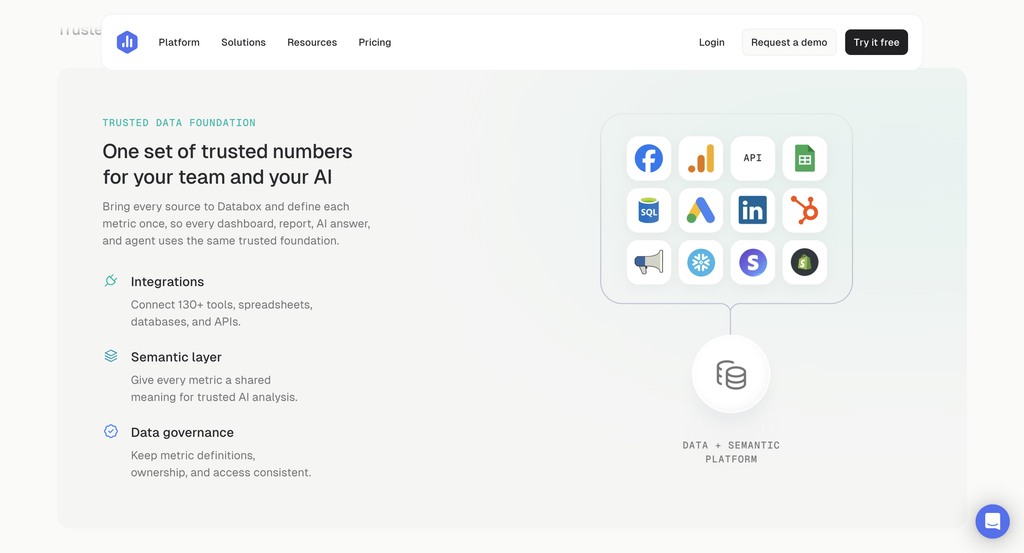
Databox advertises more than 130 integrations alongside direct connections to databases and spreadsheets. Breadth is rarely the problem. Counting is.
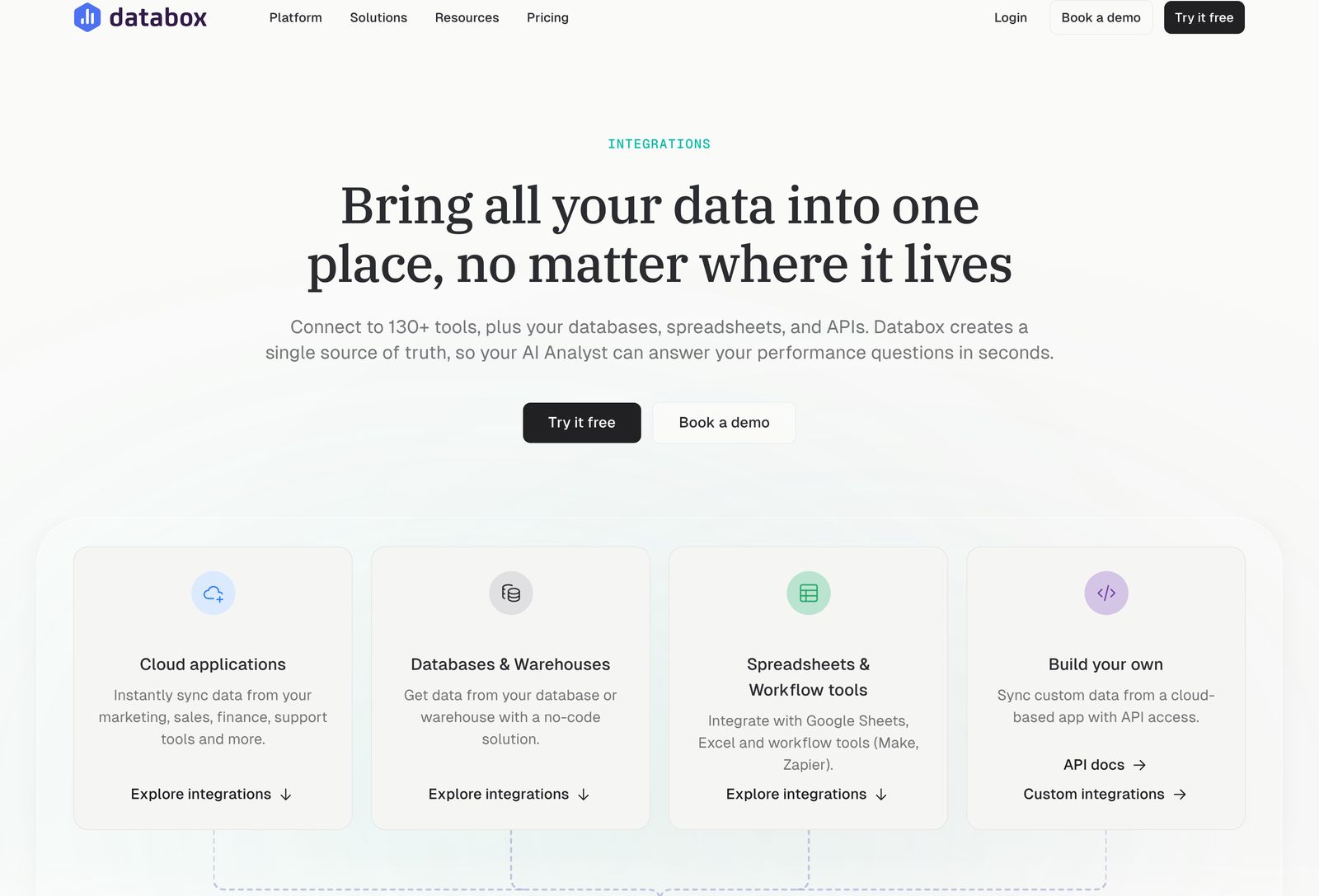
Before you choose a tier, write out every system you report on and count the rows. A typical ecommerce stack reaches eight without effort: Shopify, Google Analytics, Google Ads, Meta Ads, Klaviyo, Stripe, a helpdesk and a spreadsheet of targets. That stack clears Analyst by three and sits right at the Team Core ceiling with no room to add anything next quarter.
Custom data integrations and API access do not appear until Analyst, so anyone whose numbers live in an internal database should treat Free as unusable rather than as a starting point. That single requirement sets your floor at $89 a month regardless of how few people need access.
Three teams, three different answers
Placing yourself against real examples beats reading a feature grid, so here are three.
A solo ecommerce founder connects Shopify, Google Analytics, Meta Ads and Klaviyo, and checks numbers each morning. Four sources puts them one over the Free allowance and one under Analyst. Nobody else needs a login. Analyst at $89 a month on monthly billing is the fit, and the daily-to-hourly sync upgrade comes along with it. Committing annually trims that to $71 and saves $216 across the year.
Next, a four-person growth team at a SaaS company, pulling from eight systems including a Postgres database. Two constraints collide. Eight sources clears Analyst, and four people clears Team’s three seats. Team Core would cap them at 10 sources with no room to grow and leave a person locked out. Their realistic options are Team Scale, which lifts sources to 30, or a custom quote. Budget around $249 a month minimum on monthly billing, and expect the seat limit to force a conversation within a quarter.
Finally, a seven-client marketing agency wanting branded client dashboards. Agency base at $99 covers four accounts, so three extra packs at $25 each brings them to seven accounts, 35 data sources and 450 credits for $174 a month. Adding white-labelling at $250 takes the real monthly figure to $424. Pricing the branding add-on at the outset matters more here than choosing between tiers, since it more than doubles the bill.
Place yourself in one pass
Answer four questions in order, and the plan usually names itself.
- Count the people who need their own login. One keeps Free or Analyst open. Two or three points at Team. More than three means Agency or a quote.
- Does your reporting split into separate client or brand workspaces? If yes, price Agency before Team regardless of headcount.
- Do you need data from somewhere without a ready-made connector? That requires custom integrations or the API, so your floor is Analyst.
- Is daily refresh enough? If yes, Free survives longer than you think. If no, every paid tier moves you to hourly, and a 15-minute refresh is a separate add-on.
Every paid plan carries a 14-day trial, and Free runs alongside it without a card. Testing your real sources against the semantic layer costs nothing but a fortnight.
When to skip the self-serve tiers entirely
Custom is the quote-only tier, and Databox describes it as “more than software”. What it sells is implementation: auditing your current setup, designing the AI stack, building and integrating it, optimising as requirements change, and providing an embedded engineer. Organisations without an internal analytics engineer are the obvious audience. So are teams who have already failed to get a BI rollout adopted, since the failure there is rarely the software.
Custom also lifts every published ceiling at once, listing more users, more data sources and more AI credits without naming a figure for any of them. That phrasing tells you the tier is negotiated per deal rather than sold from a rate card. Approach it with your own numbers ready: seat count, source count, and an estimate of monthly AI usage drawn from a trial. Walking in with measured demand rather than a vague description gives you something to price against, and it is the only way to tell whether a quote beats stacking Agency packs.
FAQ
How much does Databox cost per month?
On monthly billing, Analyst is $89, Team is $249 and Agency starts at $99. Annual billing drops those to $71, $199 and $79 a month. Free costs nothing and has no expiry.
How many users does each plan include?
Free and Analyst both include a single user. Team includes three. Agency includes unlimited users and meters client accounts instead.
Is Databox free version any good?
It is a working product rather than a demo. You get 3 data sources, 50 AI credits a month, the Genie AI analyst, performance summaries, the governed semantic layer and audit trail. Sync tops out at daily, which is the main practical limit.
What is the difference between Team Core and Team Scale?
Core provides 10 data sources and 500 AI credits a month. Scale provides 30 data sources and 1,000 credits. Both sit inside the Team card as a toggle.
How do Databox account packs work?
Packs extend the Agency plan. Each one costs $25 a month on monthly billing and adds 1 client account, 5 data sources and 50 AI credits. Six packs on the base plan reach 10 accounts and 50 sources for $249 a month.
Does Databox offer a free trial?
Yes. The pricing page states you can start free or trial any plan for 14 days.
How many integrations does Databox have?
More than 130 according to its integrations page, plus direct connections to databases and spreadsheets. Custom integrations and API access require Analyst or above.
Related reading
- Databox Review 2026
- Databox vs Alternatives 2026
- Databox Top Features 2026
- Databox Case Study 2026
- Databox Advanced Guide 2026
Sources
- Databox pricing, captured in both billing states on 31 October 2026. Source of all plan, seat, source, credit and account pack figures.
- Databox integrations, for the count of available connectors and database and spreadsheet support.