

Quick answer: CrankWheel publishes six CRM connectors: Zoho CRM, Salesforce, HubSpot, HighLevel, Less Annoying CRM, and Insites. All of them do the same two things: pulling a contact’s phone number and email into the CrankWheel control panel and writing the session back afterwards. Where they differ is the shape of that write-back. Salesforce gets an appointment entry, Zoho and HighLevel get a note, HubSpot and Less Annoying CRM get a timeline event. The pricing comparison ticks API access, Zapier and CRM connectors on Solo, Team and Enterprise alike, so none of this is gated behind the top tier, whatever the API documentation says about Salesforce.
Disclosure: Stack99 earns a commission if you buy through links on this page. It costs you nothing extra and never changes our assessment.

A short connector list, and why that is fine here
Open the CrankWheel integrations page, and you get seven cards. Six are CRM or sales-tool connectors. The seventh points at the API documentation.
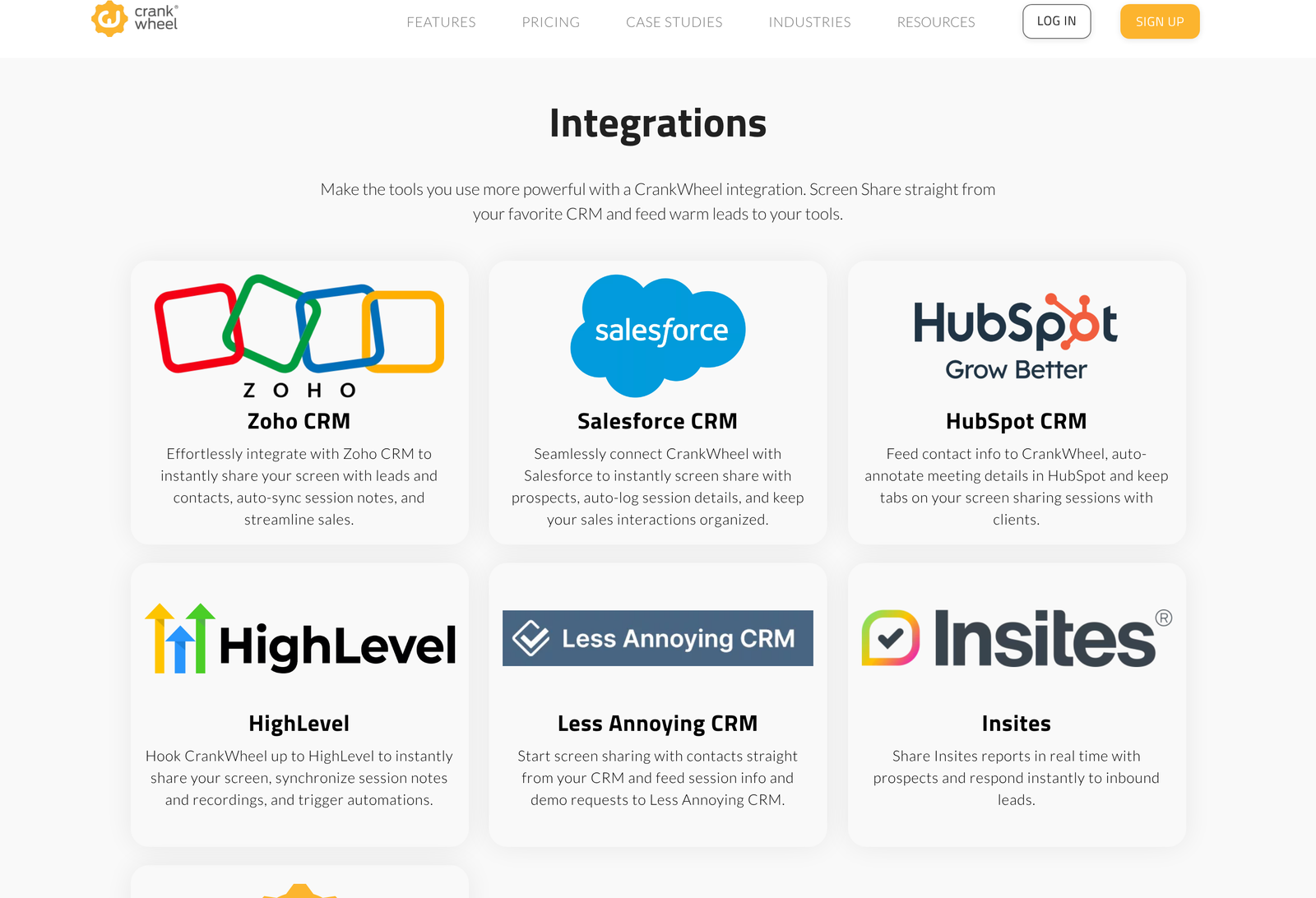
Six is a small number next to an inventory platform advertising thirty connectors or a marketing suite boasting a thousand. Judge it against what CrankWheel is for and the count stops looking thin. A screen-sharing tool for phone sales has exactly one integration job: know who you are calling before the session starts, and leave a record of the session where your manager will look for it. A list covering Salesforce, HubSpot, Zoho, and HighLevel reaches most of the mid-market sales stack already.
Insites sits oddly in that list, because it is not a CRM at all. Insites sells website audit reports to agencies and local media sellers, and the CrankWheel connector lets a rep pull a live report onto a prospect’s screen mid-call. Treat it as a vertical integration rather than a CRM one.
What each CRM actually receives
Every connector page carries the same four-bullet promise with one word swapped. Read the swapped word and the connectors stop looking interchangeable.
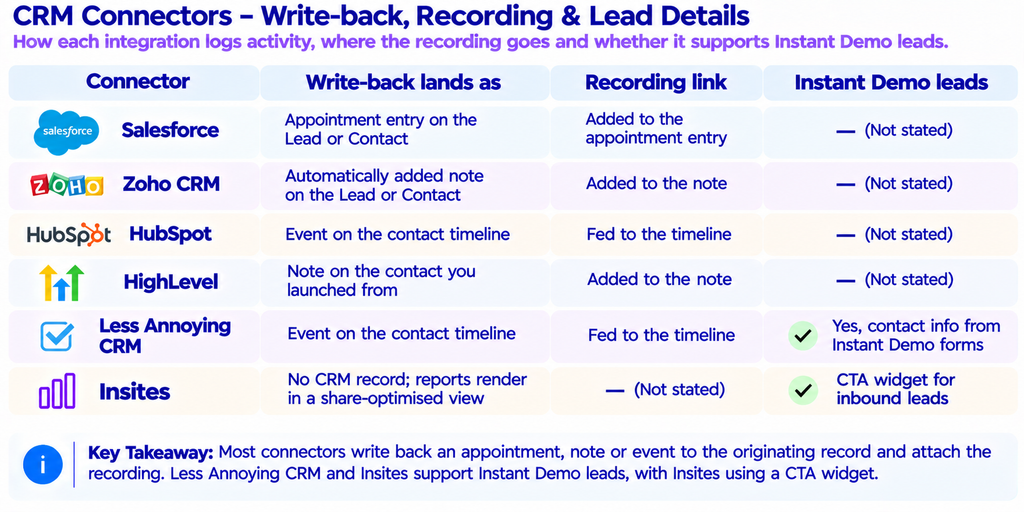
Two details in that table deserve more than a glance.
First, the Salesforce connector is the only one writing an appointment. An appointment is a calendar-bearing object in Salesforce, so a demo logged this way turns up in activity reporting and in the contact’s history rather than sitting in a free-text field. Zoho and HighLevel get a note, which is searchable but awkward to aggregate. If your sales manager runs reports on activity volume, the object type decides whether those reports see your screen shares at all.
Second, only Less Annoying CRM is documented as receiving Instant Demo form submissions directly. Instant Demos is CrankWheel’s inbound widget: a prospect drops their number on your site, and an available agent calls them back. Four of the six connector pages say nothing about where that lead goes. The API documentation fills the gap by pointing to Zapier, which is a workaround rather than a parity feature.
Tier gating: cheaper than the marketing copy suggests
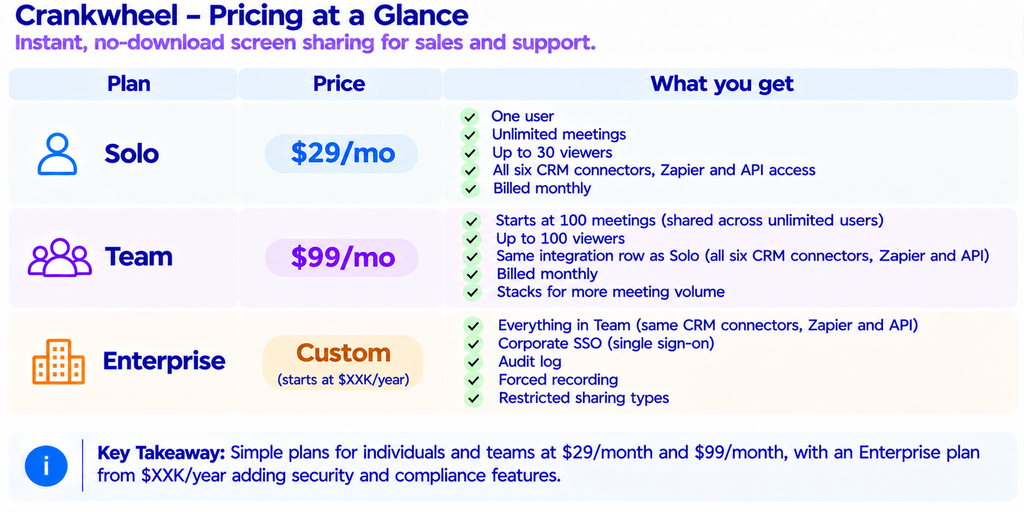
Plenty of vendors treat CRM write-back as an enterprise lever. CrankWheel does not, and the pricing comparison table is explicit about it.
Three rows sit under the “Advanced integrations” heading. API access, Zapier, and “Salesforce, HubSpot and more CRM connectors” each carry a tick on Solo, Team and Enterprise. A fourth row, corporate single sign-on, is marked available on Enterprise only. Compare that with the rows just above, where forced recording, restricted sharing types and the audit log all sit on Enterprise alone, and the pattern is clear enough: CrankWheel gates governance, not connectivity.
Solo costs $29 a month for one user with unlimited meetings. That buys you the Salesforce connector. A one-person mortgage broker running a Salesforce org pays the same $29 as a broker with no CRM at all.
One gap in that table is worth naming. Nothing in the comparison covers the free plan, so the pricing page never states whether a free account can connect a CRM. The Chrome Web Store listing describes CRM integration among the features “available on paid plans”, which reads as a no. We could not confirm it from the pricing page itself, so treat free-tier CRM access as unverified.
The API page contradicts the pricing page about Salesforce
CrankWheel’s API documentation carries a sentence that does not match the comparison table.
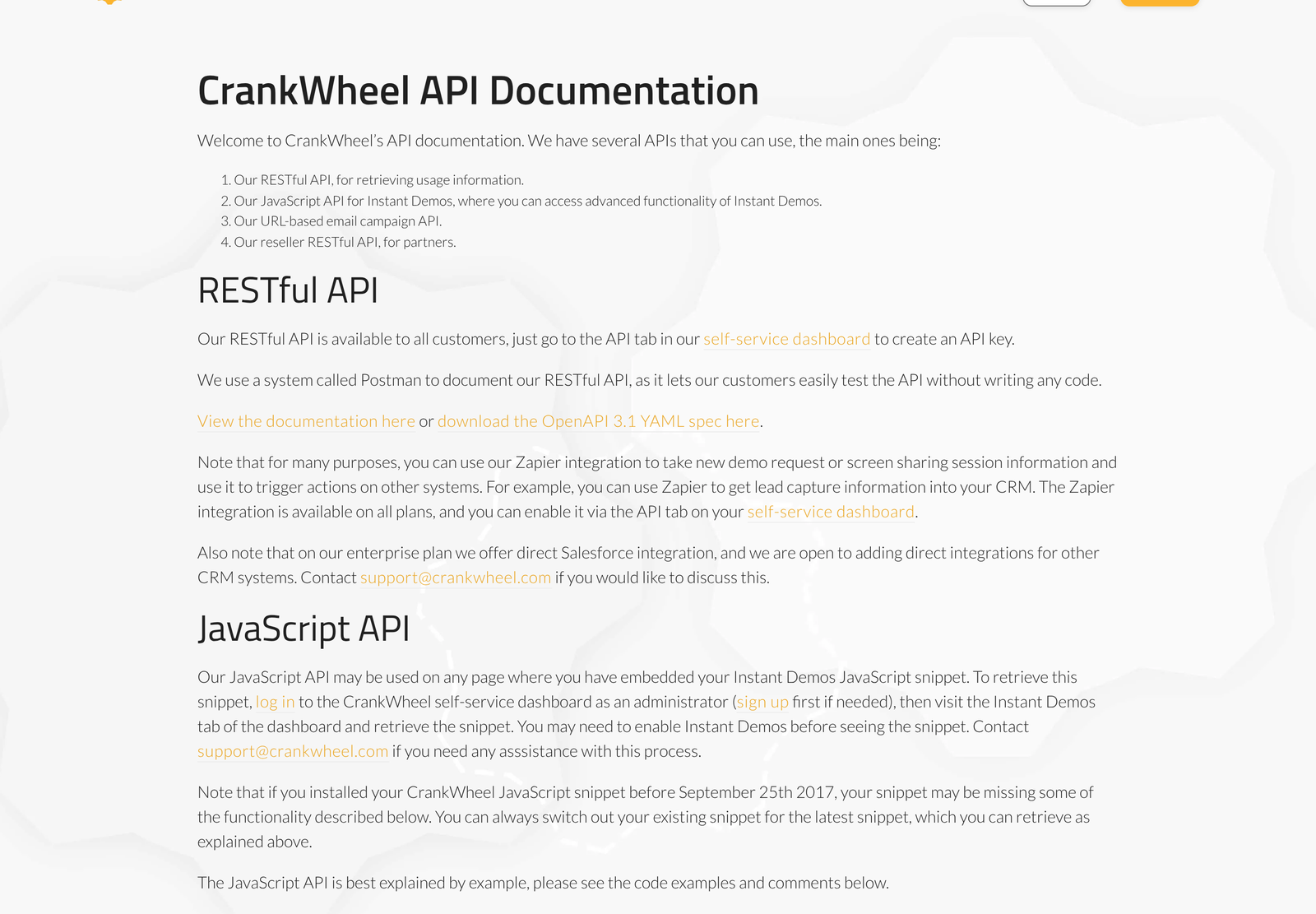
“Also note that on our enterprise plan we offer direct Salesforce integration, and we are open to adding direct integrations for other CRM systems,” the page says. Set that beside a pricing table ticking CRM connectors on Solo, and a customer cannot tell from published material whether $29 buys Salesforce write-back or not.
Our reading is that the two sentences describe different things. The connector on the pricing table is the self-service Salesforce app that any paid customer installs. The enterprise offer is a bespoke integration built to a customer’s own Salesforce configuration, which is why the integration guides list a separate page titled “Required Salesforce permissions for the direct integration”. That reading is an inference, not something CrankWheel states, so confirm it in writing before you buy Solo expecting Salesforce write-back.
The same page resolves two other questions cleanly. The REST API is “available to all customers” with a key generated from the API tab of the self-service dashboard, documented through Postman and downloadable as an OpenAPI 3.1 YAML spec. Zapier “is available on all plans”, enabled from the same tab. Both of those statements go further than the comparison table, which only covers the three paid tiers.
Four APIs, and only one of them is the obvious one
CrankWheel publishes four API surfaces, which is more than a 60,000-user screen-sharing extension needs to.
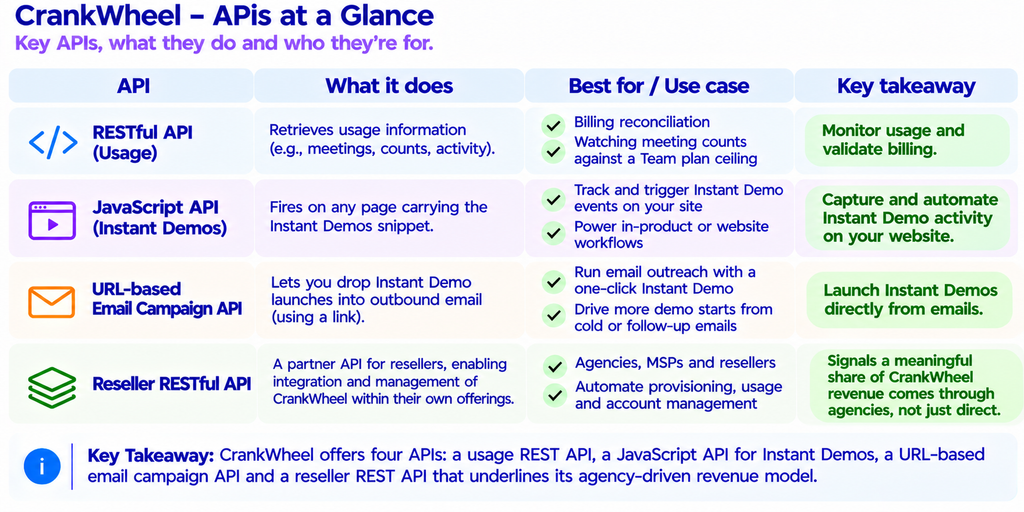
The JavaScript API is the one worth building against. It exposes five events on the lead-capture widget: open when the dialog appears, requestDemo when the prospect submits a phone number, submitInfo for each optional question answered, submitLast when the prospect reaches the summary screen, and agentFound when an agent clicks “Handle request”.
Those five events are a funnel in miniature. Fire them into your analytics and you can measure the drop between a widget opening and a number being entered, then the second drop between a number arriving and an agent picking it up. That second number is a staffing metric, not a marketing one, and most teams running callback widgets never measure it. CrankWheel even publishes a guide for wiring the events into Google Analytics.
One caveat buried in the same documentation: snippets installed before 25 September 2017 may be missing functionality, and swapping in the current snippet is the fix. Nine years is a long time for a warning to stay on a page, which tells you something about how rarely marketing-site snippets get replaced.
The HighLevel white-label gap, and a promise that has aged
HighLevel is heavily white-labelled. Agencies resell it under their own domain, often through LeadConnector, and the CrankWheel integration page is unusually candid about what that breaks.
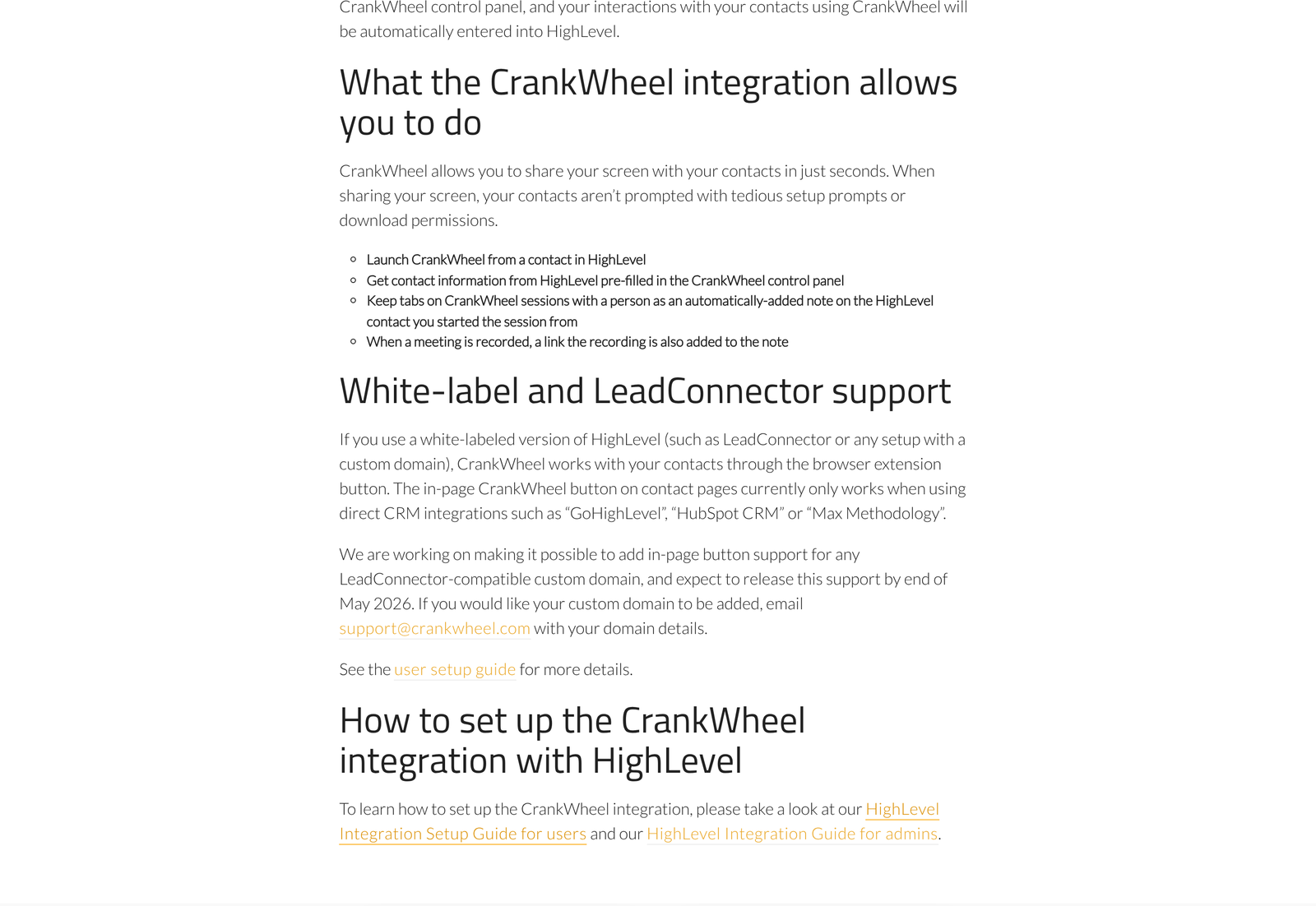
On a custom domain, CrankWheel still reaches your contacts through the browser extension button. An in-page button on contact pages only works with the direct CRM integrations the vendor names: “GoHighLevel”, “HubSpot CRM” and “Max Methodology”. Everything else loses one click of convenience.
Then comes the sentence that dates the page. CrankWheel says it expects to release in-page button support for any LeadConnector-compatible custom domain “by end of May 2026”. We read that page on 17 October 2026 and the text has not moved. Agencies can email support with their domain to be added manually, which is the workaround the page offers. Read the promise as an open intention rather than a shipped feature, and plan your rollout around the extension button.
Zapier is where the gaps get filled
Four of the six connectors say nothing about routing Instant Demo leads. CrankWheel’s answer sits in the API documentation: “you can use Zapier to get lead capture information into your CRM.”
Treat that as the real integration story for anyone outside the named six. Zapier takes new demo requests and screen-sharing session information as triggers, which covers Pipedrive, Close, Copper, Freshsales and whatever else your team runs. You lose the launch-from-contact convenience, because that requires the extension to recognise the CRM page. You keep the record-keeping half.
Budget for it properly. Zapier access from CrankWheel is free on every plan, but Zapier itself is not, and a callback widget on a busy site can generate more task volume than a starter Zapier plan absorbs. Run a fortnight of Instant Demo volume through your logs before committing to a Zapier tier.
The extension is the integration surface
Each connector page says the same thing in different words: contact details flow into “the CrankWheel control panel” or “the CrankWheel UI”. Both phrases mean the browser extension. No CRM connector here is a server-to-server sync. The extension reads the CRM page you are looking at, and that is why a white-labelled domain breaks the in-page button while the extension button survives.
Its Chrome Web Store listing is the most useful third-party number available on CrankWheel. Version 8.22.0.0 shipped on 28 September 2026; the package is 120KiB, it carries 10 interface languages, and it reports roughly 60,000 users with a 5.0 average across 409 ratings. A perfect five across four hundred ratings is unusual enough to be worth a raised eyebrow, but the user count and the release cadence are hard numbers, and they point to an actively maintained product rather than an abandoned one.
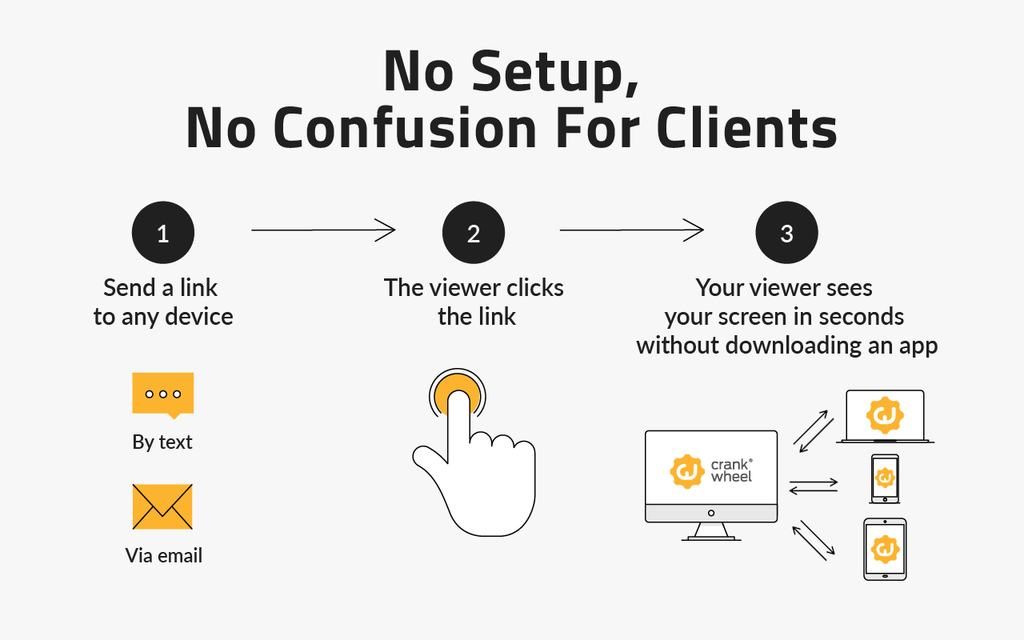
Browser mechanics explain the asymmetry that CrankWheel markets hardest. Your viewer installs nothing, because they receive a video stream in a normal page. You install an extension, because capturing a screen in a browser goes through getDisplayMedia, and the W3C Screen Capture specification requires the browser to show its own picker and obtain explicit permission from the person sharing. No vendor can engineer that away. CrankWheel moved the friction to the side of the call that is already paying for the software.

One practical consequence for IT: the extension is distributed through the Chrome Web Store, so a managed-Chrome fleet needs it allowlisted or force-installed before any CRM connector does anything. That step belongs in your rollout plan, not in a support ticket on day one.
What CrankWheel does not publish
We looked for the following and could not verify it from vendor pages, so none of it appears above as fact.
- Whether the free plan can connect to any CRM. Its comparison table carries no free column.
- Which Salesforce editions the self-service connector supports, and whether Professional edition’s API restrictions affect it.
- Whether write-back is retried if the CRM is unreachable when a session ends.
- Rate limits on the REST API. The OpenAPI spec may state them; the public page does not.
- What “and several more” covers in the pricing table’s connector description. Six are listed on the integrations page, and no others are named anywhere publicly.
Who should connect what
Salesforce shops. Install the connector, then check whether your activity dashboards count appointments. The write-back is only useful if your reporting sees it. Ask about the enterprise direct integration if your org has heavy field-level security, since the published permissions guide hints that configuration matters.
HubSpot shops. Timeline events are the cheapest thing to work with here, because HubSpot filters and workflows read them natively. A workflow that nudges a rep when a contact has a recorded demo and no follow-up task is twenty minutes of setup.
Agencies on white-labelled HighLevel. Train reps on the extension button from day one. The in-page button will not appear on your domain, and a rep who learned on a demo account using gohighlevel.com will come back confused.
Everyone else. Start with Zapier rather than waiting for a connector. The triggers already exist, the access is free on every plan, and you can measure whether the write-back earns its keep before anyone builds anything custom.
Pricing mechanics for all of this sit in our CrankWheel review, which covers how a meeting is counted and why the Team ladder behaves the way it does. For rival tools priced side by side, see our CrankWheel alternatives comparison.
Frequently asked questions
How many CRMs does CrankWheel integrate with?
Six connectors are published: Zoho CRM, Salesforce, HubSpot, HighLevel, Less Annoying CRM, and Insites. The pricing page adds “and several more” without naming them. Anything outside the six goes through Zapier or the REST API.
Do I need the top plan for CRM write-back?
No. The comparison table ticks CRM connectors on Solo, Team, and Enterprise. Note that the API documentation separately describes a direct Salesforce integration as an enterprise offer, which appears to mean a bespoke build rather than the self-service connector.
Does CrankWheel work with Zapier?
Yes. CrankWheel states Zapier is available on all plans and enabled from the API tab of the self-service dashboard. New demo requests and screen-sharing session information are available as triggers.
Where does a recorded meeting link end up?
Inside whatever object the connector writes. Salesforce receives it on the appointment entry, Zoho and HighLevel on the note, HubSpot and Less Annoying CRM on the contact timeline.
Does my prospect need to install anything?
No. The viewer joins in a browser with no download and no setup prompt. You, as the presenter, install the Chrome extension, because browser screen capture requires an explicit permission grant from the sharing side.
Can I use CrankWheel with a white-labelled HighLevel domain?
Yes, through the browser extension button. The in-page button on contact pages works only with the direct integrations CrankWheel names. Agencies can email support to request their custom domain be added.
Sources
- CrankWheel integrations and the six individual connector pages, read on 17 October 2026 for the write-back behaviour of each CRM.
- CrankWheel pricing, for the “Advanced integrations” rows and the Solo, Team and Enterprise column headings.
- CrankWheel API documentation, for the four API surfaces, the five Instant Demos events, the Zapier availability statement and the enterprise Salesforce note.
- The CrankWheel Chrome Web Store listing, recording version 8.22.0.0 dated 28 September 2026, about 60,000 users and a 5.0 average from 409 ratings.
- W3C Screen Capture and MDN on getDisplayMedia, for why the presenter grants a permission the viewer never sees.
Prices and feature rows were read from CrankWheel’s own pages on 17 October 2026 and are quoted in US dollars. Vendors change them without notice, so check the pricing page before you budget.