



Quick answer: Plansom publishes two prices and quotes a third. Free costs nothing, Pro costs $28 per user per month or $280 per user per year, and enterprise, agency, and partner pricing comes on request. The unusual part is what the upgrade does not buy. Both published plans cap you at 5 goals, 100 tasks, and one AI Plan a month, and those three numbers are identical on the free card and the paid one. Paying $28 unlocks the agent layer and integrations instead: AI Manage, unlimited AI Execute, unlimited AI Reporting, bottleneck alerts, success metrics, and connectors to Slack, Gmail, Outlook, and the rest.
Disclosure: Stack99 earns a commission if you buy through links on this page. It costs you nothing extra and never changes our assessment.
Find the pricing page first
A small practical note before the numbers. Plansom’s pricing does not live at the address you would guess. Both plansom.com/pricing and plansom.com/plans return 404. The live page is plansom.com/pricing.html, reachable from the Pricing link in the site header.
Worth mentioning because a dead URL is the kind of thing that makes a buyer assume prices are hidden. They are not. Plansom prints them.
Two published plans and one conversation
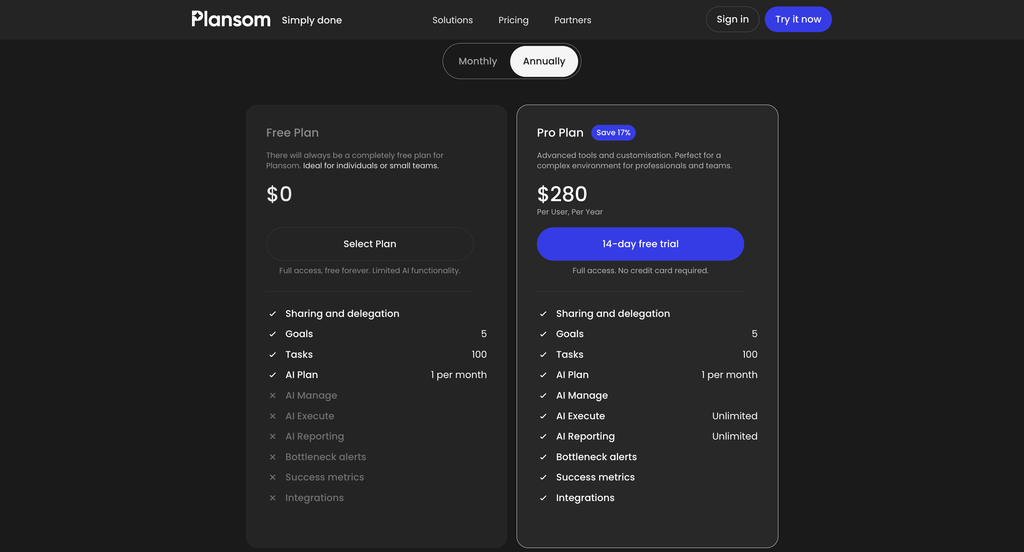
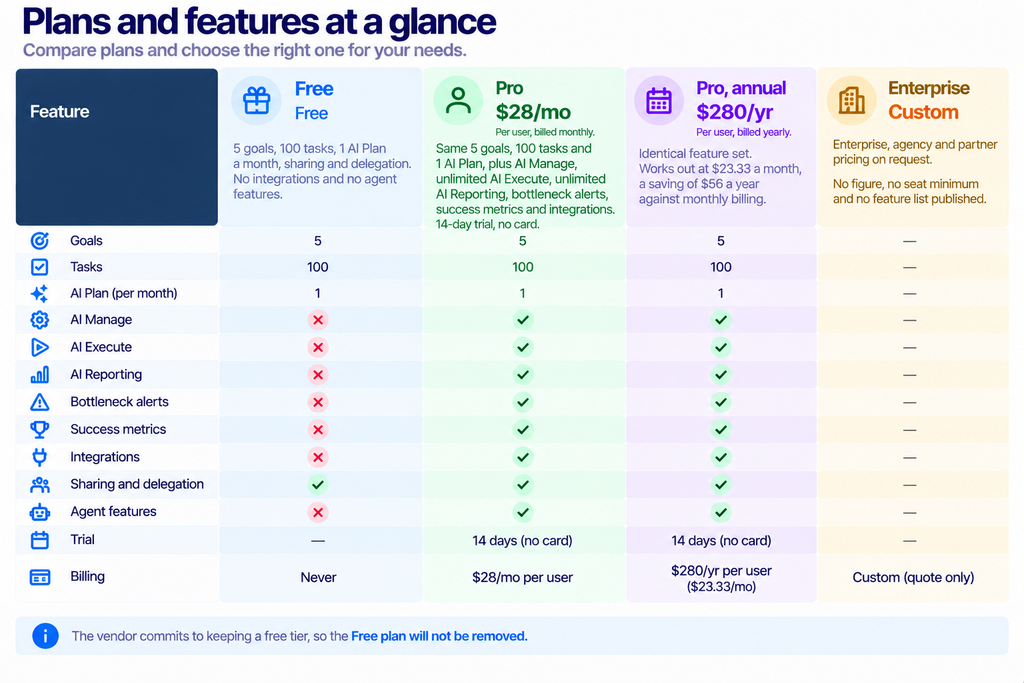
The Monthly tab is preselected when the page loads, which puts Plansom in the honest half of SaaS pricing design. Many vendors open on the annual toggle, print a per-month figure that is only available if you prepay a year, and leave the monthly rate a click away. Plansom shows you the month-to-month rate and makes you ask for the discount.
The annual discount is 16.67%, advertised as 17%
Click Annually and the Pro card swaps to $280 per user, per year, with a “Save 17%” badge beside the plan name.
Check the arithmetic. Twelve months at $28 is $336. Paying $280 instead saves $56, which is 16.67%. Rounded up to a whole number, that is 17%, so the badge is fair rather than inflated, and the gap between advertised and actual is a rounding artefact rather than marketing licence. Plenty of vendors are worse offenders.
Put differently, annual billing buys you two months. Ten months paid, twelve months used, give or take a few dollars. For a five-person team, that is $1,680 a year monthly against $1,400 annually, a difference of $280. Enough to matter, small enough that nobody should sign a twelve-month commitment for it while still evaluating the product.
The caps do not move, and that is the real story
Read the two feature columns side by side and something unusual appears. Four rows carry numbers, and all four numbers are the same on both plans.
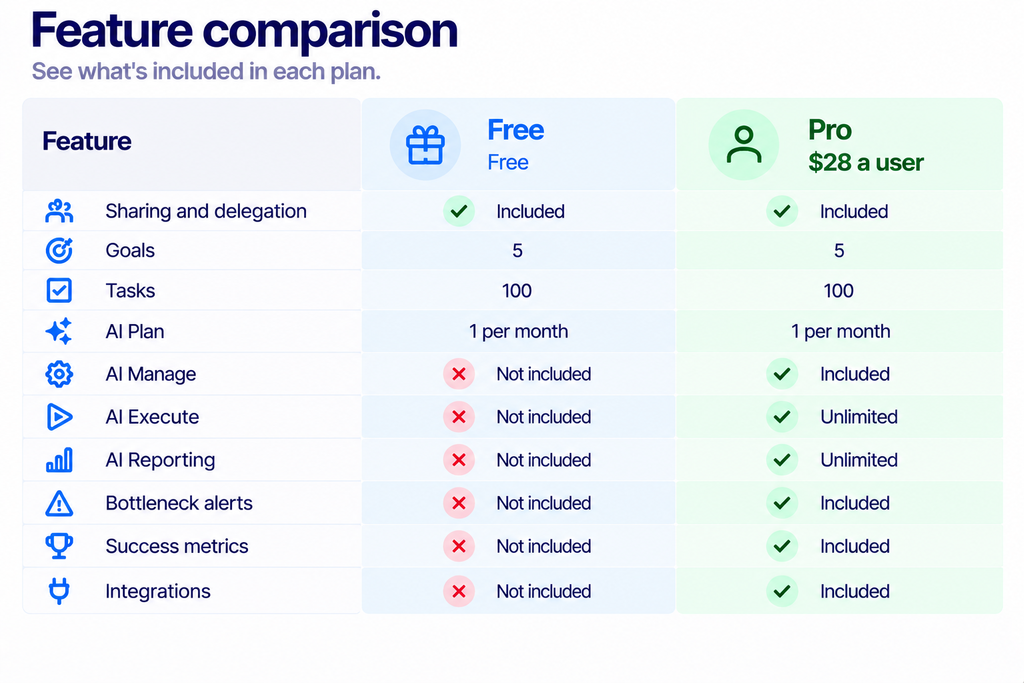
Almost every SaaS pricing table in existence raises a limit at the paid tier. More seats, more projects, more storage, more something. Plansom raises none of the three published ones. A paying customer gets the same 5 goals, the same 100 tasks, and the same single AI Plan a month as somebody who never entered a card.
Two readings are possible, and the vendor does not settle between them.
The generous reading is that these caps are not really caps. Plansom’s pitch is that it reads your email and chat and surfaces the three things that matter today, so a hard ceiling on tasks would make no sense for a product whose whole job is ingesting work from elsewhere. Under this reading, the numbers describe the shape of the free experience, and nobody on Pro ever meets them.
The cautious reading is that 100 tasks is a genuine ceiling on both plans, and a team paying $28 a head will hit it in a fortnight. If that is true, it is the most important number on the page, and it is printed in the smallest type.
We could not resolve this from anything Plansom publishes. Ask the question directly during the 14-day trial, in writing, before you roll the product out to a team.
What $28 actually turns on
Six rows flip from a cross to a tick when you pay. Plansom describes the free tier as “full access, free forever. Limited AI functionality”, and that description is accurate: the upgrade is an AI upgrade, not a capacity one.
AI Plan is available on both tiers at one per month. Tell Plansom what you want to achieve, and it builds a goal with the work beneath it, which you can then edit and share. One a month is enough to try the idea and nowhere near enough to run a quarter on.
AI Manage, AI Execute and AI Reporting are the paid trio, and the last two are marked unlimited. Plansom’s FAQ describes agents you can assign work to, built-in rather than built by you, with their activity and results visible so a person can step in. There is also an “AI autopilot” setting that hands over more of the planning, prioritisation, and delegation once you trust it.
Here is the gap in the published material. Nowhere does Plansom define what one unit of AI Execute is, or what AI Manage does that AI Plan does not. Marking two of them as unlimited suggests they would otherwise be metered, which in turn suggests they consume model tokens. Any buyer comparing this against a seat-priced AI tool should ask what “unlimited” survives under heavy use.
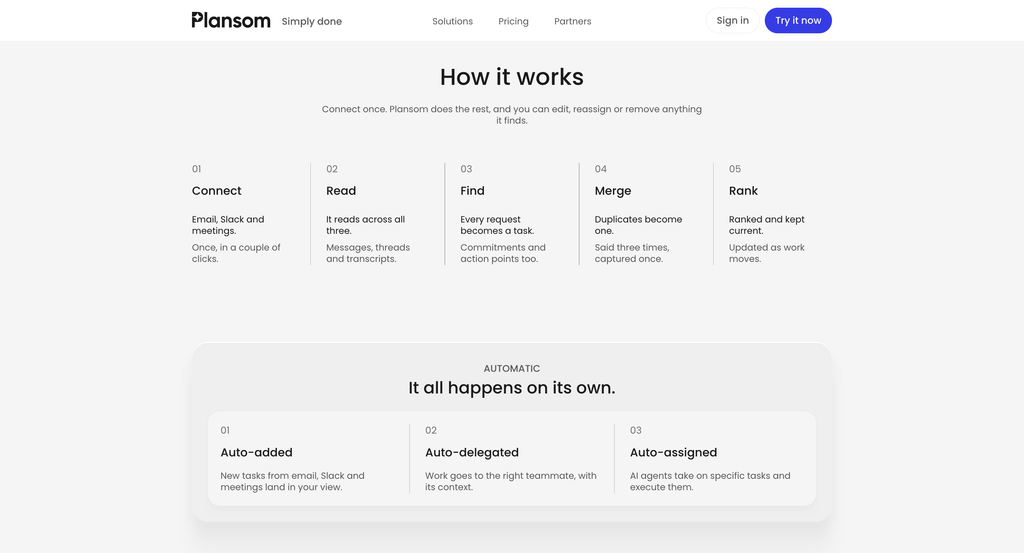
Bottleneck alerts and success metrics are the management-reporting half. Plansom’s FAQ says a team lead can see who is working on what, what is done and what is stuck, without asking for status updates. Microsoft’s own write-up of the Plansom Teams agent names Bottlenecks as one of four adaptive cards it surfaces, alongside AI Coach, Goal Progress and Daily Updates, which is useful corroboration that the feature is real rather than a roadmap item.
Integrations are the quiet paywall
The last ticked row is the one that decides whether the free plan is usable at all.

Plansom’s entire pitch rests on reading work out of the tools you already use. The homepage names eighteen: Zoom, Notion, Slack, Microsoft 365, Google Workspace, HubSpot, Fireflies, ChatGPT, Granola, Claude, Microsoft Copilot, Otter, GitHub, Pipedrive, Fathom, Gemini, WhatsApp Business and Perplexity. Gmail and Outlook are added by name in the FAQ.
None of them connect on the free tier. So a free account is a manual task list with one AI-generated plan a month, which is a demo rather than a product. Anyone evaluating Plansom properly needs the trial, not the free plan, and that is a reasonable design choice as long as you go in knowing it.
Plansom also does not publish which integrations require which plan beyond that single row, nor whether connecting more sources costs anything. Compare that with the per-connector metering common in this market, covered in our Lindy integrations guide, and the flat treatment here looks generous rather than stingy.
What a real team pays
Per-user pricing is easy to model, which is the nicest thing about this page. No add-ons, no module sheet, no metered bundles.
- A founder working alone. $28 a month, or $280 a year. The decision is whether one AI Plan a month plus agent execution beats a free Notion board.
- A five-person team. $140 a month, $1,680 a year monthly, or $1,400 prepaid. Cheaper than most project tools once you count their per-seat AI surcharges.
- A twenty-person department. $560 a month, $6,720 a year, or $5,600 prepaid. At this size, you should be asking the enterprise question anyway, since agency and partner pricing exists and volume discounts usually follow.
- A hundred seats. $2,800 a month at list. Nobody pays list at a hundred seats, so treat the published figure as a ceiling and open a conversation.
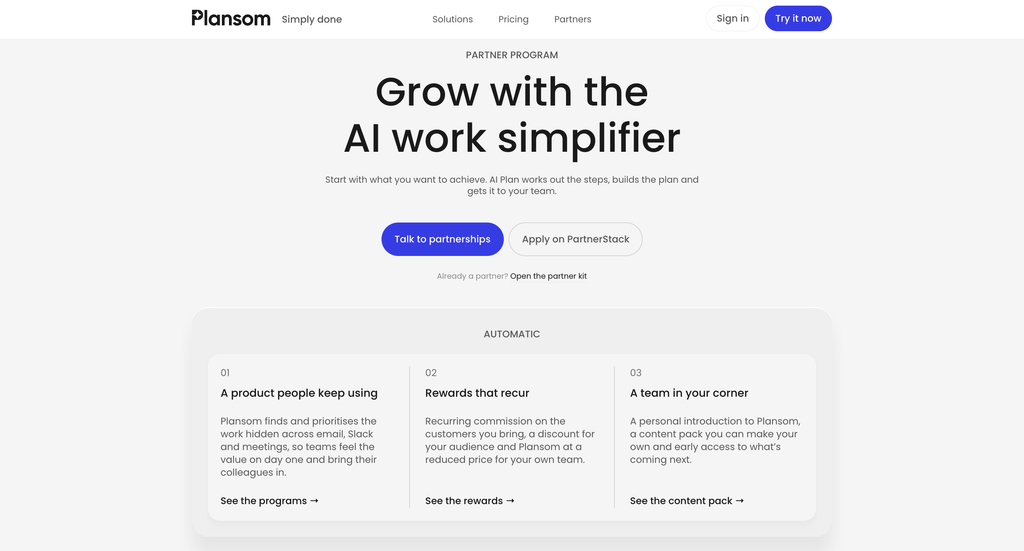
One structural thing to weigh. Plansom is a layer over tools you are already paying for, so its cost sits on top of Slack, Microsoft 365 and whatever CRM you run. The business case has to come from time recovered rather than licences replaced. Plansom’s own FAQ is careful about this, stating plainly that it does not replace your email, Slack, CRM or project tool.
How it compares on price alone
Twenty-eight dollars a seat places Plansom in a crowded band. Most mainstream project tools sit between $10 and $20 a user for their middle tier, then charge again for an AI add-on that often lands between $20 and $30 on top. Measured that way, a single $28 line that already includes the agent layer is competitive rather than expensive.
The comparison only holds if you were going to buy both. A team happy with a free Trello board and no AI is comparing $28 against zero, and the business case has to come from hours rather than displaced licences. A team already paying for a project tool plus an AI seat is comparing $28 against $40 or more, and the sum looks very different.
Work out which of those two you are before the trial starts. It changes what you need to prove in fourteen days. The first team has to show that Plansom saves real time. The second only has to show that it does the job of the two products it would replace.
Signals worth checking before you buy
Pricing is only half of a purchase decision. Three things on the public record are relevant to the other half.
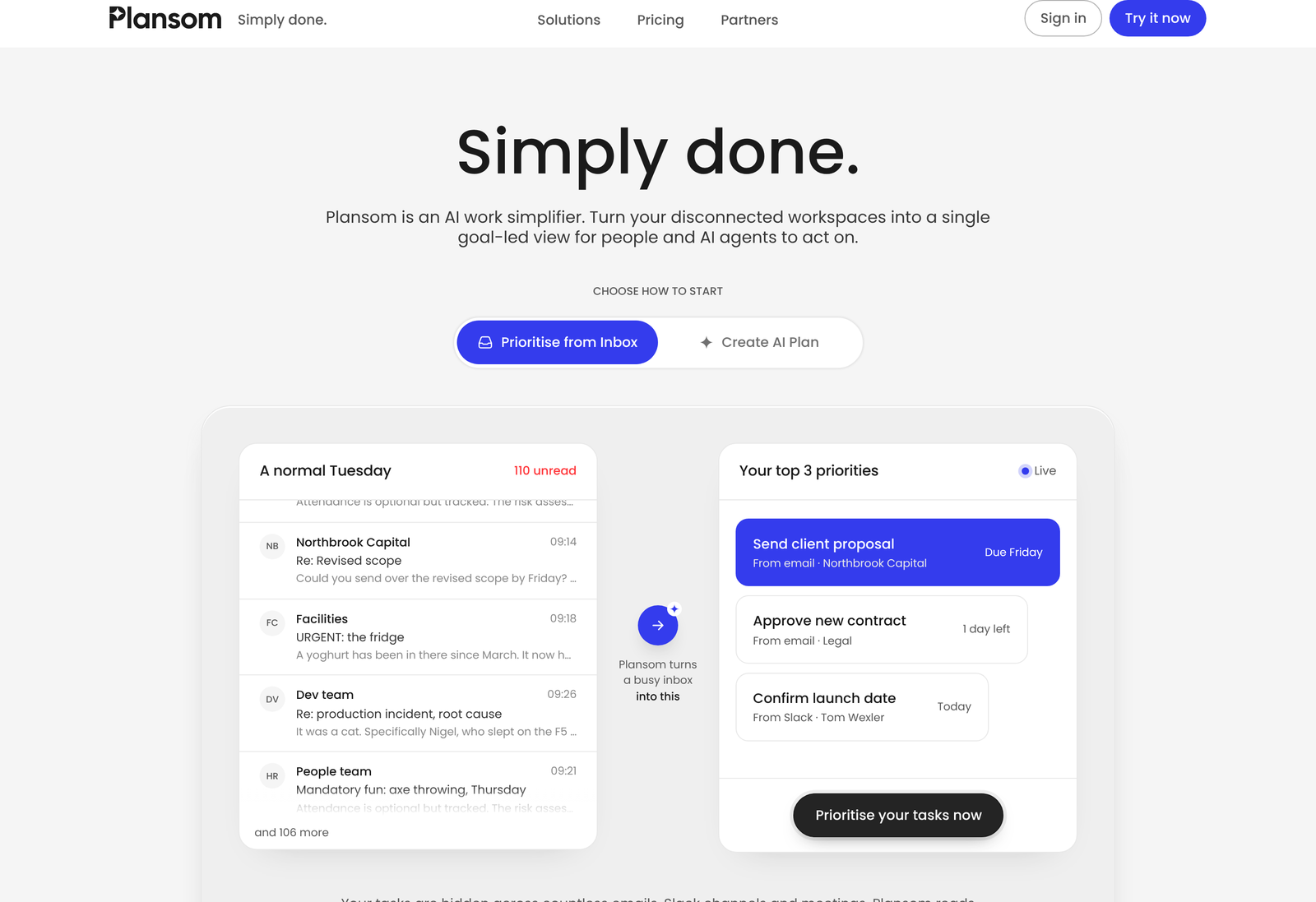
Microsoft has written about them. A Microsoft for Startups post dated 10 December 2025 describes the Plansom Agent for Microsoft Teams, built with Microsoft Foundry SDKs and the Teams SDK, using Model Context Protocol for context, Azure Database for PostgreSQL with Entra ID for authentication, and Azure OpenAI for the dialogue. It carries quotes from Sherry List, CTO of Microsoft for Startups, and Anders Schönberg, Plansom’s co-founder and chief executive. A vendor-written case study on Microsoft’s domain is still promotional, but the technical detail is specific and Microsoft put its name on it.
Read the compliance line exactly. Plansom’s footer says “SOC 2 Ready · GDPR compliant”. Ready is not certified. A SOC 2 Type II report is an audited document a vendor can hand you, and “ready” signals controls are in place without an audit opinion attached. If your security review needs the report, ask for it by name before you sign.
Training data is addressed. The FAQ states that customer data is not used to train the underlying AI models. For a product whose value comes from reading your email, that sentence is the one your legal team will look for.
Plansom is a Dublin company, operating from South Bank House on Barrow Street, which puts it inside the EU for data residency conversations.
What Plansom does not publish
Everything below was looked for and not found, so none of it is stated as fact above.
- Any enterprise, agency, or partner figure, or the seat count at which those terms begin.
- Whether the 5-goal and 100-task caps are enforced on Pro, or are an artefact of the pricing card.
- What a unit of AI Execute, or AI Reporting, is, and what the unlimited label covers.
- Whether the free plan limits how many people can share a workspace.
- Any minimum seat count, annual commitment term or mid-term cancellation policy for Pro.
- Which of the eighteen named integrations are live today versus announced.
Verdict on the pricing
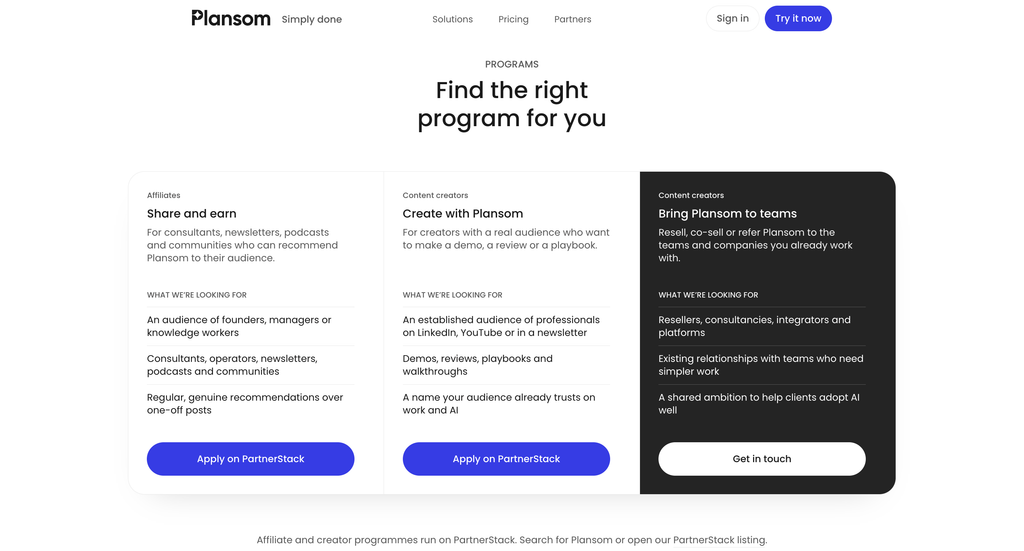
As a price list, this is clean. One paid tier, one number, a monthly default, a fair annual discount, and no add-on sheet to decode. Buyers coming from inventory or CRM software, where the sticker is routinely half the bill, will find it refreshing.
As a description of what you are buying it is thin. Three caps that never move, three AI rows nobody defines, and an unlimited label on two of them leave the most important questions to a sales call. Run the trial, connect your real inbox rather than a test one, push past a hundred tasks deliberately, and see what the product says. Fourteen days with no card is enough to answer every question this page leaves open.
Looking at the same problem from another angle, our Lindy pricing breakdown covers a credit-metered alternative, and our Process Street review looks at the workflow-first approach to the same problem.
Frequently asked questions
How much does Plansom cost?
Pro is $28 per user per month, or $280 per user per year. A free plan costs nothing. Enterprise, agency and partner pricing is quoted on request.
Is the Plansom free plan actually usable?
Only as a manual task list. Integrations sit behind Pro, and Plansom’s value comes from reading work out of your connected tools, so a free account cannot do the thing the product is for.
How much does annual billing save?
$56 per user per year. That is 16.67% against twelve months at $28, which the page rounds to a “Save 17%” badge.
Does Pro raise the goal and task limits?
Not according to the published cards. Both Free and Pro show 5 goals, 100 tasks and 1 AI Plan a month. Confirm in writing whether those ceilings are enforced once you are paying.
Is there a free trial?
Yes, 14 days of Pro with full access and no credit card required.
Which tools does Plansom connect to?
Eighteen are named on the homepage, including Slack, Microsoft 365, Google Workspace, Notion, HubSpot, GitHub, Pipedrive, Zoom, ChatGPT, Claude and Gemini. Gmail and Outlook appear in the FAQ as well.
Is Plansom SOC 2 certified?
The site says “SOC 2 Ready”, which is not the same as holding an audited report. Ask for a SOC 2 Type II report by name if your security review requires one.
Sources
- Plansom pricing, read on 17 October 2026 in both the monthly and annual billing states, including the full feature list for each card and the Save 17% badge.
- The Plansom FAQ, source for PlansomScore, the My Day three-priority design, the AI autopilot description, the named integrations and the statement that customer data is not used to train the underlying models.
- Microsoft for Startups on the Plansom Teams agent, published 10 December 2025, for the Foundry SDK, Model Context Protocol and Azure OpenAI detail and the named executives.
Prices were read from Plansom’s own pricing page on 17 October 2026 and are quoted in US dollars. Vendors change them without notice, so check before you budget.