


- What The Official Pages Show About Connectivity
- Where Runpod Fits In A Real Stack
- Popular Workflow Patterns
- Setup Approach
In this guide
Why Integrations Matter Here :
Runpod sells compute, not a workflow, so integration here means something narrower than it does for a CRM. The question is how your existing pipeline reaches a GPU and how the result gets back. Runpod answers that three different ways, and picking the wrong one is the usual cause of a week lost to plumbing: Pods for dedicated containerised instances, Serverless for pay-per-second endpoints that scale from zero, and Public Endpoints for pre-deployed models you call without deploying anything at all.
Runpod describes itself as a cloud computing platform built for AI, machine learning and general compute, covering training and fine-tuning as well as inference. Everything below comes from its own documentation, checked on 28 October 2026.
Disclosure: Stack99 earns a commission if you buy through links on this page. It costs you nothing extra and never changes our assessment.
The reason this matters more than a logo wall: Runpod publishes almost no connector marketplace. Its integration story rests on standard interfaces, which means most tools connect by changing a base URL rather than by installing anything.
If you want to inspect the product while you read, start with Runpod here.
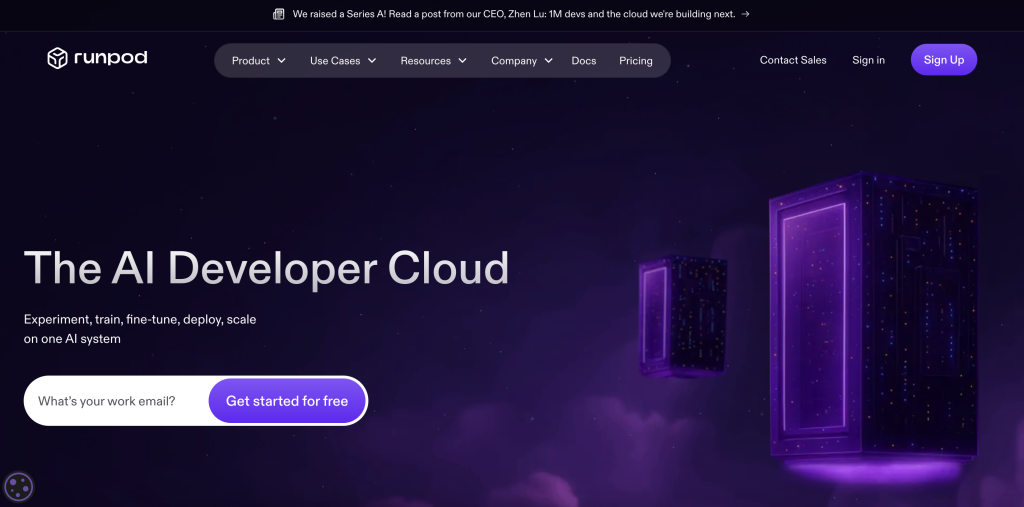
What The Official Pages Show About Connectivity :
Four connection surfaces carry nearly all of it:
- Serverless endpoints. REST APIs that accept HTTP requests, run your code and return the result. Each endpoint gets its own URL and hides the GPU scheduling entirely.
- Pod HTTP proxy. Any port you expose as HTTP becomes reachable at
https://POD_ID-INTERNAL_PORT.proxy.runpod.net. A Pod with id abc123xyz exposing port 8000 answers athttps://abc123xyz-8000.proxy.runpod.net. - Direct TCP. For persistent connections or anything outside HTTP, exposing a TCP port gets you a public IP and a mapped external port, retrievable from
GET /pods/POD_IDor the connection menu in the console. - OpenAI-compatible base URLs. vLLM workers and Public Endpoints both return OpenAI-shaped responses at
https://api.runpod.ai/v2/ENDPOINT_ID/openai/v1, which is the single most useful fact in this guide.
Runpod states the implication directly: any library or framework that accepts a custom base URL works without specialised adapters or connectors. That is what makes the integration list short and the integration surface wide.
Where Runpod Fits In A Real Stack :
Think of Runpod as the thing you point an existing client at, rather than a system you integrate with. Applications that already speak to an OpenAI-compatible API need only a new base URL and an API key passed as a bearer token. Runpod names n8n, CrewAI and LangChain as examples that need nothing more than that.
Two published base URLs let you test the idea before deploying anything of your own. Qwen3 32B AWQ answers at https://api.runpod.ai/v2/qwen3-32b-awq/openai/v1 and IBM Granite 4.0 H Small at https://api.runpod.ai/v2/granite-4-0-h-small/openai/v1. Point your existing client at one of those, keep every other line of code, and you have measured the integration cost in about ten minutes.
Popular Workflow Patterns :
Four patterns cover most of what teams actually build:
- Deploy a vLLM worker on Serverless and drive it from an agent framework through the OpenAI-compatible URL. Runpod publishes a worked n8n guide for exactly this, using an authenticated inference request.
- Package a ComfyUI worker as a Serverless endpoint for image generation at scale, rather than keeping a Pod running between jobs.
- Run a web UI or backend service on a Pod and expose it through the HTTP proxy, which suits constant workloads where cold starts are unacceptable.
- Spin up an Instant Cluster for multi-node distributed training, with managed Slurm available for HPC-style scheduling and distributed PyTorch across nodes.
A fifth pattern deserves naming separately. Load balancing endpoints let you define your own inputs and outputs instead of accepting the standard inference contract, which is the escape hatch when your API shape does not match what a queue-based endpoint expects.
Setup Approach :
The documented Serverless path is five steps and worth following in order. Write a handler function containing your application code. Create a Dockerfile that packages the handler with its dependencies. Build the worker into a Docker image and push it to a registry. Deploy an endpoint from the console or the REST API. Start sending requests. Teams that skip straight to step four with a half-built container spend their first day reading cold-start logs.
Runpod also supports deploying workers directly from GitHub, which removes the local build and registry push from the loop during development. For local iteration, the Runpod Python SDK and its rp CLI let you run functions on a remote GPU from your own terminal, with dev sessions that stream worker logs and re-run on code changes.
If you want to test that directly, open Runpod here and compare the official workflow to the systems your team already depends on daily.
For another stack-fit check, review Runpod here and compare the integration story against the handoff that creates the most daily friction.
Automation And API Considerations :
Programmatic control runs through more than one interface, and the docs are clear about which is current. There is a REST API with v1 and v2 surfaces covering endpoints and Pods, plus a GraphQL API that still appears in the reference section. Serverless SDKs ship for Python, JavaScript and Go. The broader Runpod Python SDK is marked beta and bundles the rp CLI for logging in, scaffolding apps, deploying and managing SSH keys and Pods.
Credentials come in more varieties than most platforms need, and that tells you something about the integration surface: API keys, SSH keys, separate S3 API keys, container registry credentials and secrets, all managed from one Credentials page. Builds that pull from a private registry have a credential type waiting for them, with no workaround needed.
Newer material covers MCP servers and agent skills for coding tools such as Claude Code, Codex and Cursor, letting an agent manage GPU workloads directly. Treat those as early access rather than production plumbing; they are listed as new in the documentation index.

Troubleshooting Lens :
One failure mode accounts for a disproportionate share of wasted time, and Runpod flags it with a warning rather than burying it. Not all models support tool calling, which OpenAI-compatible tooling generally requires. A framework that works against a hosted commercial model can fail against your self-deployed one for that reason alone, and the error you see will look like malformed output rather than a missing capability.
The fix is configuration rather than code. You may need a custom chat template or a tool call parser so the model returns the shape your integration expects. Runpod gives a concrete example for Qwen3 32B AWQ: set ENABLE_AUTO_TOOL_CHOICE=true, REASONING_PARSER=qwen3 and TOOL_CALL_PARSER=hermes in the vLLM endpoint environment variables. Check tool-calling support against the vLLM project documentation before you commit to a model, not after.
SGLang workers are the other OpenAI-compatible option, offering different performance characteristics for certain model types. Worth a comparison if vLLM throughput disappoints on your particular architecture.
Buyer Lens :
Choose the surface by workload shape rather than by price. Constant traffic and a long warm-up favour a Pod, where you pay for the instance and control the environment. Bursty traffic favours Serverless, which bills per second and scales from zero. A workload you have not written yet favours Public Endpoints, because you can validate the integration against a hosted model and only then decide whether a custom worker earns its keep.
Third-party orchestration is thin but real. Runpod documents dstack for Pod orchestration, SkyPilot as a multi-cloud execution framework, Mods for command-line interaction with hosted models, and Transformer Lab for running training and inference experiments. Teams already standardised on SkyPilot across clouds will find that Runpod slots in as another target rather than a migration.

Operational Note :
Storage is the integration question people discover late. Runpod offers network volumes, high-performance storage, global volumes in beta, and an S3-compatible API, which matters because it means existing tooling that speaks S3 can read and write your data without a custom transfer step. Serverless workers choose between container disks, network volumes and that S3-compatible storage, and the decision affects cold-start time as much as cost.
On the billing side, cost centers and post-paid billing are both documented, along with organisation-level roles, groups and resource tagging. Tagging is the quiet one: if several teams share an account, tag resources from day one rather than reconstructing attribution from an invoice later.
Final Buying Note :
Run one test before you plan anything. Create an API key, point your existing OpenAI-compatible client at the Qwen3 32B public endpoint, and send a real request from your own application. If it returns what you expect, your integration cost is close to zero and the remaining decisions are about hardware and price. If it fails, you have learned about tool calling and chat templates on a free afternoon instead of inside a sprint.
Our Runpod pricing breakdown covers what each surface costs once you have settled which one you need.
Verdict :
Runpod integrates well because it mostly refuses to invent its own interfaces. REST endpoints, an HTTP proxy with a predictable URL format, direct TCP where HTTP will not do, OpenAI-compatible responses, and an S3-compatible storage API between them cover almost every connection a team needs. The weakness is the mirror image of that strength: there is no connector marketplace, so anything that will not accept a custom base URL needs code you write yourself.
If that sounds relevant, try Runpod here and evaluate the product against one integration path your team already uses every day.
FAQ :
Why Are Integrations Important For Runpod?
Because Runpod supplies compute rather than a finished workflow. Its value only appears once your training or inference pipeline can reach a GPU and return results into whatever you already run, so the connection method is the product experience.
Should I Connect Everything At Once?
No. Validate one path against a Public Endpoint first, since it needs no deployment. Move to a custom Serverless worker or a Pod only once that request succeeds from your own application.
What Matters More Than The Number Of Integrations?
Standards support. Runpod lists only a handful of named third-party integrations, including dstack, SkyPilot, Mods, Transformer Lab and n8n, yet works with far more tools because anything accepting a custom OpenAI-compatible base URL connects without an adapter.
How Should I Evaluate The Integration Fit?
Point your existing client at https://api.runpod.ai/v2/qwen3-32b-awq/openai/v1 with your API key as a bearer token and send one production-shaped request. That single call tells you whether your stack needs changes at all.
When Does The Integration Story Look Weak?
When your model does not support tool calling, or when a framework insists on a vendor-specific SDK rather than a configurable base URL. The first is fixable with a tool call parser and chat template; the second means writing the adapter yourself.
More on Runpod
Hand-picked guides to help you choose the right tool, without the fluff.
 ReviewsBeautiful.ai Review 2026Hands-on verdict with the pros, cons and who it fits best.
 PricingBrand24 Pricing 2026Real tier prices and what each plan actually includes.
 IntegrationsCredit Repair Cloud Integrations Guide 2026What it connects to and how well each link holds up.
 IntegrationsEasyDMARC Integrations Guide 2026What it connects to and how well each link holds up.