


Plesk is software you install on a VPS or dedicated machine. It does not include hosting.
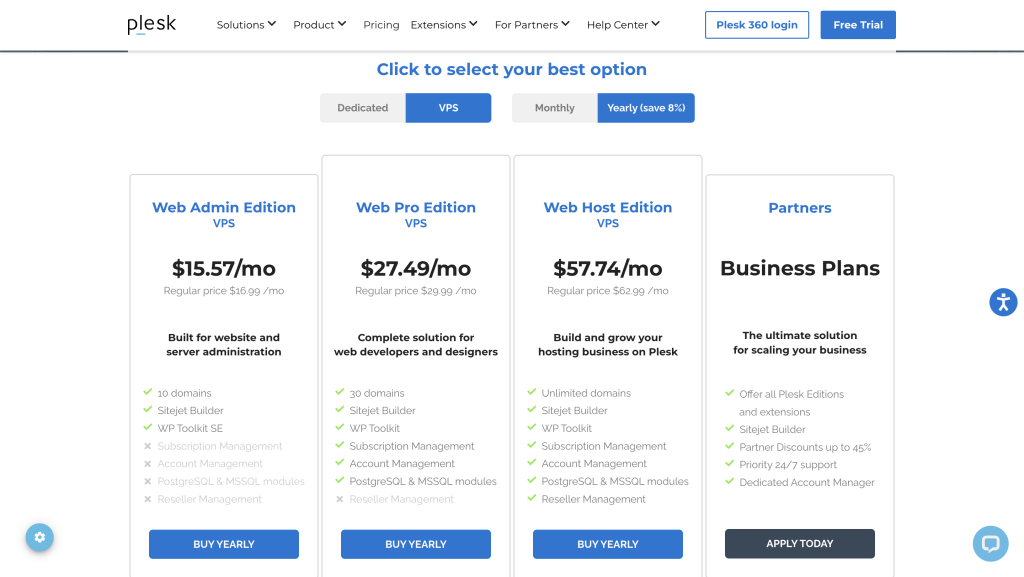
Ten domains, thirty domains or unlimited. The licence is per server and gated by that number.
In this guide
Who This Guide Is For
Read this if you are deciding whether Plesk belongs in your setup at all, and if so which of its three editions to license. Website owners with a small portfolio, freelancers and agencies managing client sites, and small hosting operators reselling space all sit somewhere on the Plesk ladder. Plenty of people do not, and this guide is equally about telling you that quickly.
Disclosure: Stack99 earns a commission if you buy through links on this page. It costs you nothing extra and never changes our assessment.
Everything below comes from Plesk’s own editions and licensing pages, checked on 7 October 2026. Where a figure is not published, this guide says so rather than guessing.
Why Fit Comes Down To Licensing
Most control panel buying guides start with features. Plesk rewards starting with the licence, because the licence is what decides whether the product can do your job at all.
Plesk explains the model plainly: a licence covers one server, bought for either a virtual private server or a dedicated machine, and each edition is capped by the number of domains on that server. Three editions exist. Web Admin stops at ten domains. Web Pro stops at thirty. Web Host is unlimited.
So your domain count chooses your edition before any feature does. A freelancer hosting nine client sites on one VPS fits Web Admin. The same freelancer winning four more clients next quarter does not. Working out your twelve-month domain trajectory before buying saves an awkward mid-year upgrade.
One licensing detail removes a common worry. VPS and dedicated licences differ only by the environment they install into, with no feature difference between them, so you are not choosing a weaker product by running on a virtual server.
Which Edition Matches Which Job
Plesk names an audience for each edition on its own pricing page, and those labels are accurate rather than marketing noise.
| Edition | Domain cap | Plesk’s stated audience | Buy it when |
|---|---|---|---|
| Web Admin | Up to 10 | Website owners | You run your own sites and want essential server and site administration without reseller machinery. |
| Web Pro | Up to 30 | Web professionals | You build and maintain sites for clients and need the full WordPress toolkit, developer tooling and project management. |
| Web Host | Unlimited | Hosting providers | You sell hosting, need multi-tenant management, resellers and provisioning. |
What Plesk Actually Is
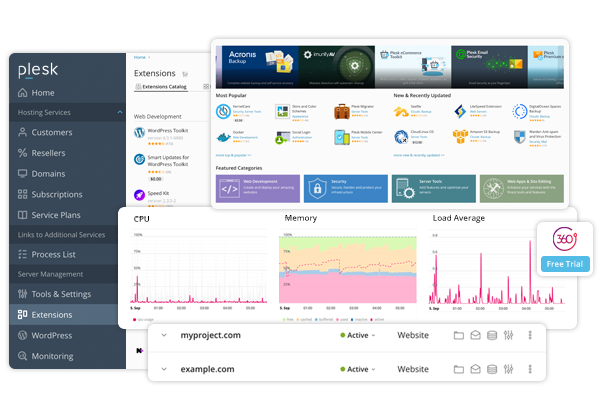
Plesk is server software with a browser interface. You install it on a machine you already control, then administer sites, domains, databases, mail and security through the panel from any desktop or mobile browser.
Two clarifications from Plesk’s own FAQ save a lot of confusion:
- Plesk does not sell hosting. You bring your own server from a hosting partner, or spin one up on AWS, Google Cloud, Microsoft Azure or Alibaba Cloud.
- Plesk does not run on your computer. It needs installation on a remote server, and Plesk recommends checking its hardware and software requirements first.
Anyone expecting an all-in-one hosting purchase is in the wrong aisle. Plesk is the management layer above infrastructure you source separately, which is precisely why it suits people who already have opinions about their server and poorly suits people who want someone else to have those opinions.
Who Should Look Elsewhere
Being honest about the misfits is more useful than another feature list.
- You want hosting included. Plesk states outright that it offers no hosting services. Shared hosting with a bundled panel is a different purchase entirely.
- You have one website and no server. Buying a VPS and a panel licence to run a single site adds administration you may never want. Managed hosting handles it for you.
- You expect to run it locally. The panel is remote server software, not a desktop application.
- You need a guaranteed refund path through a reseller. Plesk honours refund requests within 14 days for licences bought through its own online store. Purchases through third-party resellers, cloud marketplaces or hosting providers follow that seller’s policy instead, which may differ.
None of those are faults in the product. They are mismatches, and spotting one early is worth more than any trial.
Best Fit: Site Owners And Small Portfolios
Web Admin targets people who own the sites they manage. Ten domains on one server covers a surprising amount: a business site, a staging copy, a couple of microsites, a few side projects.
Security is where this edition earns its place rather than features. Plesk lists Let’s Encrypt, DNSSEC, the Security Core with ModSecurity rules by Atomicorp, email antivirus and WP Guardian across its editions, with Plesk Email Security marked as subject to operating system support. Certificate renewal, firewall rules and WordPress hardening stop being manual chores.
Know the ceiling before you commit. WP Toolkit on Web Admin is the SE version, which Plesk flags as a limited-features edition. If your WordPress work goes beyond installing and updating, that limitation will find you.
Best Fit: Agencies And Hosting Operators
Web Pro is built for people billing clients for site work. Thirty domains, the full WP Toolkit rather than the SE version, a developer pack, PostgreSQL and MSSQL management modules, and flexible project management. Agencies running a dozen client WordPress sites land here naturally, and the step up from Web Admin is a real capability change rather than a bigger number.
A different business model sits behind the top edition. Unlimited domains, reseller management, subscription management, account management and the Cgroups resource manager, plus the Service Provider View and Restricted Mode interface options. Those are the tools for selling hosting to other people rather than hosting your own work.
Operators at genuine scale should look past the retail ladder. Plesk runs a partner programme offering discounts between 15 and 45 percent on retail licences, with a minimum commitment starting at $500 a month that includes a premium support SLA, a dedicated account manager and partner-only resources. Below that threshold the retail editions are your route; above it, buying retail leaves money on the table.
Edition Feature Matrix
The gates that actually move between editions, as listed by Plesk:
| Capability | Web Admin | Web Pro | Web Host |
|---|---|---|---|
| Domain cap | 10 | 30 | Unlimited |
| Reseller, subscription and account management | No | No | Yes |
| Cgroups resource manager | No | No | Yes |
| WP Toolkit | SE, limited features | Full | Full |
| Developer pack | No | Yes | Yes |
| PostgreSQL and MSSQL modules | No | Yes | Yes |
| Service Provider View and Restricted Mode | No | Partial | Yes |
Plesk marks several items as optional add-ons rather than included, and flags Plesk Email Security and the Cgroups manager as dependent on a supported operating system. Check the current matrix against your intended OS before ordering, because that footnote is easy to skim past.
Interface mode is an underrated part of the fit question. Plesk ships several views: Power User View, which merges server and site administration into one screen, the Service Provider View aimed at selling hosting, and Restricted Mode, previously called Custom View, for limiting what a given user can reach. Picking the wrong view makes a capable panel feel cluttered, and the views you can reach depend on the edition you licensed.
A single administrator running their own estate generally wants Power User View and nothing else. The moment you hand a login to a client or a junior, Restricted Mode stops being optional, because a control panel with full server access is a liability in the wrong hands. Agencies in particular should confirm which views their intended edition unlocks before ordering, since this is one of the gates Plesk moves between tiers rather than offering everywhere.
Email is the other decision people defer and regret. Plesk Premium Email by Kolab appears on the higher editions, and Plesk Email Security carries an asterisk tying it to supported operating systems. Teams planning to host client mailboxes rather than pointing MX records at a third-party provider should settle that question at purchase, because retrofitting mail onto a live server is far more disruptive than choosing the right edition on day one.
How Plesk Licensing Works
Plesk publishes its rates on the editions page, and they move with licence type, billing period and promotions, so the mechanics matter more than any snapshot figure. For current numbers see our Plesk pricing breakdown.
What stays constant:
- Licensing is per server, sold for virtual or dedicated machines, with editions capped by domains per server.
- Billing runs monthly or yearly depending on the licence you buy, and licences bought through the Plesk online store renew automatically by default.
- All listed prices exclude VAT, which is added based on your country of residence unless you supply a VAT ID.
- No agreement is signed and you can upgrade or downgrade between editions at any time.
- Discounted licences are available for non-profits and academic institutions on application.
Two servers means two licences. That catches people who assume a licence follows the account rather than the machine, and it is the single most expensive assumption to get wrong when planning a multi-server estate.
Use Case Recommendations
- Small business running its own sites on one VPS: Web Admin, provided you stay under ten domains and your WordPress needs are routine.
- Freelance developer with client sites: Web Pro. Full WP Toolkit and the developer pack are the reason, not the domain headroom.
- Agency managing twenty to thirty client sites: Web Pro, with a plan for what happens at domain thirty-one.
- Reseller or small hosting business: only Web Host will do, because nothing below it includes reseller or subscription management.
- Hosting operation spending above $500 a month: talk to the partner programme before buying retail licences.
- One site, no server, no appetite for administration: managed hosting, not Plesk.
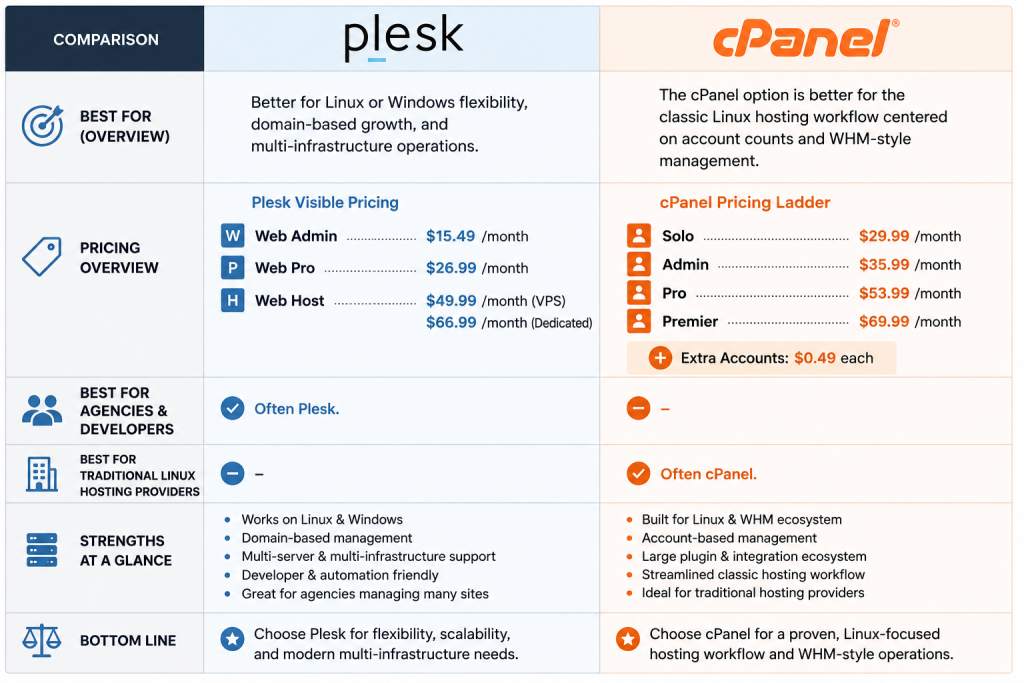
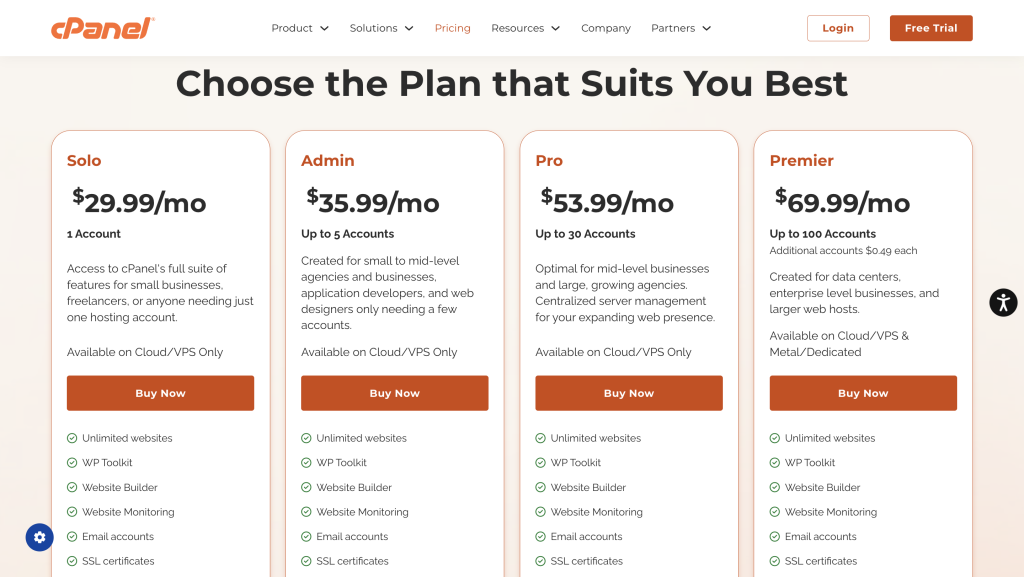
Still weighing the panel itself rather than the edition? Our Plesk versus cPanel comparison covers that question directly.
Verdict :
Plesk fits people who already own or intend to own a server and want to stop administering it by hand. That is a narrower group than the marketing suggests, and a very well served one.
Pick your edition by domain count first, then check the two or three feature gates that matter to your work: the WP Toolkit version, the developer pack, and whether you need reseller management. Those three decide almost every real case.
Before committing, take the trial. Plesk offers a fully functional 14-day trial with no credit card required, which is enough time to install on a test VPS and confirm the panel behaves on your operating system. You can check current editions and start a trial on Plesk’s site.
FAQ :
Who is Plesk best for?
Website owners, web professionals and hosting providers running their own servers. Plesk names those three audiences for its Web Admin, Web Pro and Web Host editions respectively, and the split survives contact with real setups.
Does Plesk include hosting?
No. Plesk states it offers no hosting services. You supply a server from a hosting partner or a cloud provider such as AWS, Google Cloud, Microsoft Azure or Alibaba Cloud.
How many domains does each Plesk edition allow?
Web Admin allows up to 10 domains, Web Pro up to 30, and Web Host is unlimited. The cap applies per server, because the licence is per server.
Can I run Plesk on my own computer?
No. Plesk is made for servers running in a cloud or datacentre and requires installation on one. You then reach it through a browser from any device.
Is there a difference between a VPS and a dedicated licence?
Only in where it installs. A VPS licence works on a virtual server, a dedicated licence works on either a dedicated or a virtual server, and Plesk confirms the included features are identical.
Can I try Plesk before paying?
Yes. Plesk offers a fully functional two-week trial with no credit card required.
Am I locked into a contract?
No agreement is signed and you can move between editions at any time. Store-bought licences renew automatically by default, and Plesk accepts refund requests within 14 days on its own store purchases.
Before You Choose, Compare These
Hand-picked guides to help you choose the right tool — no fluff.
ComparisonsPlesk vs cPanel 2026The strongest competitors compared side by side.
PricingPlesk Pricing 2026Real tier prices and what each plan actually includes.

TutorialsGelato Beginner's Guide 2026A clean start-here walkthrough with no jargon.
Advanced GuidesGetResponse Advanced Guide 2026Deeper workflows once the basics are in place.