


- What WhatConverts Actually Does
- Account Setup
- First Workflow Walkthrough
- Best Practices
In this guide
Quick Verdict :
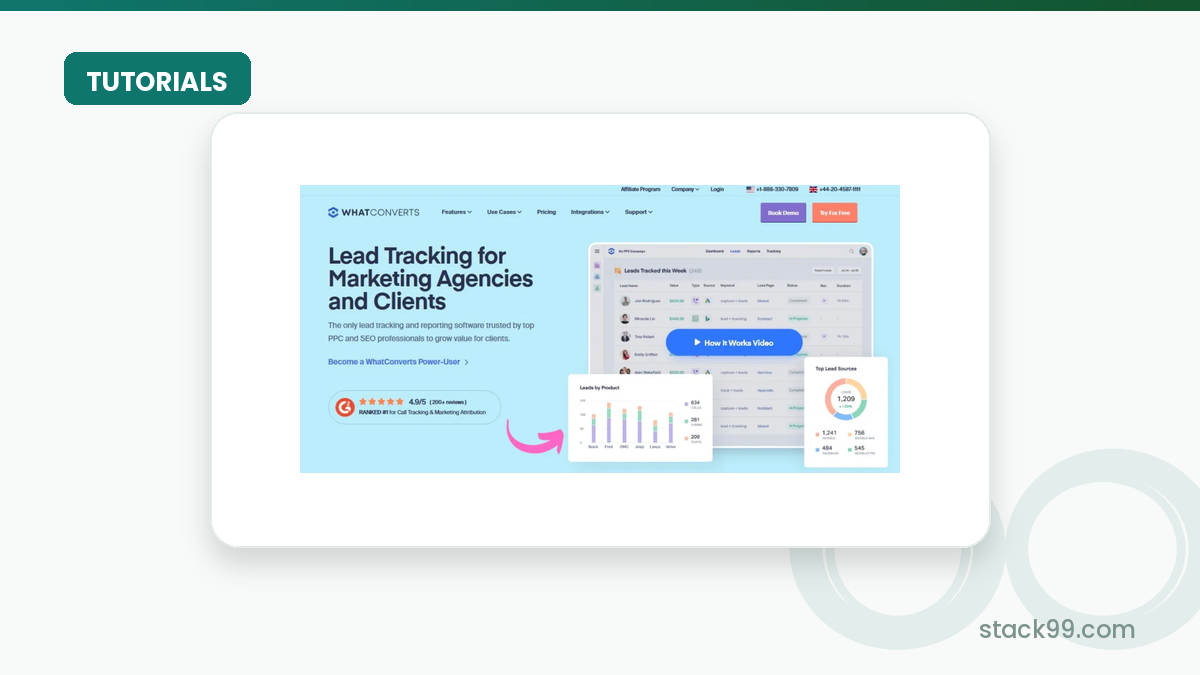
WhatConverts is a strong beginner-friendly choice if you need to see where leads are really coming from instead of guessing at it. It is built around call tracking, form tracking, chat tracking, and marketing attribution, which means it fits teams that care about lead quality as much as lead volume.
Disclosure: Stack99 earns a commission if you buy through links on this page. It costs you nothing extra and never changes our assessment.
The official pricing and help pages make the product pretty clear:
- There is a 14-day free trial.
- Single-account plans start with Call Tracking at $30 per month.
- Plus, Pro, and Elite add more reporting, attribution, and lead intelligence.
- Agency plans start at $500 per month and can support multiple accounts.
If you want to see the platform while you set up tracking, start with WhatConverts here.
What WhatConverts Actually Does :
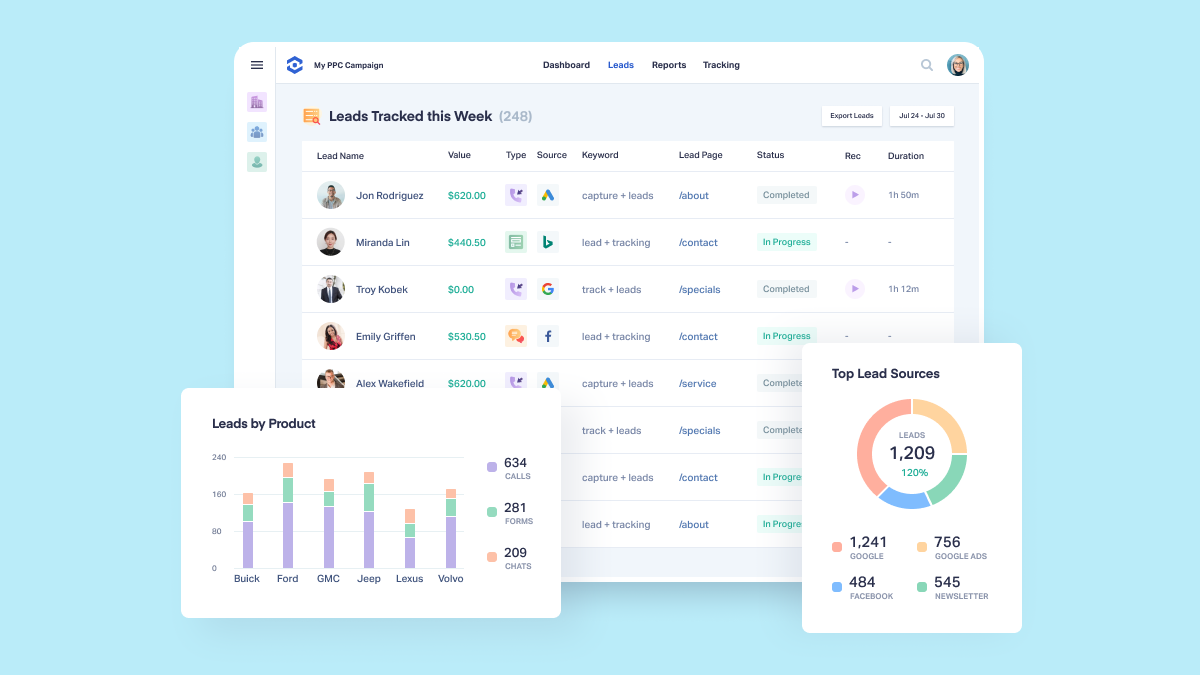
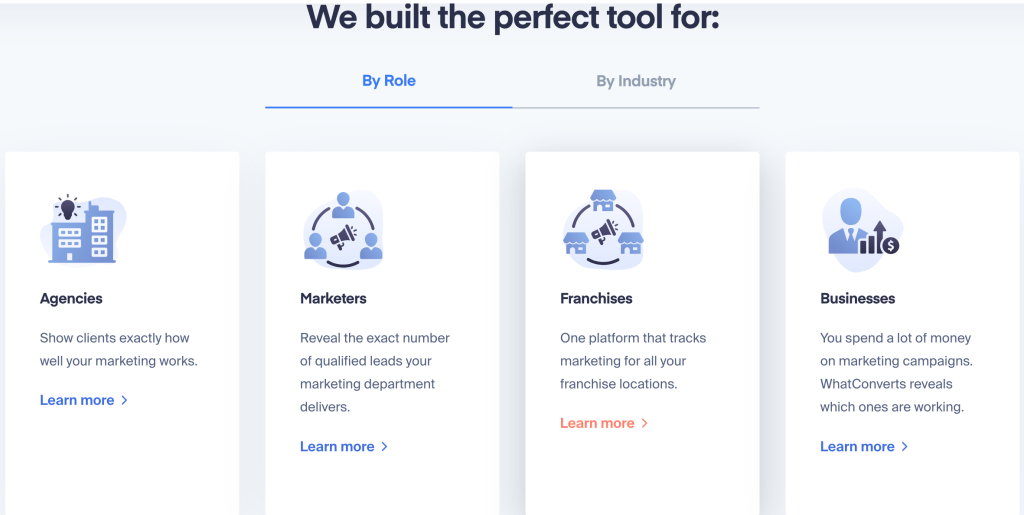
WhatConverts is a lead tracking platform for marketers, agencies, and service businesses that want to connect calls, forms, chats, and online activity back to the source that created the lead.
That matters because a lot of businesses still rely on a messy mix of spreadsheets, ad dashboards, and random notes from sales calls. WhatConverts gives you a cleaner way to answer basic questions like:
- Which campaigns generated the lead?
- Which keyword or ad group drove the call?
- Did the lead come from a form, a chat, or a phone number?
- What happened after the first contact?
The platform also goes beyond simple lead capture. The official site highlights dynamic number insertion, call recording, API access, campaign and keyword reporting, custom reports, customer journey tracking, and even white label support for agencies.
That is why this is a useful beginner tool. It is not only about seeing the lead. It is about understanding the lead.
Account Setup :
The easiest way to start is to treat setup as a sequence instead of a giant launch day.
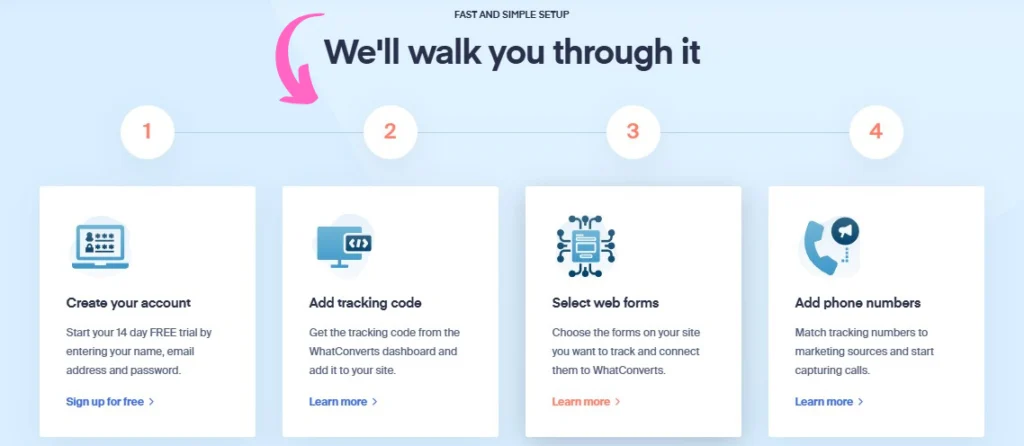
- Create the account and start the 14-day free trial.
- Decide whether you are using a single business account or an agency structure.
- Add your website tracking script or plugin.
- Set up tracking numbers for the channels you want to measure.
- Connect ad platforms and analytics tools.
- Test your first lead from start to finish.
If you are running a single business, the setup is simple. If you are an agency, the master account and child account structure matters more. The help center explains that WhatConverts can be used for both agency and individual business setups, so the first thing to decide is how you want to organize access and billing.
The most common beginner mistake is trying to turn on everything at once. Start with one site, one account, and one or two channels. Once the tracking is stable, you can layer on more numbers, more reports, and more automation.
If you want to compare the plan fit while you set things up, start with WhatConverts here.
Dashboard Overview :
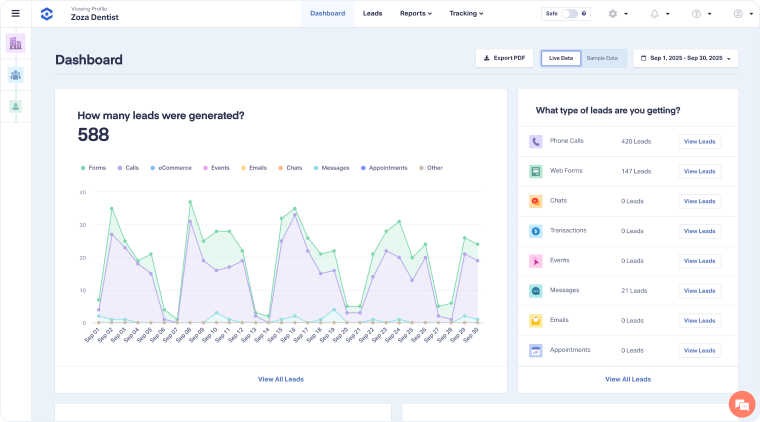
The dashboard is where WhatConverts starts feeling useful instead of theoretical.
At a minimum, you will want to check:
- Lead source.
- Campaign and keyword data.
- Lead type.
- Call recording or transcript.
- Lead status or qualification notes.
- Pages visited or journey context on higher plans.
The benefit is that the dashboard gives you a shared view of what happened, not just a raw log of activity. That makes it easier for marketing and sales to stay on the same page.
For beginners, the most valuable habit is to open the dashboard every day and look for patterns instead of one-off events. A single lead is just a lead. Ten leads from the same campaign tell you something useful.
First Workflow Walkthrough :
Here is the simplest first workflow:
- A visitor lands on your site.
- WhatConverts swaps in a tracking number or captures the form/chat event.
- The lead lands in the dashboard with source data attached.
- A rep answers the call or follows up on the form.
- You review the lead record later to see what created the result.
That workflow is the real beginner win. It gives you a repeatable loop for measurement.
The official pricing pages also show why the platform can grow with the business. The Call Tracking plan is enough if you mostly need call attribution and recordings. Plus adds calls, forms, and chat tracking plus campaign and keyword reporting. Pro adds call flows, custom reporting, scheduled reports, and HIPAA compliant tracking. Elite adds customer journey, multi-click attribution, pages visited, and lead intelligence.
If your current lead reporting feels fuzzy, start with WhatConverts here and test a real lead flow against your current stack.
Best Practices :
The best beginner setup is boring in a good way.
- Keep the account structure simple.
- Name tracking numbers clearly.
- Use the same campaign naming conventions you already use in ads.
- Turn on call recording only where it helps coaching or compliance.
- Review the usage credit so billing never surprises you.
- Add reports after the data is already flowing cleanly.
The official billing FAQ explains that plans include a monthly subscription fee and a monthly usage credit, and that extra usage is billed at standard rates once the credit is used. That is useful because it forces you to think about lead volume, not just software price.
For agencies, the most important best practice is to separate client accounts cleanly. It is much easier to scale when every client has a clear home and reporting structure.
Common Mistakes :
The most common mistakes are practical, not technical.
- Forgetting to install the tracking script on every relevant page.
- Treating all phone numbers like they are interchangeable.
- Ignoring the monthly usage credit and assuming billing is flat.
- Adding too many accounts or reports before the first one is working.
- Not testing call recording or form capture with real traffic.
There is also a strategic mistake: expecting WhatConverts to fix bad marketing. It will not. It will just show you the truth sooner.
That is often the point.
Support Resources :
WhatConverts has a fairly deep help center, which is good news for beginners because most of the obvious questions are already documented.
Useful places to start:
- Pricing and plans articles.
- Billing FAQ.
- Call tracking setup docs.
- Form tracking docs.
- API and integration docs.
- White label articles for agencies.
The product also has a pricing calculator on the official site, which is worth using before you commit to a tier. That is especially important if you expect higher call volume or a multi-account agency setup.
When To Move Up A Plan :
The cleanest plan progression looks like this:
- Call Tracking if you mainly need calls, recordings, and number swapping.
- Plus if you want calls, forms, chat, and campaign reporting.
- Pro if you need call flows, scheduled reports, and HIPAA support.
- Elite if you want customer journey data, multi-click attribution, pages visited, and lead intelligence.
- Agency if you need multiple accounts under one master account.
If you are not sure, start small. The platform is designed to make the upgrade path easier later.
The easiest way to think about it is this: if you are still proving which leads matter, WhatConverts is probably already useful. If you are proving which campaigns are worth scaling, it becomes even more valuable.
A Simple Buying Rule :
Use WhatConverts if you need lead visibility across calls, forms, and chats without building your own tracking stack.
Skip it for now if you only need a very basic contact form and no attribution. In that case, the product may be more structured than you need.
If you want a clearer view of ROI and lead quality, start with WhatConverts here and compare the trial against the time you currently spend chasing reporting questions.
What To Expect In The First 30 Days ;
The first month is usually where people decide whether the product is actually helping or just looking helpful.
The best sign that WhatConverts is working is not some fancy report. It is a simpler answer to everyday questions:
- Which lead source is producing real conversations?
- Which campaign is creating calls that turn into business?
- Which forms are actually worth the traffic you are buying?
- Where are you wasting spend because the attribution is blurry?
That is why the first month should focus on one or two business questions, not every feature at once.
If you get the tracking right early, the rest of the platform starts making sense very quickly. The call recordings, customer journey reports, and campaign-level data all become easier to read once the source data is trustworthy.
Verdict :
WhatConverts is a strong 2026 beginner choice because it solves a real problem cleanly: showing where leads come from and what they are worth.
The best parts are the simple trial, the call and lead tracking focus, the agency-friendly plan structure, and the reporting depth that grows with the business.
If you want a beginner-friendly system that still has room to scale, start with WhatConverts here and test the Call Tracking or Plus plan against your current lead flow.
FAQ :
Does WhatConverts have a free trial?
Yes. The official pricing page shows a 14-day free trial.
How much does WhatConverts cost?
Single-account plans start at $30 per month for Call Tracking, with Plus at $60, Pro at $100, and Elite at $160. Agency plans start at $500 per month.
Does WhatConverts track more than calls?
Yes. The platform also tracks forms, chats, transactions, and customer journey data on higher plans.
Is WhatConverts good for agencies?
Yes. The agency pricing and white label support make it a strong fit for multi-client teams.
More on WhatConverts
Hand-picked guides to help you choose the right tool — no fluff.
 Case StudiesWhatConverts Case Study 2026What actually happened when teams rolled it out.
 FeaturesWhatConverts Top Features 2026The standout features and whether they justify the price.
 Use CasesWho Is Breezy HR Best For? Use Cases & Fit (2026)Who gets the most out of it – and who should skip it.
 Advanced GuidesPayoneer Workforce Management Advanced Guide 2026Deeper workflows once the basics are in place.