

Who This Post Is For :
QuillBot is one of those products that makes immediate sense for students because the official site is built around the exact kinds of writing tasks students do all the time: paraphrasing, grammar checking, summarizing, citation help, and clarity improvement.
That is why “QuillBot for students” is a much better use-case angle than trying to treat it as a vague all-purpose AI writing tool.
This post is really for:
- High school students writing essays and assignments.
- College students juggling drafts, notes, and citations.
- Graduate students polishing research writing.
- English-language learners who want cleaner phrasing support.
- Students who need help revising without sounding robotic.
If that sounds like you, start with QuillBot here.
Why QuillBot Fits Students So Well :
The official QuillBot homepage and help content make the student fit pretty obvious. The product centers on writing improvement rather than “generate everything for me and hope the professor never notices.”
That is important.
Students usually do not just need words. They need:
- Clearer phrasing.
- Faster revision.
- Better summaries of source material.
- Grammar cleanup.
- Citation help.
- A way to rewrite awkward sentences without starting from scratch.
QuillBot’s official tool lineup lines up well with those needs:
- Paraphraser.
- Grammar Checker.
- Summarizer.
- Citation Generator.
- Translator.
- AI Detector and Humanizer-related tools.
That mix is why the student use case feels natural.
Top Features For Students :
Paraphrasing For Draft Improvement –
This is still the best-known QuillBot feature, and the official site clearly treats it like the flagship. For students, it is useful when a sentence is too clunky, repetitive, or awkward and needs a clearer version without forcing a full rewrite from scratch.
Used well, this can save a lot of time during revision.
Grammar And Fluency Cleanup –
The official site also highlights grammar and writing correction features. That matters for students because grammar friction can slow down final editing even when the ideas are already solid.
Summarizer For Reading Load –
Students often have more source material than time. QuillBot’s summarizer can help shorten long sections into more manageable takeaways, which makes it useful for note preparation and first-pass understanding.
Citation Support –
The Citation Generator matters more than people think. Even strong students lose time cleaning up references manually, and QuillBot’s official tool set includes support for that task directly.
If you want to test those features yourself, start with QuillBot here and run one real assignment draft through the workflow instead of using sample text.
Real-World Student Example :
Imagine a university student writing a short research paper with five sources, messy notes, and a deadline that suddenly feels much closer than it looked two days ago.
That student usually does not need a magical essay generator. They need support in these specific steps:
- Summarize long reading sections.
- Rewrite awkward paragraphs.
- Clean up grammar.
- Generate citations more reliably.
- Tighten the final draft before submission.
That is exactly where QuillBot feels useful.
It is not mainly about replacing the student’s thinking. It is about reducing the amount of avoidable friction around communicating that thinking clearly.
That distinction matters a lot in academic use. A tool that helps students revise their own work is much easier to justify than a tool that encourages them to disengage from the writing process entirely.
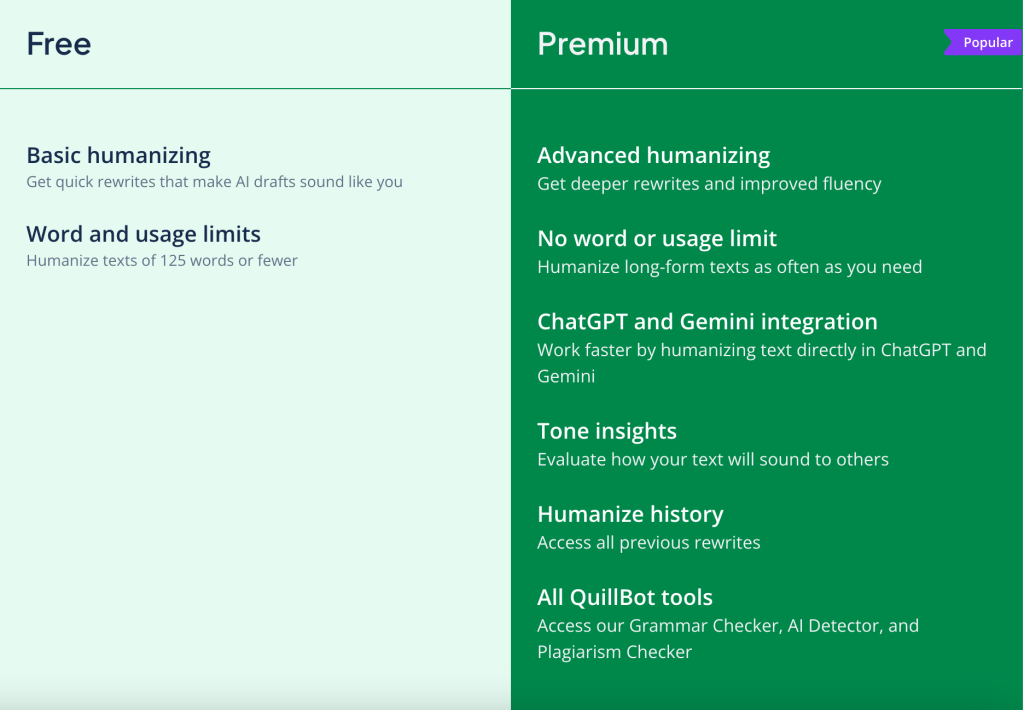
Pricing In Context :
The official QuillBot Premium help article currently says:
- Monthly plan: $19.95.
- Semi-Annual plan: $13.31 per month billed every 6 months.
- Annual plan: $8.33 per month billed every 12 months.
That is a useful ladder because the price changes a lot depending on commitment length.
For students, the pricing question is pretty practical:
- Do you need this only for one short intense period?
- Or do you want it across a full semester or academic year?
The monthly plan is the easiest low-commitment test. The annual plan is the strongest value if the student knows they will keep using the tool.
Alternative Tools For Students :
A student considering QuillBot is usually also weighing:
- Grammarly for correction-first editing.
- ChatGPT for broader writing help.
- Google Docs built-in tools.
- Manual editing only.
QuillBot stands out when the student specifically wants paraphrasing, rewriting, summarizing, and citation support in one writing-improvement workflow.
That is a narrower but stronger use case than “best AI for everything.”
That difference matters because many students do not actually need a giant open-ended AI chat tool every time they revise. They need fast sentence cleanup, quicker summaries, and a smoother revision workflow. QuillBot feels more tailored to that reality.
It is also easier to justify when the task is clearly writing-related. Students often trust specialized tools more when they know exactly what the tool is supposed to help with.
In practical terms, that means less tool-hopping during crunch time. Students can stay in one focused writing-improvement flow instead of bouncing between a chat app, a grammar checker, a summarizer, and a citation helper.
Setup Steps For Students :
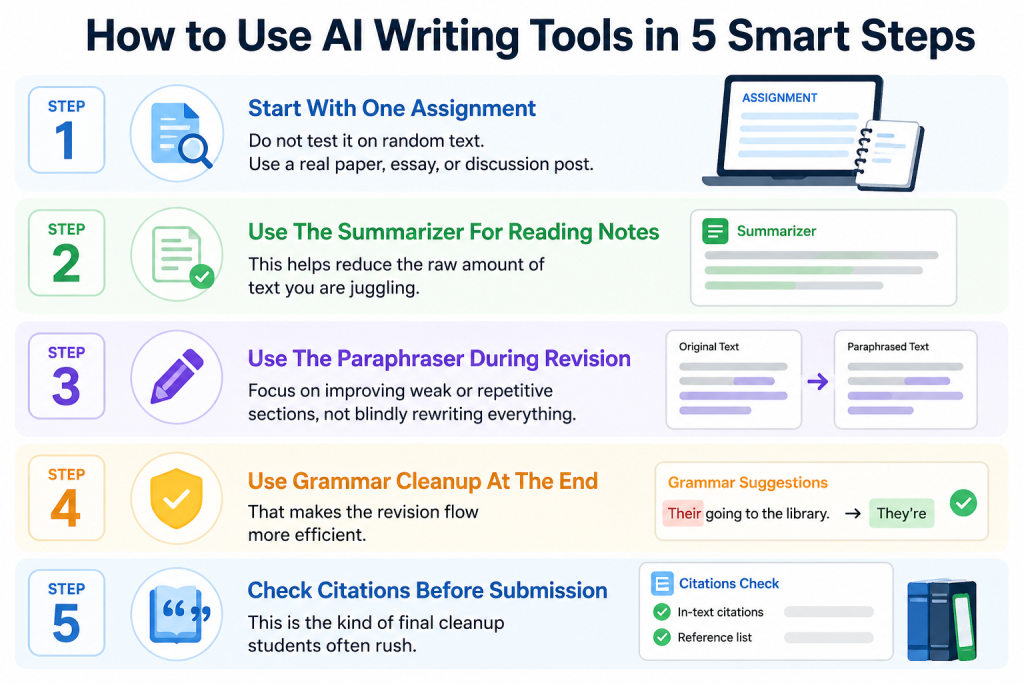
If I were recommending QuillBot to a student, I would suggest this rollout:
Step 1: Start With One Assignment
Do not test it on random text. Use a real paper, essay, or discussion post.
Step 2: Use The Summarizer For Reading Notes
This helps reduce the raw amount of text you are juggling.
Step 3: Use The Paraphraser During Revision
Focus on improving weak or repetitive sections, not blindly rewriting everything.
Step 4: Use Grammar Cleanup At The End
That makes the revision flow more efficient.
Step 5: Check Citations Before Submission
This is the kind of final cleanup students often rush.
If you want to try that exact study flow, start with QuillBot here and run it against one real assignment this week.
Where Students Get The Most Value :
The biggest value usually appears for students who:
- Write often.
- Revise under time pressure.
- Need help with clarity.
- Work with a lot of reading material.
- Want a lighter-weight writing assistant than a fully open-ended AI chat workflow.
For those users, QuillBot can save time every week instead of only being interesting once.
It is especially useful when the student already has the ideas but not the cleanest wording yet. That is a much healthier use case than outsourcing the whole assignment mentally and hoping nothing sounds off later.
In that sense, QuillBot works best as a revision partner, not as a substitute for doing the academic thinking in the first place.
That is also why the tool tends to feel most valuable near deadlines, when students have real material to improve and not much time to waste on clumsy revision.
That timing alone can make the subscription feel much more justified during a busy semester.
It is also a strong fit for students who move between reading-heavy and writing-heavy weeks. During one week, the Summarizer can help compress dense source material. During the next, the Paraphraser and Grammar Checker can help clean a draft that is already mostly written but still clunky.
That sort of repeated weekly usefulness is what separates a genuinely helpful academic tool from something that feels impressive for ten minutes and then disappears from the workflow.
That consistency is the real selling point for students with packed schedules. A tool that saves even a small amount of time across several assignments can feel much more valuable by the end of the semester.
Verdict :
QuillBot looks like a strong fit for students in 2026 because the official tool set is closely aligned with real academic writing work: paraphrasing, grammar correction, summarization, citation generation, and clarity improvement. The Premium pricing ladder is also straightforward enough for students to choose between a short-term test and a longer-term value plan.
It is not a substitute for doing the actual thinking. But it can remove a lot of revision friction, which is exactly why it works well for students.
If that is the kind of help you need, start with QuillBot here and test it on one real paper instead of treating it like a generic AI toy.

The best way to judge the product is not by asking whether it can do everything. It is by asking whether it makes your next assignment easier to revise, cleaner to submit, and less stressful to finish on time.
FAQ :
Is QuillBot good for students?
Yes. The official tools are closely matched to student needs like paraphrasing, grammar help, summarization, and citations.
How much does QuillBot Premium cost?
The official pricing help article lists $19.95 monthly, $13.31 per month on the semi-annual plan, and $8.33 per month on the annual plan.
What is QuillBot best used for in school?
It is especially useful for revising awkward phrasing, summarizing source material, cleaning grammar, and helping with citations.
Should students buy the monthly or annual plan?
The monthly plan is the easiest short-term test, while the annual plan offers the best value if the student expects to use QuillBot throughout the year.