


Quick Verdict :
Carepatron is a strong fit for clinics and solo practices that want one system to carry the booking flow, notes, payments, telehealth, and team coordination without stitching together a stack of separate apps.
The reason that matters is simple: most practices do not lose time in one giant failure. They lose time in tiny handoffs. A client books somewhere else, a note gets written later, payment needs chasing, and the staff keep switching tabs to keep the day moving. Carepatron is designed to cut down that kind of operational friction.
If you want the short version, this is a good review for teams that want one practical practice hub instead of a patchwork of tools. If that sounds like your setup, start with Carepatron here and compare the live workflow against your current admin process.
Product Facts And Overview :
Carepatron’s official positioning in 2026 is unusually direct. The platform is trying to connect the whole practice journey from the first booking through documentation, messaging, telehealth, and payment. That is why it feels more like workflow software than a narrow appointment tool.
The public homepage and pricing pages keep a few ideas front and center:
- Booking and client management in one place.
- Telehealth for online consultations.
- AI note support and scribe features.
- Payments and client portal access.
- Team controls that become more valuable as a practice grows.
That combination is useful because healthcare software usually fails when it forces staff to jump between too many screens. The better move is not just faster scheduling. It is fewer handoffs across the whole practice day.
Where Carepatron Helps Most :
Carepatron is strongest when the practice wants a repeatable process instead of a loose collection of tools.
That usually shows up in three places:
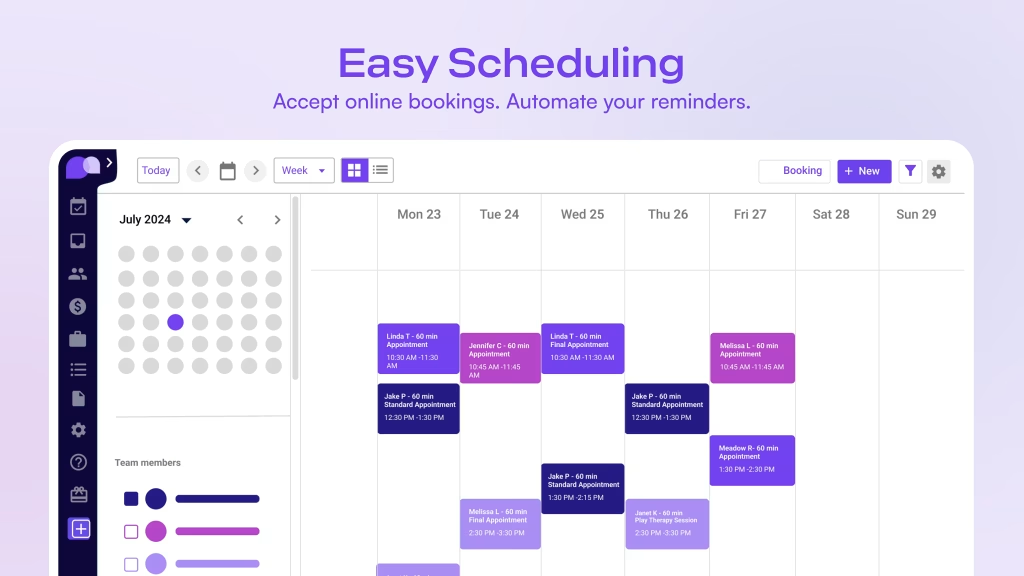
- A client can move from booking to visit to payment without the practice improvising every step.
- Clinicians can keep notes, records, and telehealth closer to the actual appointment.
- Admin staff can stop acting like human connectors for every small request.
That is a more mature use case than “we just need a calendar.” It is about operating the practice cleanly. If you want to see whether that shape matches your current workflow, start with Carepatron here and compare one real client journey against your current intake and follow-up process.
Pros And Cons :
Pros –
- It tries to reduce workflow fragmentation across the whole practice.
- AI note support is visible in the public offer.
- Telehealth, payments, and client portal features are part of the core story.
- The public pricing ladder is easy to read.
- Roles, permissions, and branding tools become more useful as the team expands.
Cons –
- Teams that only want a tiny scheduler may find it broader than necessary.
- The value becomes clearer once several parts of the workflow are used together.
- Larger practices still need a thoughtful rollout, not just a login.
That tradeoff is normal for this kind of software. The product is trying to be infrastructure, not a casual utility.
Feature Deep Dive :
1. End-To-End Practice Flow –
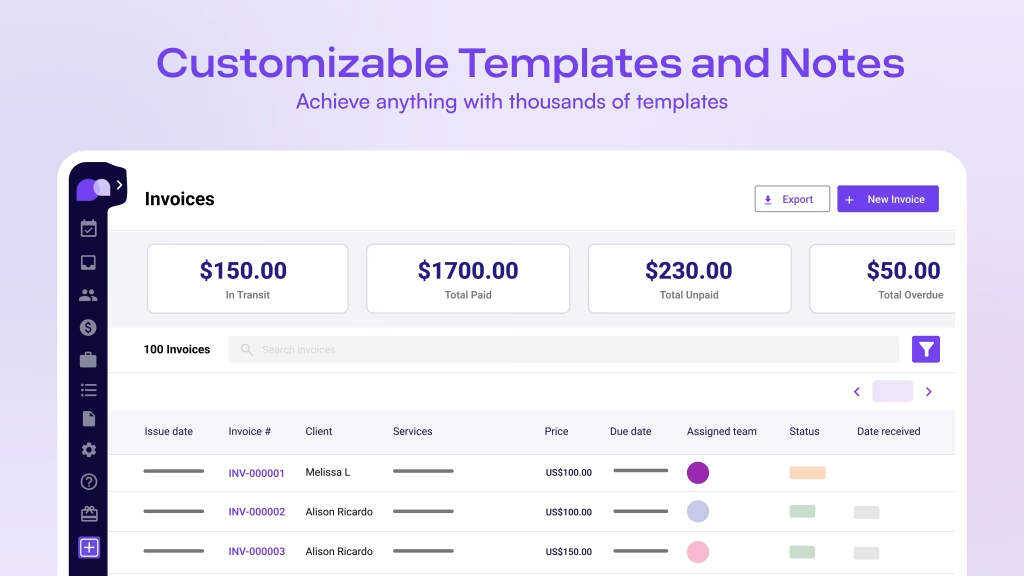
The clearest thing about Carepatron is that it wants to sit across the whole client journey. It is not selling itself as “scheduling plus one extra feature.” It is trying to be the operational layer where a practice handles booking, care delivery, communication, and payment with fewer interruptions.
That is valuable because the real cost in a practice is not always visible on a balance sheet. It shows up as admin drag, context switching, and repeated follow-ups that should not need manual attention. When the software keeps more of that movement in one place, the practice feels calmer almost immediately.
2. AI Scribe And Documentation Support –
The public plan information makes AI note support one of the most interesting parts of the product. That matters because documentation is one of the biggest time sinks in any care setting.
When notes are slow, the whole day feels heavier. When notes are captured more naturally, the clinician can stay focused on the patient instead of mentally carrying the paperwork forward. Carepatron’s AI scribe and note taker story is built around that exact pain point.
That does not mean judgment gets replaced. It means the repetitive part of the record-keeping process gets lighter, which is what most teams actually want.
3. Telehealth, Client Portals, And Payments –
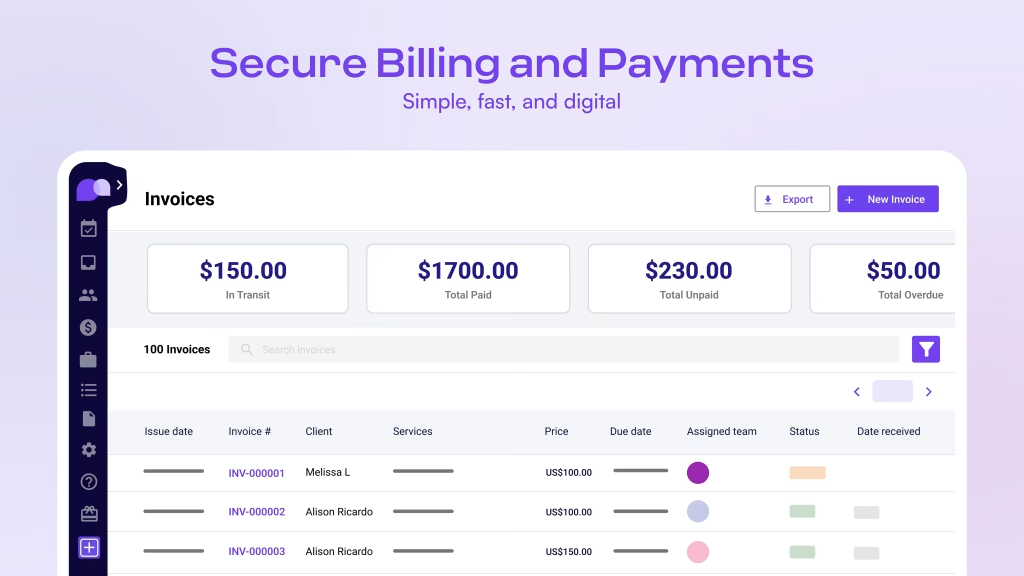
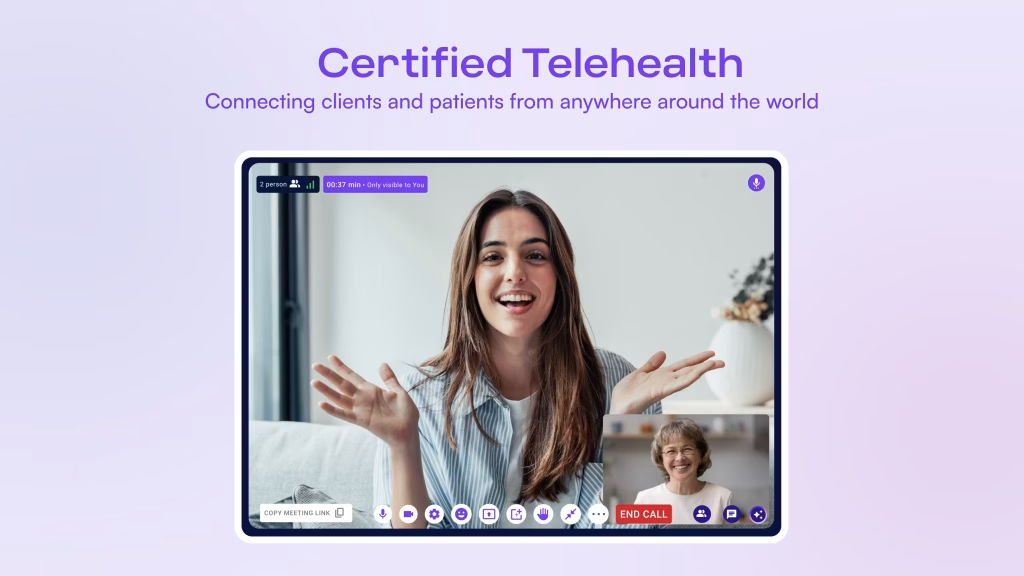
Carepatron also makes telehealth feel like a real platform feature rather than a marketing checkbox. The public pricing pages show telehealth on the Free plan, group telehealth on Plus, client portal access, and online payments.
That combination matters because modern practice work is rarely only in-person. People need a way to connect remotely, view information, and move through payment and follow-up without making the front desk act like a relay station.
When those pieces sit closer together, the experience usually feels smoother for both the team and the client.
4. Team Controls, Branding, And Governance –
The higher tiers matter because Carepatron knows that practice software is eventually a team product. Once more than one person needs to see the same client history, manage the same messages, or keep the same patient-facing brand, governance starts to matter just as much as convenience.
That is why roles, permissions, white labeling, and onboarding support feel important here. They help the platform scale from “one person trying it out” to “a team depending on it every day.”
5. Pricing And Adoption Path –
Carepatron’s public pricing is easy to follow, which is a good sign. The visible ladder shows:
- Free at $0.
- Plus at $15.50 per month on the discounted view, with $31 shown as the standard monthly figure.
- Advanced at $19.50 per month on the discounted view, with $39 shown as the standard monthly figure.
The page also surfaces a 14-day free trial, monthly or yearly billing, and a limited-time discount message. That makes the product easy to test without a lot of friction.
This is the kind of pricing structure that makes sense for practices that want to start lightly, learn the workflow, and then decide whether the platform deserves a deeper role in the operation.
Pricing In Practice :
The real question with Carepatron is not which plan is the cheapest. It is which plan removes the most friction from your current workflow.
The Free plan is useful for testing whether the platform feels like a genuine operating home. That matters because software often looks good on a pricing page and then falls apart when a real team tries to use it every day.
Plus is where the product starts to feel more complete for a growing practice. Shared inboxes, group telehealth, custom branding, and unlimited storage are the kind of features that become meaningful once multiple people need to work from the same system.
Advanced is the more governance-oriented step. Roles and permissions matter when staff responsibilities differ. White labeling matters when the client-facing experience needs to feel consistent. Support during onboarding also matters when a practice wants a smoother transition instead of a messy rollout.
In other words, the pricing ladder is not just about price. It is about maturity.
If you are deciding whether the platform deserves a place in your practice, start with Carepatron here and compare the Free, Plus, and Advanced plans against one real day of admin work.
Rollout Notes For Busy Practices –
If I were introducing Carepatron into a live practice, I would avoid a big bang launch. That usually creates confusion, and confusion is the fastest way to make good software feel annoying.
The better move is to start with one appointment flow, one note workflow, and one payment path. Once that core loop feels stable, the practice can add portal usage, team permissions, and branding changes without overwhelming the front desk.
That staged rollout is also the easiest way to see whether the software is actually reducing noise. If the staff still have to explain the same thing three times in three different places, the rollout has not improved anything yet.
The practical test is simple: does the team spend less time chasing context and more time helping clients? If the answer is yes, the product is working in the way it was meant to work. If you want to sanity-check that with your own process, start with Carepatron here and use a single week of real activity as the comparison point.
How It Feels In Real Use –
The most useful way to evaluate Carepatron is to think about the feeling of the workflow, not just the feature list.
Does the team spend less time repeating information? Does the client feel guided instead of bounced around? Does the admin workload shrink because the same system carries more of the process?
If the answer is yes, the product is doing what it should. If the answer is no, the software is probably just relocating the same mess into a different interface.
That is why a small pilot is usually better than a large theoretical rollout. One working client flow tells you more than a dozen product screenshots.
What To Watch In A Trial :
The most useful trial check is not whether the interface looks polished. It is whether the team can move through a normal day without stopping to ask where the next step lives.
Watch the small things. Does booking feel obvious? Do notes feel easier to capture? Does payment follow the visit in a way that feels natural? Can the team find what they need without turning every action into a mini support ticket?
Those details tell you whether the product is removing friction or just moving it around.
Who Should Use It :
Carepatron makes the most sense for:
- Solo practitioners who want one system instead of several disconnected apps.
- Small clinics that need notes, telehealth, and scheduling in the same place.
- Practices that want payments and client communication closer to the care workflow.
- Growing teams that need permissions, branding, and shared control.
It is less compelling for teams that only need the lightest possible calendar tool and do not care about the broader workflow.
Expert Verdict And CTA :
Carepatron stands out because it tries to reduce fragmentation in a way that is genuinely useful. The product is not only saying that it handles practice management. It is showing a path from booking to documentation to telehealth to payment and then adding the team controls needed as the practice matures.
That makes it a serious option for healthcare teams that feel the pain of switching between too many tools every day.
If that is the kind of simplification you need, start with Carepatron here and compare one real client journey against your current setup before deciding whether the platform deserves a bigger role.
FAQ :
What is Carepatron’s biggest strength in 2026?
Its biggest strength is the attempt to connect scheduling, notes, telehealth, payments, and team controls inside one practical workflow.
Does Carepatron have a free plan?
Yes. The official pricing page currently shows a Free plan at $0 with telehealth, client portal access, payments, and AI note support.
How much does Carepatron cost?
The visible public pricing shows Free at $0, Plus at $15.50 per month on the discounted view with $31 shown as the standard monthly figure, and Advanced at $19.50 per month on the discounted view with $39 shown as the standard monthly figure.
Who should care most about the higher tiers?
Growing practices that need shared inboxes, group telehealth, roles and permissions, white labeling, and more operational control will get the most value from the higher plans.
Is Carepatron only for clinicians?
No. It is also useful for admin teams and practice operators because it combines client communication, scheduling, payments, and team controls in one environment.