


Freshcaller makes the most sense for teams that need a real phone system, but do not want to buy a…
Imagine a small agency that handles inbound client calls, project questions, and occasional sales leads.
In this guide
Who This Post Is For
Freshcaller makes the most sense for teams that need a real phone system, but do not want to buy a hardware-heavy setup or spend weeks untangling call routing. The official site positions it as a cloud-based contact center and voice platform with intelligent routing, AI voice support, browser-based calling, and a plan ladder that scales from Free to Enterprise.
Disclosure: Stack99 earns a commission if you buy through links on this page. It costs you nothing extra and never changes our assessment.
That makes it a strong fit for three kinds of users in particular:
- Startups that want a professional support line without a complicated rollout.
- Agencies that handle client calls, project updates, and team handoffs.
- Freelancers or very small teams that need a credible business phone setup without buying a full PBX stack.
If that sounds close to your situation, start with Freshcaller here and compare the routing and pricing model against your current call setup.
Why Freshcaller Fits This Niche
The main reason Freshcaller works for startups and smaller service teams is that it removes the friction of traditional phone systems. The official site highlights browser calling, no hardware, advanced routing, voice AI, omnichannel flow with Freshdesk, and a public pricing page with a free tier.
That matters because early-stage companies usually need something that is easy to launch and easy to explain internally. They do not want to become telecom admins. They want calls answered, routed, recorded, and tracked without a giant implementation project.
Agencies and freelancers benefit for a similar reason. When you manage client communication, the call system needs to be stable, visible, and simple enough that more than one person can use it without constant hand-holding.
Top Features For The Niche
1. Browser-Based Calling And Minimal Setup
Freshcaller’s official messaging makes the setup story sound refreshingly simple. The platform is designed so teams can make and receive calls from the browser without hardware clutter. That is a huge help for startups that are remote-first or still deciding what their office footprint will even be.
When you remove hardware from the equation, you reduce lead time, lower setup risk, and make the system more portable. That matters for agencies where a team may be split across time zones, or for freelancers who may work from different places during the week.
2. Smart Routing And Queues
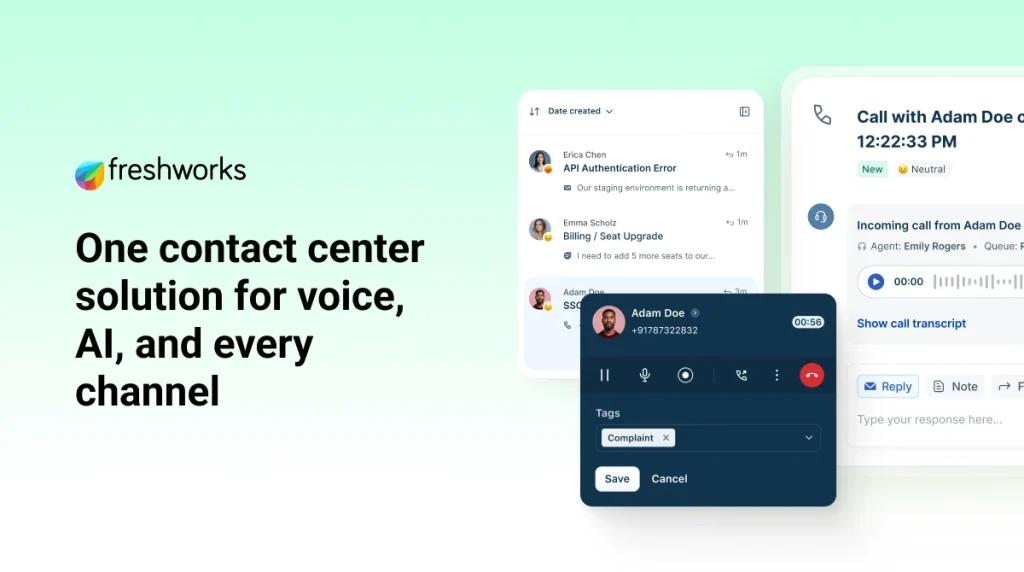
The pricing page shows the product becomes more useful as you move from Free to Growth to Pro to Enterprise. Features such as call queues, wait queues, voicemail, warm transfer, cold transfer, routing automation, queue callback, and call lifecycle tools are the kinds of things that make a call system feel intentional instead of improvised.
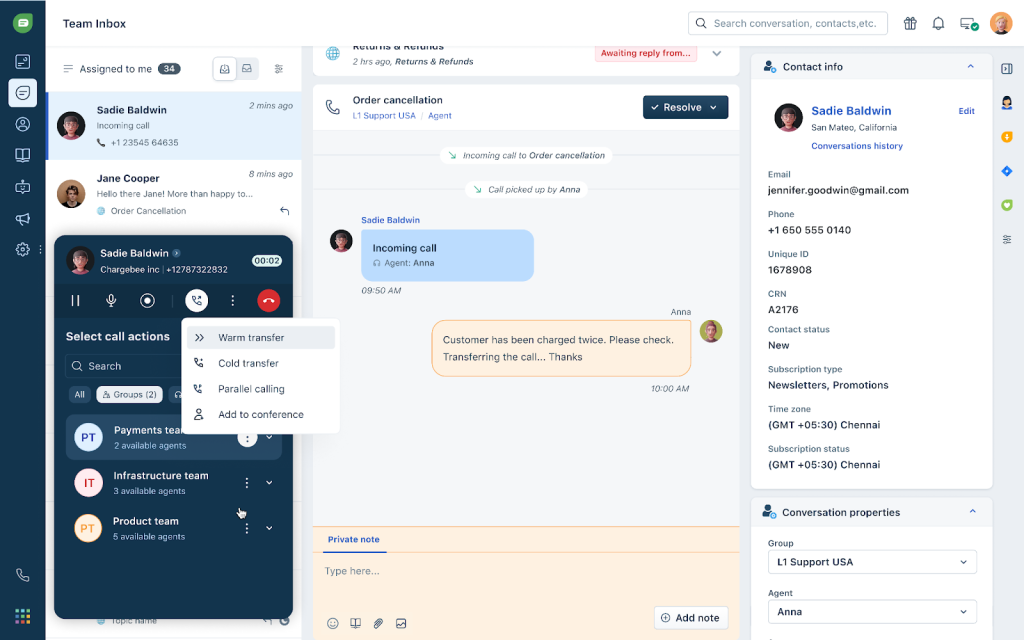
For a startup, that means a sales line can reach the right person faster. For an agency, it means client calls can move through the right team without everyone answering every call. For freelancers, it means you can at least look and sound like a structured business when the phone rings.
If that routing logic is what your team needs, start with Freshcaller here and compare the Free and Growth plans against one real call flow.
3. Call Notes, Recording, And Performance Visibility
The official pricing page and call-control pages show support for call notes, call recording, call monitoring, barge features, and real-time performance visibility. That is useful because the best call systems do not just connect calls; they create enough context for the team to act intelligently afterward.
This matters a lot for agencies that need accountability. A call note can explain what happened, a recording can settle a misunderstanding, and a dashboard can tell managers whether the operation is actually improving.
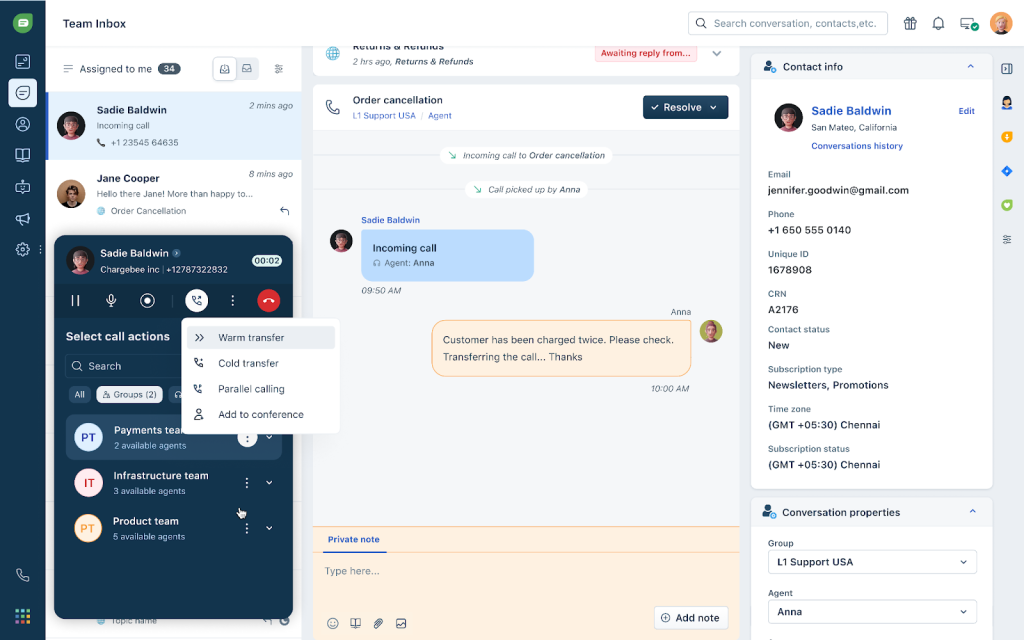
It also matters for startups because the first few support conversations often define how professional a company feels. If the team can capture and reuse that context, the business looks more organized immediately.
4. Voice AI, IVR, And Self-Service
Freshcaller’s public material emphasizes voice AI, bots, IVR, and speech-enabled routing in the Enterprise tier. That is important because small teams quickly get overwhelmed by repetitive questions.
Even a tiny startup can benefit from an IVR tree that routes customers to the right path. Agencies can use the same logic to separate sales from support. Freelancers can use it to create a simple front door so they are not personally interrupted by every call that comes through.
The point is not to automate away the human side. It is to make sure the human side gets used where it matters most.
5. Public Pricing That Actually Helps Planning
The pricing page is one of Freshcaller’s strengths because it lets buyers understand the call system before they commit. The public plans currently show:
| Plan | Price | What you get |
|---|---|---|
| Free | Free | + pay/min |
| Growth | $15/mo | + pay/min |
| Pro | $39/mo | + pay/min |
| Enterprise | $69/mo | + pay/min |
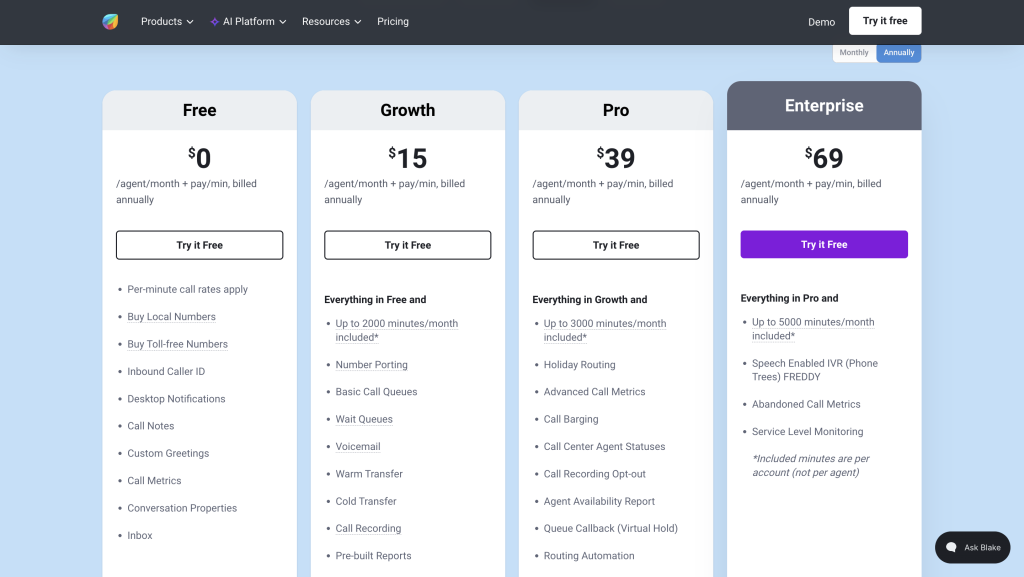
That is a useful ladder because smaller teams can start lightly and then move up once they need more routing, recording, monitoring, or AI-driven call handling.
Real-World Example
Imagine a small agency that handles inbound client calls, project questions, and occasional sales leads. Without a system like Freshcaller, those calls might live on a shared phone number, a personal mobile, or a vague forwarding chain that nobody wants to maintain.
With Freshcaller, the agency can put calls into a browser-based system, route them to the right person, use call notes to preserve context, and keep performance visible. That alone makes the operation feel more mature.
The same logic works for a startup. If one person is managing support, another handles sales, and a third jumps in occasionally, Freshcaller gives the team a cleaner way to separate responsibility without forcing them to become telecom experts.
Pricing In Context
Freshcaller’s pricing becomes easy to judge once you ask what stage your business is in.
Free is useful when you are testing the concept or just need a basic entry point. Growth makes more sense once you need queues, recording, transfers, and a slightly more structured call process. Pro is where the system starts to feel like a serious small-team phone platform. Enterprise is for organizations that need stronger control, more minutes, and advanced voice capabilities.
That progression is why the product fits startups and agencies well. It lets the team grow into the software instead of overbuying on day one.
If you want a quick, practical check, start with Freshcaller here and compare your current phone setup against the Free and Growth plans before assuming you need Enterprise.
Alternative Tools For The Niche
If Freshcaller is not the perfect fit, the main alternatives usually fall into a few buckets:
- A very basic business line or VoIP app for tiny teams.
- A more complex contact center for bigger operations.
- A shared phone or mobile-first setup for solo freelancers.
Freshcaller sits in a practical middle. It is more serious than a casual phone app, but it is still approachable enough for smaller teams that need to look and sound organized.
That middle ground is why it works so well for service-driven businesses that are not ready for a giant telecom stack.
Setup Steps
If I were rolling Freshcaller out for a startup or agency, I would keep it simple:
- Decide who answers which type of call.
- Create one clear routing rule for sales and one for support.
- Add voicemail and call notes from day one.
- Test call transfers and queues with the actual team.
- Review recordings and dashboard metrics after the first week.
That sequence makes the platform easier to adopt because the team can feel the improvement right away.
Verdict
Freshcaller is a strong fit for startups, agencies, and freelance-heavy businesses because it solves a real operational problem: how to handle calls professionally without creating a complicated infrastructure project.
The browser-based workflow, public pricing ladder, routing tools, and voice AI features make it especially useful when the team needs structure but does not want telecom overhead.
If that is the kind of setup you need, start with Freshcaller here and test one real call flow before you commit the whole business to the platform.
FAQ
What kind of business is Freshcaller best for?
It is best for startups, agencies, and small teams that need a real cloud calling system with routing, recording, queues, and browser-based use.
Does Freshcaller have a free plan?
Yes. The official pricing page currently shows a Free plan at $0 per agent per month plus pay/min.
Why would an agency use Freshcaller?
Agencies can use it to route client calls, preserve context with notes, and keep team performance visible without hardware complexity.
Can a freelancer use Freshcaller?
Yes. A freelancer can use it to create a more professional call experience without building a full office phone system.
What is the biggest practical benefit?
The biggest benefit is that it makes business calling feel organized and scalable without a heavy setup burden.
Before You Choose, Compare These
Hand-picked guides to help you choose the right tool — no fluff.
 IntegrationsFreshcaller Integrations Guide 2026What it connects to and how well each link holds up.
 ComparisonsFreshcaller vs Alternatives 2026The strongest competitors compared side by side.
 Case StudiesGetResponse Case Study 2026What actually happened when teams rolled it out.
 PricingGusto Pricing 2026Real tier prices and what each plan actually includes.