

Pricing Overview
Lindy’s pricing in 2026 is much clearer than it used to be, and that is good news for anyone trying to decide whether the AI assistant is a serious productivity tool or just another expensive experiment. The official pricing page lays out a straightforward plan ladder built around how much help you want with inbox, meetings, calendar management, and follow-up work.
The official pitch is also very specific: Lindy runs your inbox, meetings, calendar, and follow-ups. That framing matters because the value is not only in “AI.” The value is in whether the assistant removes enough repetitive work to justify the subscription.
For most people, that means Lindy pricing is really a question of usage intensity:
- Do you want help with the basics?
- Do you want more automation and more inbox coverage?
- Do you want Lindy to handle a much bigger share of your work life?
If you want to compare the plans directly while you read, start with Lindy here.
Pricing Tiers
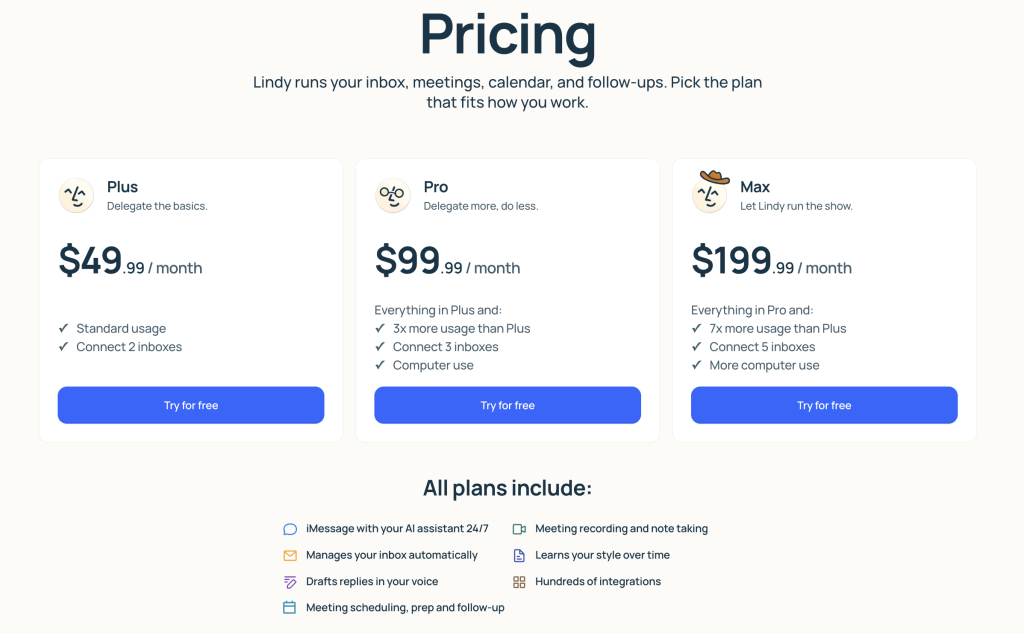
As of April 2026, the official pricing page shows these primary plans:
- Plus: $49.99 per month.
- Pro: $99.99 per month.
- Max: $199.99 per month.
- Enterprise: custom pricing through sales.
The positioning is simple and well-structured.
Plus
The official page describes Plus as “delegate the basics.” It includes standard usage, connection for 2 inboxes, and the core assistant experience.
Pro
Pro is described as “delegate more, do less.” The page says it includes everything in Plus, 3x more usage than Plus, 3 connected inboxes, and computer use.
Max
Max is positioned as “let Lindy run the show.” The page says it includes everything in Pro, 7x more usage than Plus, 5 connected inboxes, and more computer use.
Enterprise
Enterprise includes everything in Max plus audit logs, SSO, SCIM, dedicated support, onboarding, enablement, and AI assistants for everyone.
That is a sensible progression. Lindy is not trying to confuse buyers with twelve slightly different tiers. It is trying to scale from individual productivity into team and enterprise control.
What The Plans Mean In Practice
The pricing is easier to understand when you think about how much of your workday you want Lindy to touch.
Plus Is For Individual Productivity
This is the plan for someone who wants meaningful relief but is still testing the boundaries. If your main pain points are inbox organization, meeting coordination, follow-ups, and having an assistant reachable through iMessage and SMS, Plus looks like the natural starting point.
Pro Is For Heavier Operational Use
Pro starts to look like the plan for people who are already convinced the assistant model works for them. The jump to 3x more usage and computer use makes it more realistic for heavier daily workflows.
Max Is For Real Dependence
Max is for people who do not want Lindy as a nice extra. They want it as part of how they run work. The five-inbox connection and much larger usage profile make it the clearest choice for users who live in intense communication volume.
If you want to test where you fit on that ladder, start with Lindy here and compare one normal week of work against the plan limits.
Hidden Costs And Gotchas
Lindy’s official pricing is fairly transparent, but there are still a few practical things worth paying attention to.
Usage Depth Matters More Than The Sticker Price
The biggest question is not whether $49.99 or $99.99 sounds reasonable in isolation. It is whether the plan gives enough usage for the amount of inbox and calendar work you actually want to delegate.
Inbox Count Matters
The plan ladder ties directly to connected inboxes, which is a useful control but also an important purchasing factor. A person with one main inbox thinks differently about value than someone juggling several.
Enterprise Features Are Real Differentiators
Audit logs, SSO, SCIM, and dedicated onboarding are not cosmetic. Teams that need those features are buying a different class of product experience than an individual user.
The Wrong Plan Can Feel Too Expensive Fast
If you buy too much Lindy for your actual usage, the tool will feel expensive. If you buy too little and constantly hit limits, it will feel frustrating. The sweet spot comes from honest workflow evaluation.
ROI Example
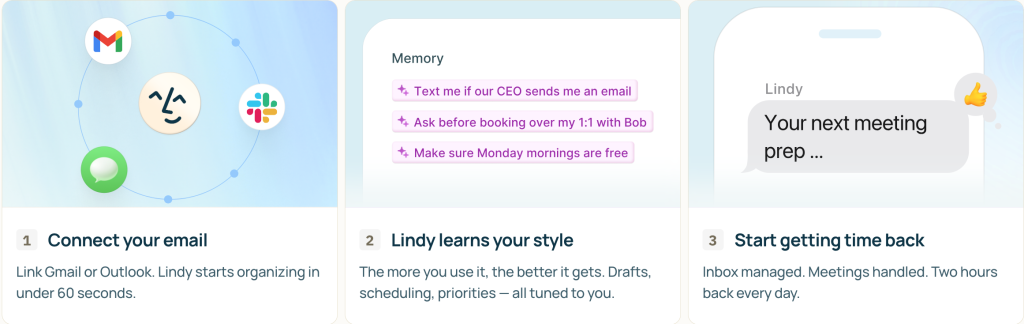
The most useful way to think about Lindy’s ROI is simple: how many hours of repetitive work does it remove each month?
The official pricing page itself leans into that value proposition, and the product framing around inbox, meetings, and follow-ups supports it well.
Imagine a busy operator, founder, recruiter, or executive who loses time every week to:
- Inbox triage.
- Scheduling back-and-forth.
- Follow-up reminders.
- Meeting prep and notes.
- Message drafting.
If Lindy reduces enough of that work, even the Pro or Max plan can make sense quickly. If it only becomes an occasionally fun assistant that you text once in a while, the subscription becomes much harder to justify.
That is why I would evaluate Lindy pricing against time recovered, not against other generic AI tools. Lindy is not mainly selling “AI chat.” It is selling workflow relief.
Cost Comparison To Alternatives
Compared with generic AI subscriptions, Lindy can look expensive at first glance. Compared with executive-assistant time, operations drag, or missed follow-ups, it can look much more reasonable.
That is the right comparison frame.
Lindy also benefits from having a public plan ladder that makes the jump points obvious. Plus is the low-friction entry. Pro is the heavier individual tier. Max is the “this assistant is part of my operating system now” tier.
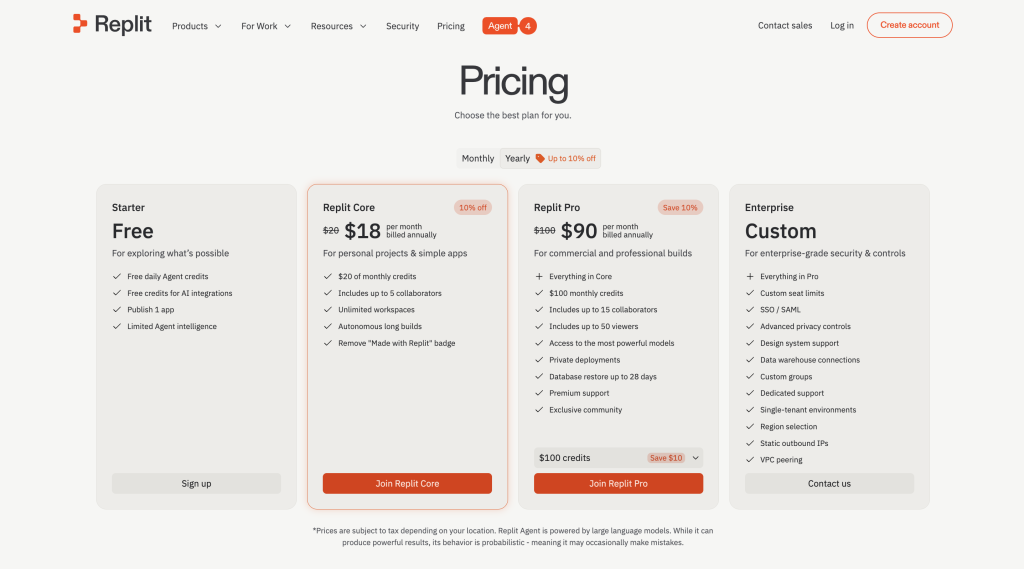
That is cleaner than a lot of AI tools that hide real usage trade-offs behind vague credits or unclear “business” labels.
Best Value Tier
For many serious individual users, Pro is likely the best-value tier.
Why not Plus? Because Plus is the safest entry point, but the bigger daily gains from Lindy usually come once usage expands and computer use is available.
Why not Max? Because Max looks fantastic for heavy operators, but it only becomes the obvious value choice when you genuinely need that much assistant coverage.
So Pro is the middle-ground tier that probably gives the clearest picture of what Lindy can really do.
If you want to test whether Pro is your best-value option, start with Lindy here and compare one high-friction workweek against Plus and Pro expectations.

Another reason Pro stands out is that it is the first tier where Lindy starts to feel less like a light assistant and more like a serious daily operating tool. That is often the point where the platform’s pricing begins to make the most sense.
For many buyers, that practical middle tier is where the product finally feels like leverage instead of novelty in real life.
Free Trial And Billing Confidence
One of the nicest parts of Lindy’s official pricing story is the 7-day free trial. The FAQ also says getting started takes about 60 seconds and that Plus users can cancel anytime from account settings.
That helps a lot because it reduces the risk of learning whether the assistant fits your workflow.
The free trial also gives you a better way to evaluate the plans:
- See if the assistant model actually saves you time.
- See whether the core features fit the way you work.
- See whether Plus feels sufficient or whether Pro is the more realistic tier.
That is a much healthier buying path than committing blindly.
It also makes Lindy easier to evaluate honestly. A lot of AI tools look good in demos and weak in real workflows. A seven-day trial is enough to tell whether the assistant actually reduces inbox and calendar friction or whether it only gives you a fun first impression.
Verdict
Lindy’s pricing in 2026 is strong because it is clear, progressive, and tied to actual workflow depth. The official plan ladder from Plus to Pro to Max to Enterprise makes sense, and the features scale in a way that maps cleanly to real levels of use.
The simplest takeaway is this:
- Plus for testing and lighter daily help.
- Pro for serious individual productivity.
- Max for heavy dependence on the assistant.
- Enterprise for teams with real controls and governance needs.
If Lindy saves enough inbox, meeting, and follow-up time, the pricing is easy to justify. If it does not become part of your daily operating rhythm, it will feel expensive fast.
If you want to test that honestly, start with Lindy here and measure the subscription against time saved, not against curiosity.
FAQ
How much does Lindy cost in 2026?
The official pricing page shows Plus at $49.99 per month, Pro at $99.99 per month, Max at $199.99 per month, and Enterprise through custom sales pricing.
Does Lindy offer a free trial?
Yes. The official pricing FAQ says Lindy includes a 7-day free trial.
Which Lindy plan is the best value?
For many serious individual users, Pro looks like the best value because it adds significantly more usage and computer use without jumping all the way to Max pricing.
Can I cancel Lindy anytime?
Yes. The official FAQ says there are no long-term contracts on the Plus plan and that you can cancel from account settings at any time.