


Power User Intro :
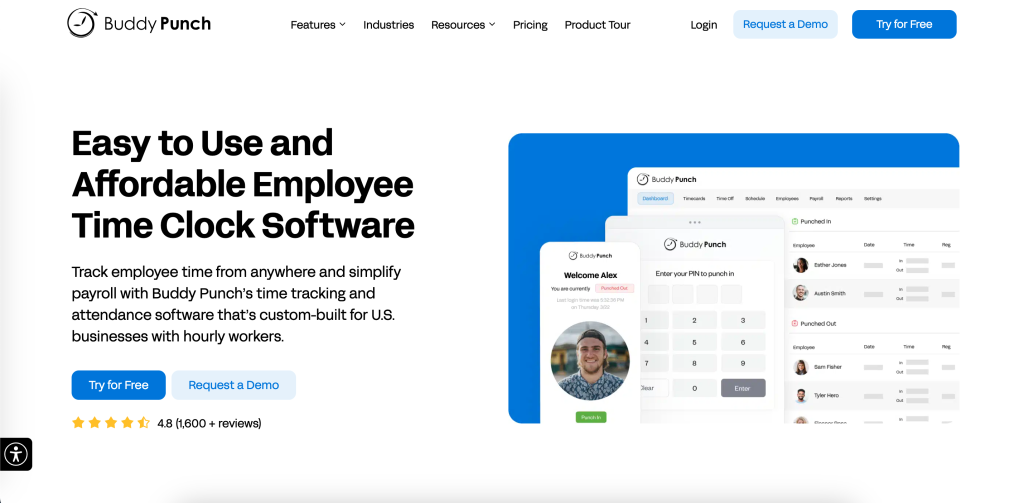
Buddy Punch is beginner-friendly, but the official product story gets more interesting once you move past the basic “clock in, clock out” workflow.
The public site positions it as affordable employee time clock software, but the features menu and integrations page show a broader operational stack underneath:
- GPS Tracking.
- Geofencing.
- Job Costing.
- QR Codes.
- Photos On Punch.
- Facial Recognition.
- Payroll.
- Employee Scheduling.
- API.
- Single Sign-On.
That is where the power-user angle lives.
In 2026, advanced users are not asking whether Buddy Punch can track time. They are asking whether it can enforce accountability, reduce payroll friction, automate more of the admin, and fit cleanly into a larger workforce stack.
If you want to inspect the platform while you read, start with Buddy Punch here.
Advanced Feature #1: GPS Tracking And Geofencing
For advanced users, location control is one of the first serious differentiators.
Buddy Punch’s official site publicly highlights both GPS Tracking and Geofencing. That matters because many businesses do not only need a timestamp. They need confidence that the punch happened in the right place.
This becomes especially useful for:
- Field service businesses.
- Multi-site operators.
- Healthcare teams.
- Construction or mobile crews.
- Any employer trying to reduce off-site punching problems.
Geofencing matters because it changes the tool from passive logging into active workforce control. A power user can design workflows where location rules support accountability without creating a giant manual review burden later.
That is the kind of feature beginners notice after a problem. Advanced users notice it before the rollout.
If your current process still relies on trust plus crossed fingers, take a closer look at Buddy Punch here and compare what GPS and geofencing would actually remove from your weekly cleanup work.
Advanced Feature #2: Photos On Punch And Facial Recognition
Buddy Punch also publicly lists Photos On Punch and Facial Recognition as feature options.
These are strong power-user features because they address one of the oldest time-tracking headaches: buddy punching and identity uncertainty.
For advanced teams, this matters in two ways:
- It improves trust in the recorded data.
- It reduces the amount of manager time spent disputing whether a punch was legitimate.
This is particularly valuable in shift-based environments where several employees use shared devices or where manager visibility is limited. Not every team needs this level of control, but when the problem exists, these features are much more useful than another polished reporting widget.
Advanced Feature #3: Scheduling, PTO, And Attendance As One System
Buddy Punch is more interesting for power users when scheduling, attendance, and time tracking are treated as connected layers rather than separate chores.
The official site highlights:
- Employee Scheduling.
- Attendance Tracking.
- PTO Tracking.
- Payroll.
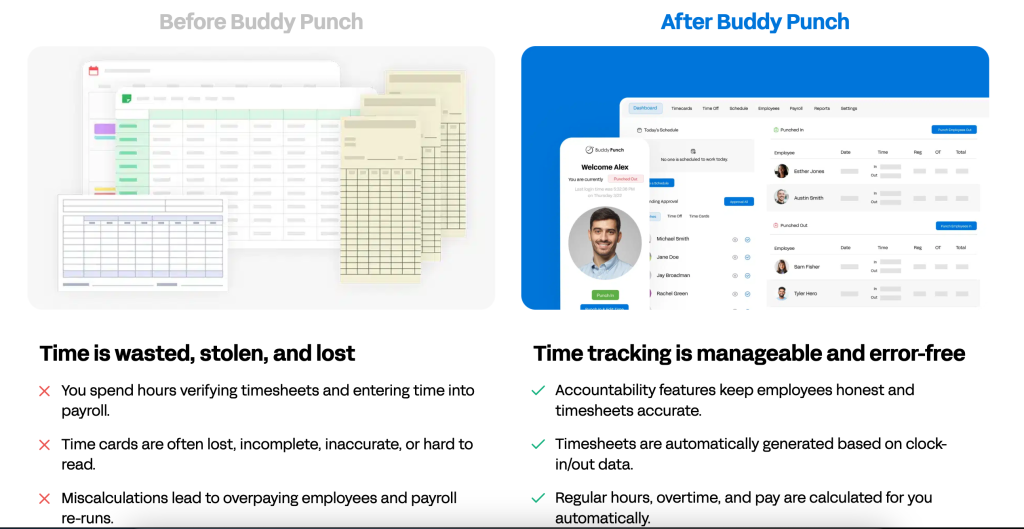
That mix matters because advanced users are usually trying to reduce system hopping. A manager should not have to build a schedule in one tool, review attendance in another, calculate hours elsewhere, and then export the whole mess into payroll.
The advanced play is to use Buddy Punch as a cleaner operating layer where:
- Schedules define expectations.
- Punch data captures reality.
- Attendance tracking flags issues.
- PTO automation reduces manual exceptions.
- Payroll gets cleaner downstream data.
That is a much stronger story than “it has a timer.”
Advanced Feature #4: Payroll Integrations And Time Data Flow
Buddy Punch’s integrations page is one of its strongest official assets for power users.
The site explicitly highlights payroll and HR connections, including:
- QuickBooks Online.
- QuickBooks Desktop.
- ADP Workforce Now.
- Gusto.
- Paychex.
- Paylocity.
- Rippling.
- SurePayroll.
- Workday.
- Zapier.
That is a serious list for a product often treated like a simple SMB time clock.
The official QuickBooks integration description is especially useful because it mentions:
- Pushing time data on demand.
- Auto-run support.
- Syncing employees, locations, and department codes.
That is power-user material. It means the product can help move time data into payroll and accounting workflows with less retyping and fewer errors.
If you want to evaluate that integration depth directly, open Buddy Punch here and compare your current payroll handoff process against the official integration list.
Advanced Feature #5: API And Single Sign-On :
This is where Buddy Punch steps beyond the “small time clock app” stereotype.
The official integrations page says Buddy Punch offers:
- An external API.
- Single sign-on.
The API is described as a way to automatically create and edit:
- Employees.
- Department codes.
- Geofences.
- Locations.
- Positions.
That is a meaningful capability for advanced operators, internal systems teams, or organizations with repeated onboarding and workforce-data maintenance needs.
Single sign-on also matters more than it sounds. If employees can log in with credentials from Google, Apple, Okta, or OneLogin, rollout friction drops and access control becomes more manageable.
This is the point where Buddy Punch stops being only a time app and starts looking more like a usable workforce infrastructure layer.
Automation And Workflow Examples :
Here are the advanced workflows that make the product more valuable in practice.
Mobile Field Team Workflow –
Use GPS Tracking and Geofencing so employees can only punch in from approved job locations. Add Photos On Punch for stronger accountability and send clean time data to payroll downstream.
Department-Coded Payroll Workflow –
Use the QuickBooks integration plus department-code syncing to keep labor tracking aligned with actual reporting categories. That saves cleanup time later and makes job costing more useful.
Secure Workforce Access Workflow –
Use Single Sign-On for employee access and the API for account provisioning or edits at scale. This is especially useful when a growing team does not want every workforce change handled manually.
Shift-Control Workflow –
Use Scheduling, Attendance Tracking, and PTO together so missed punches, late arrivals, and time-off conflicts are visible in one operating rhythm instead of several separate tools.
Performance Optimization For Power Users :
The best advanced Buddy Punch implementation is not turning on every feature because it exists.
It is choosing the controls that solve real risk.
Here is the cleaner approach:
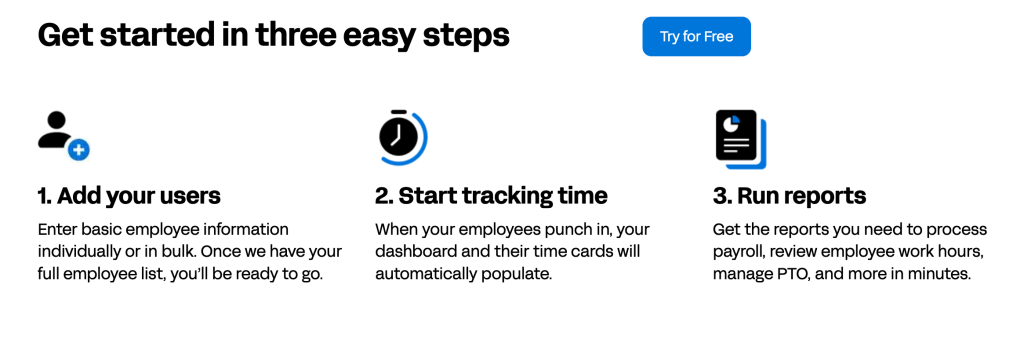
- Start with the accountability controls your business genuinely needs.
- Connect payroll before the manual export habit becomes permanent.
- Use the API only when repeated admin work justifies it.
- Standardize location and department logic early.
- Keep employee training simple, even if the admin workflow is sophisticated.
That last point matters a lot. Advanced setups often fail because the back office gets clever while the employee experience gets confusing.
Buddy Punch looks strongest when the employee side stays easy, and the manager/admin side carries the complexity.
That is worth stressing because this is where many teams wreck a good rollout. They buy advanced controls, then introduce them all at once, then wonder why employees hate the system. The smarter path is staged maturity. Start with the controls that solve payroll trust or location accuracy, then add higher-friction features like photos on punch or facial recognition only when the business case is real.
The same logic applies to integrations. Just because the official page lists QuickBooks, Workday, Zapier, Gusto, ADP Workforce Now, and others does not mean every rollout should wire everything together in week one. Advanced users get the best results when they sequence the implementation: core time data first, payroll sync second, identity or API workflows third. That keeps the system stable while still letting the organization grow into its more advanced setup.
There is also a managerial culture angle here. Features like geofencing, photo verification, and facial recognition can be very useful, but they need to be explained clearly. When employees understand that the purpose is accurate records and cleaner payroll rather than random surveillance theater, adoption usually goes more smoothly. That communication layer is not a software feature, but it absolutely affects whether the advanced feature set becomes an advantage or a source of friction.
Pricing Context For Advanced Users :
Buddy Punch’s pricing page is useful because it gives advanced buyers real plan anchors.
The public annual billing prices reviewed here include:
- Starter at
$4.49per user per month plus a$19base fee per month. - Pro at a higher middle tier.
- Enterprise at
$10.99per user per month plus a$19base fee per month.
The site also shows:
- 14 days free, no credit card required.
- Payroll as an add-on at
$6per user per month. - Scheduling at
$1per user per month, included in Pro and Enterprise.
That matters because advanced use almost always means more than simple clock-ins. Once you want payroll, scheduling, stronger controls, and integration depth, the real total cost becomes easier to forecast from this page.
If you want to compare the paid path with your current admin burden, start with Buddy Punch here and model the plan plus payroll or scheduling extras, against your actual workforce process.
Expert Verdict :
Buddy Punch is more capable in 2026 than the “simple SMB time clock” label suggests.
For advanced users, the most important official strengths are:
- Accountability controls like GPS, geofencing, facial recognition, and photos on punch.
- Workflow depth through scheduling, attendance, PTO, and payroll.
- Serious integration options across payroll systems.
- API and SSO support for cleaner scale and administration.
That does not make it the perfect enterprise workforce platform for every company. But it does make it a strong advanced option for growing organizations that need more than entry-level time tracking without jumping into a giant HR suite.
FAQ :
Does Buddy Punch Have An API?
Yes. The official integrations page says Buddy Punch offers an external API for creating and editing employees, department codes, geofences, locations, positions, and more.
Is Buddy Punch Good For Field Teams?
Yes. GPS Tracking and Geofencing make it especially useful for teams where location accountability matters.
Can Buddy Punch Sync With Payroll Tools?
Yes. The official integrations page lists payroll and HR systems such as QuickBooks, ADP Workforce Now, Gusto, Paychex, Paylocity, Rippling, Workday, and others.
What Makes Buddy Punch Advanced In 2026?
Its advanced edge comes from accountability controls, integration depth, API access, SSO, and connected scheduling-attendance-payroll workflows.
Is Buddy Punch Only For Beginners?
No. It is easy to start, but the deeper feature set is very relevant for power users who need tighter controls and cleaner system integration.