


- Popular Tech Stacks
- Setup Guide
- Automation Examples
- API Overview
In this guide
Why Integrations Matter
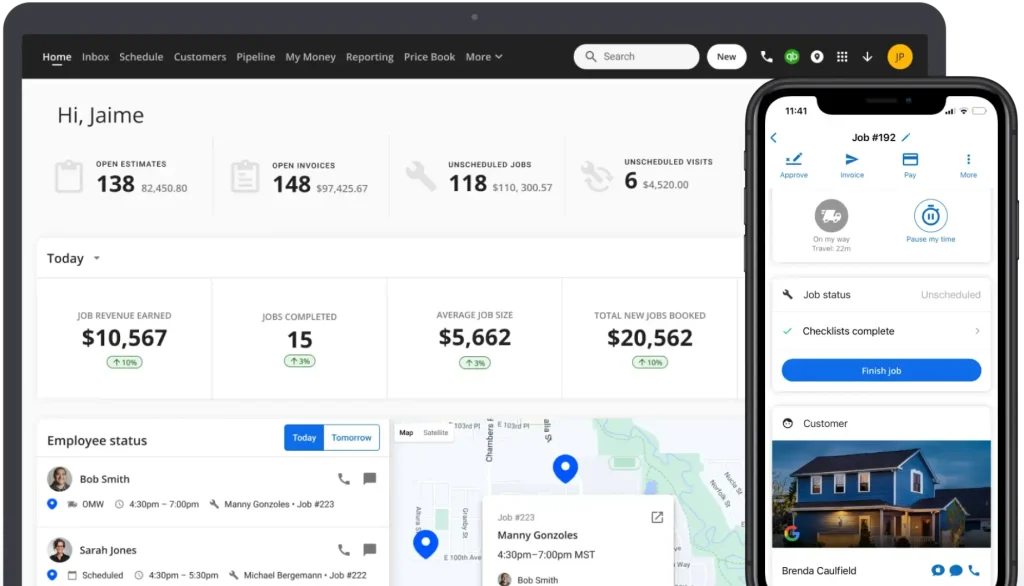
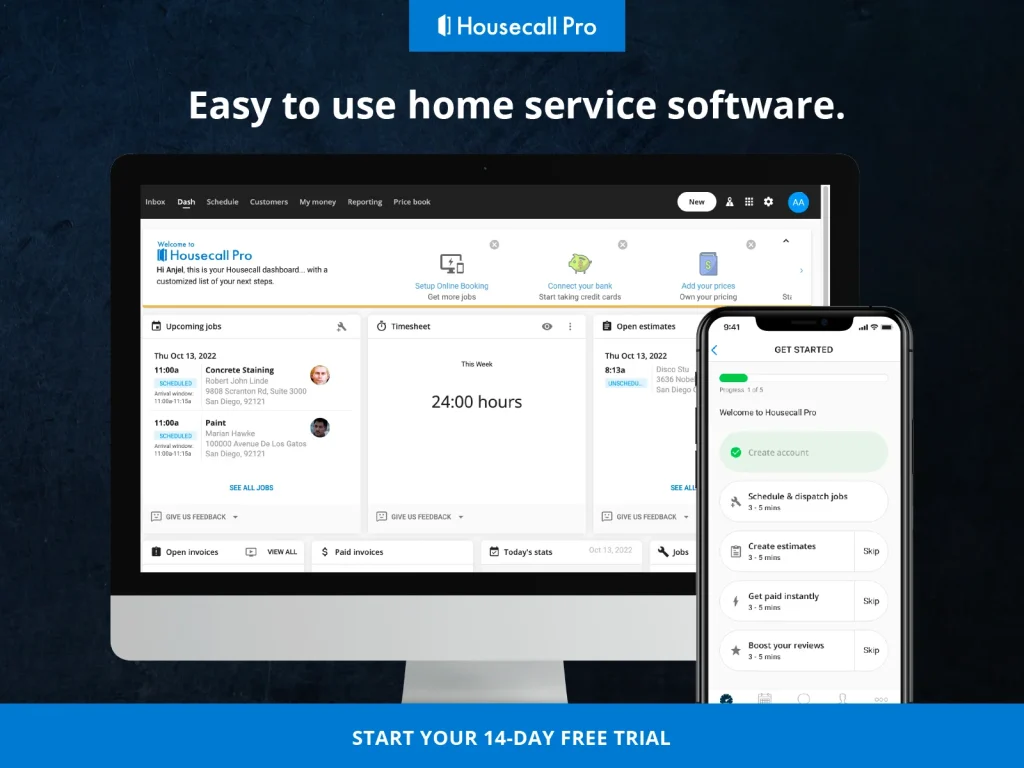
Housecall Pro is one of those tools where the value shows up in the handoffs. The official page highlights review management, websites, call answering, online booking, pipeline dashboard, scheduling, vehicle GPS, customer contact, quotes and proposals, mobile app, payments, invoices, expense cards, consumer financing, business financing, AI Team, time tracking, reporting, payroll, and accounting.
Disclosure: Stack99 earns a commission if you buy through links on this page. It costs you nothing extra and never changes our assessment.
That is a lot of operational surface area, and that is exactly why integrations matter here. Service businesses do not usually fail because one screen looks bad. They fail because booking, dispatch, payment, and reporting do not line up cleanly.
If you want to explore the workflow while you read, start with Housecall Pro here.
The best integration strategy is not “connect everything.” It is “connect the steps that waste time when they are disconnected.”
Top Integrations
The most important integrations in a Housecall Pro-style workflow are the ones that keep the business moving without manual cleanup.
Booking And Scheduling
Online booking and scheduling are central because they control the first real customer handoff. If these are smooth, the rest of the workflow is more likely to stay clean.
Customer Communication
Customer contact and call answering matter because missed calls often become missed revenue. A service business lives and dies by responsiveness.
Quotes And Proposals
Quotes and proposals are another key integration point because they connect the estimate stage to the job stage.
Payments And Invoicing
Payments, invoices, and expense cards are the financial backbone of the workflow. When those are aligned, the office team wastes less time reconciling work that already happened in the field.
Reporting And Payroll
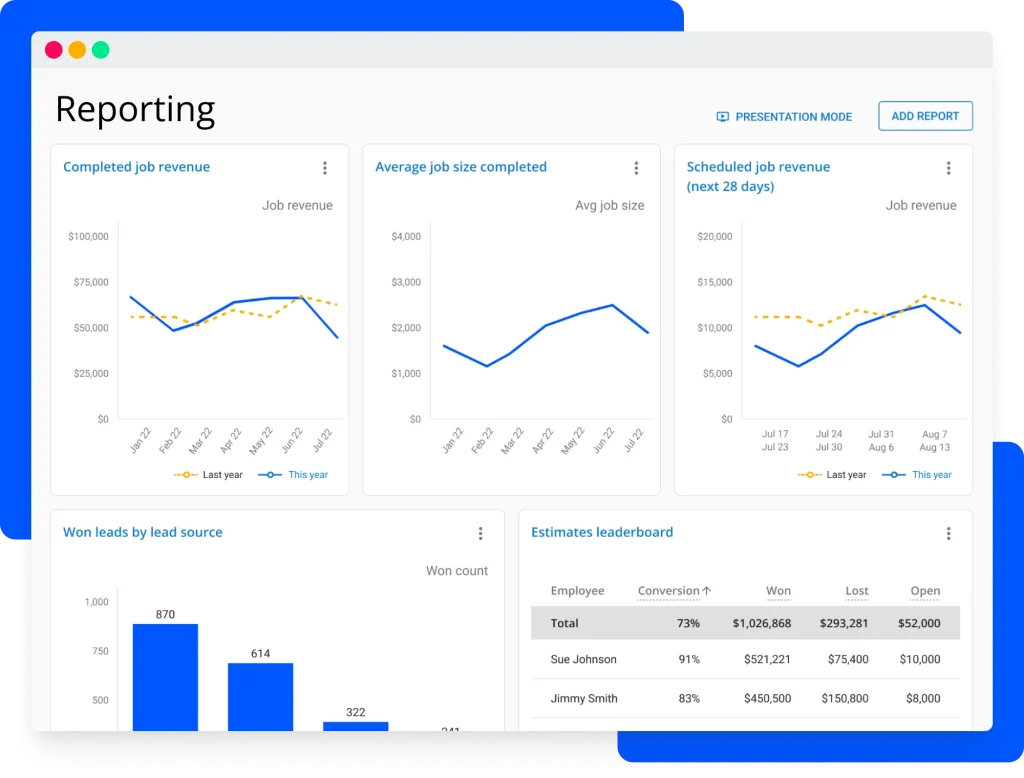
Reporting, time tracking, payroll, and accounting keep the back office synchronized with the field team.
Field Visibility
Vehicle GPS and mobile access help dispatchers and technicians stay aligned in real time.
If you are trying to reduce manual handoffs instead of adding another tool, start with Housecall Pro here and test one end-to-end job.
Popular Tech Stacks
The best Housecall Pro stack is usually simple.
- Lead source plus online booking.
- Scheduling plus mobile technician workflow.
- Quotes plus invoicing.
- Payments plus accounting.
- Time tracking plus payroll.
That is the kind of stack that actually gets used.
You can also think about it by role:
- Dispatcher workflow.
- Technician workflow.
- Office workflow.
- Owner reporting workflow.
The more clearly those four roles are connected, the more valuable Housecall Pro becomes.
The official page suggests the product is trying to act like an operating system for service businesses, not just a scheduling app. That is why the integration story matters so much.
If you want to see whether the stack holds together in a real business day, start with Housecall Pro here and map one job from booking through payment.
Setup Guide
Step 1: Define The Job Flow
Start with the actual job path your team uses.
- Lead arrives.
- Customer books.
- Job gets scheduled.
- The technician is dispatched.
- Work is completed.
- The invoice is sent.
- Payment is collected.
- Reporting and payroll are updated.
Step 2: Connect The Front End
Set up online booking, call answering, and customer contact so the first interaction is clean.
Step 3: Connect The Field
Make sure the mobile app, scheduling, and GPS data support the people doing the work.
Step 4: Connect The Money
Tie invoices, payments, expense cards, and financing into the workflow so the office side does not have to rebuild the day manually.
Step 5: Connect The Back Office
Use reporting, time tracking, payroll, and accounting so the business gets a full view of the job rather than just the field side of it.
If your current process feels stitched together, start with Housecall Pro here and test it against one repeatable service job.
Automation Examples
The most practical automations are the ones that remove annoying repetition.
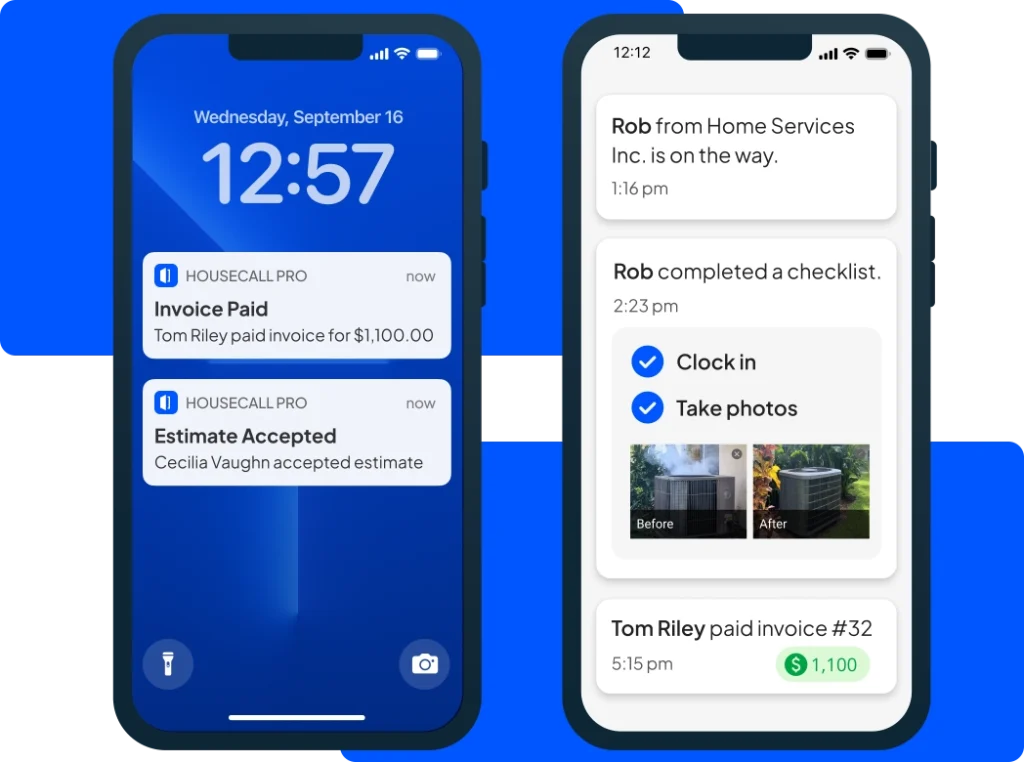
- Send the job into the schedule as soon as the booking is confirmed.
- Route the work order to the right field technician.
- Move the status when the job is marked complete.
- Trigger invoicing after completion.
- Feed payment status back into reporting.
- Sync time tracking into payroll.
That is not flashy automation.
That is useful automation.
The official page’s focus on AI Team, reporting, and back-office functions makes it clear that Housecall Pro is aiming to reduce the amount of human glue the business needs every day.
If you are comparing it to a more manual workflow, build one automation chain from booking to invoice.
API Overview
The best way to think about the Housecall Pro integration layer is as the connective tissue between field work and office work.
Even if your team never touches a formal API, the product still needs to behave like one system:
- Booking should feed scheduling.
- Scheduling should feed dispatch.
- Dispatch should feed completion.
- Completion should feed invoicing.
- Invoicing should feed payments.
- Payments should feed reporting.
- Reporting should feed payroll and accounting.
That is the real API story for most service businesses. It is not about technical bragging rights. It is about eliminating breakpoints.
If you need a deeper automation conversation, the official site shows a product that is already thinking in connected workflows rather than isolated modules.
What A Good Rollout Looks Like
The best rollout is usually the one that starts with one job type and one team instead of trying to transform the entire business in a single afternoon.
For example, you might begin with one recurring service path. Get the booking flow right. Make sure the schedule reflects reality. Confirm the technician gets the right information. Then test the invoice and payment handoff. Once that path is clean, expand outward.
That approach keeps the integration work calm. It also makes it easier to tell whether the product is actually improving the business or just moving the chaos to a different screen.
The official page suggests Housecall Pro is built for exactly this style of operational cleanup. That is why it makes sense to treat the platform as a workflow system first and an app second.
Another useful practice is to keep the office and field language aligned. If the office team and the field team use different terms for the same job status, integrations become less helpful because people keep translating the same work twice.
So the real rollout goal is clarity. One job. One path. One clean handoff at a time.
That kind of rollout also helps leadership see the value faster. When one job type gets smoother, it becomes easier to show the rest of the team why the system matters. The product stops being “software we bought” and starts becoming “the way we run the work.”
That shift is what usually unlocks adoption. Once people trust the workflow, they stop asking for side systems and start using the one that is already connected.
That is also the point where the office stops feeling like a rescue team and starts feeling like an operations team.
Troubleshooting
When Housecall Pro workflows go sideways, the problem is usually not mysterious.
- Booking is not mapped to the right job type.
- Scheduling does not reflect the real technician availability.
- The office team is not using the same status language as the field team.
- Invoicing is happening too late.
- Payment and accounting data are not being reviewed together.
The fix is usually to simplify the workflow and make every handoff visible.
That is why the platform can be powerful even for a smaller team. If the steps are clear, the business moves faster.
Verdict
Housecall Pro is strongest when you care about the full field-service loop, not just one slice of it.
The official site gives you the right ingredients: booking, scheduling, customer contact, quotes, mobile access, payments, invoices, GPS, time tracking, reporting, payroll, accounting, and AI-assisted workflow support.
If your current stack leaves too many jobs half-connected, start with Housecall Pro here and see whether the workflow feels cleaner end to end.
The best integrations are the ones that make the office stop chasing the field.
FAQ
What is Housecall Pro best for?
Housecall Pro is best for service businesses that need booking, scheduling, customer contact, dispatch, invoicing, payments, and reporting to work together.
Does Housecall Pro support mobile teams?
Yes. The official page highlights a mobile app and vehicle GPS, which are important for field teams.
What should I automate first?
Start with booking to scheduling, then scheduling to dispatch, then completion to invoicing.
Why is reporting so important here?
Because the team needs to know whether the workflow is actually working, not just whether jobs are being entered.
More on Housecall Pro
Hand-picked guides to help you choose the right tool — no fluff.
 TutorialsHousecall Pro Beginner's Guide 2026A clean start-here walkthrough with no jargon.
 Advanced GuidesHousecall Pro Advanced Guide 2026Deeper workflows once the basics are in place.
 ReviewsRank Prompt Review 2026Hands-on verdict with the pros, cons and who it fits best.
 AlternativesStreak CRM for Gmail Alternatives 2026Credible alternatives and when each one wins.