


In this guide
- Why IDrive's Features Matter
- One Account For Multiple Devices
- Broad Endpoint Coverage
- Continuous Data Backup
- Open Files, External Drives, And NAS Support
- Plan Variety Without Total Chaos
- Coverage Beyond Basic Laptop Backup
- Add-Ons And Extended Coverage
- Who Gets The Most Value From IDrive
- What Makes IDrive Feel Different
Why IDrive’s Features Matter
IDrive still matters in 2026 because it solves a very practical problem that a lot of backup products complicate: protecting multiple devices and data types under one account without forcing people into a fragmented backup strategy.
Disclosure: Stack99 earns a commission if you buy through links on this page. It costs you nothing extra and never changes our assessment.

The official signup and pricing pages push that message clearly:
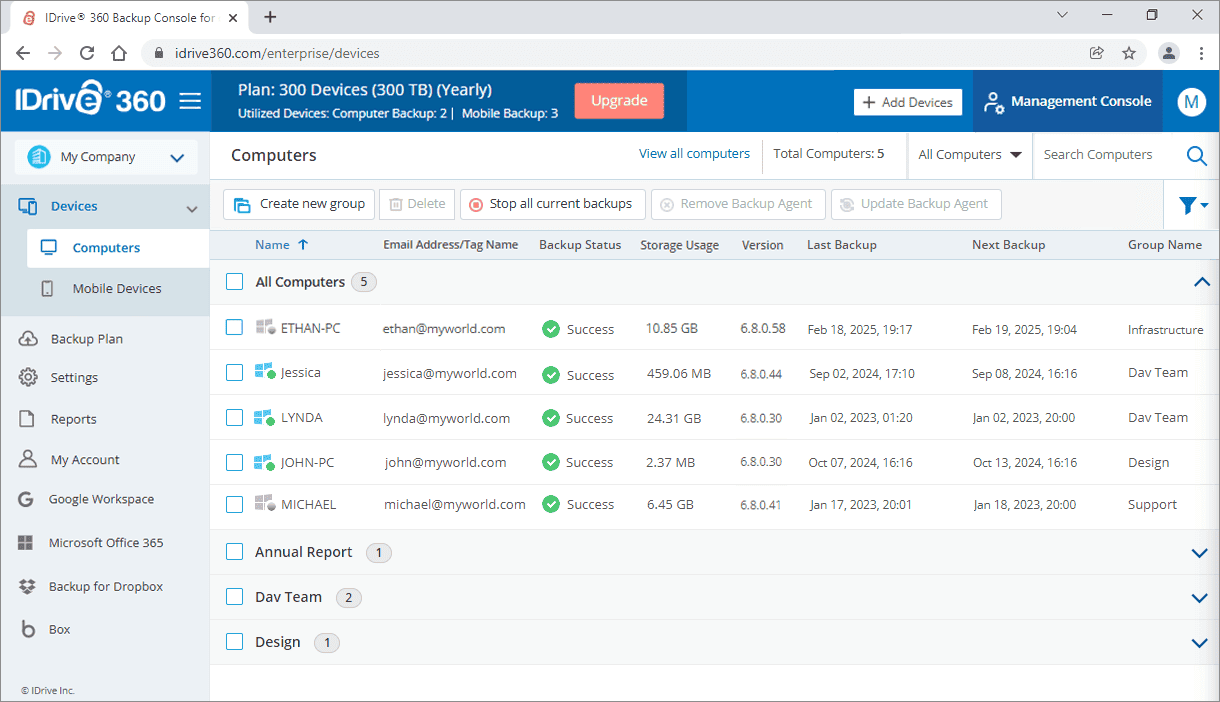
- Backup multiple PCs, Macs, and mobile devices into one account.
- Protect a wide range of endpoints.
- Choose from Free, Mini, Personal, Team, and Business paths.
That matters because backup tools are only impressive when they fit real life. Most people and teams do not live on one laptop. They live across computers, phones, drives, and shared systems.
If you want to look at the product while you read, start with IDrive here.
One Account For Multiple Devices
This is still the most important IDrive feature.
The official signup page says it directly: backup multiple PCs, Macs, and mobile devices into one account.
That matters because backup gets annoying fast when every device needs a separate logic tree.

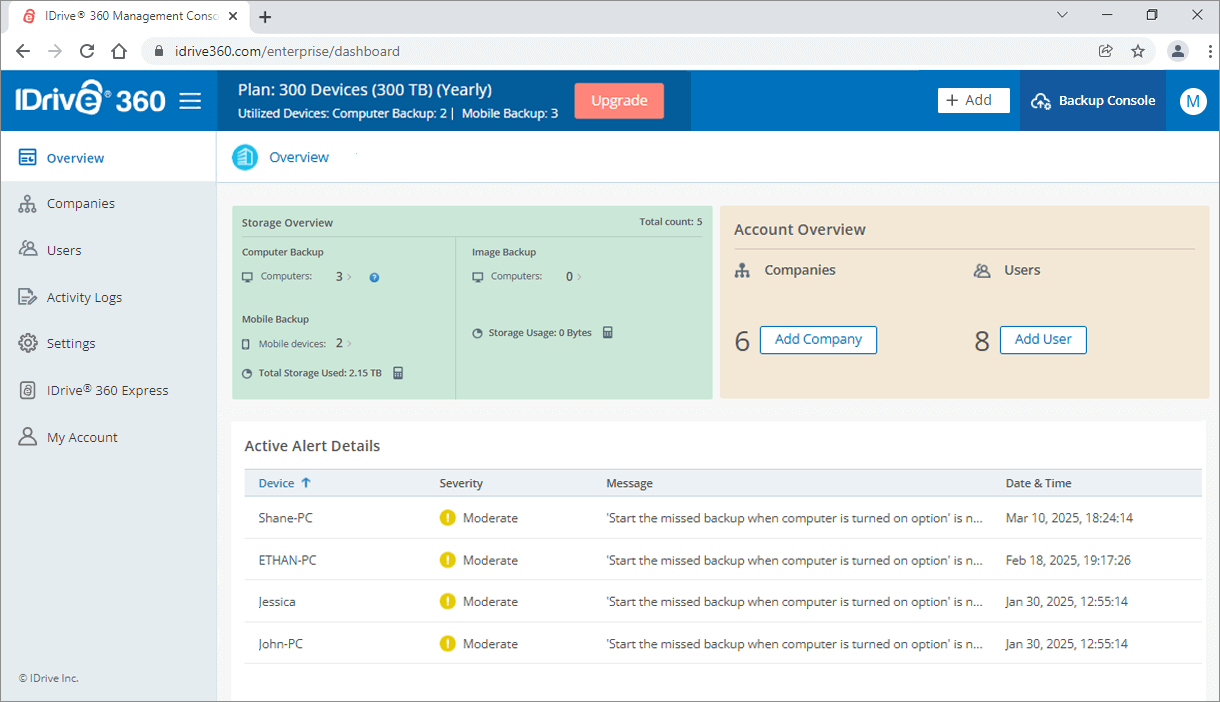
One-account backup management helps users and teams:
- Reduce backup sprawl.
- Centralize oversight.
- Keep protection simpler as the device count grows.
For households, creators, consultants, and small businesses, that convenience is not minor. It is a real operating advantage.
Broad Endpoint Coverage
IDrive’s public pages repeatedly show that the product is not narrowly built around one operating system.
The official copy references:
- PCs.
- Macs.
- Linux.
- IPhones.
- IPads.
- Android devices.
That breadth matters because a backup product becomes much more useful when it can protect the messy reality of how people actually work.
That is one reason IDrive has stayed relevant. It is not only a backup tool for one machine. It is a backup environment for mixed-device life.
Continuous Data Backup
The pricing page’s compare section highlights continuous data backup.
That is a major feature because backup value is not only about storage capacity. It is about how reliably the product keeps up with change.
Continuous backup matters when:
- Files change often.
- People forget to run manual backup jobs.
- Teams need more confidence that recent work is protected.
This is one of those features users stop thinking about once it is working well, which is exactly why it is valuable.

Open Files, External Drives, And NAS Support
IDrive also deserves credit for supporting more complicated backup realities.
The compare section highlights:
- Open file backup.
- Backup of mapped, USB, and external drives.
- NAS device support.
That is a strong feature set because many users outgrow simple “documents folder only” backup long before they realize it.
When a backup product handles external devices and broader storage patterns, it becomes much more useful for:
- Small teams.
- Media-heavy users.
- People who keep archives outside their main machine.
That makes IDrive feel more serious than products that only protect the most obvious data path.
Plan Variety Without Total Chaos
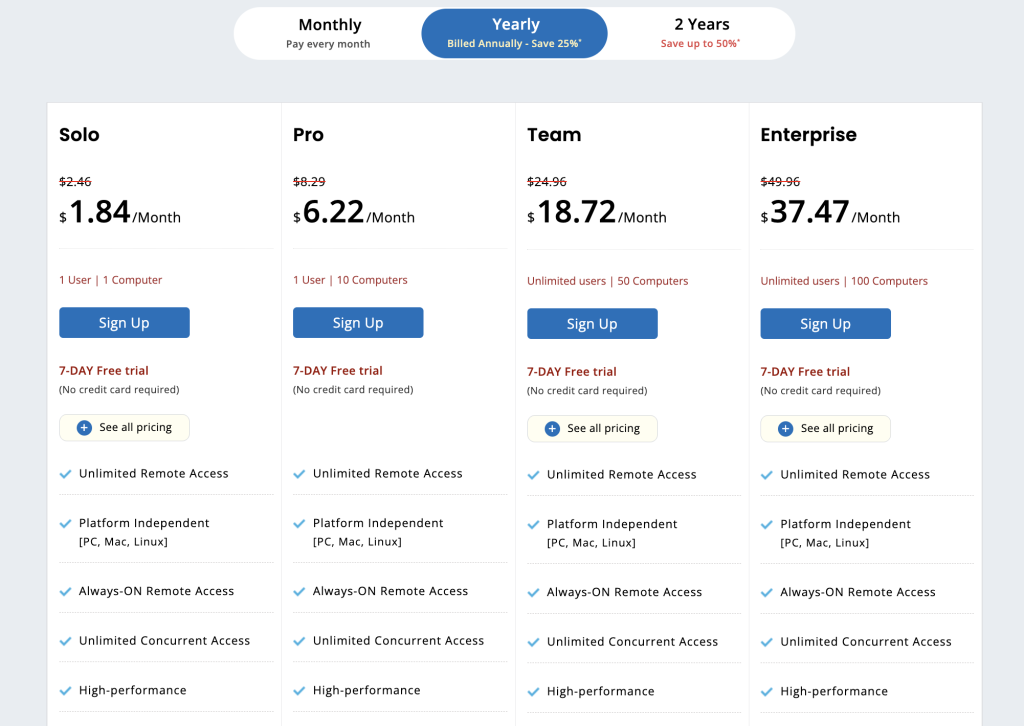
IDrive’s pricing page makes one other strength very clear: there is a plan ladder for different types of users.
The visible paths include:
- Free.
- IDrive Mini.
- IDrive Personal.
- IDrive Team.
- IDrive Business.
The public pricing page also shows a wide price spread, including visible starting figures such as:
- $11.99.
- $17.99.
- $29.99.
- $59.99.
- $119.99.
And larger plan figures beyond that for higher-capacity tiers.
That matters because backup needs vary a lot, and IDrive is clearly trying to cover light users as well as heavier business use cases.
If you want to compare those plan types directly, start with IDrive here and match the public ladder against the number of devices and storage types you actually need to protect.
Coverage Beyond Basic Laptop Backup
One reason IDrive stays relevant is that its public pricing structure clearly points beyond the simplest personal-backup use case.
The visible product family includes:
- Server Backup.
- Cloud Applications Backup.
- Team plans.
- Business plans.
- Google Workspace-related protection.
That matters because real backup needs usually expand over time.
A freelancer may start with one laptop. A small agency may add shared drives. A business may suddenly need server or cloud app coverage after a team change, a security review, or one ugly close call with lost data.
IDrive’s public lineup suggests that the company understands that progression. It is not only saying, “Here is storage.” It is saying, “Here is a backup path that can expand as your environment gets messier.”
That is a meaningful feature advantage because switching backup philosophy every time your setup grows is annoying and risky.
Add-Ons And Extended Coverage
IDrive’s pricing pages also show that the product family goes beyond one generic personal backup plan.
Visible add-on and adjacent coverage areas include:
- Server Backup.
- Cloud Applications Backup.
- Google Workspace-related protection.
- Team and Business pathways.
That matters because a backup product becomes much more compelling when it can grow with the environment instead of forcing a category jump later.
For a small business, that can mean starting simple and expanding coverage without learning a totally different backup philosophy.
Who Gets The Most Value From IDrive
IDrive is especially compelling for people who do not want backup to turn into five separate decisions.
The strongest fit is usually:
- Households with multiple computers and phones.
- Consultants or creators using laptops plus external drives.
- Small teams with mixed operating systems.
- Businesses that may need to grow into server or cloud application backup later.
That is where the one-account idea becomes more than a marketing line. It becomes a genuine simplifier.
If you want to test whether that simplification is worth it for your setup, start with IDrive here and map your actual devices, external drives, and app environment against the public Free, Mini, Personal, Team, and Business options.
What Makes IDrive Feel Different
The reason IDrive still stands out is not that it has the flashiest UI story. It stands out because it keeps the backup problem practical:
- Many devices.
- One account.
- Mixed operating systems.
- Broader file and storage support.
- Clear plan variety.
That is the kind of product logic that ages well.
The stronger the device sprawl becomes, the more attractive that simplicity gets.
It also helps that IDrive’s official messaging stays close to real backup behavior instead of only advertising huge storage numbers.
The important question for most buyers is not “How much space is available in theory?”
It is:
- Can I protect my actual mix of devices?
- Can I include the drives and systems I really use?
- Can I expand without replacing the whole backup approach later?
IDrive’s public product family answers those questions more convincingly than many lightweight backup tools do.
That practical fit is exactly why the platform still earns attention.
It is built for messy real-world backup, not idealized device setups.
Verdict
IDrive’s top features in 2026 are the ones that make backup more realistic for how people actually work: one-account multi-device backup, broad platform coverage, continuous data protection, support for open files and external storage, and a plan ladder that stretches from light users to business needs.
That is why IDrive remains easy to recommend. It treats backup as an environment problem, not just a single-device checkbox.
If you want to see whether that fits your setup, start with IDrive here and compare one live device-and-storage setup against the current public plan ladder and backup capabilities.
That practical comparison is usually a better buying test than chasing whichever backup product has the loudest storage headline.
FAQ
What is IDrive’s best feature in 2026?
For many users, the best feature is still the ability to back up multiple PCs, Macs, and mobile devices under one account.
Does IDrive support more than computers?
Yes. The official pages reference support for mobile devices, external drives, mapped drives, NAS devices, and broader mixed-device coverage.
Does IDrive have different plan types?
Yes. The official pricing page shows Free, Mini, Personal, Team, and Business paths, plus additional backup categories and add-ons.
Who should care most about IDrive’s advanced features?
Users and teams managing multiple devices, external storage, or mixed backup environments benefit the most from IDrive’s deeper feature set.
More on IDrive
Hand-picked guides to help you choose the right tool — no fluff.
 ComparisonsIDrive vs Alternatives 2026The strongest competitors compared side by side.
 Use CasesWho Is IDrive Best For? Use Cases & Fit (2026)Who gets the most out of it – and who should skip it.
 ComparisonsFreshsales vs Alternatives 2026The strongest competitors compared side by side.
 ComparisonsSitesGPT.com vs Alternatives 2026The strongest competitors compared side by side.