

Intro For Beginners :
Pipedrive is easier to understand once you stop thinking of it as “just another CRM” and start seeing it as a structured sales workspace built around leads, deals, activities, and pipelines. The official support and onboarding materials are pretty clear on that point. They focus less on hype and more on how to get a team organized, adopt the system, and build repeatable sales habits.
That makes it a good beginner CRM candidate. You do not need to master every automation or add-on on day one. You just need to understand the basics well enough to start tracking opportunities cleanly.
The official materials also make adoption easier:
- A getting-started support category.
- Pipedrive Learn courses and tutorials.
- A 14-day trial with zero cost and no credit card required on the onboarding page.
- Personalized onboarding for qualifying customers.
If you want to see the product while you read, start with Pipedrive here.
Account Setup :
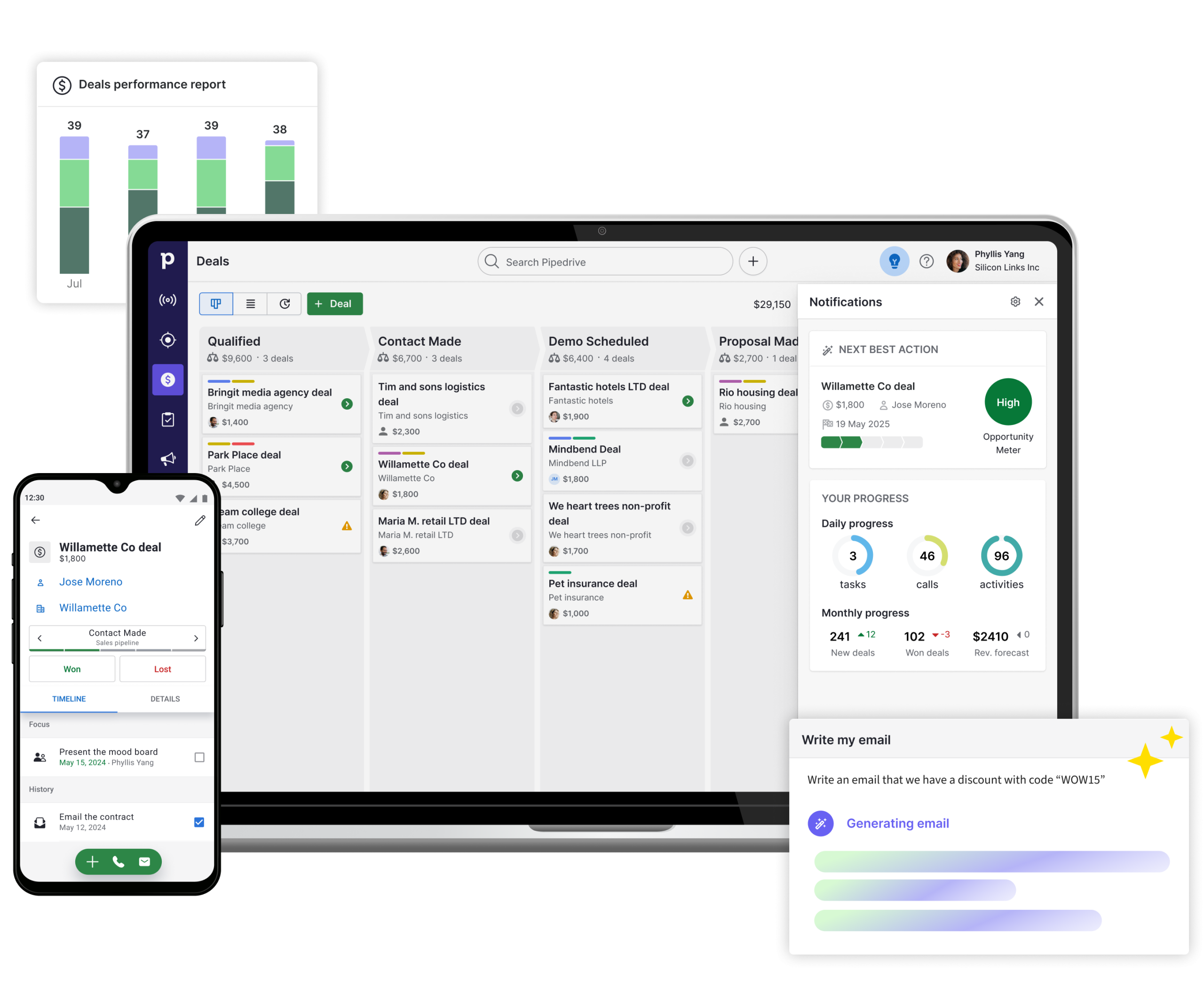
For beginners, the cleanest way to approach Pipedrive is to set up the account around your sales process, not around random features.
The official onboarding and support material suggests a few practical starting points:
- Open the trial or account.
- Learn the structure of your data.
- Add your people, organizations, and early deals.
- Customize the pipeline to match your actual stages.
That sounds obvious, but it matters. Many first-time CRM users fail because they import chaos into the system and then blame the software for showing them the chaos they created.
The onboarding page also makes a point about guidance, learning resources, and strategic support for qualifying customers. That tells you Pipedrive wants new users to adopt the system properly instead of just poking around blind.
Dashboard Overview :
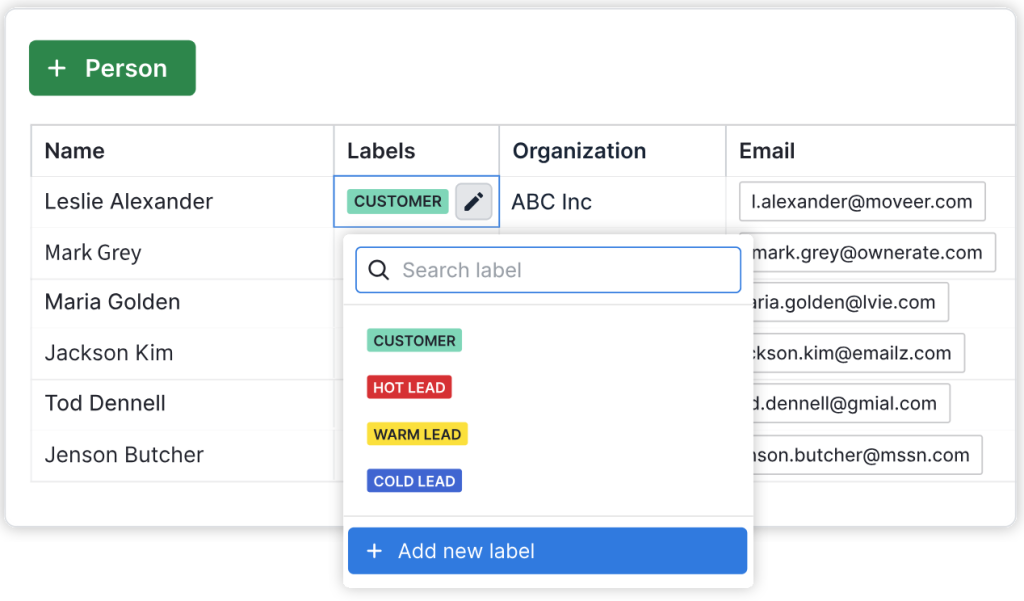
One of the best official beginner resources is the support article on how Pipedrive data is organized. It explains the core objects clearly:
- Leads.
- Deals.
- Contact people.
- Organizations.
- Activities.
- Products.
- Emails.
That is the real beginner dashboard mindset. If you understand those objects and how they relate, the rest of the platform gets much easier.
Leads are early opportunities that are not ready to be worked as full deals yet. Deals represent active opportunities in the pipeline. People and organizations give you the relationship context. Activities keep the follow-up discipline moving.
For beginners, this structure is more important than fancy customization. If your data model is clean, the rest of the system becomes much more useful.
Your First Workflow Walkthrough :
Here is the simplest useful beginner workflow in Pipedrive:
Step 1: Add A Contact
Create a person or organization that you want to track.
Step 2: Create A Deal
Once the opportunity is real enough to pursue, add it as a deal inside the pipeline.
Step 3: Assign A Stage
Move the deal into the appropriate stage so it reflects where the opportunity actually stands.
Step 4: Add An Activity
Schedule the next follow-up task right away. This is where many beginners either become organized or quietly fall apart.
Step 5: Move The Deal As It Progresses
Use the pipeline view to reflect real movement instead of letting deals sit in stale stages forever.
That flow is not glamorous. It is just the core discipline that makes a CRM worth using.
If you want to try that workflow yourself, start with Pipedrive here and use one real active opportunity instead of sample data.

Best Practices For New Users :
Pipedrive beginners usually do better when they keep the first setup simple and repeatable.
The best habits are:
- Keep pipeline stages clear.
- Always assign a next activity.
- Distinguish leads from real deals.
- Keep people and organizations linked properly.
- Avoid over-customizing before the team understands the basics.
The official learning resources are helpful here because they give new users structured ways to learn the product instead of forcing everyone to figure it out through trial and error.
Another good beginner habit is to review the pipeline every day instead of treating the CRM as an archive. Pipedrive works best when it reflects live selling activity, not when it becomes a place where deals go to sit quietly for three weeks.
Common Beginner Mistakes :
Treating Every Prospect As A Deal
The support article on data organization exists for a reason. Leads and deals are not the same thing.
Ignoring Activities
A pipeline full of deals without activities is just a colorful list of forgotten conversations.
Adding Too Much Complexity Too Early
Automations, advanced workflows, and layered customizations sound exciting, but they are not where beginners should start.
Forgetting Plan Limits
The official pricing support article says Pipedrive offers Lite, Growth, Premium, and Ultimate plans, and not every feature is available on every plan.
Automations And Plan Awareness :
One useful official help article explains that automations are available on Growth and higher plans. That is important beginner context because it prevents the classic mistake of expecting advanced workflow automation from the cheapest starting setup.
That does not mean beginners need automation immediately. It just means they should know when the feature becomes relevant.
The best progression usually looks like this:
- Learn the data structure.
- Get the pipeline habits working.
- Build activity discipline.
- Then introduce automation once the manual process is stable.
That sequence works better than automating a messy workflow.
It also makes later upgrades easier to justify. Once a team can see where repetitive tasks are slowing them down, moving to a plan that supports automation becomes a business decision instead of a guess.
Pricing Context :
Pipedrive’s pricing support article says the platform offers four plans:
- Lite.
- Growth.
- Premium.
- Ultimate.
It also explains that billing cycles, add-ons, and top-ups can affect the total subscription cost. That is helpful because beginners often assume the base plan name tells the whole story.
The onboarding page adds one more friendly detail: the trial starts with full access and no credit card required. That is a very healthy way to test a CRM, because it lets new users evaluate real fit before committing.
That matters more than it sounds. A lot of first-time CRM buyers do not need every feature on day one, but they do need enough room to understand whether the system’s structure feels natural to their team. The trial gives them that space.
If you want to start learning it hands-on, start with Pipedrive here and use the trial to build one clean pipeline before you worry about every advanced setting.

What Good Beginner Adoption Looks Like :
A good beginner rollout in Pipedrive is not about loading every historical contact you have ever met into the system on day one. It is about getting one active sales process to run cleanly.
That means:
- The right deals are in the right stages.
- Every active opportunity has a next step.
- Contacts and organizations are linked properly.
- Activities are being completed and rescheduled.
- Team members can quickly see what needs attention today.
If those things are happening, the CRM is already doing its job. Everything else can be layered in later.
That is the beginner win condition. Not perfection, not advanced dashboards, and not a thousand custom fields. Just a system that helps the team remember what is happening in the pipeline and what should happen next.
That kind of clarity is usually what keeps adoption alive.
When a team can trust the CRM every morning, usage becomes habit instead of homework.
That is a very good beginner outcome.
Really.
Support Resources :
Pipedrive is beginner-friendly partly because the official support ecosystem is broad. You can use:
- The Getting Started support category.
- Pipedrive Learn courses.
- Video tutorials.
- Webinars.
- Personalized onboarding support for qualifying customers.
That matters because CRM adoption is usually less about whether the software has features and more about whether the team learns how to use them consistently.
Verdict :
Pipedrive is a solid beginner CRM in 2026 because the official support content makes the product easier to learn than many competitors. The platform’s structure around leads, deals, people, organizations, and activities is understandable, the trial is low-friction, and the learning ecosystem is strong enough for first-time users who want to build good habits.
Beginners should keep the rollout simple, focus on pipeline discipline, and only bring in more advanced automations after the basics are working.
That practical pacing is important. A beginner team does not need to “unlock the full power of CRM” in week one. It just needs a reliable system for tracking who to contact, what stage deals are in, and what should happen next.
If that sounds like the right pace for your team, start with Pipedrive here and build your first working pipeline around real opportunities, not just demo data.

FAQ :
Is Pipedrive beginner-friendly?
Yes. The official support site includes a Getting Started category, Pipedrive Learn resources, tutorials, webinars, and onboarding support.
What are the main objects new users need to understand?
The official support article highlights leads, deals, contact people, organizations, activities, products, and emails.
Does Pipedrive offer a free trial?
Yes. The official onboarding page says there is a 14-day trial with zero cost, full access, and no credit card required.
When do automations become relevant in Pipedrive?
The official help article says automation features are available on Growth and higher plans, so many beginners will add them after the basics are already working.