


In this guide
Pricing Overview :
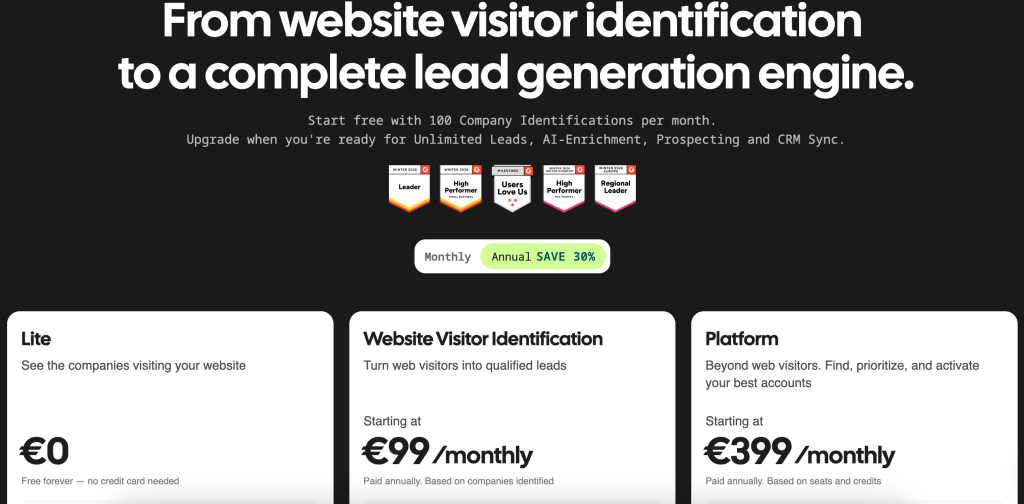
Leadfeeder, now under Dealfront’s web visitor identification offering, has a pricing story that is refreshingly simple on the surface and a little more interesting underneath. The official pricing page says the product starts at €99 per month, billed annually, and that the model is based on companies identified.
That matters because Leadfeeder is not pricing you for raw pageviews in a vague way. It is pricing around value: which companies are identified, how much buying intent you uncover, and how much pipeline you can build from that traffic.
If you want to inspect the official page while you read, open Leadfeeder here.
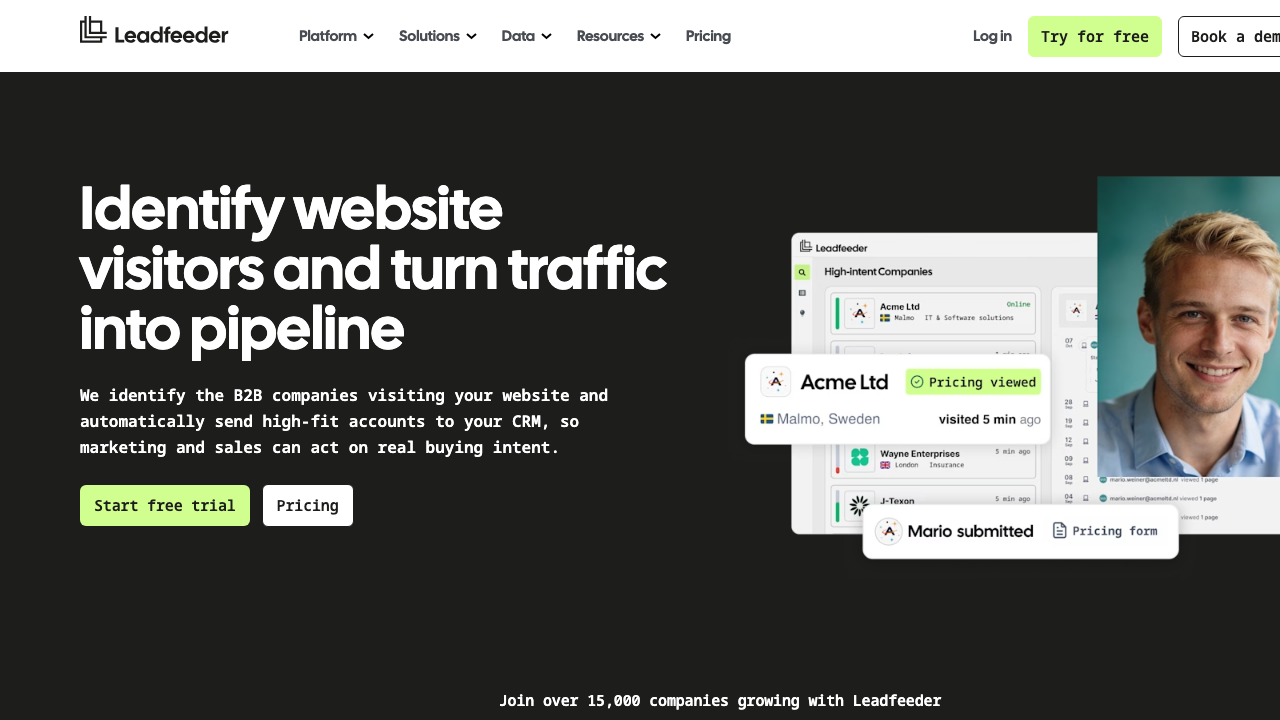
The short version is that Leadfeeder is a lead-gen tool for teams that already have traffic and want to know which companies are behind it. If your site is getting visits and your sales team is still guessing who matters, the product starts to look a lot less like “software” and a lot more like “revenue context.”
Pricing Tiers :
The official pricing page currently emphasizes the Website Visitor Identification product and says the plan starts at €99 per month, paid annually.
The help center adds an important detail: once you sign up for a trial, Leadfeeder automatically selects the correct plan for your account based on the average number of companies identified on your site.
That means the pricing model is not a random menu of confusing features. It is tied to usage and volume.
The current official framing is:
- Starting Price: €99 Per Month.
- Billing: Paid Annually.
- Trial: Try For Free.
- Plan Selection: Based On Companies Identified.
- Ideal Buyer: Marketing Teams That Want To Generate Leads From Website Traffic.
If you are testing whether your traffic is valuable enough to justify the spend, open Leadfeeder here and compare the plan structure to the volume of traffic you already have.
Hidden Costs And Gotchas :
The biggest “gotcha” with Leadfeeder is not a hidden fee. It is a hidden assumption.
People sometimes assume web visitor identification is useful only if they already have huge traffic. That is not quite right. The more accurate question is whether the traffic includes accounts you actually care about.
The Dealfront pages make that clear by emphasizing:
- Anonymous Website Visitor Identification.
- Qualified Lead Feeds.
- CRM Delivery.
- Automatic Lead Scoring.
- High-Intent Pages.
If your traffic is low-quality or irrelevant, the software will not magically turn noise into pipeline. But if your traffic includes real target accounts, the value starts stacking quickly.
Another thing to watch is annual billing. The public page starts at a monthly number, but the billing is annual. That is a good fit if the tool becomes part of your regular revenue workflow. It is less attractive if you want to experiment for a couple of weeks and forget about it.
ROI Example :
Leadfeeder’s ROI is easiest to understand through the sales time saved.
Imagine your team gets website visits from fifty companies a month. Without a visitor identification tool, most of those visits are anonymous. Sales sees the traffic number, but not the names.
With Leadfeeder, the team can see which companies visited the site, what they viewed, and when to reach out. The official pages even mention feeds like companies visiting a pricing page or an AdWords campaign.
Now the ROI becomes easier to explain:
- Fewer Cold Calls.
- Better Outreach Timing.
- Faster Lead Qualification.
- Better CRM Context.
That is a pretty direct business case. If your sales team spends less time chasing the wrong accounts and more time following up on the right ones, the product starts to justify itself fast.
If you want to test that logic against your own traffic, start with Leadfeeder here and see which visitors are actually worth calling.
Cost Comparison :
The alternative to Leadfeeder is usually some combination of analytics, manual research, and a CRM.
That stack is cheaper at first, but it also has three problems:
- It Is Slower.
- It Is Easier To Ignore.
- It Rarely Creates A Clean Lead-Scoring Habit On Its Own.
Leadfeeder’s value is that it turns visitor data into something the sales team can act on immediately.
The official site backs that up with features like:
- Automatic Lead Scoring.
- Custom Feeds.
- CRM Sync.
- High-Intent Page Monitoring.
- Buying Intent Tracking.
If you already have traffic and want to know which accounts are actually worth chasing, the product usually beats trying to glue the same outcome together from three different tools.
Best Value Tier :
For most teams, the best value is whatever tier matches the number of companies you are identifying, rather than the cheapest logo on the pricing page.
That is the important mental shift.
Leadfeeder is not really about paying less. It is about paying for the right level of signal. If the identified company volume is meaningful and the sales team will actually use the feed, the pricing model is easier to justify.
The strongest use case is a marketing team that already spends money to bring people to the site and wants the sales team to know when those visits are worth action. In that case, the value is in the timing and the context, not in a flashy dashboard.
Discounts And Annual Billing :
The official pricing page clearly says the plan is paid annually. That usually means two things in practice:
- You should be confident that the workflow will be used continuously.
- You should expect the annual billing structure to reward committed usage rather than casual testing.
The help center also makes clear that the plan selection happens automatically based on company-identification volume after the trial. That removes a lot of the usual pricing ambiguity.
This is a practical fit for teams that already know they have enough website traffic to make visitor identification useful. It is less compelling for teams that are still trying to figure out whether their traffic is even reaching the right accounts.
If that sounds like your situation, open Leadfeeder here and let the trial show you the fit before you commit to annual billing.
Practical Buying Checklist :
The best way to judge Leadfeeder is to ignore the headline price for a minute and ask whether the output would actually change sales behavior.
Use this simple checklist:
- Do We Get Enough Traffic From Accounts We Care About?
- Would Sales Actually Use The Visitor Data?
- Do We Need CRM Delivery Or Lead Scoring?
- Do We Want To Know Which Pages Create The Strongest Intent?
- Is Annual Billing Fine For The Way We Buy Tools?
If the answer to those questions is yes, the product usually makes sense quickly. The platform is not really about giving you more dashboards to stare at. It is about turning anonymous visits into something a sales rep can act on without doing manual detective work.
That is also why the pricing model works. It is tied to companies identified, not to vanity metrics. If your account identification volume is meaningful, the cost starts to look like a sensible lead-generation expense instead of just another software line item.
For teams that are already spending money to bring the right audience to the site, that is usually a good trade.
Why The Pricing Starts To Make Sense Quickly :
Leadfeeder tends to feel expensive only if you look at it like another dashboard. That is the wrong lens. The better lens is time saved by the people who would otherwise spend part of the week figuring out who visited the site, which accounts matter, and whether a sales follow-up is worth the effort.
Once a team has a few named accounts in front of it, the product starts creating a very practical rhythm. Marketing gets a cleaner signal on which campaigns attract the right companies. Sales gets a shorter path from anonymous traffic to useful outreach. Leadership gets a clearer answer to the simplest question of all: are we turning website attention into pipeline, or just collecting numbers?
That is why the annual model can still be rational even when the monthly price looks like a line item you want to question. If the identified company feed gets used every week, the subscription is really paying for a repeatable habit, not just software access. And for most revenue teams, that habit is the part that is hardest to build manually.
Verdict :
Leadfeeder’s pricing is straightforward enough that the real decision is not about deciphering the plan sheet. It is about deciding whether you have enough valuable traffic to make web visitor identification worthwhile.
If the answer is yes, the product can be a very clean fit. It helps marketing and sales move from anonymous traffic to actual accounts, and that is a meaningful business outcome.
If the answer is no, you will probably be paying for a signal you do not yet use.
For teams with real traffic and a sales motion that can act on it, open Leadfeeder here and use the free trial to see whether the identified-company model matches your pipeline.
FAQ :
How much does Leadfeeder cost?
The official pricing page says it starts at €99 per month, billed annually.
Does Leadfeeder have a free trial?
Yes. The pricing page says you can try it for free.
What is the pricing based on?
The help center says pricing is based on the average number of companies identified on your site.
What does Leadfeeder actually do?
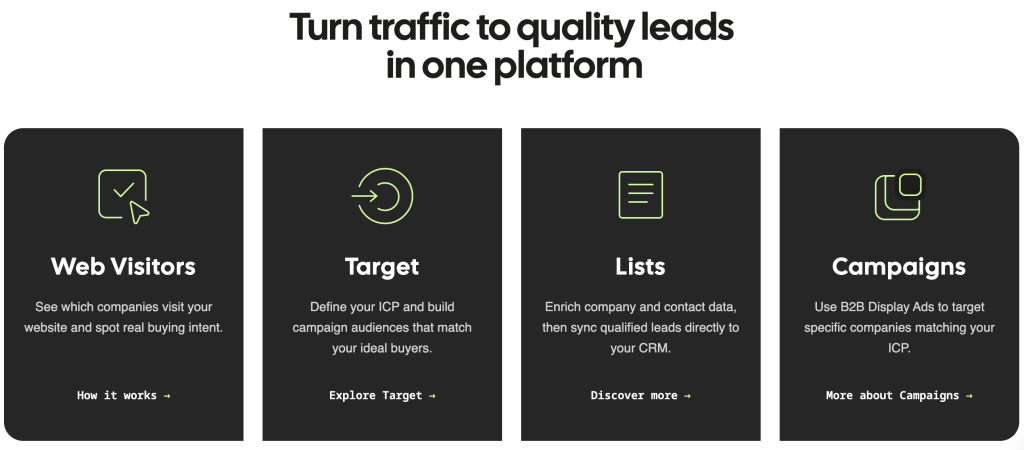
It identifies which companies visit your website, shows what they viewed, and helps you route those accounts into CRM and sales workflows.
Is Leadfeeder good for marketing teams?
Yes. The official pricing page explicitly says it is ideal for marketing teams that want to generate leads from website traffic.