


Why Integrations Matter :
Vista Social is not just a scheduler in 2026. The official integrations page shows a platform that connects publishing, engagement, analytics, review management, DAM tools, workflow automation, link tracking, and even MCP-based AI workflows into one place.
That is a big deal because social teams rarely operate inside one tool anymore.
They plan in one app, design in another, report in another, and answer messages somewhere else. The value of Vista Social is that it tries to connect those pieces without turning the workflow into a mess.
If you want to explore the product while you read, start with Vista Social here.
Integration Categories That Matter Most :
Social Networks –
Vista Social connects to the major social networks and even supports channels that many tools ignore, including Facebook, Instagram, LinkedIn, TikTok, X, YouTube, Threads, Snapchat, Reddit, Pinterest, Tumblr, Bluesky, and Google Business.
That matters because a social stack is only useful if it can centralize the actual places your audience exists.
Business Intelligence –
The official integrations page calls out Looker Studio. That is important for teams that want dashboards and reporting layered into a broader analytics stack.
Help Desk –
Vista Social also integrates with Zendesk, which is useful when social engagement needs to flow into customer support instead of living in a separate social inbox forever.
Website And Link Tracking –
The official page references Bitly and link tracking integrations. That helps teams understand what social content is actually driving clicks and traffic.
Digital Asset Management –
Vista Social supports Canva, Dropbox, Google Drive, OneDrive, Pexels, Unsplash, and Giphy. That is a strong DAM story because it keeps content creation and publishing closer together.
Integration And API –
The official integration page and help center mention Zapier, Make, MCP, and an API add-on. That gives serious users a way to connect Vista Social to thousands of other systems and AI clients.
Workflow –
The support site also mentions Slack workflow notifications, plus integrations for Google Calendar and external calendars.

Popular Tech Stacks For Vista Social :
Vista Social makes the most sense when it sits in the middle of a broader content and engagement workflow.
Some realistic stack combinations are:
- Social team: Vista Social + Canva + Google Drive + Slack.
- Agency team: Vista Social + Zendesk + Looker Studio + client approval workflows.
- Growth team: Vista Social + Bitly + Zapier + reporting dashboards.
- AI-heavy team: Vista Social + MCP + ChatGPT or Claude + scheduled content workflows.
The goal is not to connect everything for the sake of it. The goal is to remove the manual steps between planning, publishing, reporting, and responding.
If your team wants one place to orchestrate that handoff, start with Vista Social here and map one live content workflow before expanding.
Setup Guide :
Step 1: Connect Your Social Profiles
The official getting-started guide makes this the first real setup step, and that makes sense. If the social profiles are not connected correctly, nothing else really matters.
Step 2: Add Team Members
Vista Social is built for collaboration, so adding the right teammates early helps keep ownership and approvals clear.
Step 3: Connect The Asset Libraries
Pull in Canva, Google Drive, Dropbox, or OneDrive so your team can move from content creation to publishing without a bunch of file-export chaos.
Step 4: Wire In Reporting And Tracking
Set up Looker Studio, Bitly, and analytics workflows early so you can actually prove what is working.
Step 5: Add Automation
Once the manual flow is stable, add Zapier, Make, Slack notifications, or the API add-on where it makes sense.
Automation Examples :
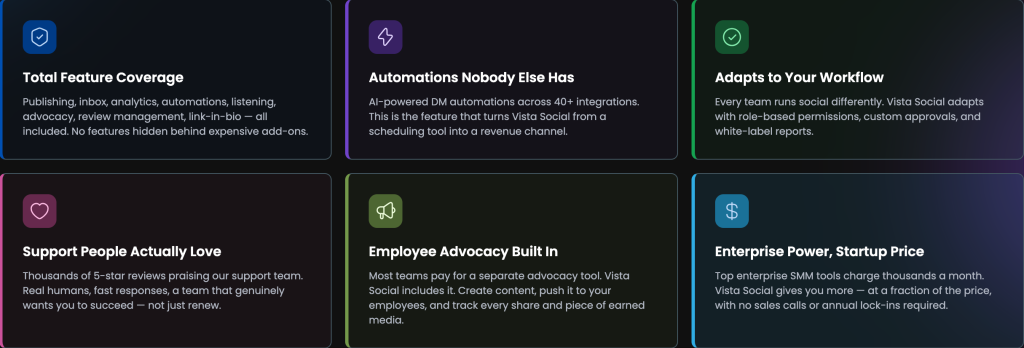
Useful Vista Social automations include:
- Send Slack alerts when a post is approved.
- Move approved media from Google Drive into the publishing queue.
- Push social performance data into a dashboard.
- Trigger a support workflow when a review appears.
- Route link data into reporting via Bitly or analytics tools.
That is the kind of automation that saves time without making the platform feel overengineered.
It also keeps the team focused on the creative and strategic parts of social instead of repetitive admin work.
If your team already lives in a multi-tool workflow, start with Vista Social here and automate one repetitive handoff first.
API Overview :
The official Vista Social API article says the API add-on extends publishing and analytics tools and can be used to connect social data with analytics systems or broader workflows.
The practical use cases include:
- Custom dashboards.
- Custom reports.
- Customer-specific KPIs.
The support center also mentions that the API add-on is required for certain integrations and that Make, Zapier, and N8N-style workflows are part of the ecosystem.
That means the API is less about novelty and more about making Vista Social part of a larger operational system.
Troubleshooting Integrations :
The most common integration issues are usually pretty normal:
- A profile is not connected correctly.
- A media library is missing permissions.
- A webhook or automation is firing in the wrong place.
- A calendar or Google Drive integration has the wrong account attached.
- An API add-on is required but not enabled.
The fix is usually to simplify the workflow and recheck ownership before you blame the software.
Social tools become much easier to maintain when the stack is intentionally small and the data paths are obvious.
Pricing Context :
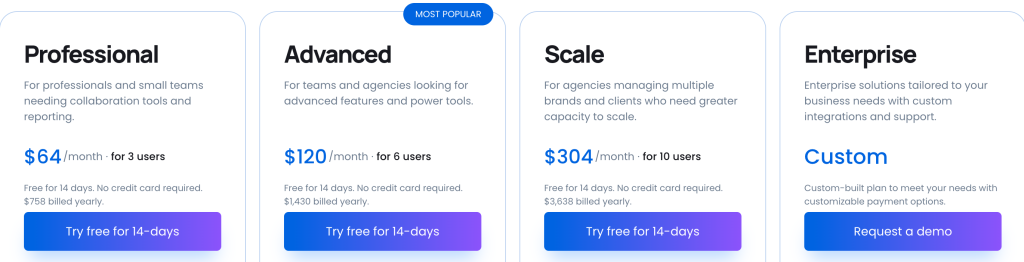
Vista Social’s official pricing page currently shows a 14-day free trial, yearly savings, and a mid-market starting point with the Professional plan.
The product remains appealing because it gives teams a lot of coverage before they need to jump to the premium end of the market. That helps social, marketing, and agency teams move faster without immediately buying an enterprise-heavy stack.
If you are already comparing the platform to the rest of your social stack, start with Vista Social here and weigh the profile and team limits against the integrations you actually need.
One more practical reason teams like this setup is that it reduces context switching. Instead of planning in one app, creating in another, publishing in a third, and then manually stitching reporting together later, Vista Social gives you a more connected path from idea to measurement.
That does not mean every team needs every integration turned on from day one. It just means the product is flexible enough to grow with the team instead of forcing an immediate rebuild later.
When To Stick With Vista Social :
Vista Social makes the most sense if you want:
- A broad integrations page rather than a thin app list.
- Social networks, DAM, analytics, help desk, and link tracking in one place.
- Slack, Zapier, Make, MCP, and API options for automation.
- A platform that balances collaboration with practical pricing.
That is a strong package for teams that want to centralize social operations without fragmenting the workflow across too many disconnected apps.
It is especially useful if your team publishes, engages, reports, and collaborates all in the same week.
It is also a good fit for teams that want AI assistance without giving up the rest of the social workflow. The MCP and API options mean the platform is not locked into a toy-style automation layer. It can actually plug into a broader operating system.
That flexibility is one of the main reasons Vista Social stays interesting for teams that have already outgrown a simple scheduler.
It gives the team room to grow without forcing a platform switch too early.
Verdict :
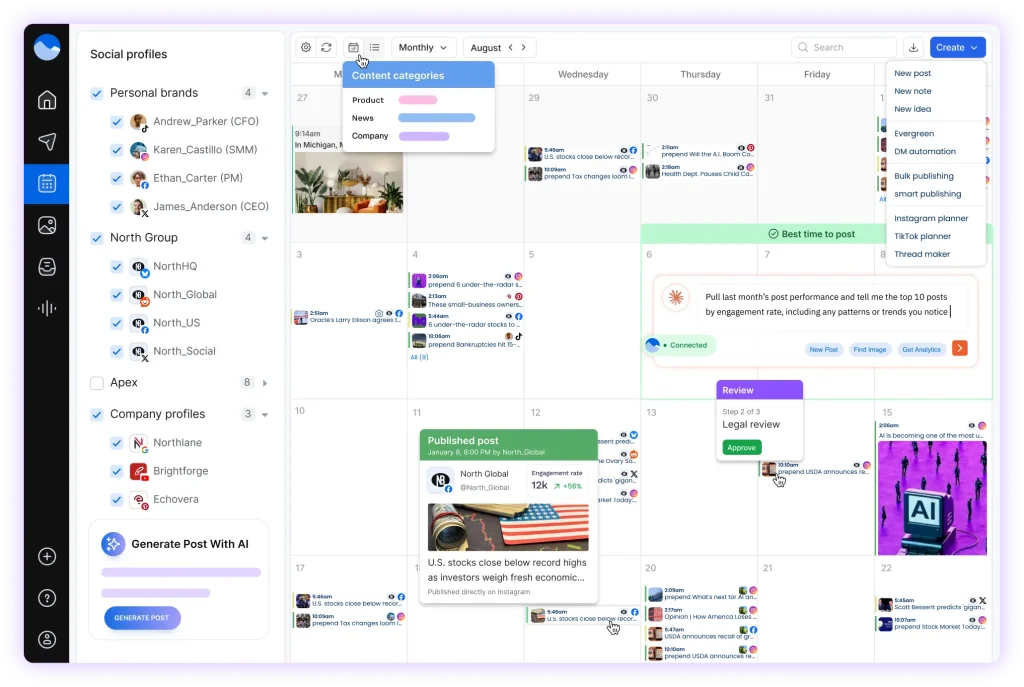
Vista Social’s integrations are one of its biggest strengths. The official page shows real depth across social networks, BI, help desk, DAM, tracking, workflow, API, and AI tool connections.
That makes the product more than a scheduler. It becomes a command center for social operations.
If that is the kind of platform you are looking for, start with Vista Social here and connect one live workflow to see if it replaces the manual glue work your team already does.
[IMAGE: Vista Social integration verdict for teams that manage social at scale]
The best integrations are the ones that make the team faster without making the stack harder to understand.
Vista Social looks very competitive on that test.
FAQ :
What integrations does Vista Social support?
Vista Social supports social networks, Looker Studio, Zendesk, Bitly, Canva, Dropbox, Google Drive, OneDrive, Pexels, Unsplash, Giphy, Slack, Zapier, Make, MCP, calendar connections, and an API add-on.
Does Vista Social have an API?
Yes. The support center says the API is available as an add-on and can extend publishing and analytics workflows.
Can Vista Social connect to AI tools?
Yes. The official integrations page highlights MCP support for AI clients like ChatGPT, Claude Desktop, and Cursor.
Is Vista Social good for teams?
Yes. The product is built around collaboration, dashboards, engagement, and integrations that help teams work from one place.