

Who This airSlate Guide Is Really For :
airSlate is not the easiest to evaluate as one tiny tool. The official airSlate homepage positions it as a family of automation products that keep work moving, from editing and signing documents to automating business processes and building landing pages. That means the right “best for” angle is not casual freelancers doing the occasional PDF signature. It is document-heavy operations teams that want workflow automation without stitching five separate tools together.
The niche that fits best in 2026 is small and mid-sized operations, HR, legal, finance, and sales enablement teams that handle repeatable document workflows and want signatures, forms, approvals, and handoffs to stop feeling manual.
That fit becomes clearer once you look at the official airSlate product lineup:
- SignNow for eSignatures.
- PDFfiller for document editing.
- DocHub for PDF work in Google-centered environments.
- AltaFlow for document and business workflow automation.
- Instapage for landing-page workflows.
That is a practical automation stack, not a one-trick signature app.
If you want to review the official product family while you read, start with airSlate here.
Why airSlate Fits Document-Heavy Operations Teams :
The best niche for airSlate is the team that keeps repeating the same work with slightly different names on the file.
Think about:
- HR is sending offer letters and onboarding paperwork.
- Sales ops routing agreements and approvals.
- Finance teams are moving forms, signatures, and payment-related documents.
- Legal and compliance teams are reviewing repeatable document packages.
- Admin and back-office teams are pushing the same document chain through the same steps every week.
Those teams usually do not have a “document problem.” They have a workflow problem.
The official airSlate site openly talks about creating, editing, collaborating, signing, and automating workflows in one ecosystem. That matters because the alternative is usually a spreadsheet, a cloud drive folder, an email thread, and one unlucky teammate who remembers what is supposed to happen next.
Top Feature For This Niche #1: Signatures Inside A Larger Workflow
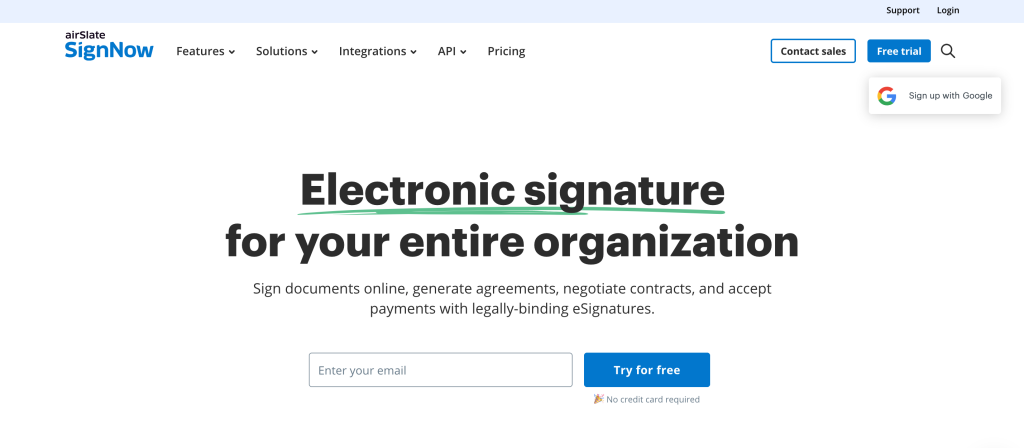
The strongest reason airSlate fits this niche is that signatures are only one layer of the process.
The official airSlate homepage and SignNow-related materials emphasize:
- Legally binding eSignatures.
- Editing and signing PDFs.
- Workflow automation around document collection and completion.
That is useful for operations teams because the signing step is rarely the only step that matters. The real work usually includes:
- Getting the right document version.
- Routing it to the right person.
- Tracking whether it came back.
- Moving it into the next operational step after it is signed.
airSlate fits better than a standalone signature tool when the team wants that whole path to feel cleaner.
Top Feature For This Niche #2: Product Breadth Without Total Tool Sprawl
airSlate’s official site is broad enough to matter.
It presents products that cover:
- ESignatures.
- PDF creation and editing.
- Legal forms.
- Workflow automation.
- Landing pages and marketing workflow tools.
That is especially useful for lean operations teams that do not want to buy a separate product every time a document process touches a different step.
Real talk: not every team needs all of that. But the niche we are talking about often does benefit from being able to centralize more of the workflow in one ecosystem instead of explaining six tools to every new hire.
If your team is already tired of the patchwork, open airSlate here and compare the broader workflow story against your current document stack.
Top Feature For This Niche #3: SignNow Pricing And User Model
For this niche, the pricing structure matters because document workflows often touch more people than leadership expects.
Official SignNow help and pricing materials show two useful signals:
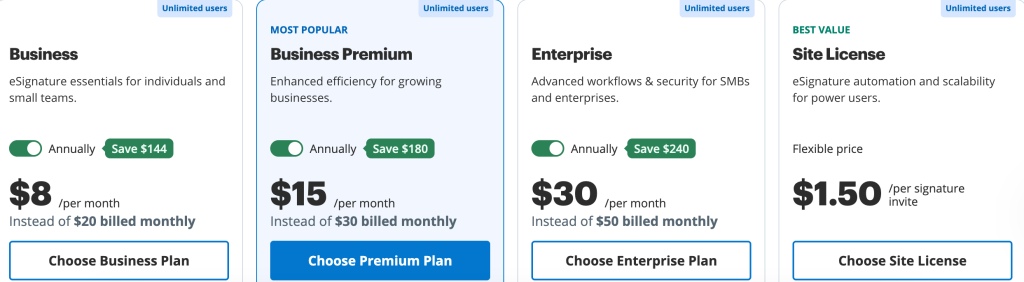
- All paid plans include unlimited users.
- Public pricing references include Business Premium at
$15per month.
That is a meaningful advantage for operations-heavy teams. The seat model matters less when your workflow occasionally needs HR, a manager, finance, legal, and sales ops all to touch the process.
The official SignNow pricing help also emphasizes transparent pricing and paying for signature invites rather than hidden seat-based growth.
That makes airSlate’s signature layer especially attractive for teams that collaborate often and do not want internal growth to become a pricing penalty.
Real-World Example For This Niche :
Imagine a growing services company with:
- A small HR team.
- A sales ops lead.
- A finance manager.
- Multiple managers approving employee or vendor documents.
That business probably sends:
- Offer letters.
- Contractor agreements.
- Client paperwork.
- Internal approval forms.
- Policy acknowledgments.
Without a structured workflow, those documents drift across inboxes and folders.
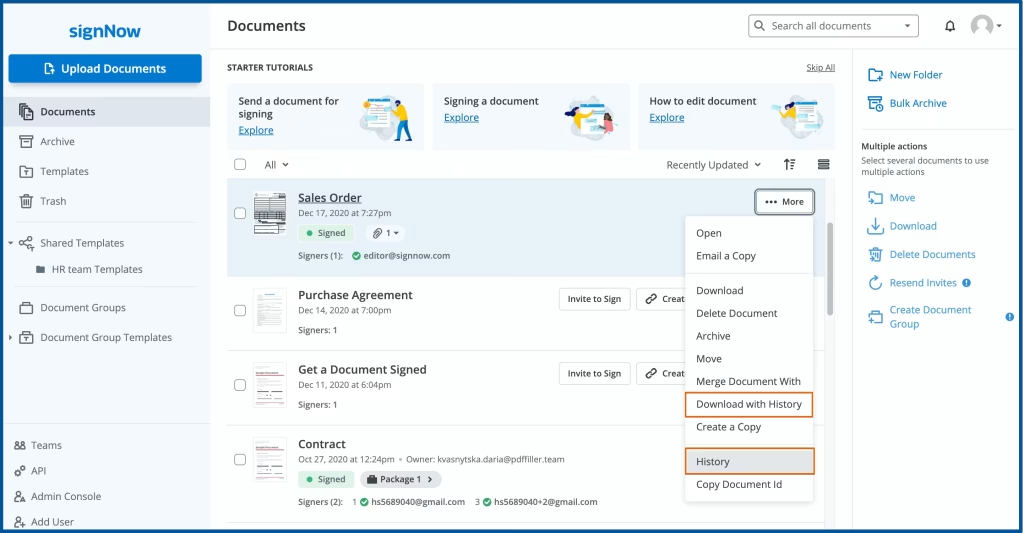
airSlate fits this niche because the official ecosystem is clearly built for repeatable document motion. One product handles signatures, another handles editing, another handles workflow automation, and the broader platform story is still about getting work to move.
Pricing In Context For This Niche :
The most honest pricing read is this:
- AirSlate’s broader automation platform is positioned through contact-sales and product-family discovery.
- SignNow’s official pricing materials show public paid plan signals such as Business Premium at
$15per month. - Official help materials state that all paid plans include unlimited users.
That means the niche buyer should think in layers:
- If the main need is signatures and document routing, the signNow layer may be enough.
- If the main need is deeper workflow automation, the broader airSlate product family matters more than the starter price alone.
This is actually a good fit for operations teams, because those teams usually care more about total process cost than the cheapest possible starting plan.
Another reason the niche fit is strong is adoption. Document-heavy teams do not need a tool that looks impressive in a demo and then gets ignored. They need something straightforward enough that managers, coordinators, recruiters, and finance staff will actually use the same system consistently. The broader airSlate family helps here because it gives the team multiple workflow entry points without forcing them to rebuild the whole process manually every time.
Alternatives For This Niche :
The alternatives for this niche are usually:
- Standalone eSignature tools.
- DIY document stacks using email, storage, and reminders.
- Heavier workflow suites that may be more complex than needed.
airSlate sits in a useful middle ground.
It is broader than a simple signature tool but can still feel more approachable than a giant enterprise process platform if your primary pain is document flow.
Setup Steps For This Niche :
If I were rolling out airSlate for a document-heavy operations team, I would keep the first phase simple:
- Pick one repeatable workflow first.
- Decide which product layer is actually needed for that workflow.
- Standardize the document template.
- Define who signs, who reviews, and what happens next.
- Test the flow with one real internal process before expanding.
That matters because good automation usually starts by fixing one annoying recurring process, not by trying to automate the company in one weekend.
If you want to test the fit that way, start with airSlate here and map one real document workflow instead of evaluating the platform as an abstract software bundle.
Why This Niche Gets More Value Than Others :
The teams that get the most value from airSlate are usually the ones where the same type of document comes back again and again with only small changes. That repetition is the clue.
If your team only sends an occasional one-off PDF, airSlate may feel broader than necessary. But if your team repeatedly handles onboarding packets, approval forms, internal agreements, vendor paperwork, sales documents, or compliance acknowledgments, then the ability to standardize and automate the process becomes much more valuable.
That is why document-heavy operations teams are the best niche fit. They benefit from the platform not because it is “feature rich,” but because repeated process work is exactly where automation saves the most time.
If that sounds like your environment, take a closer look at airSlate here and judge the fit on one recurring workflow that currently eats too much attention.
Verdict :
airSlate is best for small and mid-sized document-heavy operations teams that need more than signatures and less chaos than a DIY stack creates.
The strongest niche fit is teams in HR, finance, legal, admin, and sales operations that keep running the same document processes and want an ecosystem built around keeping that work moving.
It is not the best fit for everyone. If you only need the occasional signature, it may be more than you need. But if document flow is a recurring operational bottleneck, airSlate looks very well aligned.
FAQ :
What Niche Is airSlate Best For In 2026?
airSlate looks strongest for document-heavy operations teams that need signatures, editing, and workflow automation to work together cleanly.
Is airSlate Just An eSignature Tool?
No. The official airSlate homepage presents a broader automation product family that includes eSignatures, document editing, workflow automation, legal forms, and landing-page tools.
Does signNow Have Public Pricing?
Yes. Official signNow pricing materials show public plan signals such as Business Premium at $15 per month, along with help content about transparent pricing.
Do Paid SignNow Plans Include Unlimited Users?
Yes. Official SignNow help materials say all paid plans include unlimited users.
When Should I Choose airSlate Over A DIY Stack?
Choose airSlate when the document workflow is recurring enough that emails, folders, and reminders are no longer a calm or reliable system.