

Power User Intro :
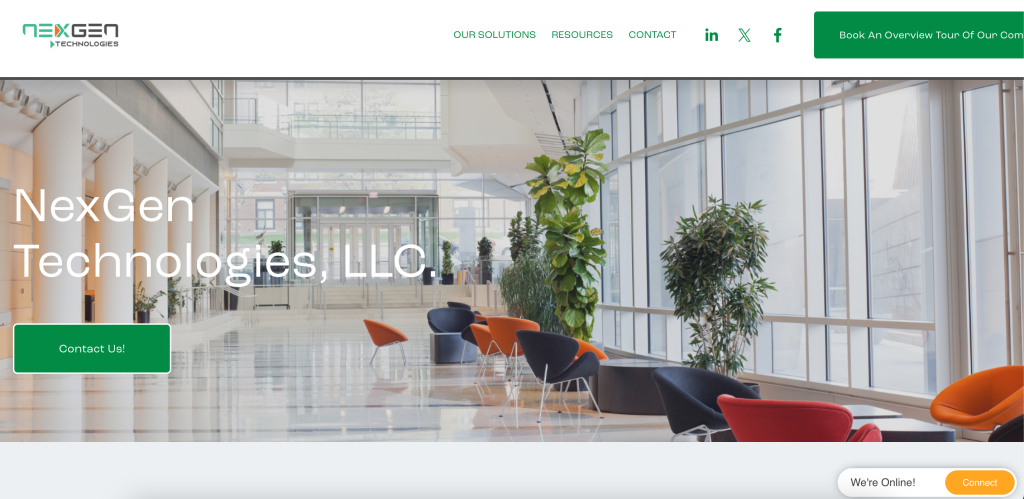
NexGen Virtual Office gets more interesting the moment you stop treating it like a remote-meeting tool and start treating it like an operating layer for distributed teams. The official sites frame it as a virtual workplace designed for collaboration, accountability, real-time visibility, and hybrid-work management. That is a different ambition entirely.
For power users, that matters because the value is not in one single feature. It is in how the environment helps teams work as if they share the same office context even when they do not share the same building.
That makes NexGen more relevant to organizations that care about:
- Workforce visibility.
- Faster internal coordination.
- Better handoffs in support-heavy teams.
- Enterprise or BPO-style operating environments.
- Collaboration that feels more structured than chat plus meetings.
If you want to explore the platform while you read, start with NexGen here.
Advanced Feature 1: Real-Time Workplace Visibility
This is the feature theme that appears most consistently across the official experience. NexGen is not only trying to help people talk. It is trying to help teams know who is present, who is available, and where work is happening.
That is a genuinely advanced operational benefit for organizations that depend on live coordination. It matters for:
- Contact centers.
- BPO teams.
- Hybrid operations.
- Cross-functional support environments.
- Distributed teams that still need a strong sense of presence.
The product pages repeatedly emphasize real-time work environments and accountability. That makes NexGen especially compelling for teams where delays are often caused by low visibility rather than a lack of tools.
In a mature setup, that visibility can improve:
- Escalation speed.
- Team awareness.
- Response coordination.
- Manager oversight.
- Cross-team availability.
This is the kind of feature that sounds soft until a team realizes how much time it wastes figuring out who can help right now.
Advanced Feature 2: Environment-Specific Solutions
One of the strongest signs that NexGen has an advanced operating model is the way the official site breaks out solution areas such as SMB, enterprise, BPO, CCaaS, and Webex-oriented environments.
That segmentation matters because it suggests the product is not one generic collaboration shell. It is being positioned for multiple real business environments with different requirements.
For power users, that is useful because advanced adoption always depends on context. A BPO team will not use the platform exactly like a hybrid enterprise department. A CCaaS environment will not care about the exact same flows as a small internal collaboration team.
NexGen looks strongest when it is deployed with that context in mind:
- BPOs can use it for structured team presence and support management.
- CCaaS teams can use it for escalation visibility and advanced collaboration.
- Enterprises can use it for distributed coordination with more control.
- Hybrid offices can use it to create a more unified digital work presence.
That is far more interesting than a one-size-fits-all “virtual office” pitch.
Advanced Feature 3: Webex And Enterprise Collaboration Positioning
The official site also surfaces NexGen Virtual Webex as a dedicated solution path. That is a useful signal because it shows the platform wants to integrate into serious enterprise communication environments instead of pretending it has to replace them outright.
Power users should pay attention to this. Advanced tools survive when they fit into existing enterprise stacks. They struggle when they demand a total organizational religion change before anyone sees value.
NexGen’s Webex-aligned positioning suggests a more pragmatic path:
- Keep enterprise communication systems that already matter.
- Add a stronger virtual workplace layer around them.
- Improve visibility, presence, and coordination without forcing a complete rip-and-replace motion.
That makes the platform more attractive to organizations that need evolution, not disruption theater.
Automation And Workflow Potential :
NexGen’s official messaging is more operational than many workplace tools, which naturally opens the door to workflow thinking. Even when the site does not describe every automation detail in a developer-heavy way, the use cases make the platform’s advanced workflow potential fairly clear.
For power users, the biggest opportunities look like this:
- Route teams around live availability.
- Improve support and escalation handling.
- Organize collaboration around visible presence instead of scattered tools.
- Support structured coordination in BPO and CCaaS environments.
That is why NexGen works best when the organization starts with one operational problem, proves value, and then expands. If you want to test that path, start with NexGen here and map it to one high-friction workflow first.

Custom Integration And Enterprise Fit :
Advanced workplace platforms usually succeed or fail on enterprise fit, not on homepage aesthetics. NexGen appears to understand that. The solution-specific pages, Webex positioning, and operational language all suggest the product is built for environments where structured adoption matters.
That does not automatically mean every custom integration is visible on the public site. It does mean the platform is being sold as something bigger than a casual collaboration app.
Power users should evaluate it through questions like:
- Does it improve live team coordination?
- Does it support our environment type well?
- Can it strengthen accountability and escalation flow?
- Does it fit into our existing communications structure?
Those are enterprise questions. NexGen seems designed to answer them.
Governance And Advanced Adoption :
One thing power users should not overlook is governance. NexGen’s enterprise and operational positioning suggests that advanced adoption is not just about adding one more collaboration surface. It is about deciding how teams should behave inside a shared digital environment.
That makes governance important in areas like:
- Which teams use the platform first.
- What availability signals mean.
- How escalation paths should work.
- How managers review visibility and activity.
- How the virtual workplace fits alongside existing communication tools.
This is where mature teams usually get more value. They do not just “turn the platform on.” They define how it should support accountability and coordination across specific business processes.
Performance Optimization For Power Users :
Advanced adoption will be strongest in organizations that define clear operating rules early.
That means:
- Decide which teams need the platform first.
- Define how presence and availability should be interpreted.
- Use the environment to improve routing and visibility, not just to look modern.
- Tie success to measurable operational improvements.
Without that discipline, even a powerful workplace platform can turn into just another place where people appear online without knowing what that status is supposed to mean.
With that discipline, the platform becomes much more useful. It stops being “the virtual office thing” and starts becoming a structured layer for work coordination.
Pricing And Commercial Reality :
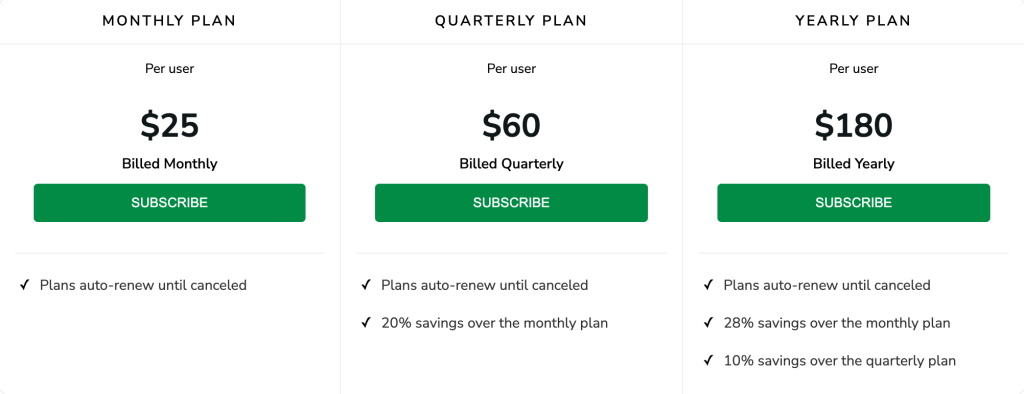
NexGen’s official experience is still more demo-led than self-serve, which usually means the commercial model depends on scope, environment, and deployment context. Power users should not read that as a weakness. They should read it as a sign that the platform expects more structured rollouts.
That also means advanced buyers should evaluate the product based on operational gains:
- Better response speed.
- Better team awareness.
- Better manager visibility.
- Better coordination between distributed workers.
If those things improve, the platform becomes easier to justify. If they do not, even the most impressive virtual workplace language will not save it.
Expert Workflows :
The strongest advanced NexGen workflows are the ones that depend on real-time awareness:
Support Escalation Workflow –
Use live visibility to reduce the lag between first-line questions and advanced help.
BPO Team Oversight Workflow –
Use the environment to improve team accountability, awareness, and manager visibility across distributed operations.
Hybrid Coordination Workflow –
Use the platform as the shared environment where remote and in-office teams align more naturally.
Enterprise Collaboration Workflow –
Pair the platform with existing communication systems to create a stronger layer of workplace coordination without replacing everything else.
If you want to test advanced adoption, take a closer look here and evaluate one of those workflows first.

Where Advanced Value Shows Up Fastest :
The fastest wins with NexGen usually appear in teams that already feel coordination pain every day. That means environments where managers need better live visibility, agents need faster escalation paths, or hybrid teams need a clearer shared sense of who is available and where work is moving.
In those settings, the platform’s advanced value is not abstract. It shows up in fewer delays, quicker handoffs, and a more organized digital workplace rhythm.
That is why advanced teams should judge NexGen by operational clarity, not novelty. If clarity improves, the platform is doing its job every day for managers, agents, and distributed teams alike. That operational lens is the most useful way to evaluate the product in mature environments at scale over time successfully.
Verdict :
NexGen Virtual Office is most compelling in 2026 when it is used as a real operational environment for visibility, accountability, and collaboration across distributed teams. The official solution pages for SMB, enterprise, BPO, CCaaS, and Webex-driven environments make it clear that the product is designed for organizations with more serious coordination needs than a basic meeting tool can handle.
It is not the simplest collaboration product on the market, and that is fine. Simplicity is not the point here. Structured presence and better coordination are the point.
For power users and team leads who need that kind of operating layer, start with NexGen here and measure it against real response speed, visibility, and escalation outcomes.
FAQ :
What makes NexGen advanced for power users?
Its biggest advanced strengths are real-time workplace visibility, environment-specific deployment options, operational coordination for support-heavy teams, and fit for enterprise, BPO, and CCaaS use cases.
Is NexGen only for remote meetings?
No. The official positioning is much broader and centers on virtual workplace coordination, accountability, and collaboration across hybrid and distributed teams.
Who gets the most value from advanced NexGen usage?
Organizations with support, BPO, contact-center, enterprise, or hybrid team coordination needs are the most likely to benefit.
Should teams roll out NexGen all at once?
Usually no. The better path is to start with one high-friction workflow or team, prove value, and then expand from there.