

Quick Verdict –
IDrive is a sensible backup choice for people whose files live across a messy mix of laptops, phones, external drives, and sometimes NAS storage or business devices. It does not try to be flashy. It tries to be dependable.
That matters because backup is judged at the worst possible moment. A machine gets replaced, a file disappears, a phone changes, or an archive needs to come back quickly. The value of a backup tool is how calmly it handles that moment, not how exciting the dashboard looks on day one.
If you want the short version, this is a strong option for households, freelancers, creators, and small businesses that want one account with room to grow. If that sounds like your setup, start with IDrive here and compare the public plan ladder against the devices and storage you actually use.

Product Facts And Overview –
IDrive’s official pages in 2026 make a very clear promise: protect multiple PCs, Macs, and mobile devices under one account while still supporting more serious backup needs as the environment grows.
The public plan family includes:
- Free.
- IDrive Mini.
- IDrive Personal.
- IDrive Team.
- IDrive Business.
That lineup is useful because backup needs change more often than people expect. A solo user becomes a small team. A family adds more devices. A consultant starts carrying client archives. A backup product has to stay useful while the environment keeps changing shape.
Pros And Cons :
Pros –
- One-account multi-device management is easy to understand.
- The coverage is broad enough for mixed device environments.
- Continuous backup is a real practical advantage.
- External drive and NAS support make the product more serious than a basic consumer app.
- The plan ladder covers personal and business needs.
Cons –
- The product is functional rather than flashy.
- Buyers with one tiny backup use case may find the lineup broader than necessary.
- The value shows up more in reliable use than in a loud user interface.
That is not a weakness. Backup is supposed to disappear into the background when the setup is healthy.
Why IDrive Still Feels Practical :
The biggest thing IDrive gets right is that it treats backup as a broad environment problem instead of pretending every user lives in one tidy folder on one machine.
Most users do not live on one device. They live across a laptop, a phone, maybe a tablet, a desktop, an external drive, and sometimes network storage. IDrive’s messaging reflects that reality better than many tools in the category.
That means the product is more compelling when you ask, “Can I protect my actual working environment?” instead of “Is this the cheapest storage page I can find?”
Feature Deep Dive :
1. One Account For Multiple Devices –
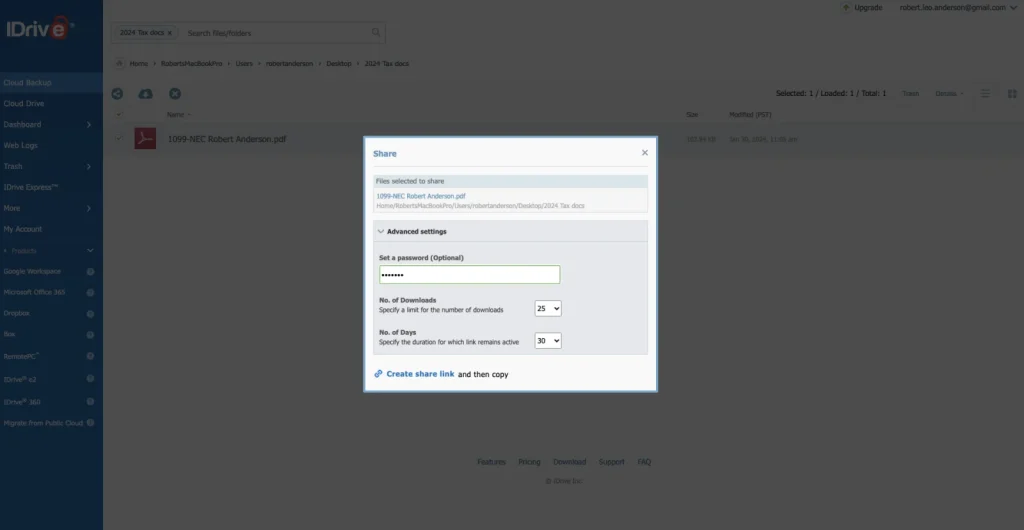
This is still IDrive’s clearest strength. The official site says you can back up multiple PCs, Macs, and mobile devices into one account.
That matters because backup gets annoying when every device has its own little workflow. One account simplifies oversight, cuts down sprawl, and makes it easier to know what is actually protected.
For households, freelancers, and small teams, that is a real operational benefit. Backup becomes a system instead of a loose habit.
2. Broad Endpoint Coverage –
IDrive’s public product story goes beyond a single laptop. The official pages reference PCs, Macs, Linux, iPhones, iPads, and Android devices.
That breadth matters because real environments are messy. A person may keep work on a Mac, personal files on a phone, and archive content on an external drive. A small business may mix operating systems entirely.
The broader the endpoint support, the easier it is to keep one backup policy instead of inventing a separate process for each device class.
3. Continuous Backup –
Continuous backup is one of the most valuable features on the page, even though it is not the flashiest.
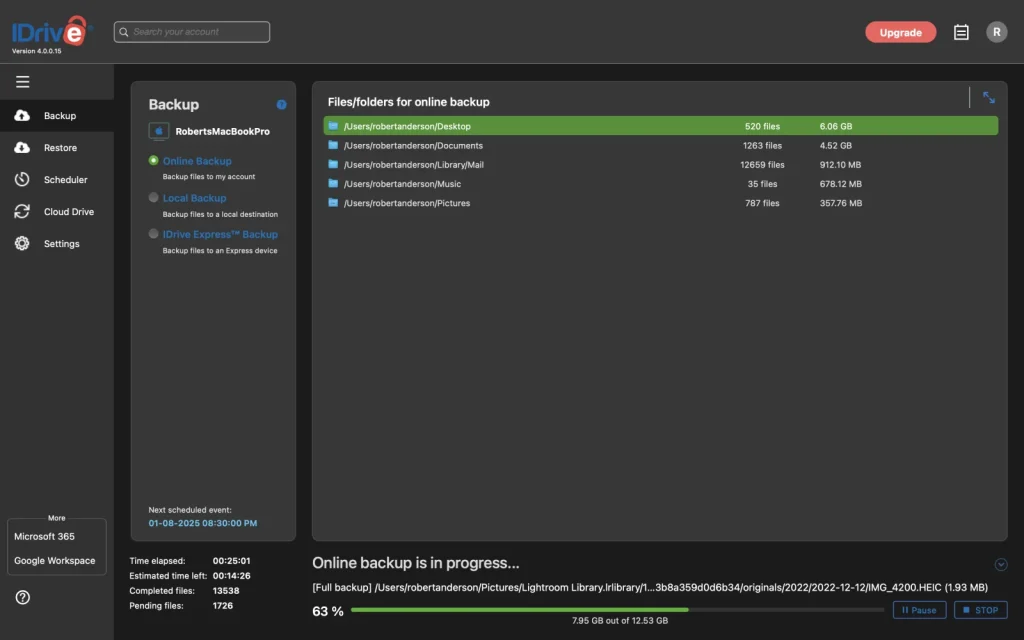
That is because the point of backup is not just “save things somewhere.” The point is to keep up when files are changing all day. Continuous backup narrows the gap between “I saved the file” and “the file is actually protected.”
For busy users, that quiet reliability matters a lot.
4. Support For External Drives And NAS –
IDrive also gets credit for handling more serious backup realities. The official comparison pages reference open file backup, mapped and external drive backup, USB drive support, and NAS support.
That is important because a lot of people outgrow simple document-folder backup long before they realize it. Once external drives or network storage matter, a basic backup tool can become frustrating very quickly.
IDrive’s support for those use cases gives it staying power. It is trying to protect the data people actually keep, not just the most convenient folder on a laptop.
5. A Plan Ladder That Can Grow –
The public plan family is one of IDrive’s best practical strengths because it gives buyers room to grow.
The official lineup includes Free, Mini, Personal, Team, and Business, with public pricing figures such as $11.99, $17.99, $29.99, $59.99, and $119.99 visible on the site.
That matters because backup needs usually expand instead of shrinking. A solo user may become a household admin. A freelancer may need more device protection. A business may later want server or cloud application coverage.
IDrive’s ladder makes that progression feel natural.
Pricing Breakdown :
IDrive’s pricing is easier to understand when you think in terms of use case instead of only looking for the lowest number on the page.
The public site gives a family of options for light users, personal users, team use, and business use. That helps because backup buyers usually want to know a few things:
- How many devices need to be protected?
- Do mobile devices matter too?
- Are external drives part of the workflow?
- Will the product still make sense as the environment grows?
The answer to those questions matters more than the cheapest displayed price.
The product also points toward server backup and cloud application backup, which tells you IDrive is trying to stay useful as the environment becomes more complicated. That is a good signal. It means the platform understands that backup demands usually increase over time.
If you want to compare those options directly, start with IDrive here and map the public plan ladder against the actual devices and storage types you need to protect.
Pricing In Practice :
The Free plan is useful as an evaluation lane. It gives you enough room to see whether the workflow feels natural before you pay for anything.
Mini can make sense for a very light setup, especially if you are protecting one device or a small amount of data.
Personal is where the product starts to feel more useful for a household or solo creator with more than one device and a stronger need for continuity.
Team and Business matter when backup becomes a shared operational concern. That is when consistency, oversight, and broader environment coverage become more important than a single-user convenience story.
The point is that IDrive does not force every buyer into the same shape. It gives people a way to choose the level of backup seriousness that matches their environment.
Restore And Recovery Habits :
The most honest way to judge a backup product is to ask what happens after something goes wrong.
That is why IDrive works best when you think beyond the word “backup” and look at recovery behavior. A household may need to pull back an old photo archive after a device swap. A freelancer may need a client folder back after a laptop replacement. A small business may need to recover an external drive or shared archive without turning the week upside down.
The product is appealing because it tries to make those recovery paths feel ordinary instead of dramatic. That is exactly what a backup tool should do. When pressure is high, you want the process to feel familiar and unhurried, not clever for the sake of being clever.
If you want to check that promise against your own environment, start with IDrive here and test the backup plan against one real restore scenario before you trust it with everything.
Another good sign is that the platform keeps the discussion broad. It does not just ask whether the file is in the cloud. It asks whether the setup can keep pace with the way a real household or team stores data over time.
What A Smooth Migration Looks Like :
If a household or small business moves to IDrive, the cleanest transition is usually simple: start with the devices that matter most, confirm the backup scope, and then expand once the first few restores feel trustworthy.
That approach matters because backup migrations can create fake confidence. A system looks active, a green status appears, and everyone assumes the job is done. In reality, the only meaningful test is whether the right files are recoverable when somebody actually needs them.
The best rollout is therefore small and deliberate. Protect the laptop first. Then add the phone or external drive. Then expand to the rest of the environment once the team knows the process works.
That is the kind of migration that keeps backup from becoming another unfinished tech project.
Restore-First Thinking :
Good backup is not really about the backup screen. It is about what happens when you need the data back.
That is why I like evaluating IDrive through a restore-first lens. A tool can look simple on the front end and still create stress when recovery time arrives. The more smoothly a user can think about retrieval, the more confidence the product creates.
For a household, that could mean getting an old file back quickly after a laptop change. For a freelancer, it could mean recovering client material after a device swap. For a small business, it might mean protecting a shared archive without making everyone learn a new system.
That practical confidence is what makes the product more than a storage box.
Who Should Use It :
IDrive is especially compelling for people who want one backup plan that can keep up as devices and storage needs expand.
The strongest fit is usually:
- Households that keep adding laptops, phones, and tablets.
- Freelancers or creators who rely on external drives and archived client files.
- Small teams that mix operating systems and need one backup policy.
- Businesses that may eventually want server or cloud application coverage.
That is where the one-account idea stops sounding like a slogan and starts sounding like a relief.
It is also a strong fit for buyers who want a backup product that can grow with them instead of a tool they will have to replace the moment the environment becomes more complicated. That makes it useful for people who would rather keep one dependable system than keep shopping every time they add another device.
Expert Verdict And CTA :
The reason IDrive still stands out is not because it has the flashiest design story. It stands out because it treats backup like a real operations problem:
- Many devices.
- Mixed operating systems.
- External storage.
- Broader backup categories.
- A plan structure that can scale.
That is a product logic that ages well.
If that sounds like your environment, start with IDrive here and compare one real device-and-storage setup against the current public plan ladder and backup capabilities.
FAQ :
What is IDrive’s biggest strength in 2026?
Its biggest strength is the ability to back up multiple PCs, Macs, and mobile devices under one account while still supporting broader storage and business needs.
Can it cover more than a laptop?
Yes. The official pages reference mobile devices, external drives, NAS devices, and broader mixed-device coverage.
What plan choices does IDrive show publicly?
Yes. The official pricing page shows Free, Mini, Personal, Team, and Business paths, plus additional backup categories and add-ons.
Who should care most about IDrive?
Anyone with a mixed-device environment or a growing backup footprint will get the most value from it, especially households, freelancers, and small businesses.
Is IDrive only for personal backup?
No. The broader product family includes team, business, server, and cloud application coverage, so it can grow with more complex environments too.