


- What The Advanced Layer Is Really For
- Power User Features
- Advanced Workflows That Make Sense
- Pricing Breakdown
In this guide
Quick Verdict :
WhatConverts is built for teams that have already moved past basic lead tracking and now need the details: which channel created the lead, which campaign shaped it, which pages were visited, what the call or form actually did, and how the team should automate the follow-up. The official pricing and help docs make that clear. WhatConverts is not just a call tracking widget. It is a lead and attribution system with call tracking, forms, chats, customer journey data, reports, API access, and plan-based usage.
Disclosure: Stack99 earns a commission if you buy through links on this page. It costs you nothing extra and never changes our assessment.
That makes it especially useful for agencies, performance marketers, and in-house teams that care about proving where leads came from and what happened after the first touch. If you are already using basic reporting and you want to move into something more operational, the product has enough depth to justify the jump.
If you want to inspect the product while you read, start with WhatConverts here.
What The Advanced Layer Is Really For :
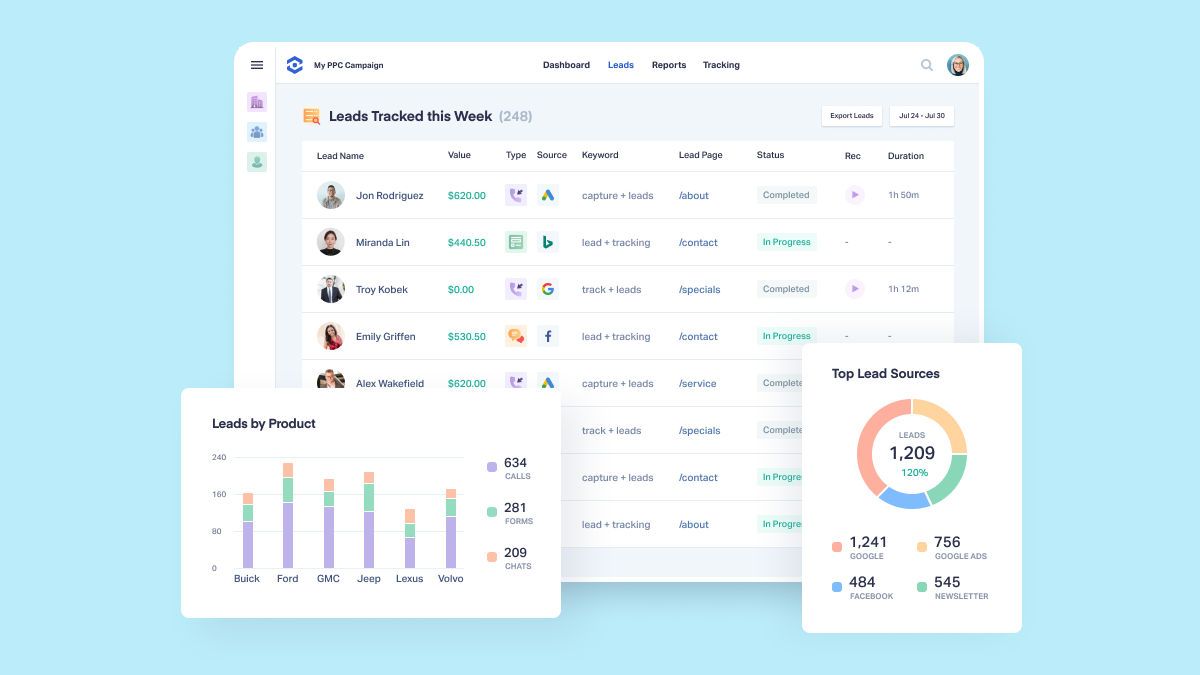
The advanced layer is where WhatConverts stops being a simple lead tracker and starts acting like a lead intelligence system. The official pricing page highlights the highest tier with customer journey, multi-click attribution, pages visited, and lead intelligence. The help docs also describe API access, reporting tools, usage credits, and add-ons.
That matters because modern marketing teams rarely lose leads at one point. They lose them across a chain of small events:
- A click from a paid campaign.
- A visit to a pricing page.
- A call at the wrong time.
- A missed form follow-up.
- A report that does not explain what happened.
WhatConverts is useful because it tries to connect those events back into one view. That is what “advanced” should mean in a tracking tool. It is not about more buttons. It is about better proof.
Power User Features :
Customer Journey And Attribution –
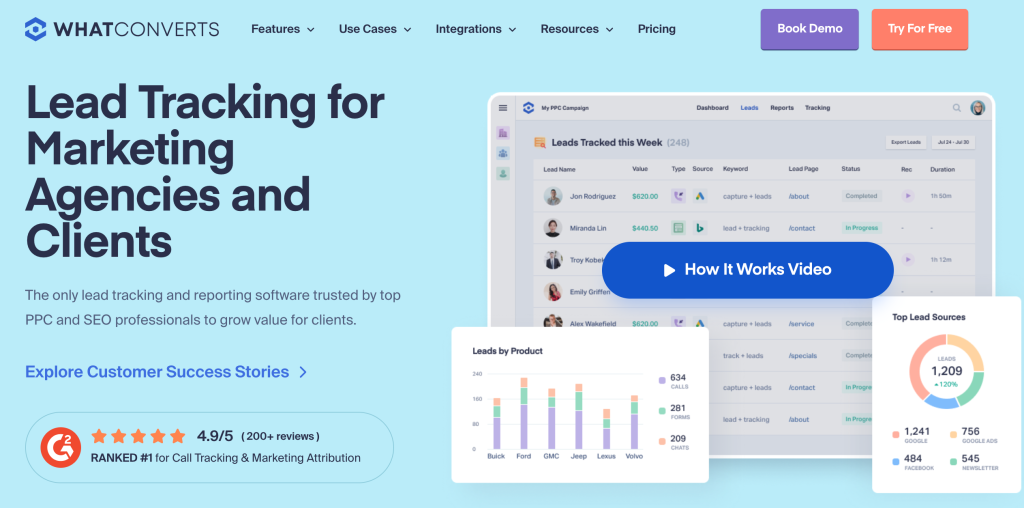
The Elite tier is where WhatConverts gets especially interesting. The public pricing page shows customer journey tracking, multi-click marketing attribution, and pages visited. That is the right feature set for teams that need to understand the path, not just the conversion.
If you are managing paid traffic or multiple channels, this matters a lot. A call or form does not live in a vacuum. It usually sits at the end of a chain of interactions. The customer journey tools help you see how the lead got there, which makes budget decisions less emotional and more measurable.
Call Flows And Routing –
The Pro plan highlights call flows. That is a practical feature for teams that need callers to reach the right department instead of bouncing around. The value is simple: better routing, fewer missed handoffs, less friction for the caller.
Scheduled And Custom Reporting –
WhatConverts also gives you report builder and scheduled reports. That sounds basic until you run a team that lives by weekly client updates. Scheduled reports remove a surprising amount of manual admin. The report builder lets you tailor what the team actually sees instead of forcing everyone into one generic dashboard.
API Access –
The public pricing page explicitly mentions API access. That is the feature that matters most for advanced teams because it lets the platform fit into a broader workflow. If your reporting or CRM stack needs clean lead data in and out, API access is the difference between “nice dashboard” and “real infrastructure.”
HIPAA And Compliance –
The Pro plan also shows HIPAA support. That is a major signal for teams in regulated industries or for businesses that need a more formal lead handling environment.
If your workflow needs attribution depth rather than just a call log, start with WhatConverts here and test the journey reporting on a real campaign first.
Advanced Workflows That Make Sense :
WhatConverts makes the most sense when you use it for one of these workflows:
Agency Lead Reporting –
Agencies need to show clients where leads came from, what kind of lead they were, and which campaign deserves credit. WhatConverts is a strong fit because it gives you the reporting layers to make that story visible.
Paid Media Optimization –
If you run PPC or paid social, the customer journey and multi-click attribution features are the real value. They help you see how leads move across touchpoints instead of pretending the first click did all the work.
High-Value Lead Operations –
For teams where one missed lead is expensive, the call flows, report automation, and tracking depth are more than nice-to-have. They reduce chaos.
Multi-Business Or Agency Accounts –
The help docs explain that agency users can manage unlimited accounts under one master account. That matters for operators who need to separate client properties but still keep the reporting centrally managed.
Pricing Breakdown :
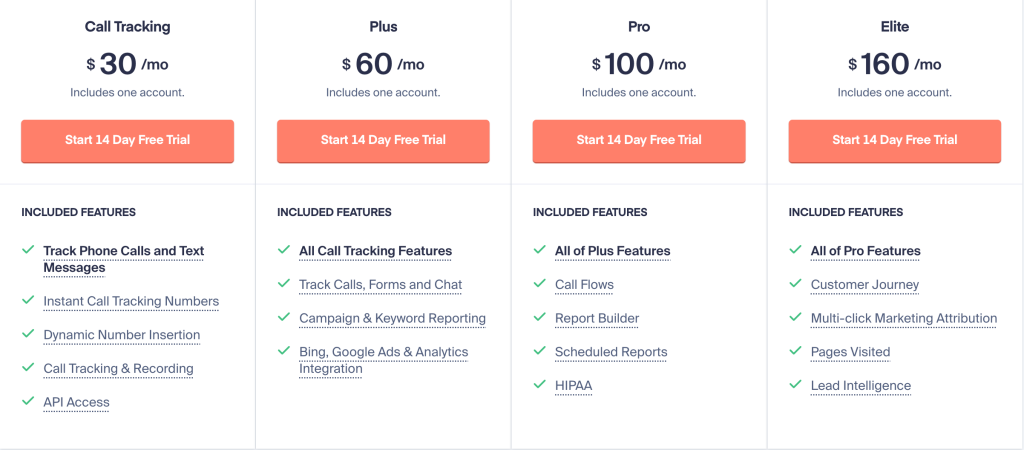
The public pricing page shows four single-account plans:
| Plan | Price |
|---|---|
| Call Tracking | $30/mo |
| Plus | $60/mo |
| Pro | $100/mo |
| Elite | $160/mo |
The feature story changes as you move up:
- Call Tracking gives you the basic lead tracking and call recording foundation.
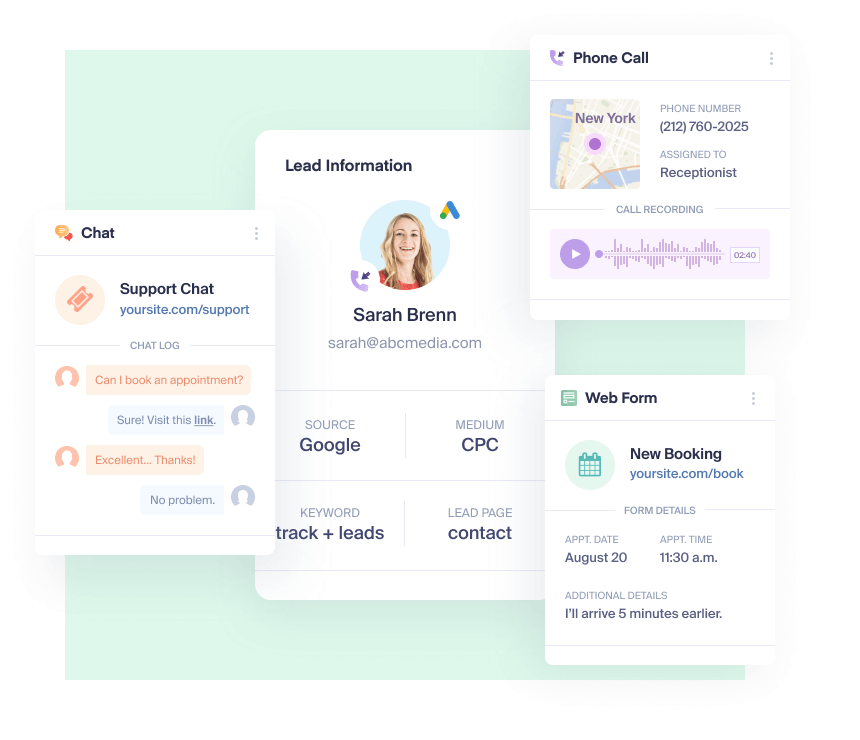
- Plus adds calls, forms, and chat tracking along with campaign and keyword reporting.
- Pro adds call flows, report builder, scheduled reports, and HIPAA support.
- Elite adds customer journey, multi-click attribution, pages visited, and lead intelligence.
That is a clean ladder because the value gets broader, not just more expensive. The price increase is tied to deeper business insight.
The help docs also explain that WhatConverts uses included usage credits and may charge extra for things like recordings, AI analysis, or other usage-based features. That means advanced teams should think in terms of total monthly behavior, not just the sticker plan.
If you want to check whether the higher-tier reporting is worth the cost, start with WhatConverts here and compare one real campaign against your current reporting stack.
Who Should Use The Advanced Plan :
The advanced plan makes sense for:
- Agencies that need clean client reporting.
- Paid media teams that need attribution beyond the first click.
- Teams with large lead volume and more than one lead source.
- Operators who need reporting delivered on a schedule.
- Businesses that want API access and stronger lead intelligence.
It is less useful for teams that only want a phone number tracker or a simple lead capture tool. If your business does not need journey data or deeper attribution, the higher tiers may be more than you need.
Best Practices For Power Users :
If you want the advanced layer to work properly, keep these habits in place:
- Standardize your campaign naming.
- Use scheduled reports so the team sees the same truth every week.
- Review customer journey data before changing spend.
- Keep call flows simple enough that callers do not get lost.
- Connect the API to something useful instead of leaving the data trapped.
That last point matters. A power-user tool only pays off when it is part of a workflow. If the data just sits in a dashboard, you are not really using the platform’s strength.
Implementation Notes :
The cleanest advanced setup usually starts with one or two lead types and one reporting cadence.
If you try to model every possible lead path on day one, the reporting becomes harder to trust. Start with the lead types that actually matter most:
- Calls from paid traffic.
- Forms from high-intent pages.
- Chats from sales or support pages.
Once those are clean, expand into customer journey data and automated reports. That is the right order because the advanced tools work best when the basic source data is already structured.
For agencies, the implementation trick is to keep one naming convention across all clients. For internal teams, the trick is to make sure marketing and sales agree on what counts as a good lead before you automate the reporting.
What To Watch After Launch :
After launch, watch for three things:
- Whether the attribution model is showing a usable story.
- Whether call flows are actually reducing missed transfers.
- Whether scheduled reports are saving time instead of creating noise.
If those three things are improving, the advanced layer is doing its job. If not, the issue is usually the setup, not the product itself.
Verdict :
WhatConverts is strongest when you need proof, routing, and reporting rather than just a lead counter. The advanced feature set is genuinely useful because it connects lead capture to actual operational visibility. That makes it a strong fit for agencies, paid media teams, and businesses that need to understand the full path from visit to lead.
If you want a system that goes beyond basic call tracking and starts behaving like a real lead-intelligence layer, start with WhatConverts here and test the Pro or Elite reporting on one live campaign.
What A Mature Team Does Next :
A mature team does not stop at reporting. It uses the reporting to shape the next move.
That usually means:
- Adjusting spend based on lead quality, not just lead count.
- Changing call routing when the wrong team is getting the wrong leads.
- Reviewing scheduled reports with sales or client stakeholders.
- Using the customer journey data to spot repeat paths before a campaign is scaled.
That is the point where WhatConverts starts to feel like a decision system instead of a dashboard. The more disciplined the team becomes, the more useful the platform gets.
It also means your team can stop arguing about what worked and start arguing about what to improve next. That is a much better conversation to have.
FAQ :
Does WhatConverts support call tracking?
Yes. Call tracking is the base of the product, and the pricing page keeps that front and center.
Does WhatConverts support form and chat tracking?
Yes. The Plus plan and above explicitly include calls, forms, and chat tracking.
Does WhatConverts have API access?
Yes. The pricing page highlights API access as a feature.
Is there an advanced attribution layer?
Yes. The Elite plan includes customer journey, multi-click attribution, and pages visited.
Is it good for agencies?
Yes. The help docs explicitly describe agency and individual business plan structures.
More on WhatConverts
Hand-picked guides to help you choose the right tool — no fluff.
 ReviewsWhatConverts Review 2026Hands-on verdict with the pros, cons and who it fits best.
 TutorialsWhatConverts Beginner's Guide 2026A clean start-here walkthrough with no jargon.
 IntegrationsLeadfeeder Integrations Guide 2026What it connects to and how well each link holds up.
 Use CasesWho Is Navan Best For? Use Cases & Fit (2026)Who gets the most out of it – and who should skip it.