


In this guide
Quick Verdict :
Hello Bar is still one of the simplest ways to turn website traffic into leads, subscribers, or buyers without building a custom popup system from scratch. The official pricing and feature pages make the positioning very clear: bars, modals, alerts, sliders, page takeovers, A/B testing, analytics, targeting, themes, and email integrations are the core of the product.
Disclosure: Stack99 earns a commission if you buy through links on this page. It costs you nothing extra and never changes our assessment.
The interesting part is the pricing page. In the crawl I reviewed, the public page shows two annual-billing displays, so the plan names are clear but the exact annual numbers should be verified in the live selector before purchase. That is not a dealbreaker, but it does mean the smart buyer checks the final pricing view instead of trusting one screenshot.
If you want to compare the product while you read, start with Hello Bar here.
Why This Comparison Matters :
This comparison matters because the real decision is not “Should I use a popup tool?” The real decision is “How much control do I need, how much traffic do I have, and do I want a lightweight conversion layer or a broader optimization stack?”
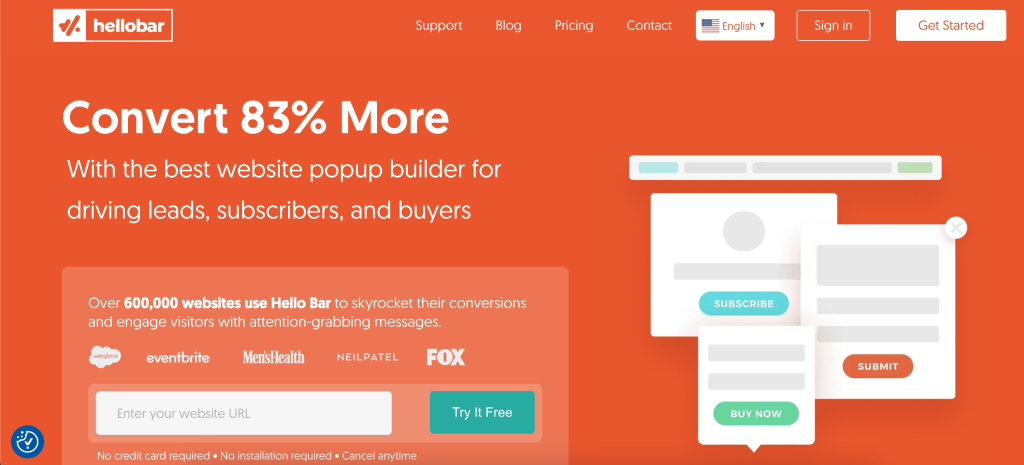
Hello Bar is the lightweight answer. It is designed for website conversions first. The official pages focus on visitor engagement, email capture, and reducing cart abandonment. That makes it a very practical choice for marketers, publishers, and small businesses that want better on-site conversion without a complicated setup.
Alternatives like OptinMonster, Sumo, Popupsmart, and Optimonk are often compared in the same conversation because they live in the same on-site conversion category. The question is not whether they all work. The question is which one matches your traffic, your budget, and your desire for testing and targeting depth.
Quick Comparison Table :
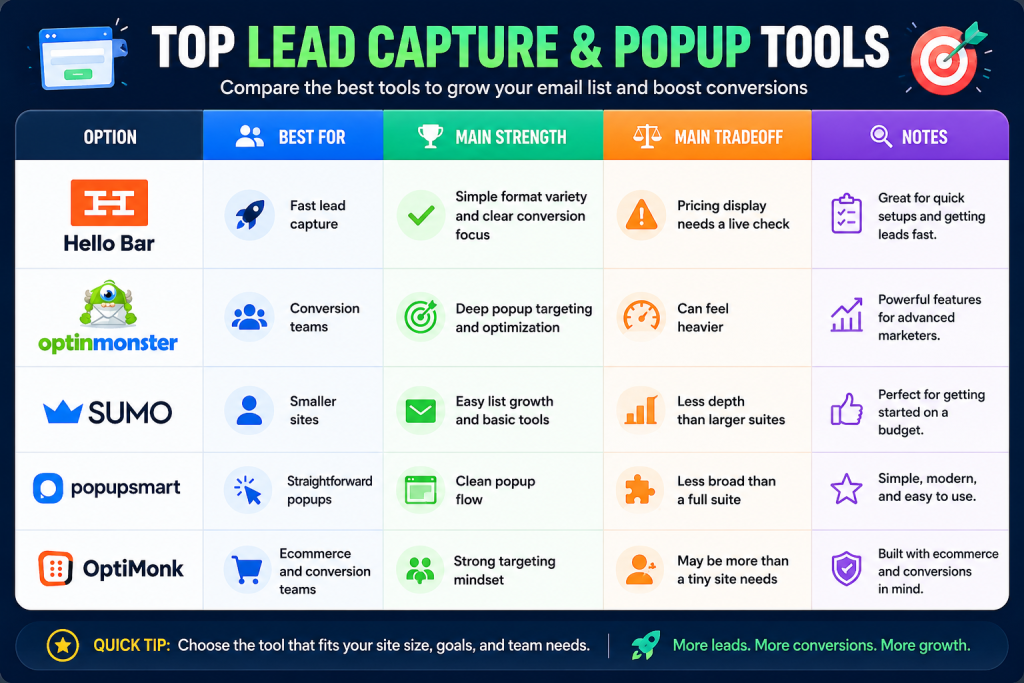
That table is the simple version. The real answer depends on how much you need from the tool after the first popup is live.
If you want to test the real product before comparing it to heavier tools, start with Hello Bar here and run one campaign before you compare features abstractly.
Hello Bar Deep Dive :
Hello Bar’s official pages show a product built around conversion surfaces.
The format list is the most important part:
- Bars.
- Modals.
- Alerts.
- Sliders.
- Page takeovers.
That means the product is useful across different kinds of pages and campaign goals. A sticky bar can work for a newsletter. A modal can work for a discount. A takeover can work for a campaign with a bigger promise.
The customization layer also matters. The site emphasizes themes, styling, and a design assistant that matches colors and fonts to the site. That is valuable because popup tools fail when they look obviously disconnected from the page they sit on.
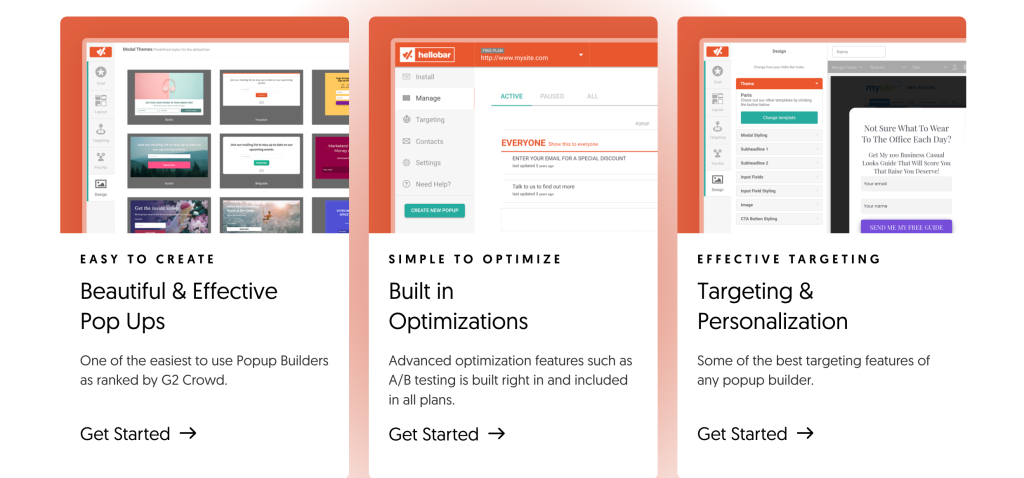
Targeting and optimization are also part of the story. Hello Bar shows location targeting, campaign/source targeting, date and time targeting, analytics, custom reports, and A/B testing. That makes it more than a one-trick popup tool.
Alternative 1: OptinMonster
OptinMonster is the most common alternative when someone wants deeper optimization behavior. The comparison is usually about sophistication versus simplicity.
Use OptinMonster if:
- You want a deeper optimization platform.
- You care a lot about targeting rules.
- You want a more advanced conversion stack.
Choose Hello Bar instead if:
- You want a faster setup.
- You prefer a simpler website-first workflow.
- You do not want the tool to feel like a mini operations project.
That is the basic split. One tool can be more powerful in some scenarios, but the simpler one often wins when the team just wants to launch.
Alternative 2: Sumo
Sumo tends to show up in the same discussion because it is another website conversion and list-growth tool.
Use Sumo if:
- You want a broader toolkit around list growth.
- You prefer a familiar entry point for smaller websites.
Choose Hello Bar if:
- Your main goal is popup and on-site conversion execution.
- You want the format and targeting options without extra sprawl.
Sumo is often part of the “good enough” conversation, but Hello Bar feels more focused when the main KPI is engagement and email capture.
Alternative 3: Popupsmart
Popupsmart is usually the cleaner popup-first comparison.
Use Popupsmart if:
- You want a very direct popup experience.
- You care about launching quickly.
Choose Hello Bar if:
- You want the broader feature story around bars, alerts, sliders, and page takeovers.
- You want the conversion positioning and targeting story that Hello Bar highlights on its public page.
This is the easiest comparison for teams that know they need a popup tool but do not want to overthink the category.
Alternative 4: Optimonk
Optimonk is often the choice for ecommerce teams that want the site to react more intelligently to visitor behavior.
Use Optimonk if:
- Your business leans heavily on ecommerce conversion logic.
- You want more aggressive targeting language.
Choose Hello Bar if:
- You want a straightforward conversion stack.
- You are trying to keep the first rollout simple and useful.
For many teams, the right answer is not the most advanced tool. It is the one the marketing team will actually use well.
Feature Matrix :
Here is the real Hello Bar value matrix based on the official page:
- Bars: Good for persistent offers and announcements.
- Modals: Good for attention-grabbing lead capture.
- Alerts: Good for subtle prompts.
- Sliders: Good for rotating content.
- Page takeovers: Good for major campaigns.
- Themes and styling: Good for brand consistency.
- Location and source targeting: Good for audience segmentation.
- Analytics and custom reports: Good for measurement.
- A/B testing: Good for optimization.
- Email integrations: Good for lead flow into your follow-up stack.
That is a strong package for a tool that stays focused on the website conversion layer.
If you want a simple conversion stack that can still test and target, start with Hello Bar here and compare the effort it takes to launch against the alternatives.
Pricing Comparison :
The public pricing page currently shows a free Starter tier plus paid tiers for Growth, Premium, and Elite. The crawl I reviewed showed:
- Starter at
$0with5,000views. - Growth around the
$39billed-annually display in the top cards, but a lower comparison table also shows a$29annual-billed view. - Premium around the
$69billed-annually display in the top cards, with a lower table view that shows$49. - Elite around the
$129billed-annually display in the top cards, with a lower table view that shows$99.
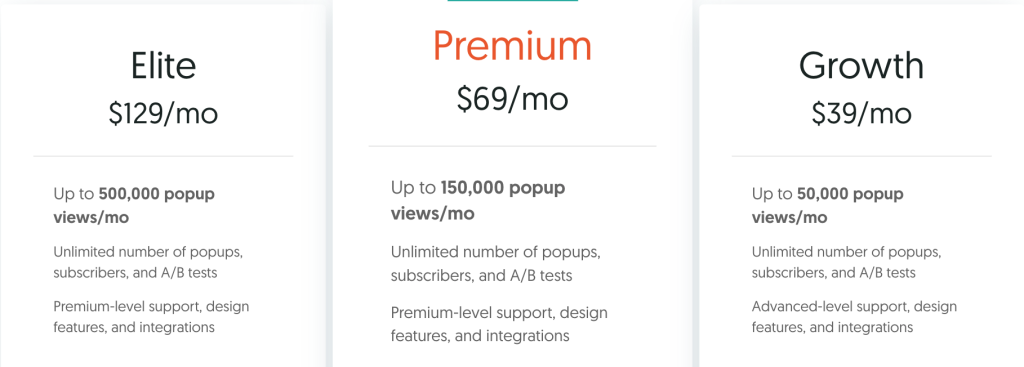
Because the page exposes two annual-billing display states, the safe rule is to confirm the live selector before purchase. The feature ladder itself is clear, but the final number should be checked on the live page.
That said, the value structure is still easy to understand:
- Free is for basic testing.
- Growth is for stronger traffic and testing needs.
- Premium is for more serious conversion work.
- Elite is for bigger traffic and wider usage.
Use Case Recommendations :
Choose Hello Bar If –
- You want to launch quickly.
- You want multiple popup formats.
- You want a straightforward lead-capture stack.
- You do not want a heavy onboarding project.
Choose A Heavier Alternative If –
- You need deeper targeting logic.
- You want a broader optimization suite.
- Your site has a complex conversion funnel.
That is why Hello Bar still has a place. It is not trying to win on sheer complexity. It is trying to win on speed and practical conversion results.
What The Buying Decision Usually Comes Down To :
For most teams, the choice is less about feature trivia and more about operating style.
- If you want a fast launch, Hello Bar is easier to justify.
- If you want deeper targeting or optimization complexity, a heavier alternative may fit better.
- If you want to test conversion ideas without a long setup, Hello Bar is the cleaner starting point.
That is especially true for smaller marketing teams. A tool only helps if the team actually launches the campaign, checks the result, and repeats the test. Hello Bar makes that loop relatively easy to keep moving.
How To Roll Out The First Campaign :
The cleanest way to start with Hello Bar is to keep the first campaign narrow.
Pick one page, one offer, and one measurement goal. For example, you might use a bar on the homepage to capture subscribers, or a modal on a high-traffic article to test a lead magnet. The point is to learn whether the popup format and targeting feel right before you spread the tool across the whole site.
That is where Hello Bar usually earns its keep. It lowers the friction between “we should test this” and “the test is live.” If your team has been stalling on conversion ideas because setup feels too heavy, that alone is a meaningful benefit.
That small speed boost is often the real reason teams keep using it.
It is simple, but that simplicity compounds fast.
Verdict :
Hello Bar is a practical choice when your goal is simple: turn traffic into leads, subscribers, or buyers quickly. It does the core conversion job clearly and gives you enough targeting and testing to improve performance without turning the project into a full platform rollout.
The only real caution is pricing clarity. The feature set is easy to understand, but the public annual-billing display deserves a quick live check before purchase.
If you want a conversion tool that is easy to launch and still gives you room to optimize, start with Hello Bar here and compare it against the heavier alternatives after you have one real campaign in motion.
FAQ :
Is Hello Bar good for beginners?
Yes. The product is simple enough to launch without a huge implementation cycle.
Does Hello Bar have a free plan?
Yes. The official pricing page shows a Starter tier at $0.
Is the pricing page a little inconsistent?
Yes. The public crawl shows different annual-billing numbers in different display states, so confirm the live selector before buying.
Does Hello Bar support A/B testing?
Yes. The official page shows unlimited A/B testing on paid tiers.
Which alternative is closest?
Popupsmart is the closest “popup-first” comparison, while OptinMonster is the deeper optimization comparison.
Before You Choose, Compare These
Hand-picked guides to help you choose the right tool — no fluff.
 AlternativesHello Bar & Subscribers Alternatives 2026Credible alternatives and when each one wins.
 ReviewsHello Bar Review 2026Hands-on verdict with the pros, cons and who it fits best.
 FeaturesDatabox Top Features 2026The standout features and whether they justify the price.
 IntegrationsGamma Integrations Guide 2026What it connects to and how well each link holds up.