

Why Hubstaff’s Features Matter
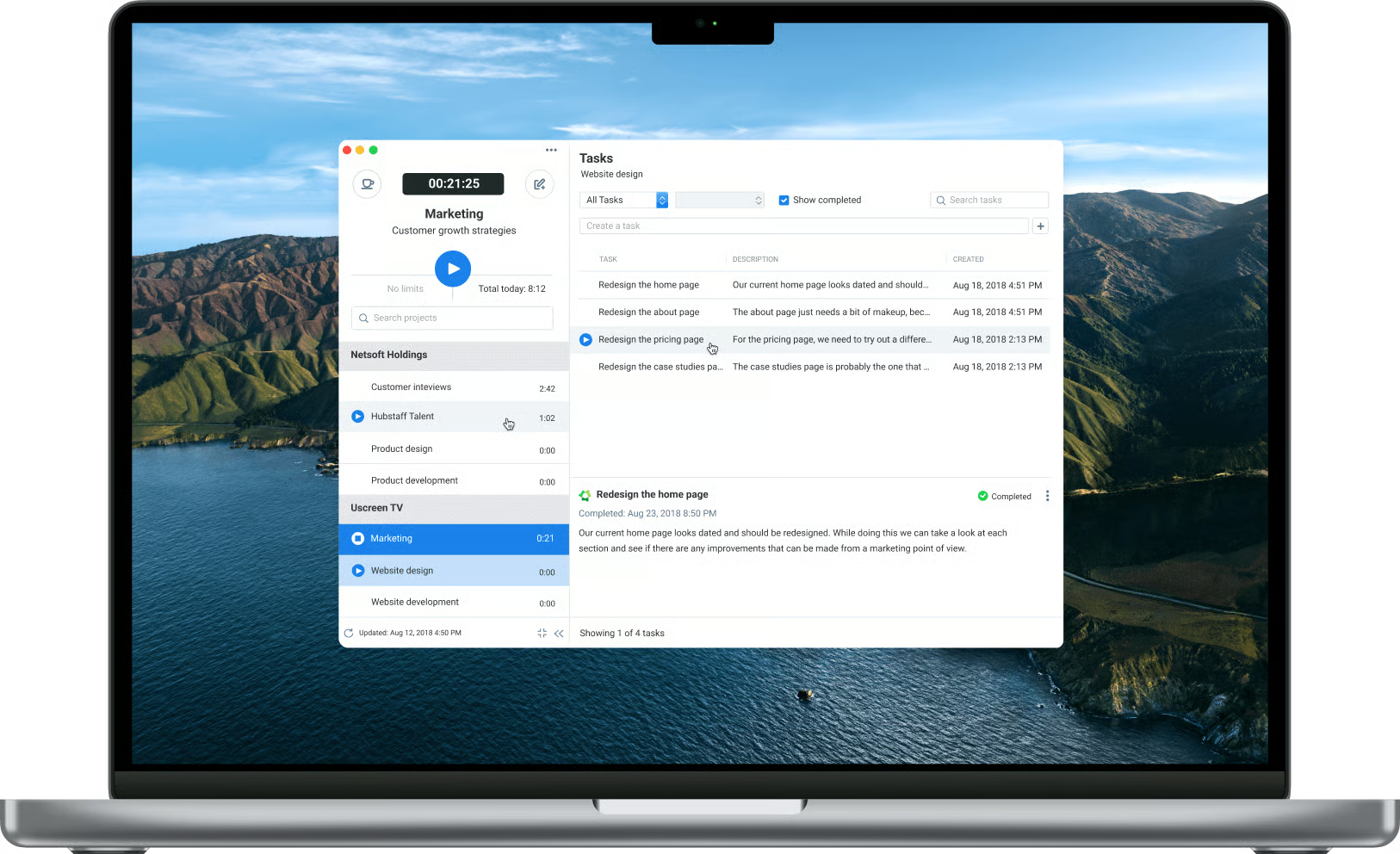
Hubstaff matters in 2026 because the official site no longer frames it as simple time tracking alone. The homepage and pricing materials position it around time tracking, productivity metrics, team operations, reporting, payroll-related workflows, scheduling, and remote-work visibility.
That is a stronger feature story than “clock in, clock out.”
The official messaging emphasizes:
- Time tracking software for the global modern hybrid workforce.
- Real-time productivity metrics.
- Advanced reporting.
- Easy-to-use dashboards.
- Automation for team operations.
That matters because workforce tools only stay useful when they help teams make better decisions, not just record hours.
If you want to explore the platform while you read, start with Hubstaff here.
Feature #1: Time Tracking With Real Operational Context
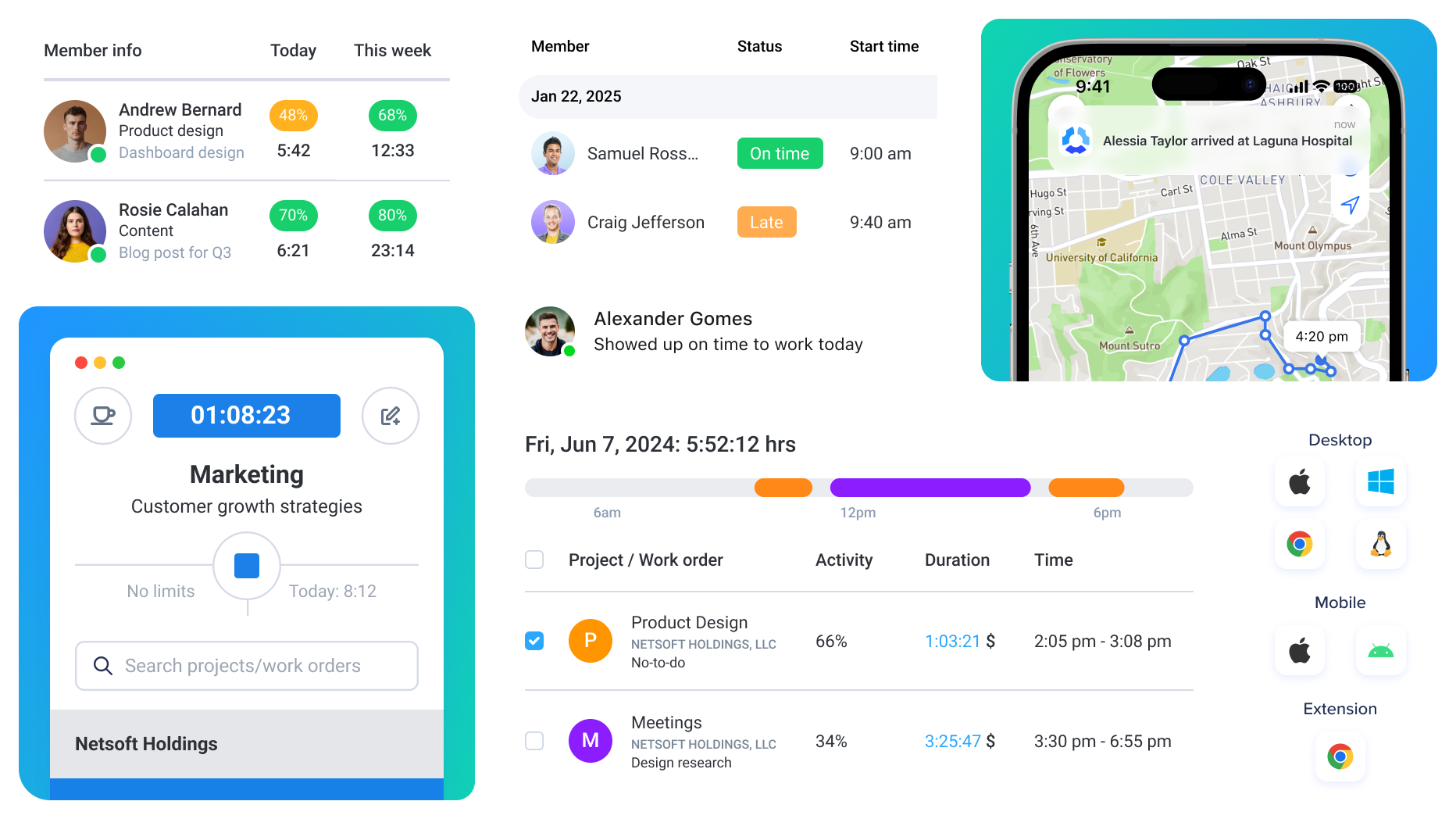
Time tracking is still the most important Hubstaff feature, but the official site positions it as part of a broader workforce operating layer.
That matters because raw time data is not enough. Teams also need to know:
- What work was done?
- Where is time going?
- Are projects staying healthy?
- Are remote teams are operating predictably?
Hubstaff’s strongest value starts here. It turns time tracking into visibility.
Feature #2: Productivity And Activity Metrics
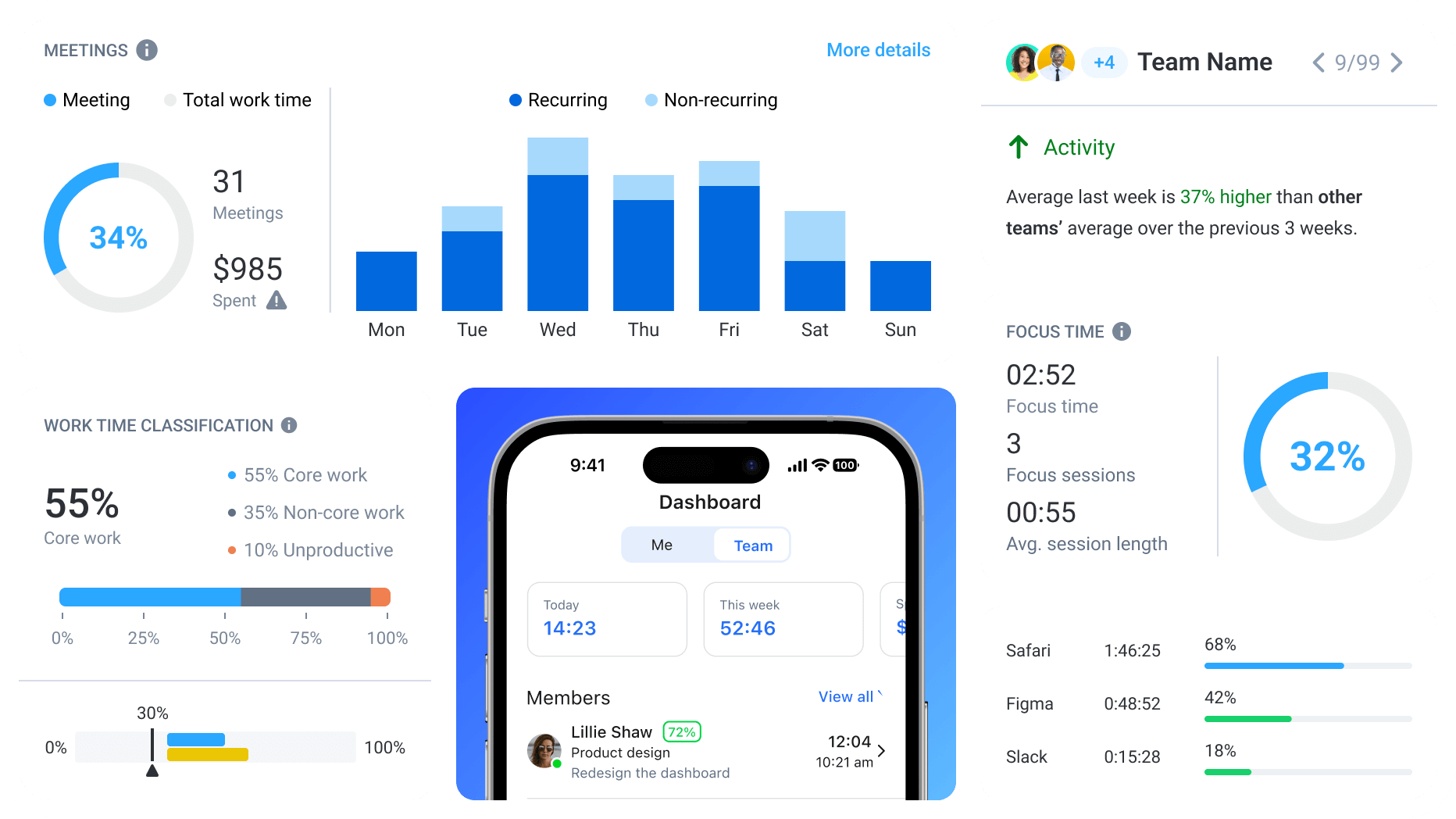
The official homepage gives productivity metrics prominent space, and that is one of Hubstaff’s most valuable feature directions.
It highlights:
- Real-time productivity metrics.
- Detection of unusual activity.
- Dashboards that make the data easier to read.
That makes Hubstaff much more useful for distributed teams than a basic timesheet tool.
It helps managers move from “How many hours were logged?” to “What is actually happening inside the workday?”
If visibility is one of your biggest gaps, start with Hubstaff here and compare its productivity tracking and dashboard views against the way your team currently reviews work patterns.
Feature #3: Reporting And Project Control
Hubstaff also feels stronger because the official site keeps reporting and project visibility near the center of the product story.
The homepage and pricing content point to:
- Advanced reporting.
- Project savings and cost visibility.
- Better bookkeeping speed.
- Project budgets on higher plans.
That matters because time tracking becomes much more valuable when it helps control project economics.
A platform that can connect logged time with budget and reporting context becomes useful for agency teams, service businesses, and operations leaders, not just HR.
Feature #4: Payroll, Scheduling, And Team Operations
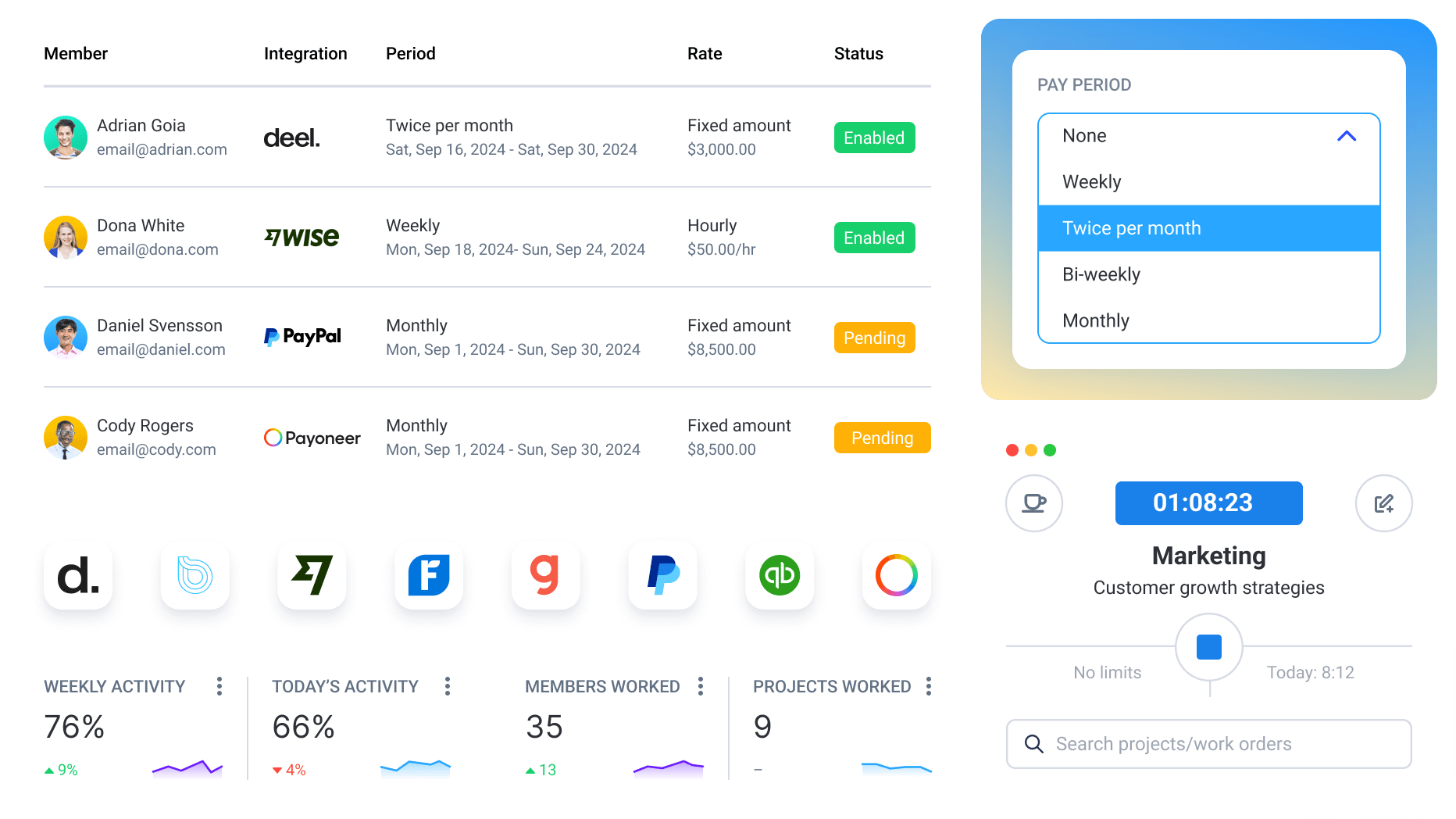
One of Hubstaff’s more practical strengths is that it keeps expanding into team operations.
The official site and plan materials reference:
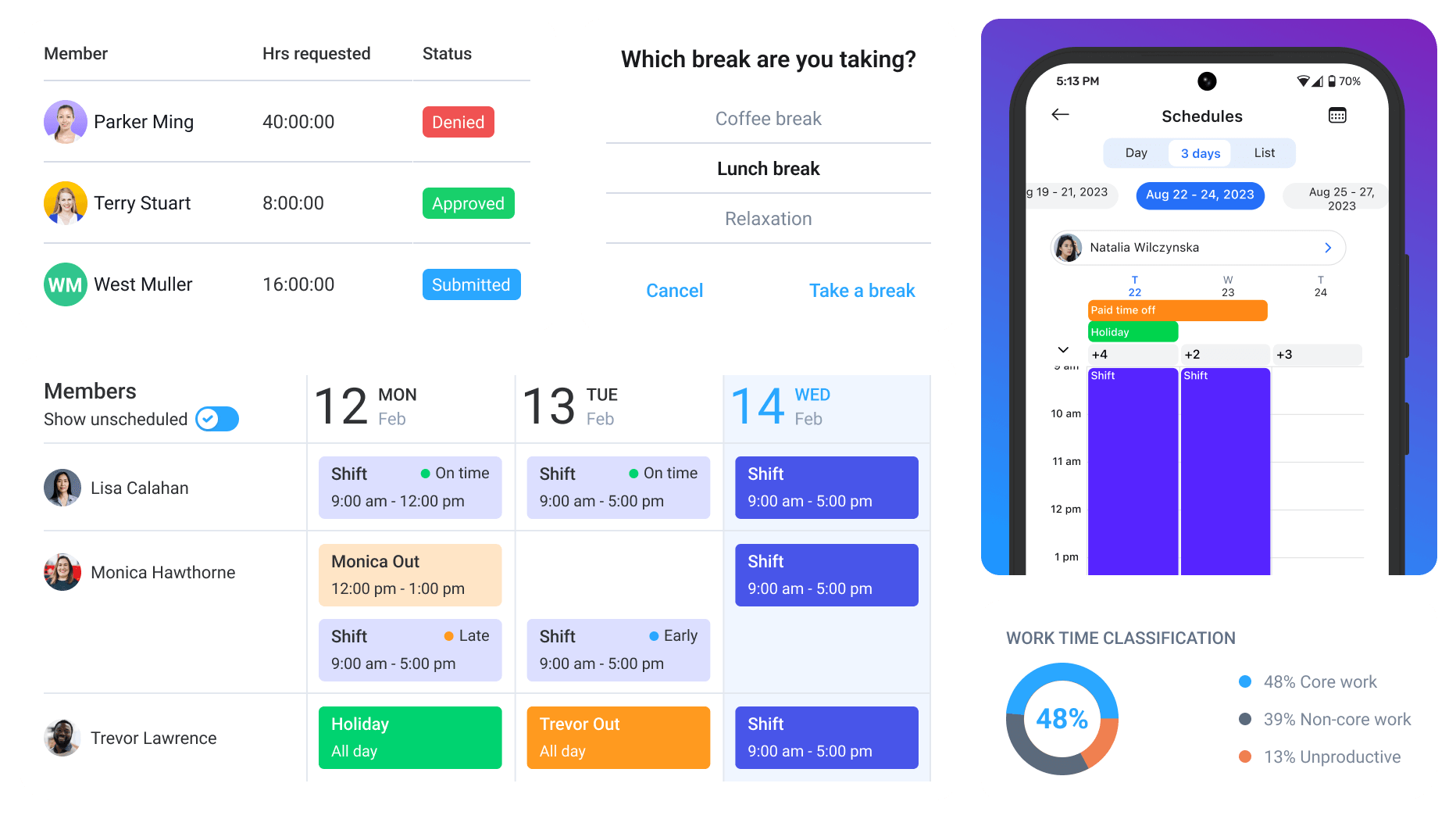
- Scheduling.
- Attendance tools.
- Payments and payroll workflows.
- Approvals.
- Overtime, time off, and holiday tracking on higher plans.
That matters because time data becomes much more useful when it connects to action:
- Approving timesheets.
- Building schedules.
- Running payroll-related processes.
- Enforcing policies across distributed teams.
This is where Hubstaff starts to feel like operations software instead of a simple tracking utility.
Feature #5: Tiered Growth From Starter To Enterprise
Hubstaff’s public pricing ecosystem shows a sensible growth path.
The official plan guide and support materials describe:
- Starter.
- Grow.
- Team.
- Enterprise.
The official plan comparison content also highlights how capabilities expand:
- Starter focuses on time tracking, timesheets, activity levels, and limited screenshots and reports.
- Grow adds scheduled reports, project budgets, expense tracking, idle-time handling, and one integration.
- Team adds one-click approvals, unlimited screenshots and app or URL tracking, scheduling, attendance, payments, and deeper team controls.
- Enterprise adds concierge onboarding, VIP-style support, compliance positioning, and higher-scale governance.
That is a healthy feature ladder because it maps complexity to team maturity.
Pricing Context
Hubstaff’s official plan materials currently point to these annual-style figures:
- Starter at
$5.83per user per month billed annually, or$7monthly. - Grow at
$7.50per user per month billed annually, or$9monthly. - Team at
$10per user per month billed annually, or$12monthly. - Enterprise at
$25per user per month billed annually based on the official comparison guidance.
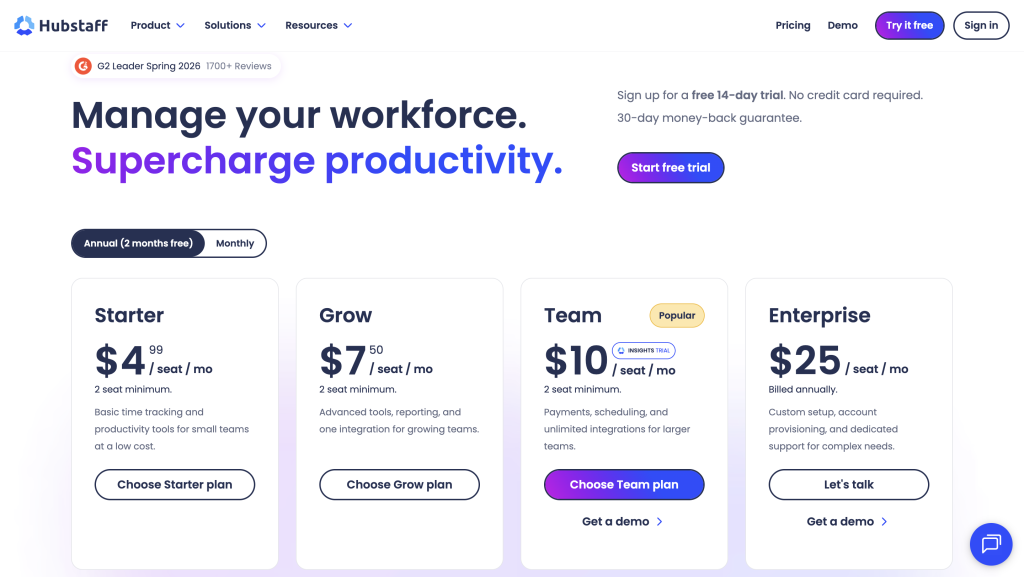
The official pricing page also promotes:
- A free 14-day trial.
- No credit card required for trial start.
- A 30-day money-back guarantee.
That is a usable pricing structure. It gives smaller teams a lower entry point and keeps deeper operations features for teams that really need them.
What Makes Hubstaff Feel Different
Hubstaff feels different because its official product story is built around remote and hybrid operational confidence.
It combines:
- Time tracking.
- Productivity visibility.
- Reporting.
- Payroll and scheduling workflows.
- Team management controls.
That is why it is more compelling than a bare-bones timer app.
If your team needs stronger operational discipline without losing usability, start with Hubstaff here and compare Starter, Grow, Team, and Enterprise against your real reporting, approval, and scheduling needs.
Why The Plan Structure Matters
Hubstaff’s published plan structure is actually one of its better product signals.
It shows a believable team journey:
- First you need clean time tracking.
- Then you need budgets, reports, and integrations.
- Then you need approvals, scheduling, payroll-related workflows, and broader control.
- Then you need enterprise-grade support and governance.
That progression makes sense. It suggests the product has been shaped around real workforce maturity rather than only around a flat list of features.
Features That Matter More As Teams Scale
As organizations grow, the higher-tier Hubstaff features start to matter more:
- Unlimited screenshots and tracking depth.
- Project budgets and expense visibility.
- Approval workflows.
- Scheduling and attendance tools.
- Payroll and payments.
- Enterprise support and compliance.
That is why the product remains relevant beyond the first team setup. It can mature with the organization instead of forcing a platform switch too early.
That is also why the Team tier looks so important. It is where Hubstaff starts tying time, approvals, scheduling, payments, and management discipline into one more connected operating model.
Which Teams Feel The Biggest Benefit
Hubstaff tends to make the most sense when labor visibility is directly connected to cost, delivery, or client satisfaction.
That often includes:
- Agencies billing for time.
- Service businesses managing distributed staff.
- Remote-first companies that need operational proof and not just trust language.
- Hybrid teams that need cleaner scheduling, approvals, and reporting.
That is where the product’s feature mix becomes easier to justify. It is not only watching work. It is helping management make better operational decisions.
That distinction is why Hubstaff still feels more relevant than a basic timer even after the initial rollout phase.
That broader usefulness is a big part of its staying power.
It helps the product remain valuable once leadership starts asking for better reporting, tighter approvals, and more accountable workforce coordination.
That is where the platform starts to earn its keep beyond basic time capture.
It keeps the product useful as management expectations rise.
That matters once a team moves beyond simple visibility.
It keeps the platform relevant longer.
That extra longevity changes the value equation.
Verdict
Hubstaff’s top features in 2026 are the ones that turn time tracking into operating visibility: real time tracking, productivity metrics, advanced reporting, payroll and scheduling workflows, and a strong Starter-to-Enterprise growth path.
That is why the platform continues to matter for distributed workforces. It is not only about recording hours. It is about helping teams manage work, productivity, and operational discipline more intelligently.
If that is the gap your business is trying to close, start with Hubstaff here and compare the plan ladder against the real way your team tracks time, approves work, schedules people, and manages project visibility.
[IMAGE: Hubstaff final verdict on its most valuable workforce management features]
FAQ
What is Hubstaff’s best feature in 2026?
For many teams, it is the combination of time tracking and productivity visibility, because that turns logged hours into management insight.
Does Hubstaff have a free trial?
Yes. The official pricing page currently promotes a 14-day free trial with no credit card required.
How much does Hubstaff cost?
The official plan materials currently point to Starter at $5.83 annually or $7 monthly, Grow at $7.50 annually or $9 monthly, the team at $10 annually or $12 monthly, and Enterprise around $25 annually per user.
Who should care most about Hubstaff’s advanced features?
Growing remote and hybrid teams that need approvals, scheduling, reporting, project budgets, payroll-related workflows, and deeper operational controls will care most about the upper tiers.