


- Account Setup
- First Workflow Walkthrough
- Best Practices For New Users
- Pricing Context
In this guide
Intro For Beginners
Buddy Punch makes a strong first impression in 2026 because the official site keeps the pitch simple: affordable employee time clock software that handles time tracking, scheduling, attendance, and payroll-related workflows without making small businesses feel like they bought enterprise HR software by mistake.
Disclosure: Stack99 earns a commission if you buy through links on this page. It costs you nothing extra and never changes our assessment.
That is a good beginner story.
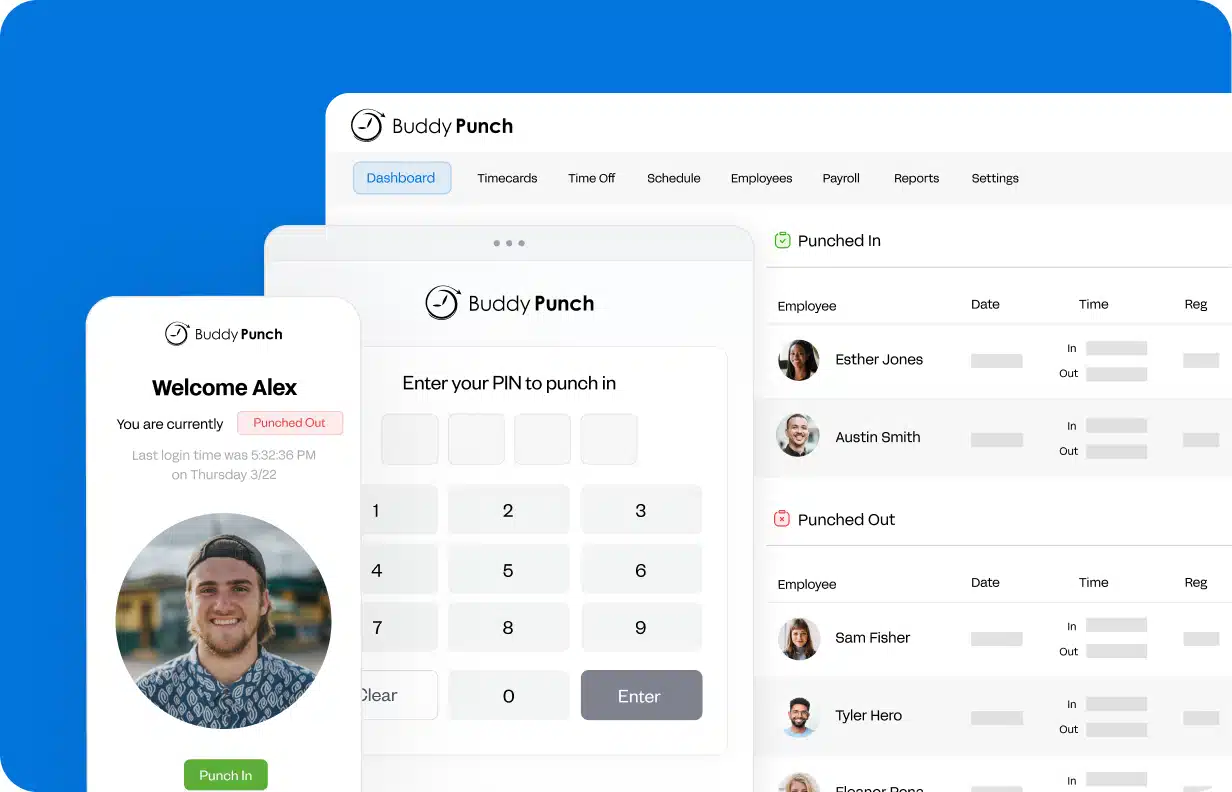
The homepage and pricing page both reinforce it:
- Easy to use and affordable employee time clock software.
- Used by 10,000 plus businesses.
- Built for time tracking, attendance, scheduling, and payroll.
That makes Buddy Punch especially approachable for first-time buyers who are replacing manual timesheets, spreadsheets, or punch methods that no longer scale.
If you want to look at the platform while you read, start with Buddy Punch here.
Account Setup
Buddy Punch appears to be designed so new users can get moving quickly.
The official pricing page promotes:
- A 14-day free trial.
- No credit card required.
That matters because beginners do not want a time-clock rollout to feel risky or bureaucratic.
The public flow suggests a clean entry path:
- Choose a plan.
- Start the trial.
- Test the product with a real team.
That kind of friction reduction matters a lot for smaller businesses where the person buying the software is often also the person setting it up.
Dashboard Overview
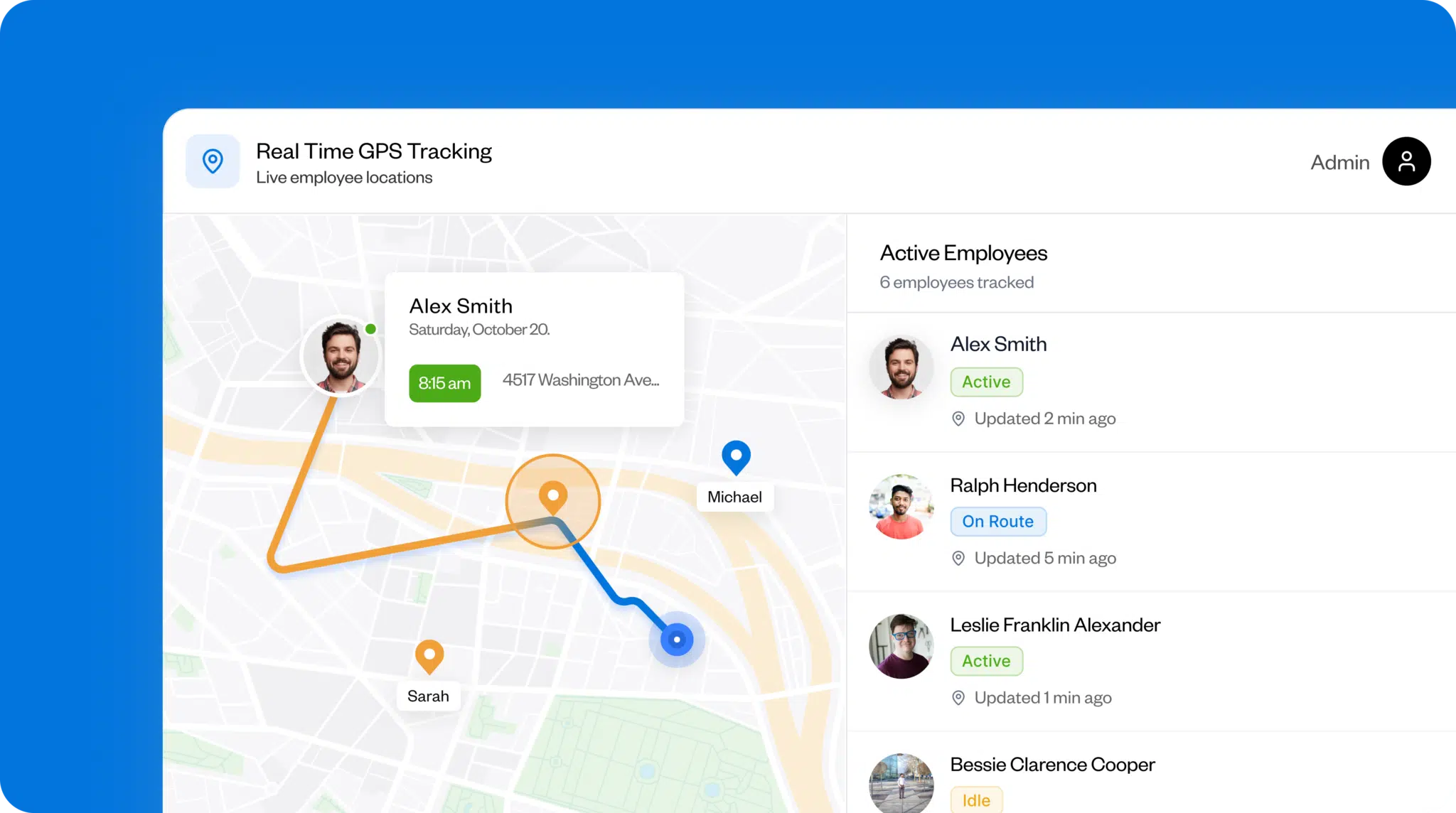
The homepage repeatedly positions Buddy Punch as focused on practical time-tracking and scheduling visibility.
The product tour and feature sections emphasize:
- Tracking hours.
- Managing attendance.
- PTO workflows.
- Scheduling.
- Labor-cost control.
That suggests the dashboard experience is built around operational clarity rather than deep complexity.
For a beginner, that is exactly what you want.
A time tracking product should answer:
- Who is working?
- Who clocked in?
- Who missed a punch?
- How do I get hours into payroll?
If the dashboard does that cleanly, the product is doing its job.
First Workflow Walkthrough
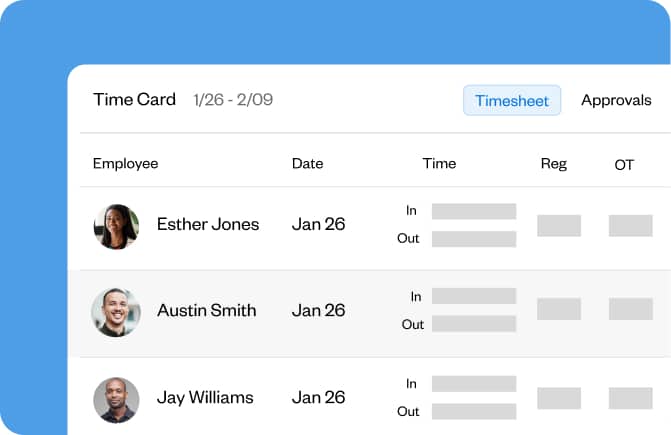
A realistic first workflow in Buddy Punch looks like this:
- Invite employees.
- Set up how people will punch in and out.
- Test mobile or web punch flows.
- Review tracked hours.
- Approve time and move it toward payroll.
That flow is supported well by the features the official site emphasizes for beginners:
- GPS on punches.
- Mobile apps.
- Alerts and reminders.
- Time off tracking.
- Job tracking.
- Payroll integrations.
This is a solid beginner feature set because it maps closely to the first problems a small business is usually trying to solve.
Best Practices For New Users
The best beginner use of Buddy Punch is not turning every feature on at once.
It is starting with:
- Clean punch rules.
- Basic employee onboarding.
- Simple attendance visibility.
- One approval workflow.
Then expanding once the team is actually using the system consistently.
That is the smarter rollout path because time tracking tools fail more often from poor adoption than from missing features.
If you want to keep that rollout simple, start with Buddy Punch here and test one manager approval flow plus one employee mobile punch flow before you start layering in every optional setting.
Pricing Context
Buddy Punch’s pricing page is very readable for beginners.
The visible annual-billing plan prices currently show:
- Starter at $4.49 per user per month plus a $19 base fee per month.
- Enterprise at $10.99 per user per month plus a $19 base fee per month.
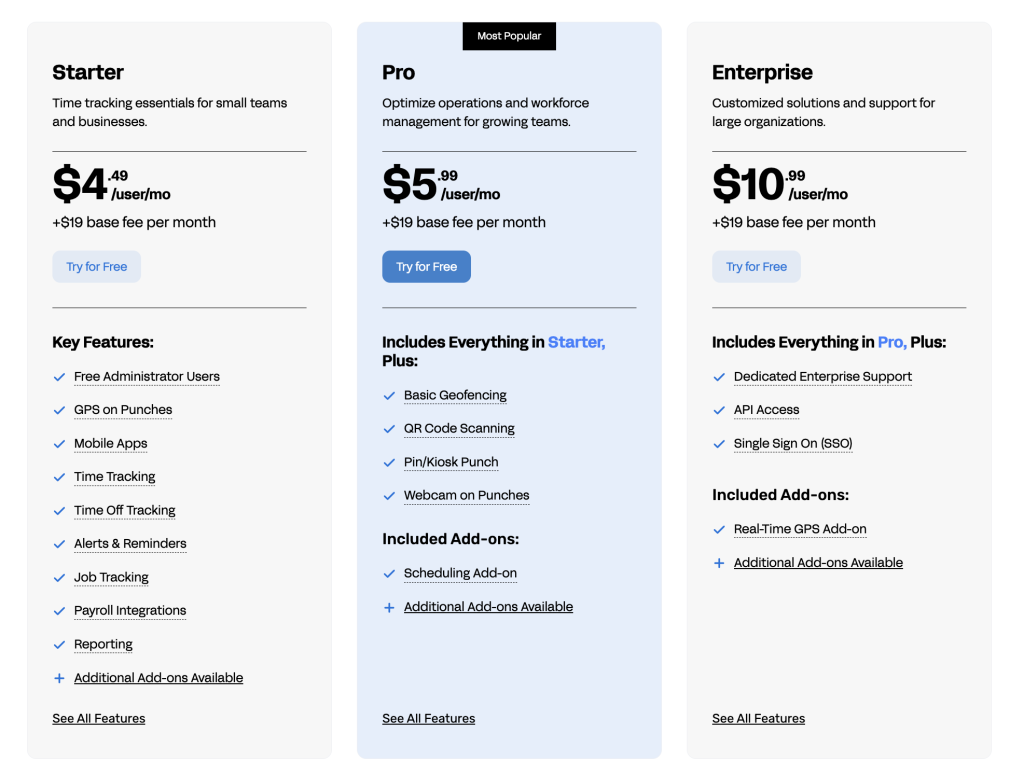
The same page also shows:
- Pro as the middle paid tier.
- Optional add-ons such as Payroll at $6 per user per month plus a $39 base fee.
- Scheduling at $1 per user per month, with that add-on included in Pro and Enterprise.
The page also promotes savings of up to 18% on annual billing.
That is a useful setup because beginners can see both the user fee and the base fee clearly, which makes budgeting easier than on platforms that hide one side of the cost.
If you want to compare the public pricing ladder directly, start with Buddy Punch here and match the Starter, Pro, and Enterprise structure against how many employees and managers will actually use the product.
Common Beginner Mistakes
The most common mistakes with a tool like Buddy Punch are usually:
- Overcomplicating setup too early.
- Ignoring approval rules.
- Not testing mobile punch behavior in real-world conditions.
- Waiting too long to connect payroll or scheduling workflows.
Another mistake is buying the wrong tier.
Some teams jump to higher plans before they have validated that the basic time-tracking workflow is actually being followed by employees.
Starter is often enough for initial rollout.
A Simple First-Week Rollout Plan
For beginners, the smartest way to test Buddy Punch is not building a perfect setup before anyone clocks in.
A cleaner first-week rollout usually looks like this:
- Add a small pilot group of employees.
- Decide whether they will punch in on web or mobile.
- Turn on the basic attendance and reminder logic you actually need.
- Review one real pay-period sample.
- Fix confusion before expanding to the rest of the team.
That rollout style matters because time-tracking tools are adopted by humans, not by configuration pages.
If employees understand the punch flow quickly, managers can approve time cleanly, and payroll data becomes easier to trust, the setup is working.
That is the moment when you expand.
Who Buddy Punch Fits Best
Buddy Punch is especially beginner-friendly for:
- Small businesses replacing spreadsheets.
- Teams moving off manual clocks.
- Managers who need attendance visibility without complicated HR software.
- Owners who want payroll-friendly hour tracking with less admin overhead.
It is a practical fit because the official site keeps the story grounded in actual labor tracking, not inflated workforce-management jargon.
If that sounds like your setup, start with Buddy Punch here and run a real trial with one live shift schedule and one approval cycle before deciding whether you need a bigger workforce platform.
Support Resources
Buddy Punch does a good job of making the product feel approachable through:
- Product tour visibility.
- Trial access.
- Help and support references.
- Plan demo invitations.
That matters for beginners because time-tracking tools are not bought only on features. They are bought on whether a real team can understand and adopt them quickly.
That approachable support layer is more important than it sounds.
Beginner buyers usually are not asking, “Does this platform have the most sophisticated workforce logic on the market?”
They are asking:
- Can my team learn it fast?
- Can managers review hours without confusion?
- Can payroll get cleaner data?
- Can I stop chasing missing punches every week?
Buddy Punch’s public product story lines up well with those beginner priorities.
When To Move Beyond The Starter Mindset
Starter is often the right first step, but not every team should stay there forever.
As a business grows, the needs usually shift toward:
- More scheduling control.
- Cleaner approval paths.
- Stronger integrations.
- Better visibility into labor costs and team accountability.
That is where the Pro and Enterprise direction starts making more sense.
The helpful part is that Buddy Punch does not hide that growth path. It lets a beginner start small, then add more structure once adoption is working.
That is a healthier learning curve than forcing a small business into a complicated workforce suite too early.
For beginners, that kind of gradual adoption can be the difference between a rollout that sticks and one that gets ignored after week two.
That is a practical advantage, not just a marketing one.
It lets owners build confidence step by step instead of trying to solve every scheduling, attendance, and payroll detail in a single setup session.
That slower and cleaner rollout style usually produces better adoption.
It also makes training much easier for managers and staff.
That usually leads to fewer punch errors and cleaner approvals.
It also gives beginners more confidence that the system will actually fit day-to-day work.
That confidence matters a lot in the first month.
It reduces rollout stress for both owners and frontline managers.
Verdict
Buddy Punch is a strong beginner time-tracking choice in 2026 because the official site keeps the product simple where it should be simple: trial access, affordable plan language, visible base fees, mobile support, GPS punches, time off tracking, payroll integrations, and a realistic growth path into scheduling and deeper team controls.
If you are replacing spreadsheets, manual clocks, or messy attendance tracking, start with Buddy Punch here and run the 14-day trial against one real employee punch and approval workflow before overthinking the buying decision.
That practical test usually gives beginners the answer they need much faster than reading endless software comparison lists.
FAQ
Is Buddy Punch good for beginners?
Yes. The official site positions it clearly for easy, affordable employee time tracking, and the 14-day free trial with no credit card required makes evaluation straightforward.
How much does Buddy Punch cost?
The official pricing page currently shows Starter at $4.49 per user per month plus a $19 base fee on the visible annual-billing view, with higher Pro and Enterprise tiers and optional add-ons such as Payroll and Scheduling.
Does Buddy Punch work for small businesses?
Yes. The homepage explicitly frames the product around small-business-friendly time tracking, attendance, scheduling, and payroll workflows.
What is the best beginner feature in Buddy Punch?
For many new buyers, the best beginner feature is the combination of easy time tracking, mobile apps, GPS punches, and payroll-friendly hour approval workflows.
Before You Choose, Compare These
Hand-picked guides to help you choose the right tool — no fluff.
 Advanced GuidesBuddy Punch Advanced Guide 2026Deeper workflows once the basics are in place.
 Case StudiesBuddy Punch Case Study 2026What actually happened when teams rolled it out.
 FeaturesDiginius Top Features 2026The standout features and whether they justify the price.
 AlternativesFreshmarketer Alternatives 2026Credible alternatives and when each one wins.