

Power User Intro
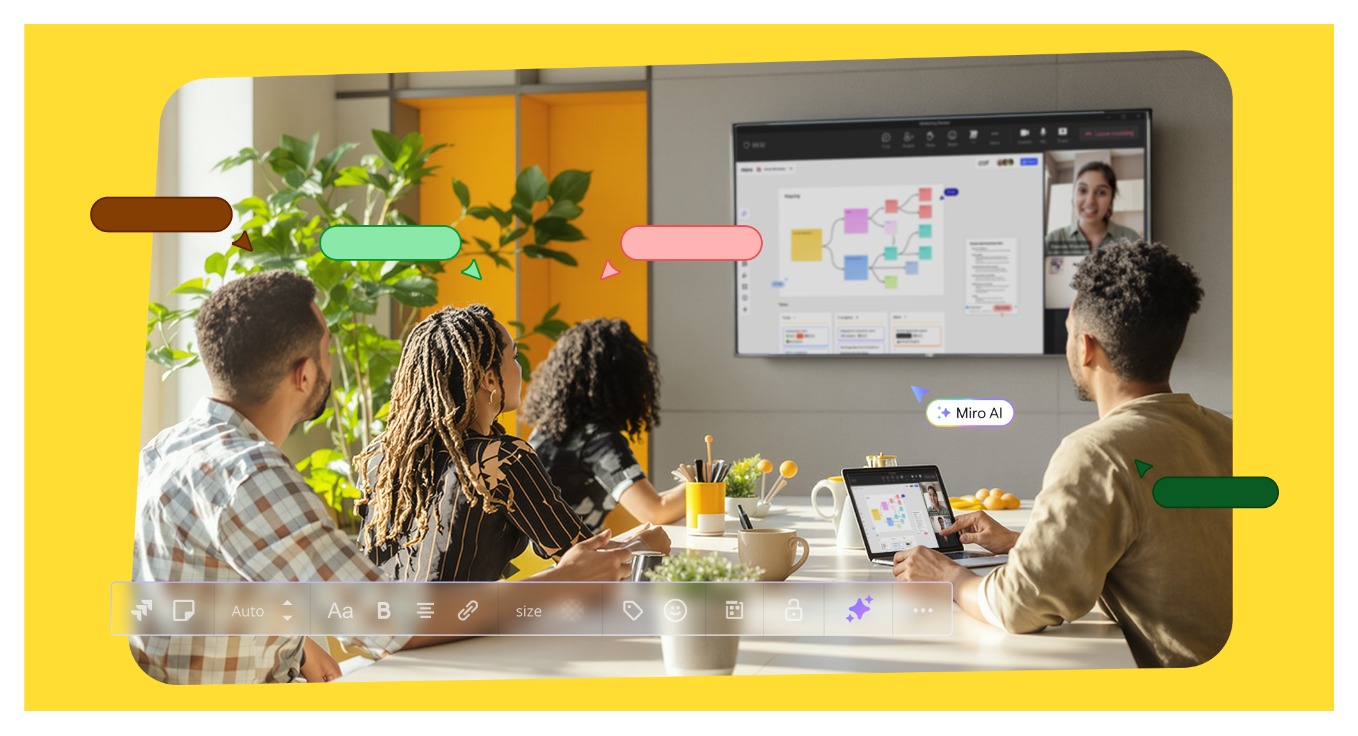
Miro has outgrown the old “online whiteboard” label, and the official site makes that pretty clear. In 2026, it is positioned as an AI innovation workspace that helps teams move from brainstorm to breakthrough faster. That sounds like marketing language, sure, but the deeper product story matters more: documents, prototypes, data tables, workflows, AI help, and a platform that Miro says is used by more than 100 million people across 250,000 companies.
That matters because advanced Miro usage is not about dragging sticky notes around more elegantly. It is about turning one workspace into a place where research, planning, workshops, documentation, and execution connect without the handoff chaos that slows teams down.
If you only use Miro for the occasional brainstorming board, this guide will feel like overkill. If your team is building cross-functional processes inside it, though, the advanced side of Miro gets much more interesting.
If you want to test that power-user layer yourself, start with Miro here.
Advanced Feature 1: Miro AI As A Workflow Accelerator
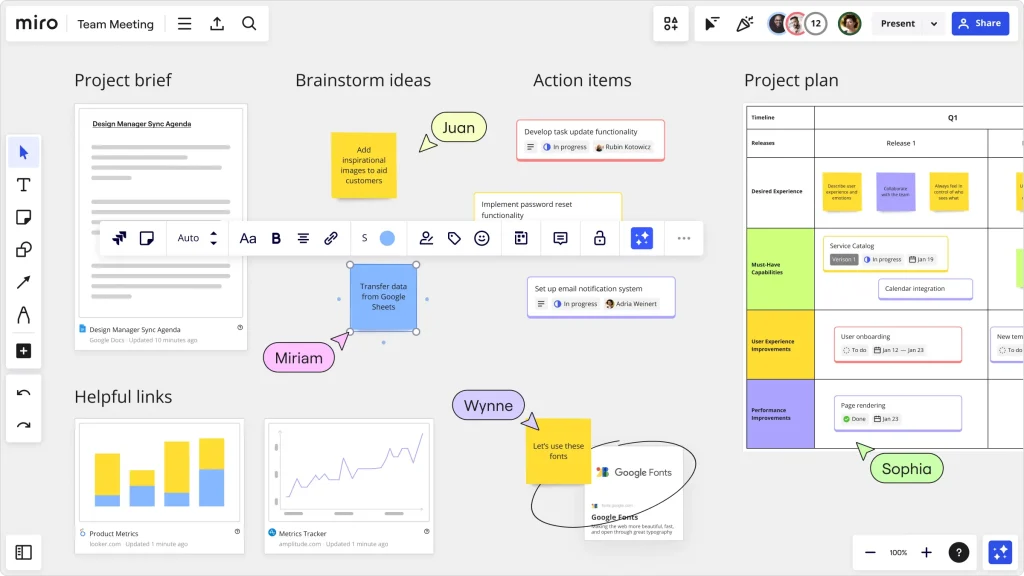
The official site puts Miro AI near the center of the experience, and for good reason. This is one of the clearest signs that Miro wants to help teams move from raw ideas to structured output without bouncing between five different tools.
For advanced users, Miro AI becomes useful when it is not treated like a gimmick. Its value shows up when you use it to speed up existing work:
- Turning rough brainstorms into organized themes.
- Moving from research fragments into a cleaner synthesis.
- Drafting structure around planning artifacts like briefs or PRDs.
- Helping teams get from messy discussion to something reviewable faster.
That last part is the real advantage. Power users do not need AI to make the board look busy. They need it to reduce the dead time between “we talked about it” and “we can act on it.”
The risk, of course, is letting AI generate a structure nobody actually owns. Miro works best when AI accelerates real decision-making instead of creating beautiful nonsense. Let’s be real: the corporate world already has enough of that without machine help.
Advanced Feature 2: Docs, Data Tables, And Structured Work In One Place
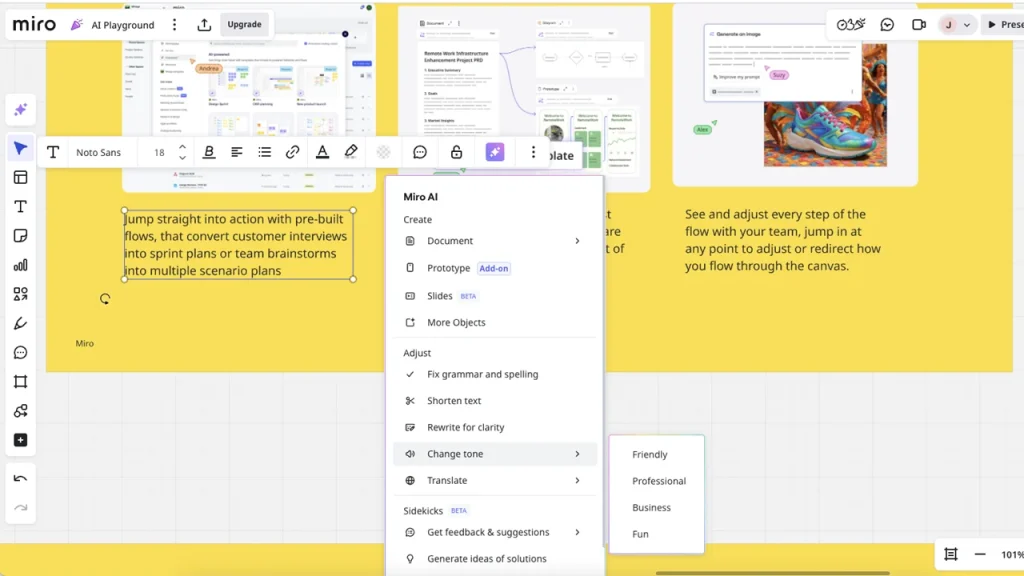
One of the smartest signals on the official site is that Miro is not just showing boards. It is also showing docs, data tables, prototypes, planning views, and more. That means the product is pushing beyond ideation into structured operating work.
For advanced teams, this matters a lot.
A whiteboard is great for discovery. It gets weaker when you need a persistent structure. Miro’s docs and data-table style elements help bridge that gap. You can go from workshop energy into something teams can actually revisit, edit, and use without exporting half the work into other platforms immediately.
This is especially useful for:
- Product discovery teams are synthesizing research.
- Marketing teams are planning launches with more visual context.
- Operations teams are mapping workflows and then documenting decisions.
- Agencies are moving from client collaboration into approved artifacts.
The power-user move here is simple: stop treating Miro as the place where ideas happen before the “real work” starts. In a mature setup, some of the real work can stay there.
Advanced Feature 3: Prototypes, Journeys, And Cross-Functional Visualization
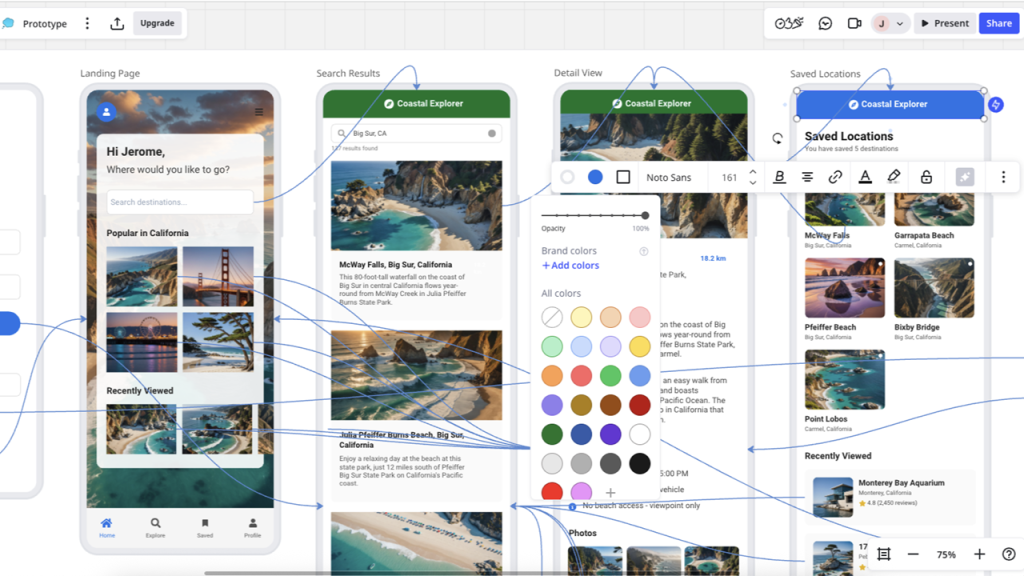
Miro’s product navigation and homepage make it obvious that it wants to support prototypes, journeys, roadmaps, planning, and broader cross-functional acceleration. That positioning is what gives Miro staying power beyond workshop facilitation.
Advanced teams do not win just because they have ideas. They win because design, product, engineering, operations, and leadership can all see the same motion clearly enough to make decisions without endless clarification loops.
This is where Miro shines:
- Mapping customer journeys in a shared visual language.
- Moving from ideas to prototype discussions quickly.
- Supporting roadmap and planning conversations with more context.
- Helping multiple functions work from the same visual frame instead of disconnected docs.
The real gain is alignment speed. A good Miro board can shorten the time between insight and action because the board becomes the shared reference point. No joke, that alone can save teams from entire meetings that should have been comments.
Automation And Workflows
Advanced Miro use is really about workflow design. The platform is strongest when it becomes a repeatable system, not a one-off board.
That means building patterns like:
- A standard research-synthesis flow.
- A repeatable planning board for launches.
- A template for retrospectives with documented outcomes.
- A product brief workflow that feeds design and engineering.

Because Miro also emphasizes templates, integrations, and AI workflows, advanced users can turn those repeatable patterns into team habits. That is the leap from “Miro user” to “Miro operator.”
The difference matters. A user opens a board. An operator designs how the board supports the company’s decision-making.
If your team is ready for that level of usage, start with Miro here and build a board system that survives longer than a single project.
Custom Integrations And API Context
Miro’s official site highlights more than 250 apps and integrations, which is a big clue about how the company expects advanced teams to work. It knows the board cannot live in isolation forever.
That integration depth matters for power users because real work does not happen in one tool. Research lives somewhere. Tickets live somewhere. Documentation lives somewhere. Communication lives somewhere. Miro becomes more valuable when it connects into that reality instead of pretending the board is the whole universe.
Advanced teams should think about integrations in two ways:
- Input integrations that bring context into Miro.
- Output integrations that help decisions move out into execution systems.
The exact setup depends on your stack, but the principle is stable. Miro is strongest when it becomes the visual operating layer between scattered context and coordinated action.
There is also a broader platform signal in the official experience that suggests Miro is thinking beyond static canvases. Between integrations, AI, structured views, and product-specific solution navigation, it is clearly being shaped for more system-level usage.
Performance Optimization For Large Boards
Power users eventually run into the same problem: the board gets huge, everybody keeps adding things, and suddenly the space becomes a visual junk drawer with premium branding.
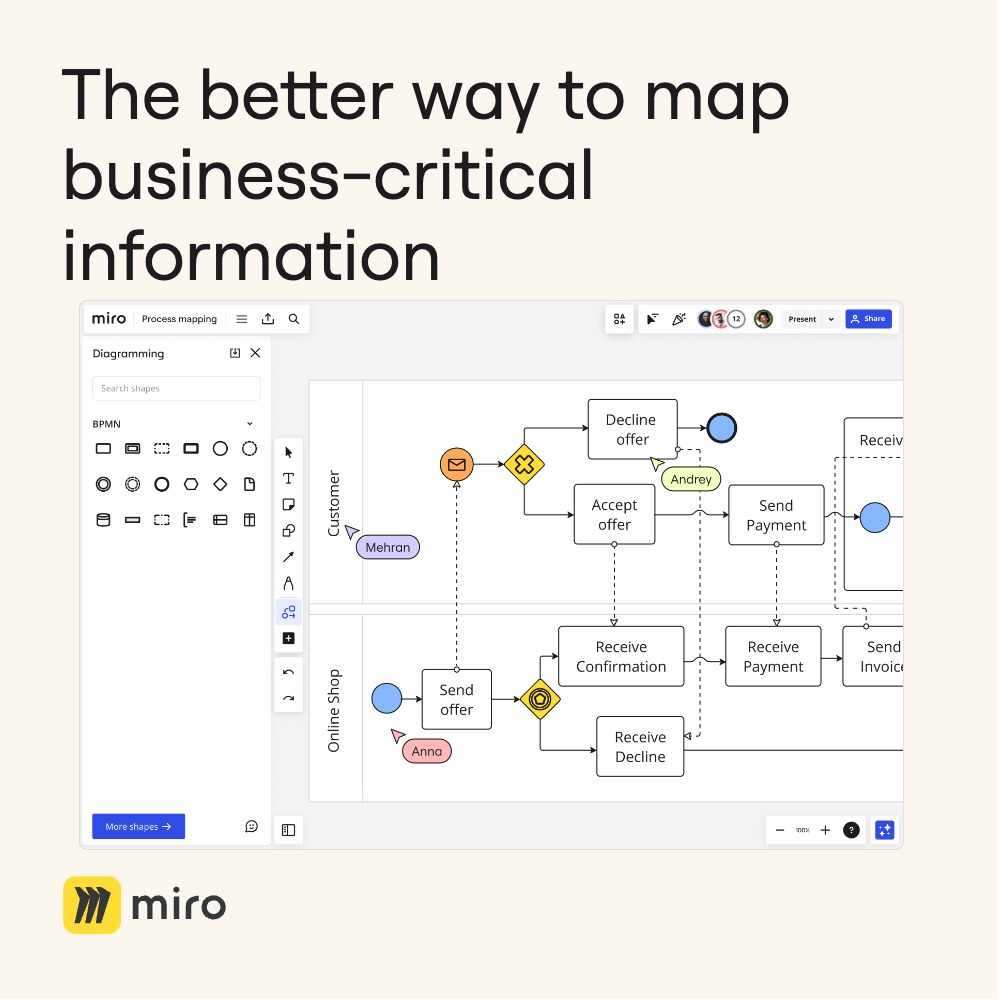
The fix is not “use Miro less.” The fix is board discipline.
Here are the advanced practices that matter most:
- Create separate working zones instead of piling everything into one area.
- Archive dead sections aggressively.
- Use templates to create consistent navigation patterns.
- Keep decision summaries close to the work they describe.
- Break giant boards into linked systems when one canvas starts serving too many masters.
This sounds boring, but it is the difference between a board people revisit and a board people fear. A powerful workspace is still a workspace. If no one can find the logic of the board in thirty seconds, the power-user setup is failing.
Expert Workflows That Make Miro Worth It
The most valuable advanced Miro workflows are the ones that reduce tool-switching and meeting drift. A few especially strong examples:
Research To Brief Workflow
Collect research, synthesize themes, generate a doc structure, and leave a concise decision-ready brief in the same environment.
Planning To Deliver Workflow
Use one board to move from goals and priorities into roadmaps, dependencies, and execution context for the next team.
Workshop on Accountability Workflow
Capture a live session, summarize the decisions, and leave visible next steps directly on the board so nobody has to reconstruct the meeting later.
Prototype Review Workflow
Keep design exploration, comments, and next-step alignment together instead of scattering them across decks, screenshots, and chat threads.
If you do not build workflows like these, Miro can stay useful but underpowered. If you do build them, the platform starts behaving more like a collaboration operating system.
Pricing Context For Power Users
The official pricing page shows Free, Starter, Business, and Enterprise paths. That is important because advanced usage usually outgrows the free or light-touch setup quickly.
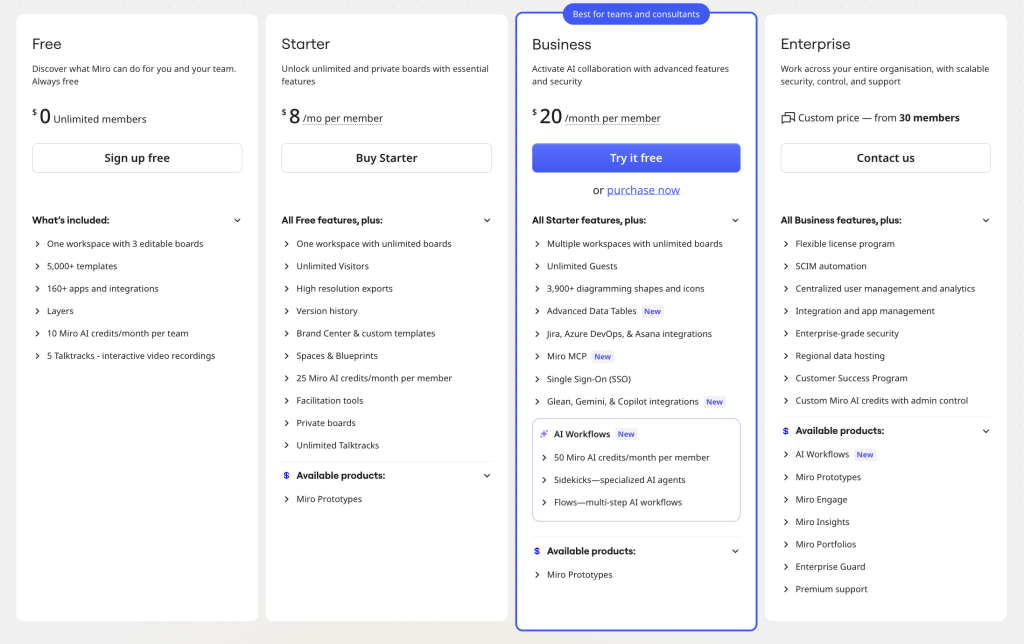
Power users should not just ask, “What does Miro cost?” They should ask, “At what point does our collaboration complexity justify a bigger plan?” Once multiple teams rely on shared workflows, stronger controls and collaboration features start to matter more than entry pricing.
That does not mean everyone needs Business or Enterprise. It means advanced usage often has a different cost logic than casual usage. The more Miro becomes part of operating rhythm, the easier it is to justify a stronger plan.
If you want to test where that tipping point is for your team, start with Miro here and build one advanced workflow before you decide whether a higher tier is warranted.
Verdict
Miro is one of the more compelling power-user collaboration platforms in 2026 because it clearly wants to connect ideation, structure, AI, workflows, and execution context in one place. The official signals are all there: AI innovation workspace, docs, prototypes, data tables, more than 250 integrations, and adoption at massive scale.
The best advanced Miro teams do not use it as a prettier whiteboard. They use it as a visual operating layer for work that usually gets fragmented across too many tools and too many meetings.
If your team has already outgrown simple brainstorming boards, start with Miro here and build one high-value repeatable workflow that proves the platform can do more than facilitate a workshop.
FAQ
Is Miro still just a whiteboard in 2026?
No. The official site positions Miro as an AI innovation workspace with docs, prototypes, planning views, workflows, and integrations well beyond a basic whiteboard.
What makes Miro advanced for power users?
The combination of Miro AI, structured work elements like docs and data tables, repeatable workflows, and more than 250 integrations is what pushes it into advanced territory.
Who gets the most value from advanced Miro usage?
Cross-functional product, design, marketing, operations, and agency teams tend to get the most value once they use Miro for systems and decisions, not just workshops.
When should a team move beyond the free plan?
Usually when Miro becomes a repeatable operating tool for multiple collaborators, workflows, and ongoing planning rather than an occasional brainstorming canvas.