

Power User Intro :
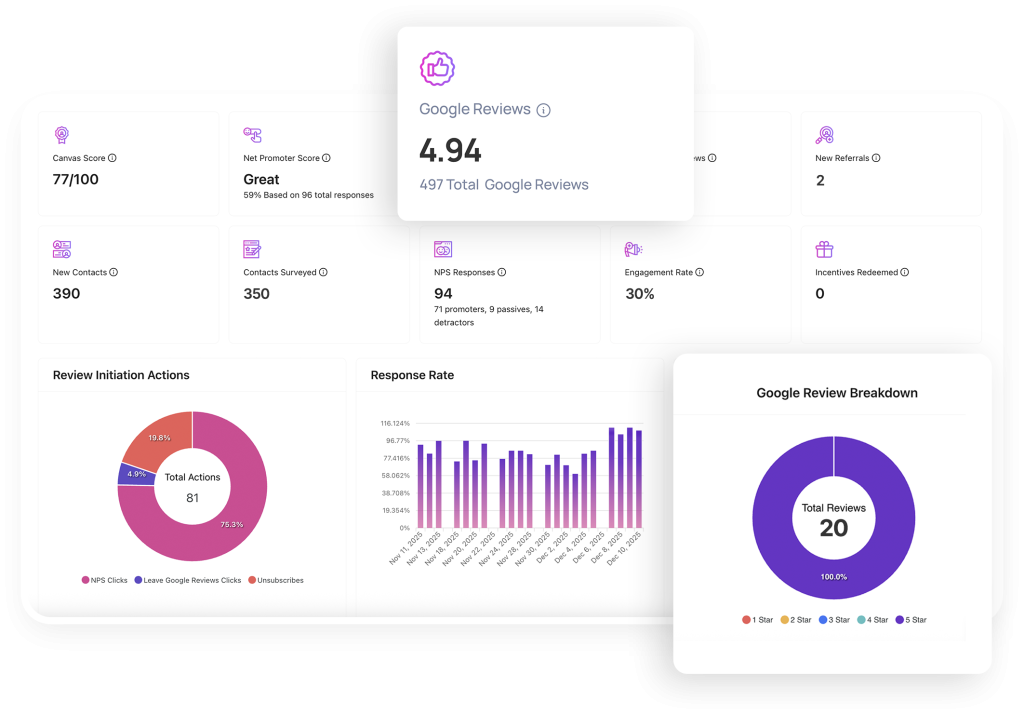
Canvas® Score by Roya.com is the kind of product that makes more sense once you stop treating it like a simple signup page and start treating it like an operations layer for reviews, sentiment, and location-level visibility. The public page is sparse, but the live app clearly points to a workflow built around canvas_score, review_score, NPS, Google Review Rating, New Google Reviews, review requests, widgets, dashboards, and locations. That already tells you a lot about the kind of team that will get value from it.
If you are the person who has to keep an eye on reputation health across multiple locations or customer touchpoints, this is not a tool you want to evaluate casually. You want to test whether it makes the daily monitoring loop tighter, whether the signals are understandable, and whether the team can act on them quickly. The easiest way to do that is to start evaluating from the signup page here and judge the live workflow instead of guessing from the marketing shell.
Advanced Features :
Review Scoring That Actually Gives You A Daily Signal –
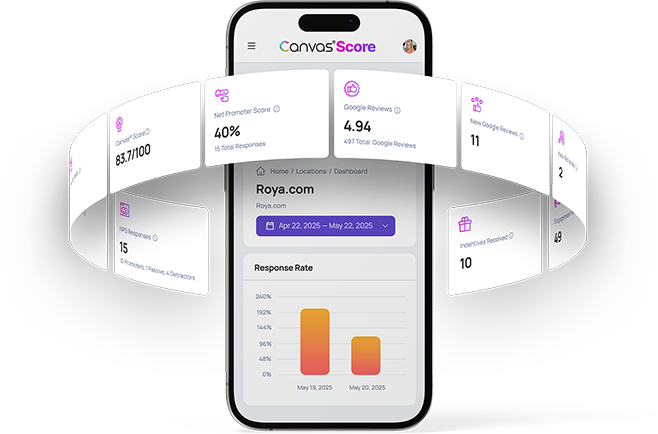
The most important thing CanvasScore appears to do is turn scattered reputation data into something the team can watch daily. The official app references canvas_score and review_score, which suggests a scoring model that is meant to compress a lot of customer activity into a simpler operational readout.
That matters because managers do not need more noise. They need a number, a trend, and a reason to act. If the score is changing because new reviews are coming in, because customer sentiment is moving, or because a location is underperforming, the point is not to admire the chart. The point is to know what to do next.
Google Review Visibility And New Review Monitoring –
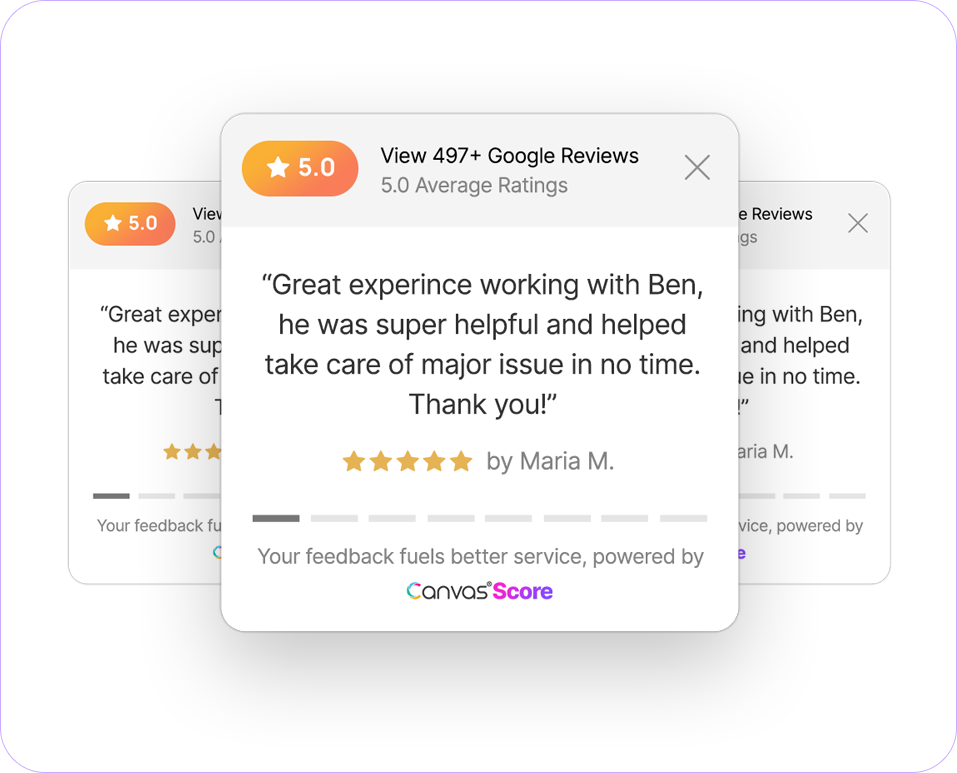
The app also calls out Google Review Rating and New Google Reviews, which is exactly the kind of surface a power user wants in a reputation tool. A rating without a fresh review feed is too static. A review feed without a score is too noisy. CanvasScore seems to push toward both at once.
That is useful for operators who care about momentum. If a location gets a burst of new reviews, you want the team to see it quickly. If the rating slips, you want to know before it becomes a longer-term problem. That is why the combination of score, rating, and incoming review signals matters more than any one metric by itself.
NPS And Customer Sentiment –
CanvasScore also surfaces NPS and customer sentiment, which makes the platform feel more like a CX operations tool than a simple reputation scraper. Those two signals are important because they help you separate “people left a review” from “people actually felt something about the experience.”
That distinction is a big deal in advanced workflows. A healthy-looking rating can hide a bad operational pattern if the sentiment is moving in the wrong direction. Likewise, a single bad review might not matter much if the broader sentiment stays stable. The power-user job is to notice those patterns early, not after the damage is already public.
Automation Workflows :
Location-Level Monitoring –
The biggest advanced use case I can see is location-level monitoring. The app references locations directly, which means the workflow is designed for businesses that need more than one reputation surface to watch. That might be a franchise, a multi-site service brand, or any operation that needs to compare one branch against another.
In practice, this means your daily routine should not be a random check of the main dashboard. It should be a repeatable scan of which locations are improving, which ones are flat, and which ones need intervention. A good reputation tool should make that loop quicker, not more complicated.
Review Request Timing –
The official app also points to review requests. That is the part that usually determines whether a tool becomes useful or just decorative. If you can trigger review requests at the right moment, you are not only tracking reputation; you are shaping it.
For advanced users, the trick is to make request timing a policy. Do not send requests at random. Tie them to a service milestone, a completed support interaction, or a confirmed positive moment. Then use the score and review feed to see whether the request flow is actually changing the curve.
Dashboard Habit Loops –
The real workflow value of a product like this comes from habit. If the dashboard is checked every day, if the alerts are read quickly, and if the team knows what to do when a score moves, then the tool is doing actual work. If nobody looks at it until the end of the month, it becomes a report nobody trusts.
That is why I would test CanvasScore against a very small internal ritual first. Check the score, review the NPS trend, inspect new Google reviews, and confirm that each location has a clear owner. If that loop feels natural, use the signup flow here to keep digging. If it feels awkward, the product may be asking for a workflow your team is not ready to maintain yet.
Custom Integrations And API :
The public page does not expose a clean public pricing table or a deep integration document, so I would be careful not to assume too much here. What we can say honestly is that the live app is built around dashboards, widgets, and location-based reputation data, which usually means integration value will come from how well the platform fits into your existing reporting or communication stack.
For an advanced buyer, that is enough to create a test plan. Can the team route review work to the right owner? Can daily monitoring fit into the same routine as support or operations? Can the widget layer be placed where customers actually see it? Those are the right questions before you assume the tool is a fit.
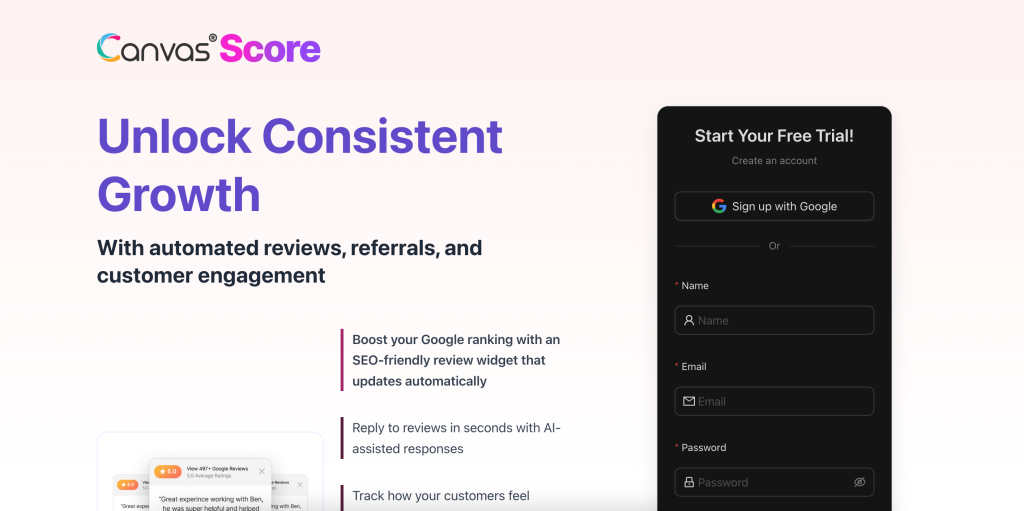
The current signup page is more of an entry point than a full technical spec sheet, so the smart move is to test the workflow in the account itself. That way you are evaluating the actual product rather than a marketing summary.
Performance Optimization :
If I were trying to get the most out of CanvasScore, I would start with three rules. First, define which score matters most to the team. Second, assign each location an owner. Third, make sure new review notifications are treated as an operational cue, not just background noise.
That sounds simple, but it is where a lot of reputation tools lose momentum. People set up the account, glance at it once or twice, and then wonder why nothing changed. A score only matters if the team knows how to react when it moves.
I would also keep the dashboard focused. Too many metrics make reputation management feel like data theater. The better pattern is to watch the score, watch the review feed, watch NPS, and let sentiment fill in the why. That is much easier to act on.
Expert Workflows :
Multi-Location Comparison –
The most useful expert workflow here is probably cross-location comparison. If you manage several sites, the product should help you quickly see which location is carrying the brand and which one is dragging it down. That is where location-based tools pay for themselves.
Review Response Prioritization –
Another good use case is prioritization. Not every review needs the same response speed. A strong workflow would let you treat low-score or high-visibility reviews differently from routine praise. That saves time and helps the team focus where it matters most.
Customer Sentiment Review Cadence –
Finally, keep a fixed cadence for sentiment checks. If sentiment is healthy but new reviews spike, your service flow may be working. If sentiment and score both slide at the same time, you probably have a process issue that needs attention fast. That is the kind of operational signal a power user should be after.
If you want to evaluate whether CanvasScore gives you that kind of control, revisit the live signup page here and see whether the dashboard feels clear enough to build a routine around.
One more reason this product can work for advanced teams is that it keeps the daily conversation simple. You are not trying to explain five different dashboards to five different people. You are trying to answer one question: which location needs attention right now, and why? That simplicity is often what turns a reputation product from a nice-to-have into an actual operating habit.
Verdict :
Canvas® Score by Roya.com looks promising for teams that need a reputation and review signal they can actually use. The public app data points to review scoring, Google Review visibility, NPS, customer sentiment, widgets, dashboards, and location-level management. That is a solid combination if your job is to keep the reputation loop tight instead of manually checking everything one by one.
The biggest caution is that the public page is not very generous with pricing or technical detail, so the right evaluation is hands-on. If your team needs a straightforward view into reputation health, the product looks worth testing. If you need a very deep public spec sheet before talking to anyone, the site may feel light.
The useful part is that the product already tells you what kind of work it wants to help with. It wants to make the review and sentiment loop more visible, more organized, and easier to act on. That is a good sign for advanced users.
If that is the kind of control you need, start evaluating from the signup page here and judge it against the daily workflow your team actually runs.
FAQ :
What does Canvas® Score by Roya.com appear to track?
The public app references canvas_score, review_score, NPS, Google Review Rating, New Google Reviews, review requests, customer sentiment, widgets, dashboards, and locations.
Is public pricing visible on the signup page?
Not clearly from the current public page. The safest approach is to evaluate the live product flow directly.
Is CanvasScore useful for multi-location brands?
Yes. The page references locations directly, which makes multi-location monitoring one of the clearest use cases.
What should an advanced user test first?
Test the score flow, the review request loop, the new review feed, and the location-level dashboard before deciding whether it fits the team.