


- Advanced Features
- Automation Workflows
- Custom Integrations And API
- Performance Optimization
In this guide
Power User Intro :
Playroll is the kind of platform that becomes much more interesting once you stop using it as a basic global employment tool and start treating it like an operations engine. The official site frames it around global employment, contractor management, EOR, visa services, and payroll across 180+ countries. That is a very different posture from a simple HR app.
Disclosure: Stack99 earns a commission if you buy through links on this page. It costs you nothing extra and never changes our assessment.
For advanced users, the real question is not whether Playroll can “handle payroll.” The better question is whether it can help you build a cleaner system for approvals, compliance, integrations, and data flow across the rest of your stack.
If you want to inspect the official offering while you read, open Playroll here.
That matters because advanced teams tend to care about the boring stuff that saves time: how data moves, who approves what, where compliance lives, and how many tools you can keep from becoming manual copy-paste work.
Advanced Features :
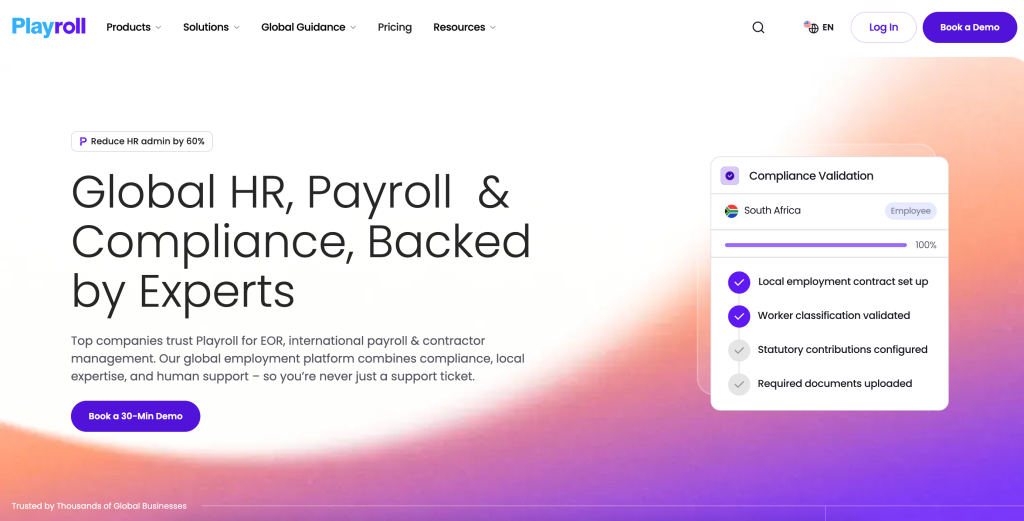
The strongest advanced signal on Playroll’s official site is breadth with structure. The platform is not only about paying people in more places. It is also about making the employment setup more manageable once the team grows.
The official product and pricing pages point to:
- Global Employment Coverage In 180+ Countries.
- Contractor Management.
- EOR Services.
- Visa Services.
- Payroll And Compliance Support.
- Benefits Administration.
- Direct Compliance Expertise.
For an advanced user, that list means you can think in systems rather than one-off tasks. If you are onboarding across regions, you want a process where worker data, local requirements, payroll steps, and internal approvals all line up without someone needing to manually rebuild the same record in five different places.
That is where the product starts to earn its keep. Advanced teams do not just want to “manage people.” They want to reduce the amount of time they spend re-checking the same information in different tools.
Automation Workflows :
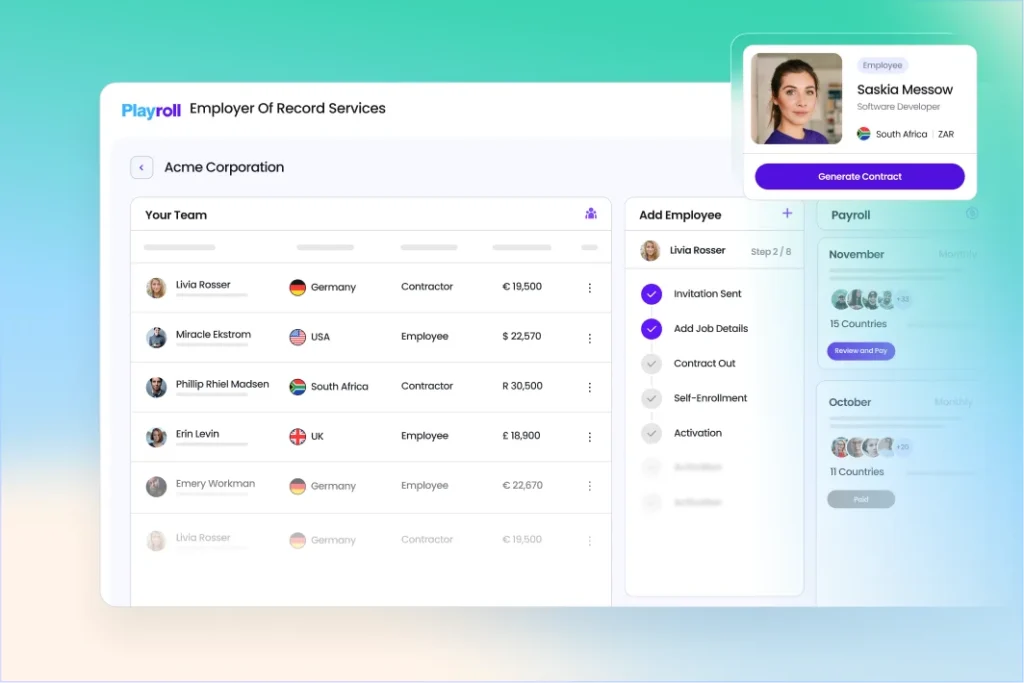
If you are building a mature workflow, the first rule is to automate the handoffs that create the most friction.
The easiest places to start are:
- New Hire Intake.
- Contractor Approval.
- Country Eligibility Review.
- Payroll Handoff.
- Compliance Checkpoint.
- Benefits Enrollment.
That sounds simple, but that is the point. Good automation does not feel clever. It feels invisible.
Playroll’s official materials are useful here because they show a platform designed for global scale rather than a single-country workflow. That makes it a natural candidate for teams that want to standardize onboarding steps across multiple regions and teams.
If you are testing the workflow design side, open Playroll here and map the journey from intake to payroll before you introduce any extra complexity.
The practical advanced move is to define thresholds. For example:
- If The Worker Is A Contractor, Route To Contractor Management.
- If The Country Is In A Higher-Risk Group, Route To Compliance Review.
- If A Tool Integration Fails, Pause The Workflow Before Payroll.
That kind of decision logic keeps your team from discovering problems after the money has already moved.
Custom Integrations And API :
This is where Playroll becomes especially relevant for advanced teams. The official integration page says it connects with HR tech across HRIS, ATS, expense tools, learning systems, payroll providers, and background screening vendors. It also explicitly references a customizable API and bi-directional data flow.
That is the language advanced teams want to hear.
When a platform supports bi-directional data flow, you are not just syncing a one-way record. You can create a more realistic operating model where the source of truth updates in both places instead of forcing humans to re-enter the same details.
Common advanced integration ideas include:
- HRIS To Global Employment Sync.
- ATS To Worker Onboarding Sync.
- Expense Tool To Payroll Review Sync.
- Background Screening To Compliance Gate.
- Learning System To Role-Based Access Logic.
The API point matters just as much. A customizable API gives advanced teams a way to shape the workflow around their process instead of reshaping the process around one vendor’s default menu.
That said, the advanced rule still applies: do not integrate everything just because you can. Connect the systems that remove real delay, then measure whether the handoff is actually cleaner.
Performance Optimization :
Performance in this category is less about page speed and more about operational speed. You want the workflow to feel fast to the people who use it every day.
The best way to optimize is to remove uncertainty at three points:
Before Approval –
Make sure the worker category, country, and contract type are clear before the record is passed forward.
Before Payroll –
Confirm that the compliance and benefit steps are complete before payroll is triggered.
Before Handoff –
If the source system and destination system are not aligned, stop the handoff and resolve the mismatch.
That sounds strict, but global employment is the wrong place to be casual. The more countries you touch, the more expensive small mistakes become.
The official 180+ country footprint is the clue here. A platform with that kind of range is most valuable when your team learns to trust the structure. That trust comes from predictable checks, not from speed alone.
Expert Workflows :
Once the basics are stable, the best advanced workflows usually look like this:
- Standardize Global Hiring Approvals.
- Map Country-Specific Compliance Rules.
- Split Contractor And Employee Journeys.
- Use Integrations To Reduce Duplicate Entry.
- Keep Payroll Review Separate From HR Intake.
- Build Escalation Steps For Exceptions.
The reason this matters is simple: advanced teams usually do not fail because they lack features. They fail because too many teams can edit the same process without a clear rule for who owns what.
One strong expert habit is to create a master checklist for each region. That checklist can include approval owner, payroll cutoff, required documents, and integration dependencies. If a new market is added later, the team does not have to invent the process from scratch.
If you want to compare that model with the live product pages, return to Playroll here and use the official language as your baseline for building internal SOPs.

Pricing And Support :
The official pricing information gives you two useful signals.
First, contractor management is listed at $35 per month per contractor. That is a clean data point and useful for modeling volume.
Second, the EOR pricing flow emphasizes a same-day solution and no credit card requirement. That tells advanced buyers that the evaluation path is low-friction even when the buying decision itself is more strategic.
That combination is useful because advanced teams usually need to do more than compare monthly numbers. They need to estimate the real total cost of moving work into a global platform.
When you evaluate cost, ask:
- How Many Contractors Will Actually Be Active?
- How Many Countries Need Compliance Coverage?
- How Much Manual Work Can Integrations Remove?
- How Much Risk Does The Platform Reduce?
Those questions are more honest than chasing the cheapest sticker price. In global operations, the cheapest platform can become the most expensive one if it creates rework.
Operational Checklist :
Before you put Playroll into a live workflow, it helps to define the operational rules in plain language. Advanced teams usually move fastest when every person involved knows where the record starts, who approves it, and what happens if a country-specific requirement changes after the initial setup.
The simplest checklist is:
- Confirm The Worker Type Before Routing.
- Confirm The Country Before Payroll Handoff.
- Confirm The Integration Owner Before Syncing Data.
- Confirm The Escalation Path Before Launch.
That may sound overly careful, but global employment is exactly the kind of process where a tiny mismatch can become an expensive follow-up later. The more your workflow depends on clean handoffs, the more important it is to define the handoff rules before volume increases.
Another good habit is to review the stack after the first cycle and ask one blunt question: did the platform remove work, or did it just move the work somewhere else? If the answer is unclear, trim the workflow until the operation feels lighter, not heavier.
It also helps to keep a single owner for the global employment workflow. When two different teams think they own the same handoff, the process usually slows down, and nobody is fully sure where the real source of truth lives. One owner, one checklist, and one escalation path is usually enough to keep the system sane.
That discipline pays off fast once the team starts adding countries, tools, and payroll steps at the same time.
Verdict :
Playroll is strongest when your team needs a global employment structure rather than just a payroll box to tick. The official materials show a platform built for 180+ countries, contractor management, EOR, visa services, payroll, benefits, and a serious integration story with a customizable API.
That makes it a strong advanced choice for teams that are trying to standardize how global work moves through the business. The value is not just “we can pay people.” The value is “we can reduce friction across the whole employment lifecycle.”
If that is the problem you are trying to solve, open Playroll here and test it against your current approval chain, your HR stack, and your payroll handoff process.
The more complex your organization gets, the more important it becomes to have one place that can help the process feel predictable. That is the real advanced use case here.
FAQ :
Is Playroll good for advanced teams?
Yes. The official product and integration pages show the kind of breadth advanced teams need, especially across country coverage, compliance, integrations, and API connectivity.
Does Playroll support integrations?
Yes. The official materials say it connects with HRIS, ATS, expense, learning, payroll, and background screening tools, and it references a customizable API.
How much does contractor management cost?
The official pricing page lists contractor management at $35 per month per contractor.
Does Playroll support global compliance?
Yes. The official materials say it supports compliant payroll and taxes in 180+ countries.
Is there a quick way to evaluate it?
Yes. The EOR pricing flow highlights a same-day solution with no credit card requirement.
More on Playroll
Hand-picked guides to help you choose the right tool — no fluff.
 Case StudiesPlayroll Case Study 2026What actually happened when teams rolled it out.
 FeaturesPlayroll Top Features 2026The standout features and whether they justify the price.
 ReviewsHubstaff Review 2026Hands-on verdict with the pros, cons and who it fits best.
 ComparisonsHello Bar & Subscribers vs Alternatives 2026The strongest competitors compared side by side.