


In this guide
When To Consider Alternatives :
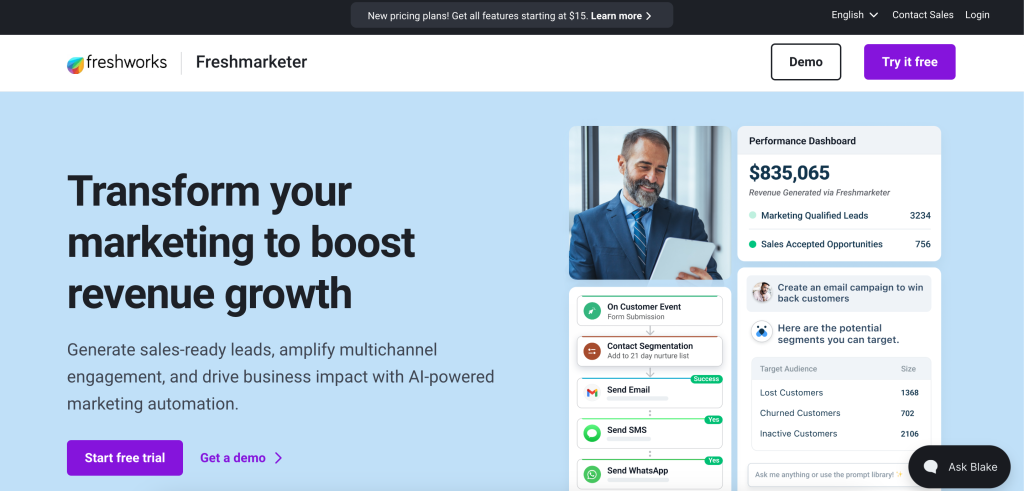
Freshmarketer is a solid pricing case study if you want marketing automation with AI features, contact management, segmentation, landing pages, and multichannel messaging without jumping into a huge enterprise stack on day one. The official Freshworks pages show a product that starts with a free tier and scales into paid automation with WhatsApp, SMS/MMS, Freddy AI, transactional email, and advanced reporting.
Disclosure: Stack99 earns a commission if you buy through links on this page. It costs you nothing extra and never changes our assessment.
The important thing is that Freshworks presents pricing in a slightly mixed way across public pages. The main pricing page shows Free and an Enterprise-style tier in the crawl, while the comparison page surfaces Free and Growth. That does not make the product unreliable, but it does mean you should confirm the exact current label in the live pricing selector before you buy.
If you want to inspect the product while you read, start with Freshmarketer here.
Freshmarketer becomes a candidate for alternatives when you need one of three things:
- A broader CRM and marketing suite.
- A simpler email-first stack with lighter pricing.
- A more specialized automation platform with deeper campaign workflows.
That is usually the real decision behind the search query. People are not only looking for a replacement. They are looking for a better fit for their team size, channel mix, and budget.
Alternative 1: HubSpot
HubSpot is the most obvious broad-suite alternative when a team wants CRM, marketing, sales, and service in one ecosystem. The tradeoff is that the suite is wider and usually heavier, but it can be attractive if Freshmarketer feels too focused for your broader go-to-market stack.
Alternative 2: Mailchimp
Mailchimp is the simpler marketing-first alternative when you care more about email campaigns, audience management, and quick setup than about a full CRM-style automation stack. It can be a better fit for smaller teams that want less platform complexity.
Alternative 3: ActiveCampaign
ActiveCampaign is usually the stronger pick when workflow automation and lifecycle marketing are the priority. If you need more sophisticated campaign branching and you want to lean heavily into automated customer journeys, it is a common comparison point.
Alternative 4: Brevo
Brevo is often attractive to teams that want multichannel reach without immediately jumping into a more complex enterprise-style stack. It is a sensible alternative if you want a cleaner cost structure and a lighter operational lift.
Comparison Matrix :
The easiest way to compare alternatives is to look at what each one is trying to optimize:
- HubSpot: broader suite and deeper CRM ecosystem.
- Mailchimp: simpler email-first execution.
- ActiveCampaign: stronger automation and lifecycle logic.
- Brevo: lighter multichannel marketing with simpler entry.
- Freshmarketer: balanced marketing automation with Freshworks ecosystem ties.
When To Stick With Freshmarketer :
Freshmarketer still makes sense when you want an approachable free tier, a clear upgrade path, and a product that sits naturally inside the Freshworks ecosystem. It is also a good option when you want to test a real campaign workflow before committing to a larger suite.
If the goal is to stay lean while still having room to grow, Freshmarketer remains a very defensible choice.
Pricing In Context :
The most useful public pricing details I found from Freshworks are these:
- Free is shown at
$0per month with100marketing contacts, billed annually. - The public pricing crawl also shows an
Enterprise-style tier at$15per month with500marketing contacts, billed annually. - The comparison page shows
FreeandGrowthat$15per agent per month, billed annually. - The product includes a
21-day free trialaccording to the FAQ on the pricing page.
That mix tells you two things. First, Freshmarketer is clearly intended to be approachable at the entry point. Second, you should verify the exact current pricing view before purchase, because the page structure seems to display the plan ladder differently depending on which selector or comparison view you are on.
From a buyer’s standpoint, that usually means the public entry point is safe, but the final paid package should be confirmed in the live selector.
What The Free Plan Gives You :
The Free plan is more than a tease. The pricing page shows:
100marketing contacts.- Up to
500monthly email sends. - Contact and list management.
- Basic segmentation.
- Web tracking and forms.
- Email marketing campaigns.
- Social media campaigns.
- Activity timeline.
- Marketplace integrations.
- Live chat.
24x5support.
That is a useful starter package because it lets small teams evaluate the actual workflow before they pay for the more advanced automation features. A lot of marketing tools make the free plan so thin that it is impossible to tell whether the product fits. Freshmarketer gives you enough surface area to learn the basics.
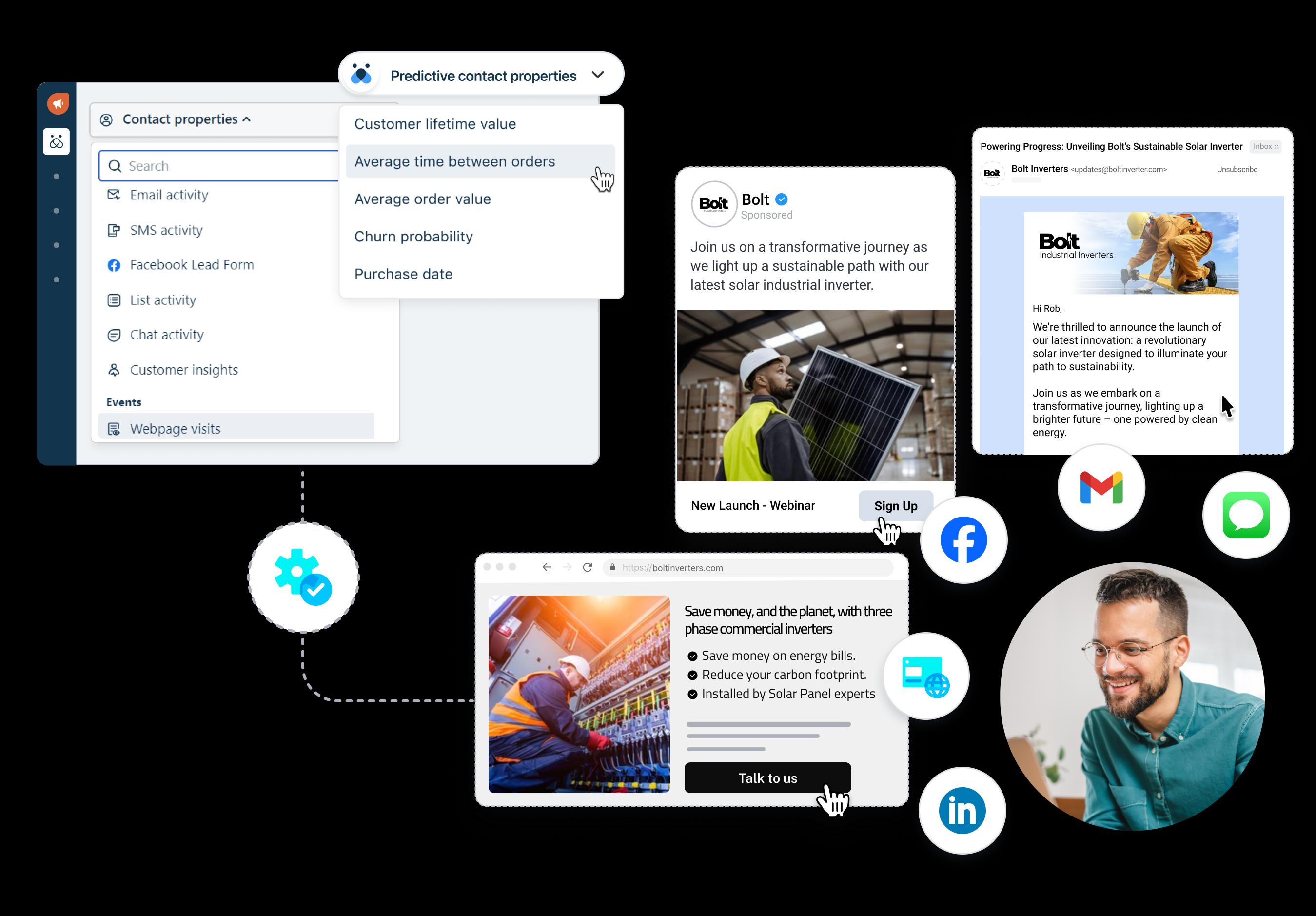
If you are still validating whether the product fits your stack, start with Freshmarketer here and run the free tier through one real campaign instead of reading only the feature list.
What The Paid Tier Adds :
The public crawl shows an Enterprise-style paid tier with more of the features you would expect from a serious marketing platform:
- Up to
20xmonthly email sends. - WhatsApp, SMS, and MMS marketing.
- Freddy AI.
- Transactional emails.
- Facebook and Instagram custom audience support.
- Advanced segmentation.
- Automated customer journeys.
- Landing pages.
- Conversion and revenue attribution.
- Advanced webhooks.
- Send time optimization.
- Custom reports and dashboards.
- Custom roles and permissions.
- Bot sessions and messaging agent capacity.
Those are the features that justify paying for the product. Free can help you test the waters, but the paid tier is where Freshmarketer becomes a full campaign system rather than just an email tool with a nicer interface.
The buyer question here is simple: do you need more than basic email marketing? If the answer is yes, the paid tier starts to make sense fast.
Hidden Costs And Add-Ons :
The pricing page also shows add-ons, which is where the total cost can move around.
The official page highlights:
- Marketing contacts.
- Conversion Rate Optimization.
- Dedicated IP Address.
- Freddy AI Agent.
- Messaging Agent.
This is important because marketing platforms often look cheap until you add the things you actually need. A small team might start on Free or a low paid tier, then discover that the real cost comes from add-ons that support deliverability, automation, or scale.
So when you compare Freshmarketer to alternatives, do not just look at the headline price. Look at the full stack of extras your team will probably need in six months.
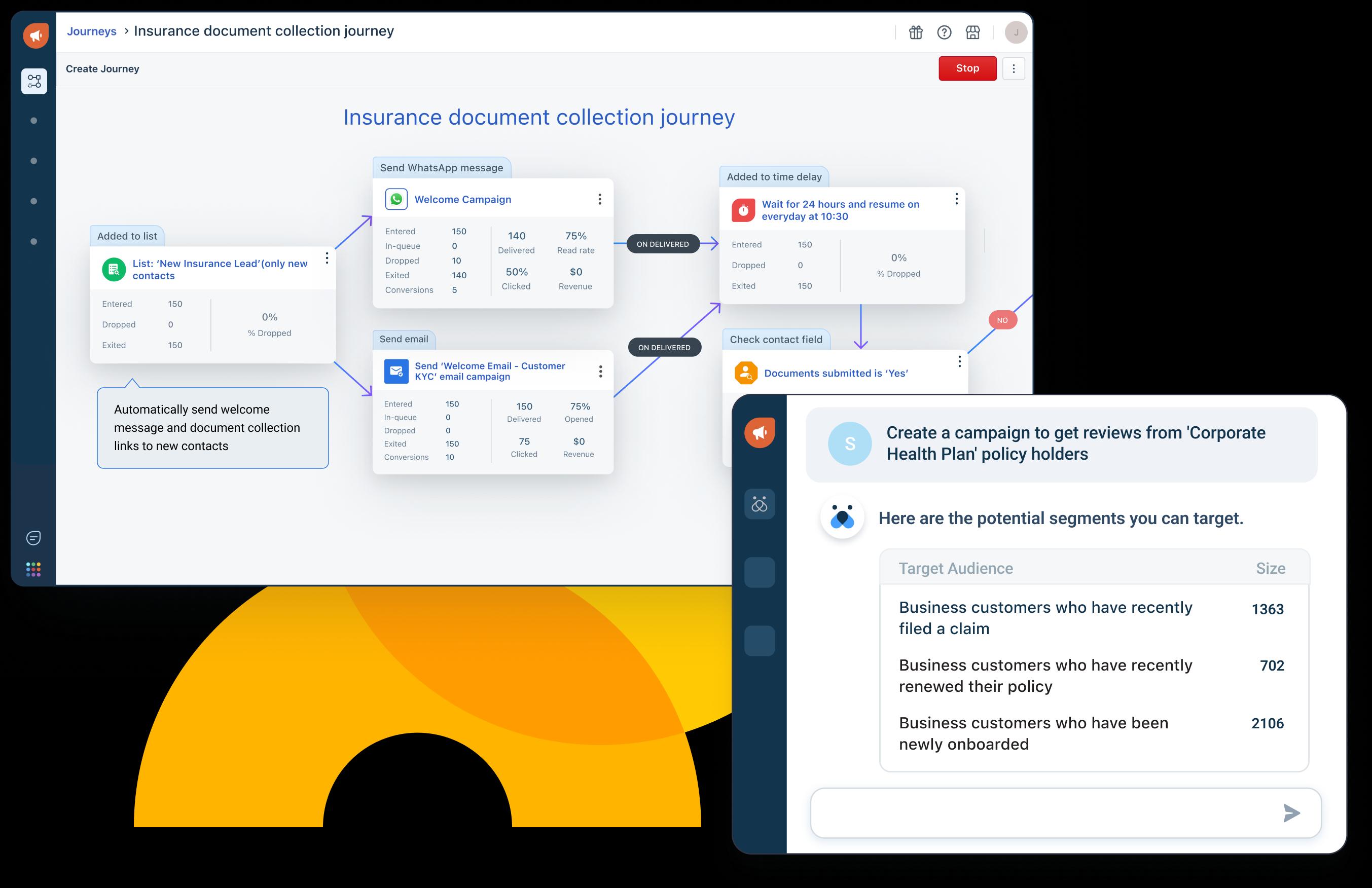
If you want the right buying decision instead of a cheap-looking wrong one, start with Freshmarketer here and compare the free tier plus likely add-ons against your current spend.
ROI Example :
The easiest way to think about Freshmarketer ROI is to stop asking, “Is this cheap?” and start asking, “What does it replace?”
If Freshmarketer lets you do any combination of the following:
- Capture more leads from email and landing pages.
- Trigger better follow-up with journeys.
- Improve attribution visibility.
- Use SMS, WhatsApp, and transactional email from one place.
- Reduce the number of disconnected tools you pay for.
Then the price becomes easier to justify.
Here is a practical example. Suppose a small marketing team is paying for separate tools for forms, email campaigns, basic CRM-style tracking, and one messaging add-on. If Freshmarketer replaces part of that stack, the total monthly cost can be less important than the operational simplification.
That is especially true for teams that value one view of the customer journey more than a pile of disconnected dashboards.
Cost Comparison Mindset :
I would compare Freshmarketer to alternatives in three buckets:
1. Lightweight Email And Form Tools –
These are usually cheaper, but they do not give you the same multichannel journey building or AI-assisted campaign depth.
2. Mid-Market Marketing Automation Platforms –
These are the closest competitors in spirit. They usually give you stronger automation than the lightweight tools, but they can be much more expensive or much more complex.
3. CRM-Led Suites –
These can be attractive if you already live inside a CRM ecosystem, but they often carry higher total costs and more implementation overhead.
Freshmarketer sits in a useful middle lane. It is ambitious enough to be operationally meaningful, but it still has a public free plan and a visible entry tier.
Best Value Tier :
From the public pages I reviewed, the best value tier depends on how much of the stack you need.
- Free is the best way to test whether the interface and basic workflow fit.
- The lower paid tier is the right move if you need the core automation and multichannel features but do not need the largest enterprise add-ons.
- The enterprise-style tier becomes more compelling once you care about messaging, attribution, advanced journeys, and better segmentation.
The smart move is to avoid overbuying on day one. Start with the smallest tier that proves the workflow, then add features only when the campaign process demands them.
Discounts And Annual Billing :
The pricing pages are clear that the visible values are billed annually in the public crawl. That means the annual billing view matters.
That is useful because annual billing typically lowers the apparent monthly rate, but it also means you should be sure the product fits before committing.
If the goal is to validate the platform, the 21-day free trial is the best part of the offer. Use the trial to test:
- Contact capture.
- Segmentation.
- Journey building.
- A real email campaign.
- A real follow-up path.
If those work smoothly, the annual billing becomes much easier to justify.

If you want to compare the annual value against your current stack, start with Freshmarketer here and run one realistic campaign before you decide whether the paid tier is worth it.
Verdict :
Freshmarketer is a worthwhile alternatives candidate if you want a marketing platform that starts accessible and scales into more serious automation. The public pricing story is not perfectly tidy, but the feature story is strong: email, segmentation, journeys, messaging, attribution, and AI are all part of the package.
The key buying rule is simple. Use the free tier or trial to confirm the workflow, then check the live pricing selector carefully before committing to a paid plan. If the system replaces enough separate tools, the value can be very good.
If you want to test the product instead of guessing at the tradeoff, start with Freshmarketer here and use the trial to compare it against your current marketing stack.
FAQ :
Does Freshmarketer have a free plan?
Yes. The public pricing page shows a Free plan with 100 marketing contacts and basic marketing features.
Is the pricing page consistent?
Not perfectly. The public crawl shows different plan labels depending on the pricing or comparison view, so confirm the live selector before purchase.
Does Freshmarketer include AI features?
Yes. The official pages highlight Freddy AI and AI-powered campaign generation, along with AI-assisted features in the higher tiers and add-ons.
Is there a free trial?
Yes. The pricing FAQ says there is a 21-day free trial.
Are add-ons important?
Yes. Add-ons like dedicated IP, CRO, and messaging capacity can change the real total cost.
More on Freshmarketer
Hand-picked guides to help you choose the right tool — no fluff.
 PricingFreshmarketer Pricing 2026Real tier prices and what each plan actually includes.
 IntegrationsFreshmarketer Integrations Guide 2026What it connects to and how well each link holds up.
 Advanced GuidesGamma Advanced Guide 2026Deeper workflows once the basics are in place.
 AlternativesGusto Alternatives 2026Credible alternatives and when each one wins.