


In this guide
Quick Verdict :
Zonka Feedback is a strong fit if you want to collect customer feedback across more than one channel and actually do something with it. The official site is clear about the core idea: capture feedback at touchpoints, measure NPS, CSAT, and CES, then use the reporting and automation layer to close the loop.
Disclosure: Stack99 earns a commission if you buy through links on this page. It costs you nothing extra and never changes our assessment.
That is the real value here. A lot of feedback tools stop at survey collection. Zonka Feedback is trying to cover the full workflow:
- Capture feedback through email, SMS, WhatsApp, links, websites, in-app, and offline touchpoints.
- Turn responses into real-time analytics and action.
- Route issues to the right team with collaboration and automation.
- Support feedback management across support, product, CX, and operations teams.
The pricing page shows custom pricing based on feedback volume, scale, and CX goals, so this is not a cheap impulse buy. It is a system for teams that already know feedback matters and want a more serious setup.
If you want to evaluate it while you read, start with Zonka Feedback here.
What Zonka Feedback Actually Is :
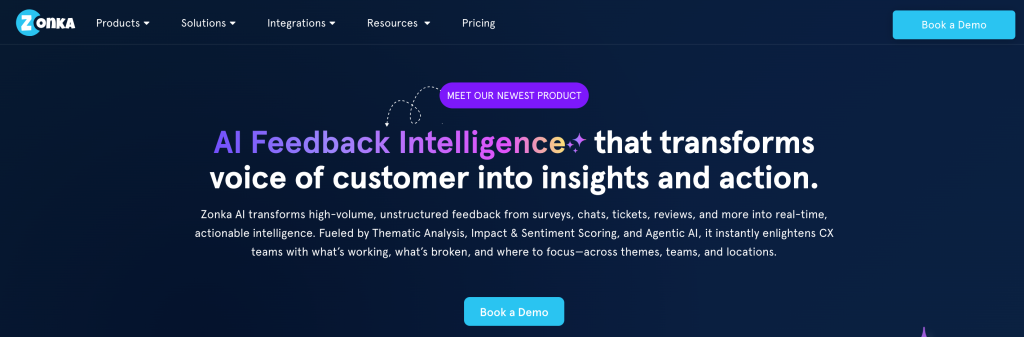
Zonka Feedback is a customer feedback and intelligence platform. The official messaging centers on feedback management, omni-channel Voice of Customer programs, and real-time reporting. In practice, that means it is meant for teams that want to ask customers questions, understand what they are saying, and connect the results to operational action.
The reason that matters is simple. Most businesses do not need more raw survey answers. They need a way to separate signal from noise. If customers are unhappy, where is the friction? If a location performs well, what is it doing differently? If a product change creates a drop in satisfaction, how quickly can the team see it?
Zonka Feedback is built to help with those questions. It supports NPS, CSAT, and CES, but also wraps them in workflows like automation, collaboration, and reporting. That combination is what makes it feel more like an operational platform than a basic survey form.
If you are comparing tools, the key question is whether you need a simple survey runner or a broader customer intelligence layer. Zonka Feedback is clearly aiming for the second one.
Product Facts And Overview :
The official pricing page and feature pages point to a broad set of use cases:
- Omni-channel Voice of Customer programs.
- Digital CX on website, in-app, and in-product.
- Location and support experience measurement.
- Online reputation management.
- NPS, CSAT, and CES collection.
- Surveys sent through email, SMS, and WhatsApp.
That matters because it gives the platform more range than a single-purpose survey tool. A support team can use it differently than a product team. A multi-location brand can measure location experience without rebuilding the whole stack. A CX leader can look at trends, while the front-line manager can look at individual responses.
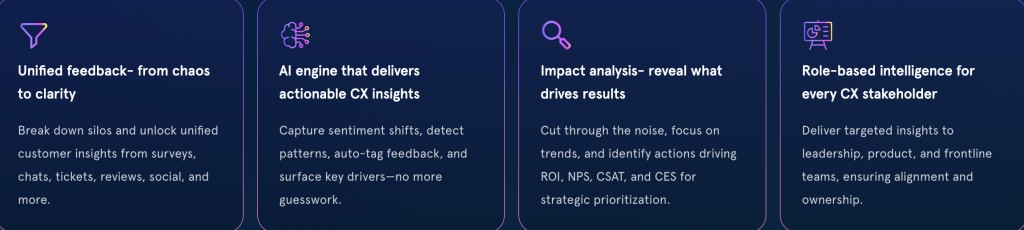
The platform also leans into intelligence, not just collection. The official site talks about closing the loop with analytics, automation, and collaboration. That means survey collection is not the end of the journey. It is the beginning.
If you are still early in the buying process, start with Zonka Feedback here and map it against your current customer experience workflow.
Pros And Cons :
The upside is straightforward.
- Strong multi-channel feedback capture.
- Support for NPS, CSAT, and CES.
- Real-time reports and analytics.
- Useful for support, location-based businesses, product feedback, and reputation work.
- Built-in collaboration and automation features.
- No public fixed price to misread or underestimate.
The tradeoff is also straightforward.
- You need to talk to sales for pricing.
- It is probably too much if you only need a simple form and a few emails.
- Teams that never act on feedback will not get much value from the platform.
That last point matters. A feedback tool is only useful if someone owns the outcome. Zonka Feedback is trying to make that ownership visible, but the team still has to do the work.
Feature Deep Dive :
The most useful way to think about Zonka Feedback is by workflow.
1. Capture Feedback Everywhere –
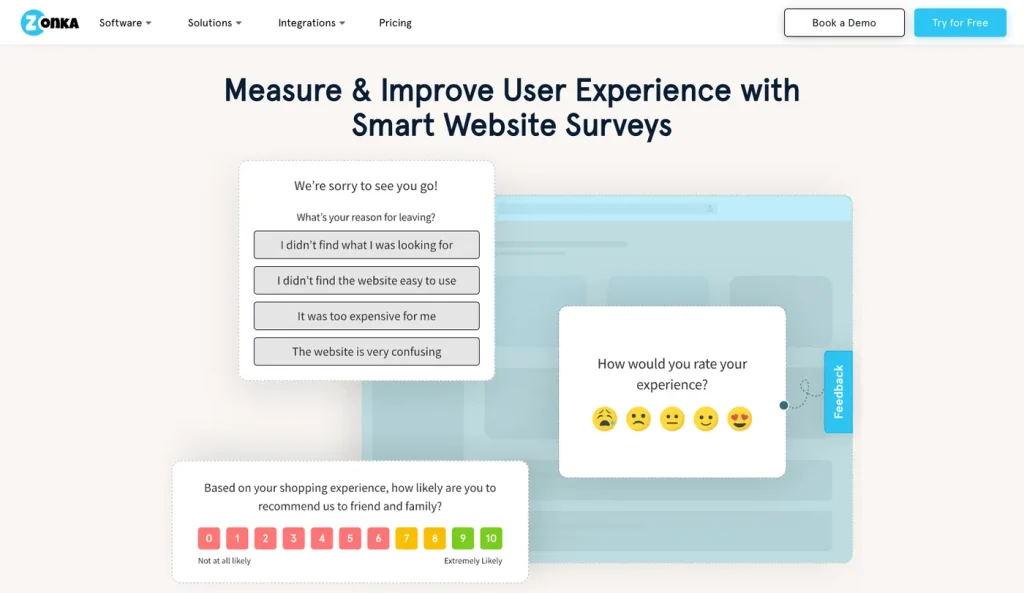
The platform supports feedback capture across email, SMS, WhatsApp, websites, in-app experiences, digital touchpoints, and offline channels. That gives it more practical range than tools that only live inside email surveys.
2. Measure The Right Metrics –
The core metrics on the official site are NPS, CSAT, and CES. That is the right set for most customer operations teams because it covers loyalty, satisfaction, and effort.
3. Turn Responses Into Action –
The site emphasizes real-time reports, analytics, automation, and collaboration. That is useful because feedback is only useful when it changes something. If a bad response lands in a dashboard and nobody sees it, the tool failed.
4. Fit Different CX Programs –
Zonka Feedback is not limited to one team shape. It can support:
- Support experience programs.
- Location feedback.
- Product feedback loops.
- Reputation management.
- Omni-channel customer experience tracking.
5. Keep The Program Organized –
For larger teams, the ability to coordinate responses and act on them is usually where the value appears. The platform is built to support that operational layer instead of leaving everything in spreadsheets.
If you want a platform that can run feedback operations instead of just collecting survey forms, start with Zonka Feedback here.
Pricing Breakdown :
Zonka Feedback does not present a simple public “$X/month” pricing ladder on the main pricing page. Instead, the official page says pricing is custom and tailored to feedback volume, scale, and CX goals.
That is not a bad sign by itself. It usually means the product is aimed at teams with different deployment patterns and support expectations. But it does mean you need to treat pricing as a conversation, not a quick scan.
The cleanest way to evaluate the budget is to ask:
- How many feedback touchpoints do you need?
- Do you need only survey capture, or full workflow automation?
- How many teams will use the platform?
- Will you use it for a single location or a multi-location organization?
- Do you need reputation, product, or support experience programs too?
For budgeting, the practical rule is to start from your feedback volume and then estimate the internal time saved by centralizing capture, reporting, and follow-up. If the platform reduces manual triage and improves closure speed, the custom pricing may be easier to justify.
Who Should Use It :
Zonka Feedback makes the most sense for teams that already know customer feedback is a real operating function.
It is a good fit for:
- CX teams.
- Support leaders.
- Multi-location businesses.
- Product teams that want structured customer input.
- Brands that care about online reputation.
- Organizations running omni-channel Voice of Customer programs.
It is less compelling for:
- Solo operators who only need a basic contact form.
- Teams that will not review the feedback regularly.
- Buyers who want a public self-serve price and a quick checkout.
If your team is deciding whether to move from scattered surveys to a structured feedback program, start with Zonka Feedback here and see whether the workflow matches how you actually operate.
What To Watch Before You Buy :
The main thing to watch is scope creep. Feedback platforms can become oversized very quickly if every team wants its own dashboard, survey flow, and reporting layer.
The better approach is to begin with one clear use case:
- Post-support feedback.
- Store or location experience.
- Product or feature feedback.
- Reputation management.
- NPS program for a specific audience.
Once one use case is working, expand from there. That keeps the rollout useful instead of abstract.
The other thing to watch is ownership. Someone has to own the response loop. Zonka Feedback can show the issue, but your team has to decide who resolves it and how fast.
What A Real Rollout Looks Like :
A realistic rollout usually starts with one program, not five.
For example, a support team may begin with post-interaction feedback only. That gives the team a fast way to see whether customers are satisfied after a ticket closes. Once the team trusts the data, they can expand to product surveys, location feedback, or reputation monitoring.
That sequence keeps the launch sane. It also helps teams avoid the common mistake of building a sophisticated feedback program that nobody has time to read.
The best Zonka Feedback rollout is usually the one that makes one operational decision easier:
- Which support issues need escalation.
- Which locations are underperforming.
- Which product flow is creating friction.
- Which customer segment is quietly unhappy.
If the tool cannot help answer one of those questions, the rollout is too broad.
Where The Platform Has The Most Value :
The platform has the highest value when feedback is tied to action.
That can mean a manager gets notified when an unhappy response lands. It can mean a product team gets trend data before launch decisions. It can mean a CX lead sees which location is slipping and can correct it before reviews get worse.
In other words, Zonka Feedback becomes useful when it reduces lag time between customer input and team response.
That is why the platform is more compelling for operations-minded teams than for teams that only want survey software. The value is not the question form. The value is the operating loop behind the form.
A Simple Buying Rule :
Use Zonka Feedback if your team has one of these problems:
- Feedback is scattered across email, spreadsheets, and ad hoc notes.
- Managers need a unified view of satisfaction and effort.
- The business wants to close the loop on unhappy responses.
- Multiple channels need to be tracked in one place.
Skip it if your team only wants a lightweight survey form with no operational process behind it.
The fastest way to know if it fits is to ask whether feedback will change behavior. If the answer is yes, the platform has a job. If the answer is no, it is probably too much software today.
Questions To Ask Before You Buy :
Before you sign, ask the vendor how the platform handles:
- Multiple channels in one program.
- Escalation rules for unhappy responses.
- Dashboards for different teams.
- Survey programs across locations or business units.
Those answers matter because they tell you whether the product fits your operating model or just your reporting model.
Verdict :
Zonka Feedback is a solid review choice in 2026 if you need a serious feedback management platform rather than a lightweight survey tool. Its strongest points are omnichannel capture, NPS/CSAT/CES measurement, real-time analytics, and a workflow that is clearly meant to help teams act on feedback.
The biggest downside is simple: you need to talk to sales for pricing, and you need a real process behind the software. If you want something basic and cheap, this is probably more platform than you need.
If you want a structured CX system that can support customer experience, support, location feedback, and reputation management in one place, start with Zonka Feedback here.
FAQ :
Does Zonka Feedback have public pricing?
No fixed public pricing is shown on the main pricing page. The page says pricing is custom and based on feedback volume, scale, and CX goals.
What feedback channels does it support?
The official site highlights email, SMS, WhatsApp, links, websites, in-app, digital, and offline touchpoints.
Which metrics does Zonka Feedback measure?
It supports NPS, CSAT, and CES.
Who is Zonka Feedback best for?
It is best for CX teams, support teams, multi-location businesses, and organizations that want a full feedback management workflow.
What makes it different from basic survey tools?
It is built around feedback management and action, not just form collection.
When should a company move from surveys to a platform like this?
When feedback starts showing up in too many places and the team needs one operating system for response and reporting.
More on Zonka Feedback
Hand-picked guides to help you choose the right tool — no fluff.
 Use CasesWho Is Zonka Feedback Best For? Use Cases & Fit (2026)Who gets the most out of it – and who should skip it.
 PricingZonka Feedback Pricing 2026Real tier prices and what each plan actually includes.
 PricingMelio Pricing 2026Real tier prices and what each plan actually includes.
 Case StudiesBeautiful.ai Case Study 2026What actually happened when teams rolled it out.