

Quick Verdict :
Gusto is still one of the clearest payroll-and-HR products for small businesses in 2026. The official pricing pages make the commercial model easy to understand, and the product positioning stays focused on payroll, tax filings, benefits, hiring support, and practical HR administration instead of drifting into vague “all-in-one business platform” territory.
That focus is a strength.
If your business wants a simple payroll core with room to expand into benefits, HR tools, and time-related add-ons, Gusto looks strong. If you need highly customized enterprise HR infrastructure, deep global EOR coverage as the main event, or the cheapest possible bare-bones payroll tool no matter what you give up, it may be less compelling.
My short verdict is this:
- Strong fit for small and growing businesses.
- Very clear public pricing.
- Good expansion path from simple payroll into broader people ops.
- Best for teams that value ease and clarity over heavy enterprise customization.
If you want to check the platform while you read, start with Gusto here.
Product Facts And Overview :
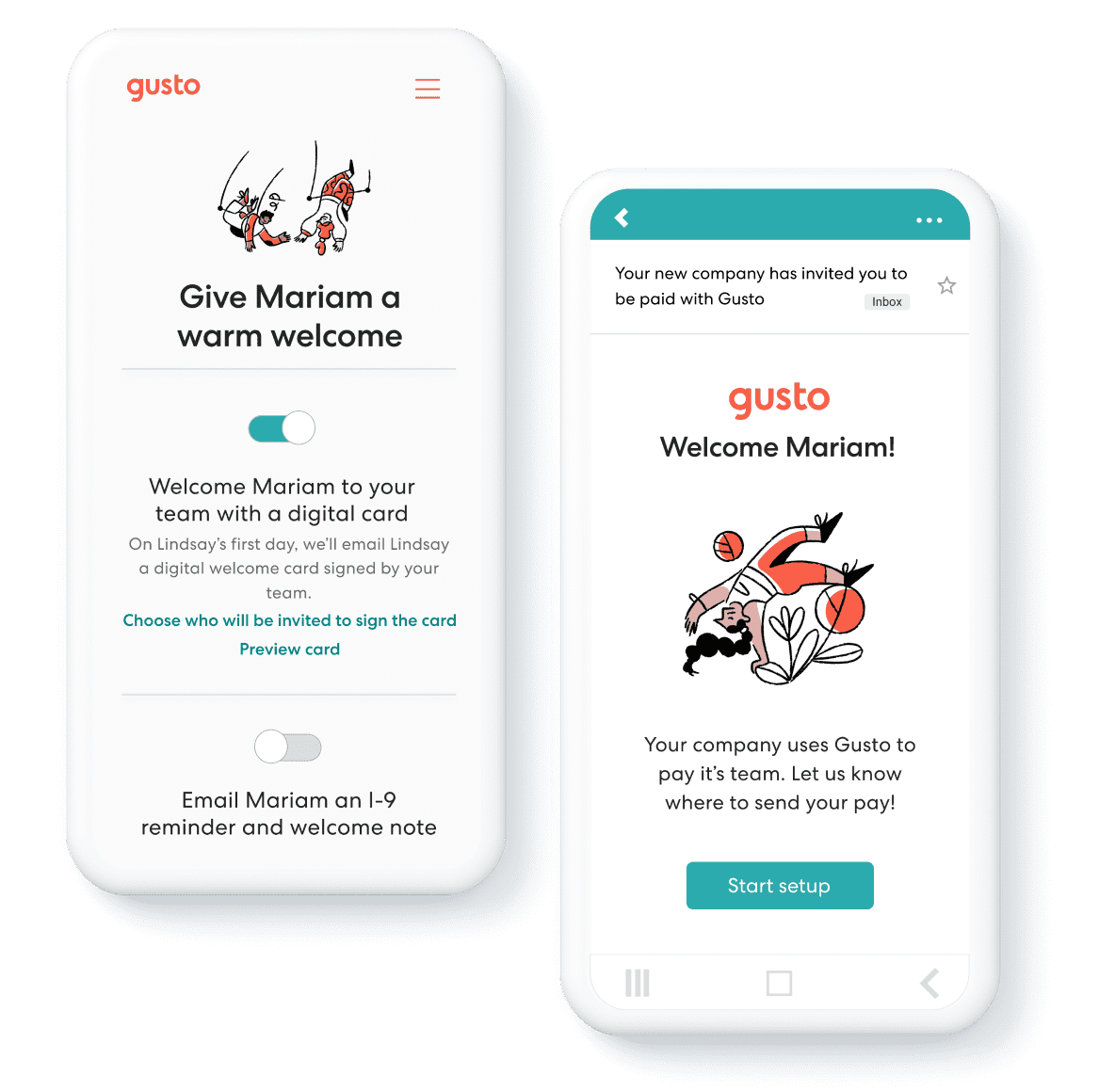
Gusto’s official pricing and product pages position the platform around a simple idea: payroll, benefits, and HR in one place.
That sounds generic until you look at the actual way Gusto structures the offering. The product is clearly built for businesses that want:
- Full-service payroll.
- Automated tax filings.
- Employee self-service.
- Benefits administration.
- Hiring and team-management support.
- Optional add-ons for time, HR, and contractor workflows.
That creates a product that feels especially relevant for small businesses and scaling teams that do not want payroll to become a scattered collection of vendors and spreadsheets.
Another thing Gusto does well is keep the entry point understandable. The official page cleanly separates:
- Contractor-only businesses.
- Small payroll users.
- Growing businesses needing more HR and time features.
- Scaling organizations wanting dedicated support and deeper HR capability.
That segmentation is useful because it helps buyers match plan choice to business reality instead of guessing from one overloaded feature matrix.
Pros And Cons :
Pros –
- Very transparent public pricing.
- Strong payroll core with automated tax handling.
- Clear upgrade path from basic payroll to richer HR support.
- Good fit for small-business operators who want simplicity.
- Add-ons make it easier to customize without rebuilding the stack entirely.
Cons –
- Costs rise meaningfully as you move into Plus, Premium, and add-ons.
- Some advanced capabilities sit behind higher tiers or extra modules.
- Large enterprises with very custom HR needs may outgrow the product.
- Global functionality exists, but it is not the same thing as Gusto being a global-first workforce platform at its core.
Features Deep Dive :
Payroll And Tax Filing –
This is still the main reason businesses come to Gusto.
The official Simple, Plus, and Premium plans all center on full-service payroll and automatic tax filings. That matters because payroll software only feels “simple” if it actually reduces admin, not if it just digitizes the same headaches.
That is why Gusto’s payroll core matters so much in the review. If the main payroll loop is trustworthy, the surrounding HR features become much easier to value.
Benefits Administration –
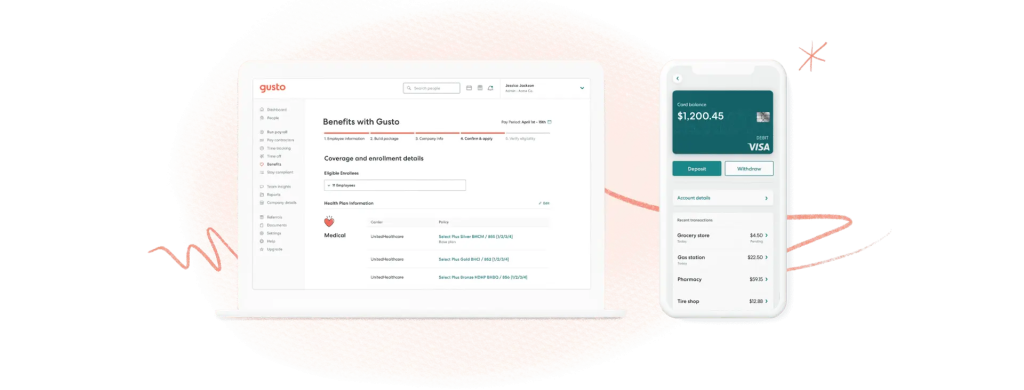
Gusto’s pricing pages keep benefits tightly woven into the value proposition. Health benefits, life and disability options, 401(k) plans, and workers’ comp administration all sit close to the payroll story.
That is a strong advantage for businesses that want fewer handoffs between systems.
It also reduces the common SMB problem of having payroll in one place, benefits somewhere else, and employee administration spread across ad hoc tools.
Hiring And Team Management –
The product also leans into hiring and management support, especially on higher plans. That makes Gusto more than a payroll calculator. It becomes a broader people-ops system for SMBs.
That is one of the reasons Gusto stays relevant even when buyers compare it to cheaper payroll-only options.
Time And Attendance Add-Ons –
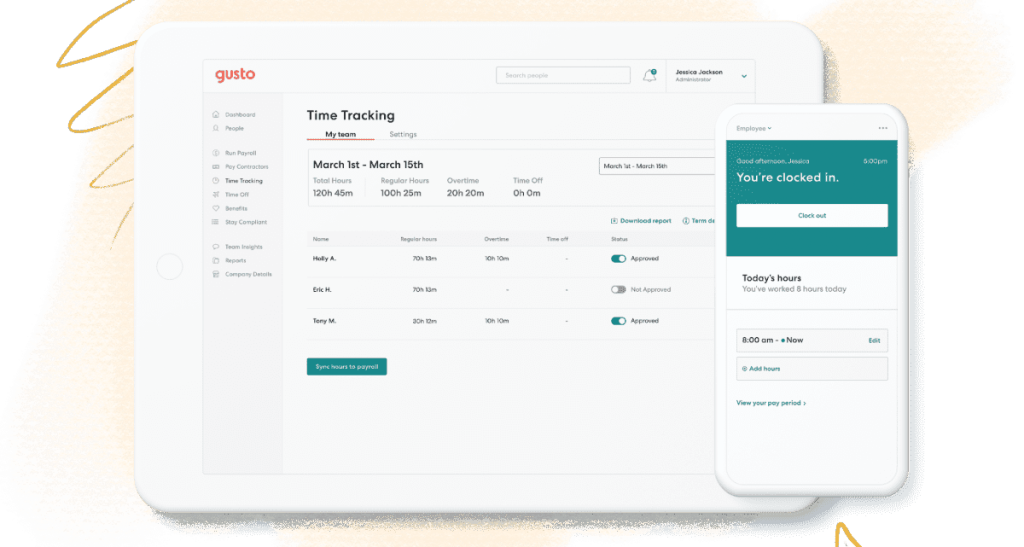
Gusto also offers optional time-related tools. The official page lists Time & Attendance Plus as an add-on, which is useful because it lets smaller teams start lean and add more structured workforce management only if they need it.
HR Resource And Performance Add-Ons –
Another important part of the product story is modular growth. Priority Support, HR Resources, and Performance are all listed as add-ons. That means companies can expand capability without necessarily jumping to the biggest plan immediately.
That modularity matters because growing businesses rarely need every advanced HR feature on day one. Buying only what is needed can keep the stack cleaner and easier to explain internally.
It also reduces one of the biggest SMB software risks: overcommitting to a plan stack before the team has actually earned the complexity.
That is a subtle but important strength in a category where software sprawl can happen very quickly.
The best payroll system for many SMBs is often the one that stays understandable as the company grows.
Pricing Breakdown :
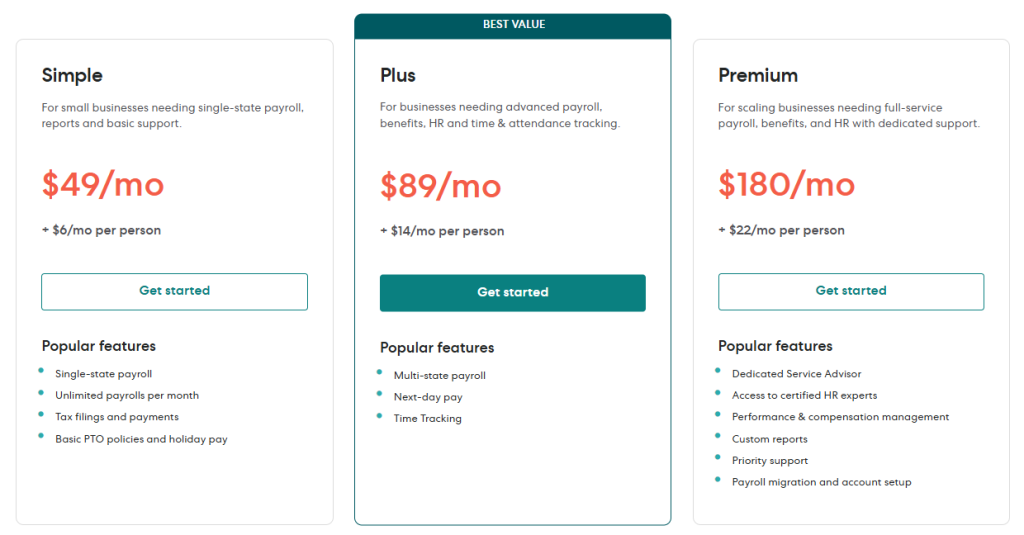
Gusto’s official pricing page is unusually clear by SMB software standards. It currently shows:
- Contractor Only: limited-time $0 per month base price, plus $6 per person per month.
- Simple: $49 per month, plus $6 per person.
- Plus: $89 per month, plus $12 per person.
- Premium: $180 per month, plus $22 per person.
The same official page also lists add-ons such as:
- Next-day pay: $15 per month plus $3 per person.
- Instant pay: $100 per payroll.
- Same-day pay: $90 per payroll.
- Time & Attendance Plus: $6 per person per month after the trial.
- Priority Support: $30 per month plus $3 per person.
- HR Resources: $50 per month plus $5 per person.
- Performance: $3 per person per month.
That is exactly the kind of pricing transparency buyers want.
It also means Gusto should not be judged only by the base plan fee. The real monthly cost depends on:
- Headcount.
- Plan tier.
- Whether you need time tools.
- Whether you want richer HR support.
- Whether faster payroll options matter to you.
If you want to test that against your own numbers, start with Gusto here and map your actual headcount, payroll frequency, and add-on needs against the published plan ladder.
That kind of headcount-based modeling is much healthier than comparing only base fees, because payroll software becomes expensive or inexpensive based on how the organization is actually staffed.
Who Should Use Gusto :
Gusto makes the most sense for:
- Small businesses that want payroll and tax filing without chaos.
- Growing teams that want benefits and people-ops support in the same system.
- Businesses that value clear pricing.
- Teams that want a simpler admin experience rather than a highly customized enterprise deployment.
It is especially attractive for founders, operators, and finance leads who want a trustworthy payroll home base that does not require months of implementation drama.
It also makes sense for companies that expect to add benefits and HR layers later, but do not want to migrate platforms every time their needs grow.
That combination of present-day usability and future optionality is one of the reasons Gusto stays on shortlists so consistently.
Who Should Not Use Gusto :
Gusto makes less sense for:
- Buyers searching only for the absolute cheapest payroll software.
- Large enterprises needing heavy custom HR architecture.
- Teams with very unusual global workforce complexity as the main requirement.
- Businesses that do not want per-person expansion costs as features deepen.
That does not make Gusto weak. It just keeps the fit honest.
In fact, the product gets easier to recommend when the use case is specific: SMB payroll, benefits, and people operations with clear pricing and manageable complexity.
Real Cost In Practice :
This is where a lot of buyers get more clarity.
Imagine a 12-person company on the Simple plan:
- Base fee: $49 per month.
- Per-person fee: 12 x $6 = $72 per month.
- Estimated base monthly cost before extra add-ons: $121.
Now imagine that same company wants more HR and time capability and moves to Plus:
- Base fee: $80 per month.
- Per-person fee: 12 x $12 = $144 per month.
- Estimated base monthly cost before extra add-ons: $224.
That is a meaningful jump, but it is also a meaningful increase in capability.
This is why Gusto’s pricing is actually easier to work with than many vague custom-quote payroll tools. You can model the tradeoff very quickly.
That kind of predictability is valuable on its own. Payroll is not a category where most operators want commercial surprises.
It is also why Gusto feels less intimidating than some alternatives. The product gives buyers enough structure to budget confidently without forcing them into an enterprise-style discovery cycle.
Comparison To Alternatives :
Gusto competes in a crowded payroll and HR space, but its public product story has a few clear strengths:
- Strong pricing transparency.
- Easy SMB-oriented messaging.
- Clear contractor-only entry point.
- Good add-on layering rather than forcing every buyer into one oversized bundle.
Some alternatives may be cheaper at entry. Some may go deeper in enterprise HR. Some may have different strengths in accounting or international workforce complexity.
Gusto still wins a lot of attention because the product is easy to understand and easy to budget.
It also wins because the plan ladder maps well to real business stages instead of forcing every customer into one generic bundle.
Another quiet advantage is explainability. Business owners, office managers, and finance leads can usually describe why they chose Gusto in plain English, which is not always true in payroll software.
That matters when software decisions need internal buy-in from people who are not payroll specialists.
It also matters when leadership needs to revisit costs later and understand exactly what the company is paying for.
Verdict And CTA :
Gusto is a strong payroll-and-HR platform in 2026 because it combines a clear commercial model with a very practical SMB product scope.
The Simple plan is a solid entry point. Plus is where many growing businesses will likely land. Premium is for companies that want richer HR support and more hands-on service.
If your main goal is to simplify payroll, benefits, and people operations without wandering into enterprise-software overload, start with Gusto here and compare the published plans against the exact way you already run payroll today.
The product is easiest to recommend when clarity and day-to-day usability matter more than fancy HR buzzwords.
If you want a clean sanity check, start with Gusto here and compare your current payroll admin hours, support needs, and add-on requirements against the published plan structure.
That sort of reality-based comparison is exactly where Gusto tends to win. It does not need to be the flashiest product in the category if it is the one that makes payroll and people ops feel consistently manageable.
That practical reliability is usually what business owners remember most after the first few payroll cycles.
It is one thing for a payroll tool to look polished in a demo. It is another thing for it to keep payday calm month after month.
That is where Gusto’s practical reputation makes the most sense.
And that is the kind of reliability payroll buyers usually pay for.
FAQ :
How much does Gusto cost in 2026?
The official pricing page shows Contractor Only at a limited-time $0 per month base plus $6 per person, Simple at $49 per month plus $6 per person, Plus at $80 plus $12 per person, and Premium at $180 plus $22 per person.
Is Gusto good for small businesses?
Yes. Gusto looks especially strong for small businesses that want payroll, tax filing, benefits, and people-management support in one clean system.
What is the best Gusto plan for a growing business?
For many growing businesses, Plus looks like the most balanced option because it adds stronger payroll, benefits, HR, and time-related capability without jumping all the way to Premium.
What is Gusto’s biggest strength?
Its biggest strength is the combination of clear pricing, payroll simplicity, and practical expansion into HR and benefits without turning into an overwhelming enterprise stack.