


Intro For Beginners
Alidrop is easiest to understand when you look at it as a workflow tool instead of just a product-import app. On the official site, the platform is framed around a simple promise: help store owners build a smoother dropshipping setup with supplier access, product import, order automation, and inventory syncing. That is a much more practical promise than the usual “start a store in minutes” pitch a lot of dropshipping tools recycle.
For beginners, the appeal is obvious. If you are trying to build a Shopify-based dropshipping business and you do not want to manage every product step manually, Alidrop is trying to sit right in the middle of that process.
This guide is for new users who want to understand what Alidrop does, how to set it up, what to expect in the first week, and where the beginner mistakes usually show up.
If you want to test the platform while reading, start with Alidrop here.

What Alidrop Actually Is
Based on the official site, Alidrop is built around:
- AliExpress dropshipping
- Alibaba dropshipping
- Temu sourcing
- US and EU supplier access
- Shopify integration
- Product import automation
- Order automation
- Inventory syncing
That tells beginners the important part right away. This is not a generic e-commerce app. It is a dropshipping workflow layer built to connect sourcing, importing, fulfillment, and store management in a more organized way.
That matters because beginners often buy tools for excitement instead of fit. Alidrop makes the most sense when your real problem is operational friction, not a lack of products to browse.
Account Setup
If I were onboarding Alidrop from scratch, I would keep the account setup simple:
- Create the account and understand the plan limits.
- Connect your Shopify store.
- Choose the supplier path you want to start with.
- Import a very small batch of products.
- Check inventory behavior before scaling.
That order matters. A lot of beginners rush straight into product importing because that feels exciting. The smarter move is to confirm the connection, workflow, and limits first.
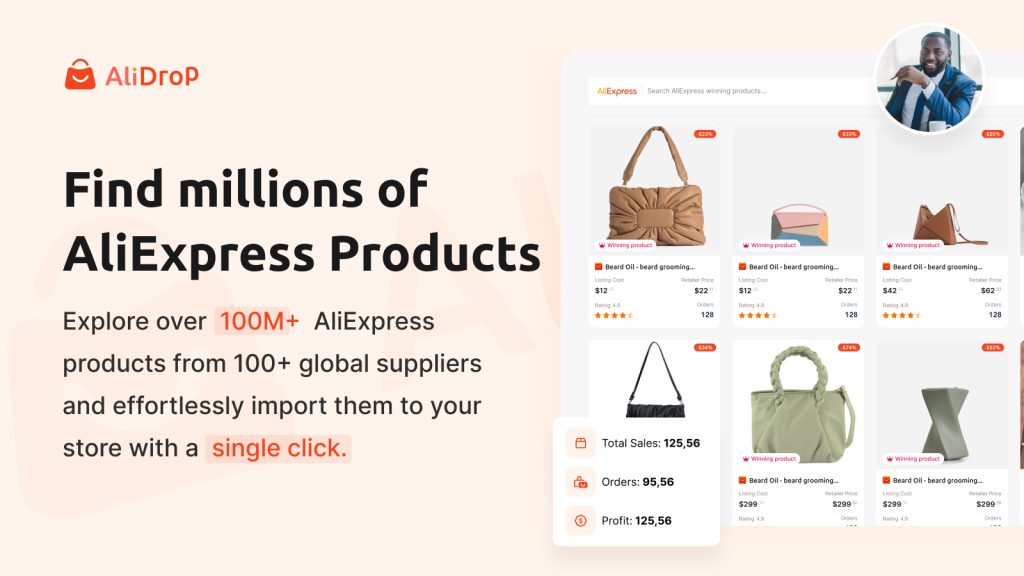
What To Prepare Before You Start
Before launching the first workflow, it helps to know:
- Which store are you connecting to
- Which supplier path do you want to test first
- How many products can you realistically review
- What your pricing and shipping expectations look like
Doing that prep early makes the setup feel much less chaotic.
Dashboard Overview
The official site pushes a few key ideas repeatedly, and those ideas help explain the dashboard logic beginners should expect:
- Product discovery
- One-click importing
- Order fulfillment automation
- Inventory updates
- Supplier flexibility
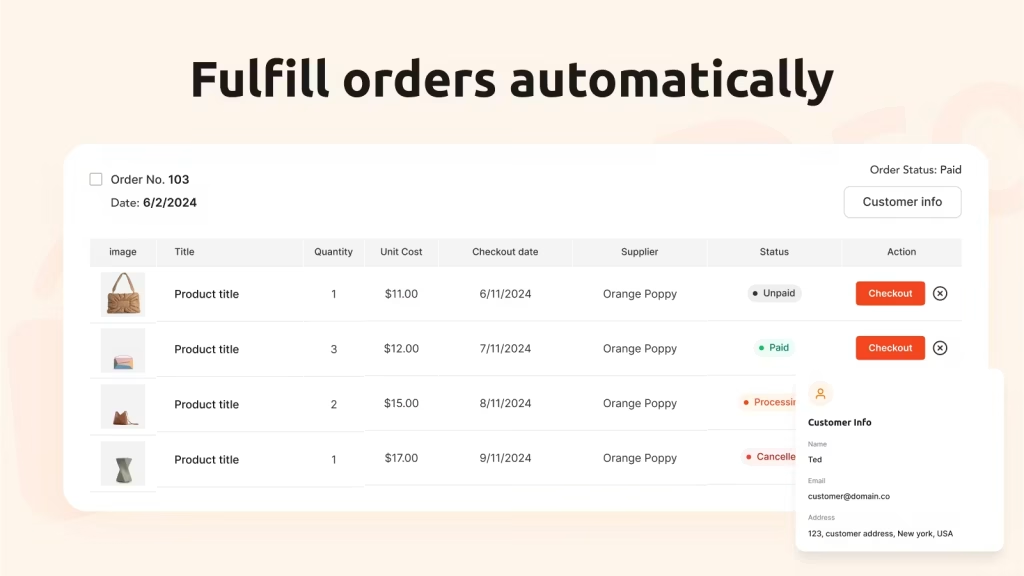
That means the dashboard should be thought of as an operations hub, not just a place to browse products. A beginner using it well is not only looking for trending items. They are checking whether the store workflow stays clean from import to fulfillment.
First Workflow Walkthrough
Here is the first workflow I would recommend for a beginner:
- Connect Shopify.
- Pick one supplier ecosystem, not three at once.
- Import a few products only.
- Review the titles, images, descriptions, and variants.
- Confirm stock syncing.
- Place a test order before adding more.
That sequence is boring, but it is effective. Real talk: importing 200 products on day one is not a flex. It is usually the start of a catalog mess.
If you want to test the beginner path yourself, start with Alidrop here and work through one small store setup first.
What A Good First Week Looks Like
A smart first week with Alidrop is less about speed and more about clean feedback.
Day one should be about connection and permissions.
Day two should focus on one supplier path.
Day three should be about checking imported listings and store presentation.
Day four should test ordering and fulfillment logic.
Day five should be about deciding whether the workflow feels manageable enough to scale.
That kind of first-week discipline is what separates a controlled test from a messy catalog sprint.
Best Practices For New Users
If you are just getting started, I would follow these rules:
- Start with one supplier source before expanding.
- Import a small batch before scaling product count.
- Check product pages manually after import.
- Verify inventory behavior before you spend on traffic.
- Test fulfillment on a real order flow.
Those habits matter because dropshipping tools can save time, but they can also help you make mistakes faster if you move too quickly.
Common Beginner Mistakes
Importing Too Much Too Fast
This is probably the biggest one. Beginners get excited, import a huge product list, and then spend days cleaning titles, descriptions, and store clutter.
Assuming Automation Means “Hands Off”
Automation helps, but it does not replace store QA. You still need to review listings, shipping expectations, and product quality.
Mixing Too Many Supplier Paths At Once
Alidrop supports AliExpress, Alibaba, Temu, and US or EU suppliers, which is useful. But a beginner does better when they start with one clean workflow first.
Ignoring Plan Limits
The official pricing page structures plans around product capacity and support levels. If you ignore those limits, the setup can become frustrating faster than expected.
Trusting Product Imports Too Easily
Imported products still need review. Titles, descriptions, storefront fit, and shipping expectations can all need cleanup if you treat import automation like finished merchandising.
Pricing Context For Beginners
At the time of review in April 2026, Alidrop’s official pricing page shows:
- Starter: $39 per month after a 7-day trial
- Professional: $59 per month after a 7-day trial
- Empire: $99 per month after a 7-day trial
- Unicorn: $299 per month after a 7-day trial
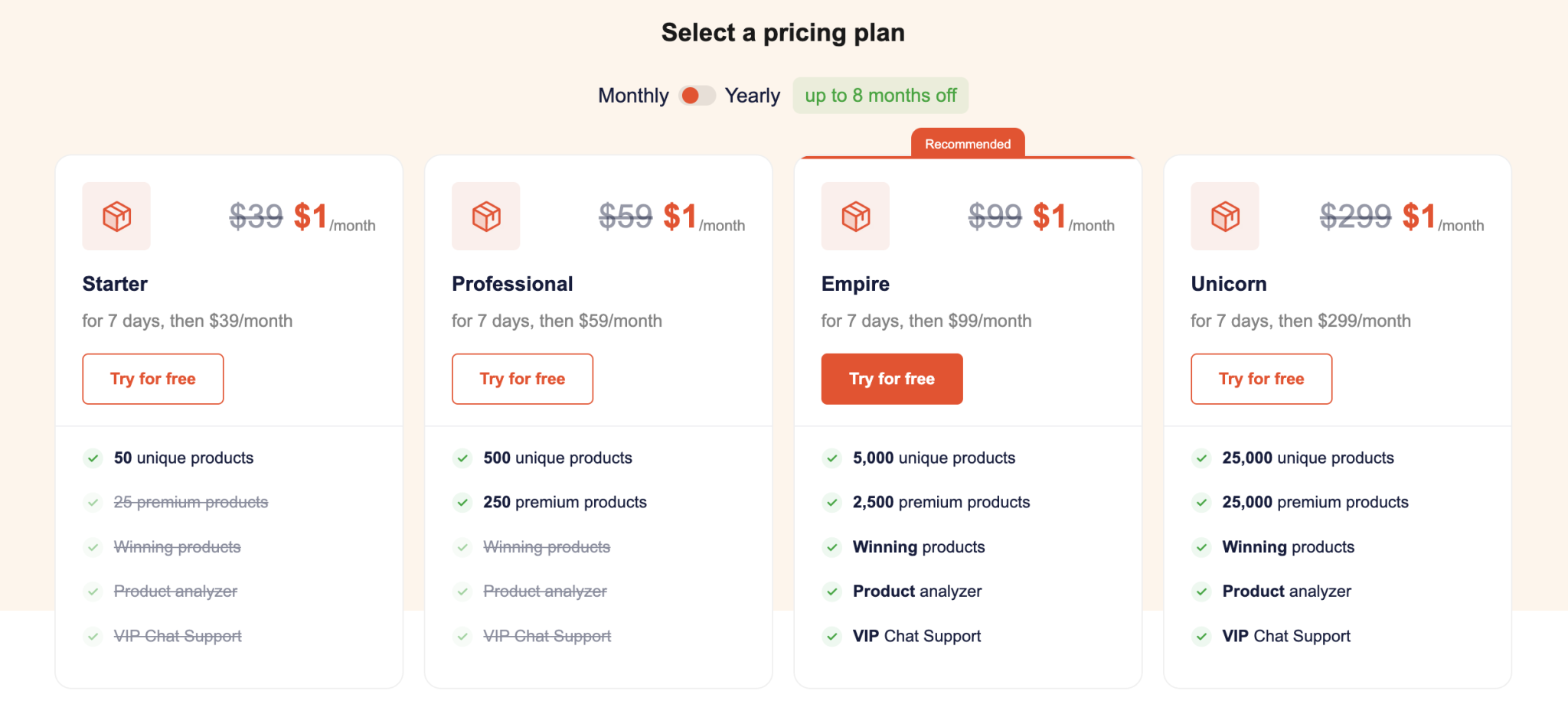
The site also outlines plan capacity such as:
- 50 unique products on Starter
- 500 unique products on Professional
- 5,000 unique products on Empire
- 25,000 unique products on Unicorn
It also references premium products, winning products, product analysis, and support differences across plans.
For beginners, that means the cheapest plan can be enough if your goal is to learn the workflow properly. There is no prize for buying a giant plan before you have a reliable process.
If pricing is the main thing holding you back, start with Alidrop here and use the first days to validate workflow, not just product volume.
When Alidrop Feels Easy And When It Does Not
Alidrop will probably feel easier if:
- You already know basic Shopify setup
- You start with one supplier source
- You are willing to test a small batch first
It will feel harder if:
- You expect full automation without review
- You switch supplier models too quickly
- You import too much inventory immediately
That is not a weakness in the platform so much as a reminder that workflow discipline still matters.
Support Resources
What I like about Alidrop’s public positioning is that it keeps the message fairly practical. The platform talks about supplier access, imports, automation, and syncing, which is what beginners actually need to understand.
For a new user, the most useful support path is not endless theory. It is:
- Understanding the plan
- Connecting the store correctly
- Importing a small product batch
- Testing fulfillment
- Watching stock updates
That is the beginner learning loop that matters most.
Once that loop works one clean time, confidence grows quickly. Until then, the best move is patience, not scale.
Who Alidrop Fits Best
I think Alidrop makes the most sense for:
- New Shopify dropshipping store owners
- Beginners who want less manual import work
- Sellers who want more than one supplier path
- Store operators who care about syncing and fulfillment flow
It is less compelling if your business is not really built around dropshipping or if you want a broader all-purpose commerce system.
That fit check matters. A specialized workflow tool can improve execution, but it will not solve a weak store strategy on its own.
If the strategy is sound and the workflow is the real bottleneck, that is where Alidrop becomes more interesting. For beginners, the value is not magic. It is simply making the first store operations cleaner and easier to repeat.
That is a good lens for judging the platform. If it reduces friction in sourcing, importing, and order flow without creating extra cleanup work, it is doing its job.
For a beginner, that kind of simplicity is worth more than a flashy promise of instant scale.
Beginners usually win by doing fewer things better, and Alidrop seems most useful when it helps exactly with that.
That is a much healthier beginner path than chasing scale before the store workflow is stable.
FAQ
Is Alidrop beginner-friendly in 2026?
Yes. The official site presents the platform around practical beginner needs like imports, supplier access, automation, and inventory syncing.
What should new users do first in Alidrop?
Start by connecting Shopify, choosing one supplier path, importing a small batch, and testing the order and inventory flow.
Does Alidrop offer a free trial?
Yes. The official pricing page shows a 7-day trial.
What is the biggest beginner mistake with Alidrop?
Importing too many products too early is probably the most common mistake, because it creates cleanup work and store confusion fast.
Is Alidrop worth trying for beginners?
If you want a smoother Shopify dropshipping workflow with supplier access and automation, yes. The easiest next step is to start with Alidrop here and test one small store workflow first.