

Power User Intro
Aircall gets more interesting once you stop looking at it as a business phone replacement and start looking at it as a communications workflow layer.
Beginners usually care about numbers, routing, and basic setup. Power users care about how the platform helps teams move faster, work cleaner, coach better, and keep calls tied to the rest of the operating stack.
On its official product pages, Aircall positions itself as an AI-powered customer communication platform rather than just a cloud phone system. That is the right framing for advanced users, because the real value starts to show up when Aircall becomes part of routing, analytics, quality control, integrations, and workflow automation.
If you want to evaluate the platform as you read, start with Aircall here.
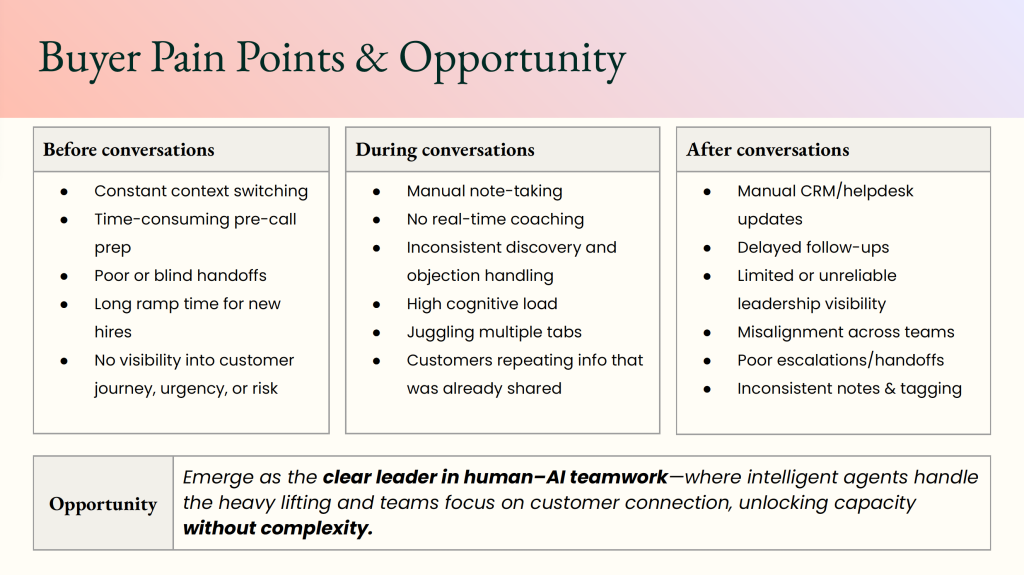
Advanced Feature 1: Routing And Call Flow Control
The first advanced layer is routing. This is where Aircall moves beyond “we have a phone number” and into “we have an operating system for conversations.”
The official site highlights IVR, queue handling, and broader call-center workflows. That matters because advanced teams usually need:
- Call routing by team or region
- Shared ownership for inbound demand
- Escalation paths for priority conversations
- Clean handoffs between sales, support, and operations
If routing is treated casually, the rest of the workflow stays messy. When routing is handled well, the platform becomes much more scalable.
Advanced Feature 2: AI Assist And Conversation Intelligence
Aircall’s current positioning gives more weight to AI than older phone tools usually do. One especially important detail from Aircall’s official support content is that AI Assist became part of the Professional plan in February 2026.
That matters for power users because AI features are most useful when they are attached to real workflow needs:
- Coaching and quality review
- Call summaries and faster follow-up
- Performance visibility across teams
- Better context after busy inbound periods
This is one of the areas where Aircall starts to feel like a modern operations platform instead of a simple phone app.
The important point for power users is not just whether AI exists. It is whether the AI helps the team move faster after the conversation ends. Summaries, coaching context, and easier follow-up support are much more useful than generic “AI is inside the platform” messaging.
Advanced Feature 3: Integrations And API Fit
Aircall publicly highlights 100+ integrations and API access. For advanced users, that is a big deal. A call platform becomes much more valuable when it can connect to the tools the team already lives in.
Typical advanced value comes from keeping Aircall connected to:
- CRM records
- Support workflows
- Sales activity tracking
- Internal reporting
- Follow-up actions after calls
The reason this matters is straightforward: teams lose time when calls live in one place, and the rest of the customer history lives somewhere else.
If that connected workflow is what you need, try Aircall here and judge it on how cleanly it supports your real stack.
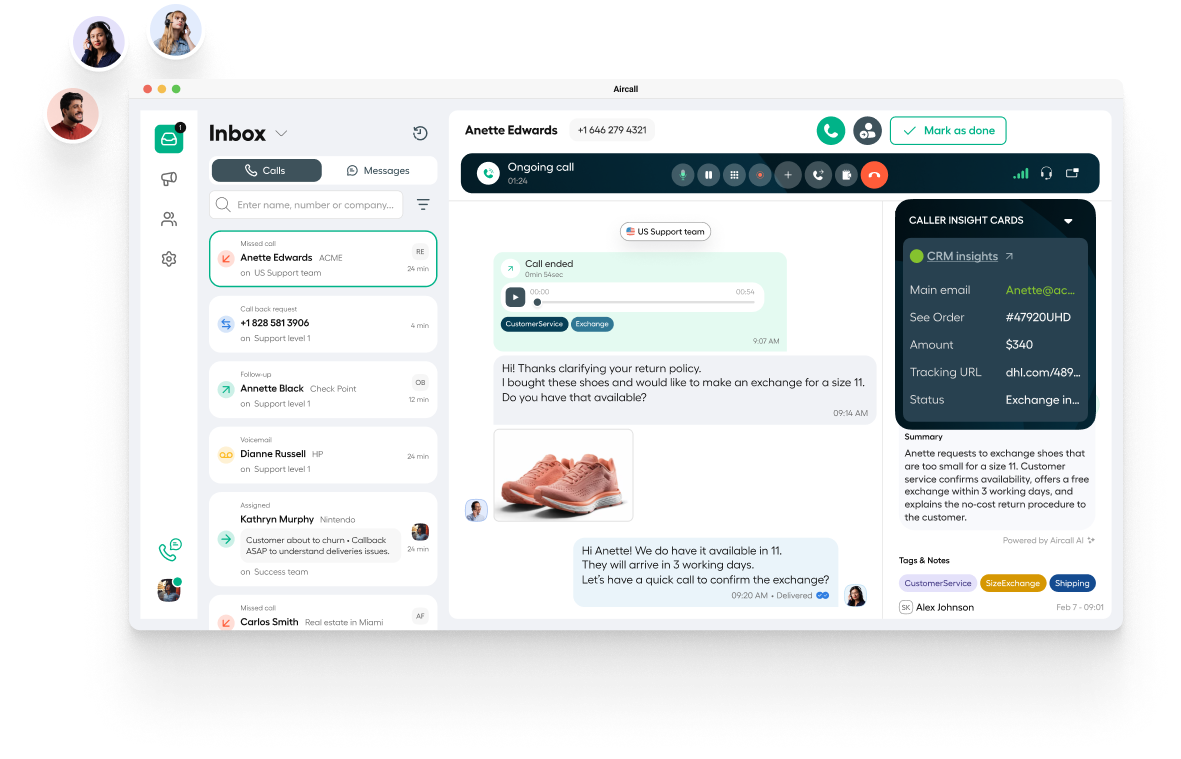
Advanced Feature 4: Reporting Visibility
One of the quieter upgrades advanced users care about is visibility. Once multiple teams touch the same communication flow, it becomes much more important to see what is happening across numbers, tags, queues, and outcomes.
Aircall’s public positioning around routing, recording, tags, and performance support suggests a platform built to improve that visibility. That makes it more useful for managers and operators, not just the rep taking the call.
Advanced Feature 5: Call Recording And Coaching
One of the quieter strengths of platforms like Aircall is the ability to turn live conversations into reviewable operational material. The official pages highlight call recording and broader conversation workflows, which make Aircall more useful for team improvement than a plain phone system.
For power users, that can mean:
- Reviewing how teams handle objections
- Spotting patterns in call quality
- Improving onboarding for new reps
- Building better quality-control routines
This is not flashy, but it is practical. A platform becomes much more valuable when it helps teams improve repeatable behavior instead of just processing calls.
Advanced Feature 6: Softphones And Multi-Device Flexibility
Aircall also emphasizes desktop, Android, and iOS softphones. That may sound basic, but for distributed or hybrid teams it matters more than people think.
Advanced users care about consistency across devices because inconsistent calling setups create:
- Missed context
- Messy ownership
- Poor internal handoffs
- More troubleshooting than necessary
The cleaner the cross-device experience, the easier it is to scale without creating communication chaos.
Automation Workflows
This is where Aircall starts to earn its place in a modern stack. The official positioning around API access, AI features, and integrations suggests a product that fits workflow-driven teams better than old-school phone systems do.
Advanced automation value usually shows up in patterns like these:
- Route calls based on teams, workflows, or business hours.
- Push call context into the CRM automatically.
- Track tags and outcomes for later reporting.
- Use summaries or coaching signals to improve follow-up speed.
- Create cleaner visibility across revenue or support teams.
The platform does not need to do magic to be useful. It just needs to reduce repetitive admin work and keep conversation data from getting lost.
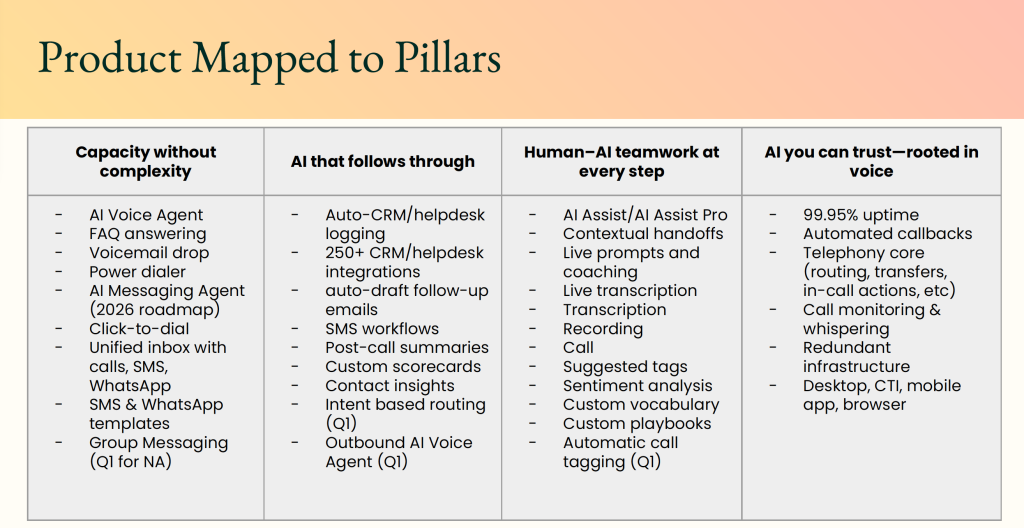
Custom Integrations And API
The presence of API access on the official pricing pages matters because advanced teams often outgrow fixed workflows. At that point, they want the phone platform to work with the rest of their operations instead of forcing manual exports and one-off fixes.
If your team has internal tools, special routing needs, or a more layered reporting setup, API support becomes much more important than it sounds in a marketing headline.

That does not mean every team needs custom work from day one. It means Aircall has room for more mature workflows once the basics are already working.
For advanced teams, that room matters. A communication tool can feel great early and frustrating later if it cannot adapt to the real stack. Aircall’s positioning of its public API gives it greater long-term credibility with teams that are still maturing their operations.
Performance Optimization
One advanced mistake teams make is assuming that more configuration automatically means more value. It does not. In practice, performance usually improves when the setup stays clean:
- Keep routing logical.
- Tag calls consistently.
- Review call quality regularly.
- Connect the most important integrations early.
- Avoid overcomplicating queues before the team needs them.
That advice may sound simple, but clean systems scale better than clever systems.
I would add one more rule: optimize for clarity before cleverness. A team that trusts the flow and understands the handoffs usually gets more value than a team buried in overbuilt routing logic.
If you want to test whether Aircall can support a stronger operational setup, start with Aircall here and run one serious workflow from inbound call to logged follow-up.
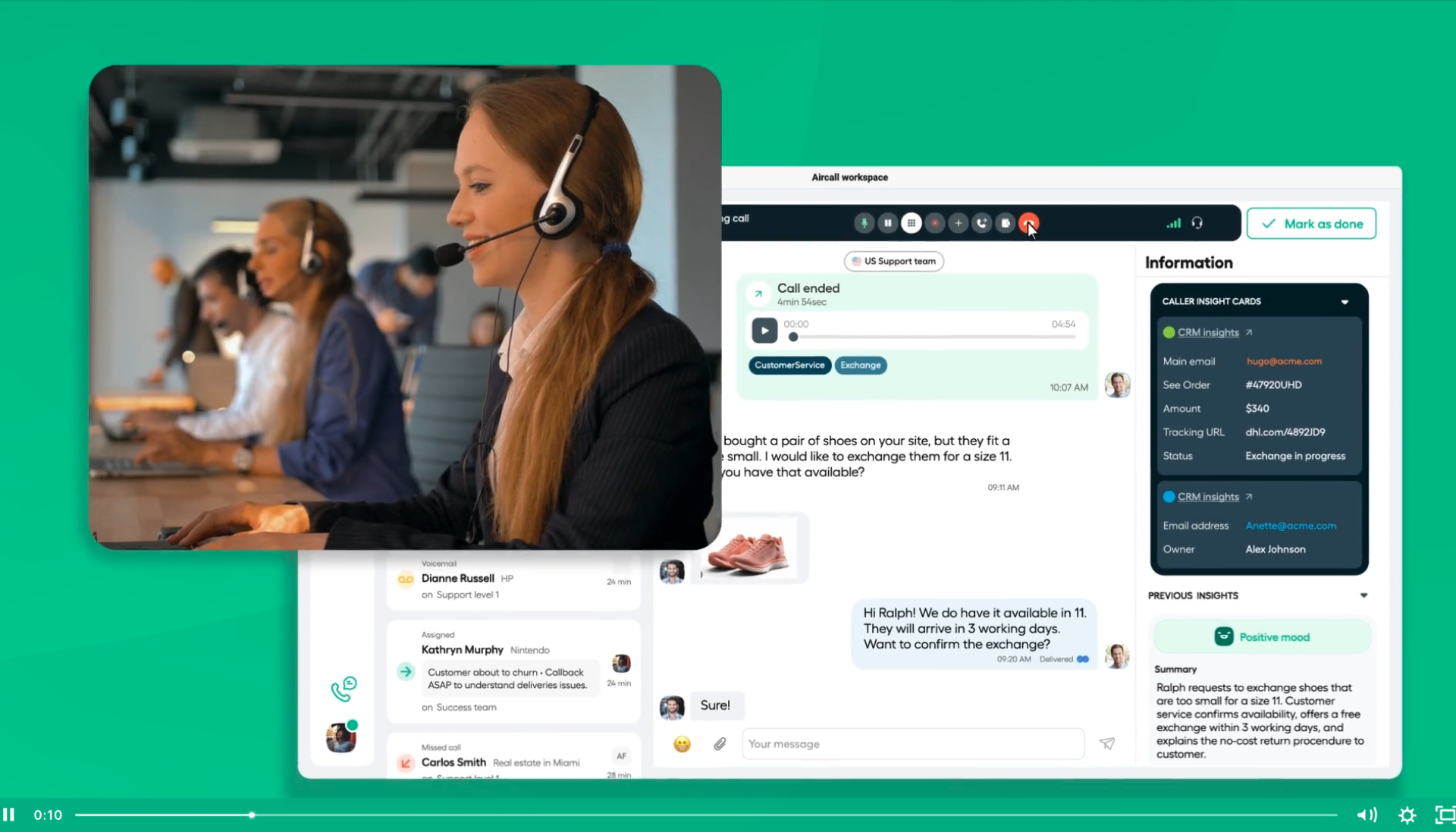
Expert Workflows
If I were using Aircall as a power user in 2026, I would focus on these four workflows:
- Build clean routing and ownership rules first.
- Connect Aircall tightly to the CRM or support stack.
- Use call recording and AI support to improve quality over time.
- Keep tags, summaries, and reporting aligned so the data is actually useful.
That is where the platform looks strongest. It is less about one flashy feature and more about whether the full conversation system gets easier to manage.
The practical win is simple: when Aircall is set up well, the team spends less time wondering what happened on a conversation and more time acting on it.
Honest Limitations
Aircall is still a communication platform, not a magic fix for every customer-ops problem. If your team has weak processes, poor ownership, or unclear follow-up rules, the software alone will not rescue that.
The better way to evaluate it is this: does Aircall help disciplined teams run cleaner, faster, more visible communication workflows? Based on the official positioning, I think the answer is yes.
It is also worth being realistic about maturity. A basic company that only needs one phone line and occasional coverage may never use the advanced layers well enough to justify the extra setup effort. The product gets more compelling as operational complexity rises.
Who Should Use The Advanced Setup
The advanced version of Aircall looks best for:
- Support teams with higher conversation volume
- Sales teams that need stronger CRM visibility
- Hybrid teams working across devices
- Operators who care about coaching and reporting
It looks less compelling for tiny teams that only need very simple call handling.
That fit matters because advanced tooling is only valuable when a team is ready to use it well. If your company already has real call volume, shared ownership, and a need for visibility across conversations, Aircall’s deeper workflow features become much easier to justify.
That is also why trial evaluation should be operational, not cosmetic. The real test is whether your team handles conversations more cleanly after setup, not whether the dashboard looks modern for ten minutes.
For mature teams, that distinction is everything. Better workflow quality is the real advanced feature.
It is also why advanced buyers should judge the platform by team behavior after rollout. If follow-up gets faster, ownership gets clearer, and conversation data becomes easier to act on, then the advanced layer is doing real work.
FAQ
What makes Aircall advanced in 2026?
The advanced value comes from routing, integrations, API access, call recording, cross-device support, and newer AI-assisted workflow features.
Does Aircall include AI features for power users?
Yes. Aircall’s official support content notes that AI Assist is included in the Professional plan starting in February 2026.
Does Aircall work for advanced workflow automation?
Yes. Its official positioning around integrations and API access makes it more useful for teams that need connected processes rather than isolated calling.
Is Aircall only for support teams?
No. The platform can also suit sales and operations teams that need structured customer communication workflows.
Is Aircall worth trying for advanced users?
If your team needs more than a basic business phone and cares about routing, integrations, visibility, and workflow control, yes. The easiest next step is to start with Aircall here and test one full operational workflow.