

Company And Challenge
Imagine a small design agency that built every client site on a mix of WordPress themes, plugins, and custom handoffs. The system worked at first, but the agency slowly ran into the usual problems:
- Too many plugins.
- Too much maintenance.
- Too much time spent training clients on the wrong editor.
- Too many site updates are going through the agency instead of the client.
- Too many separate tools to keep a design system consistent.
That is the kind of business problem Webydo is built for.
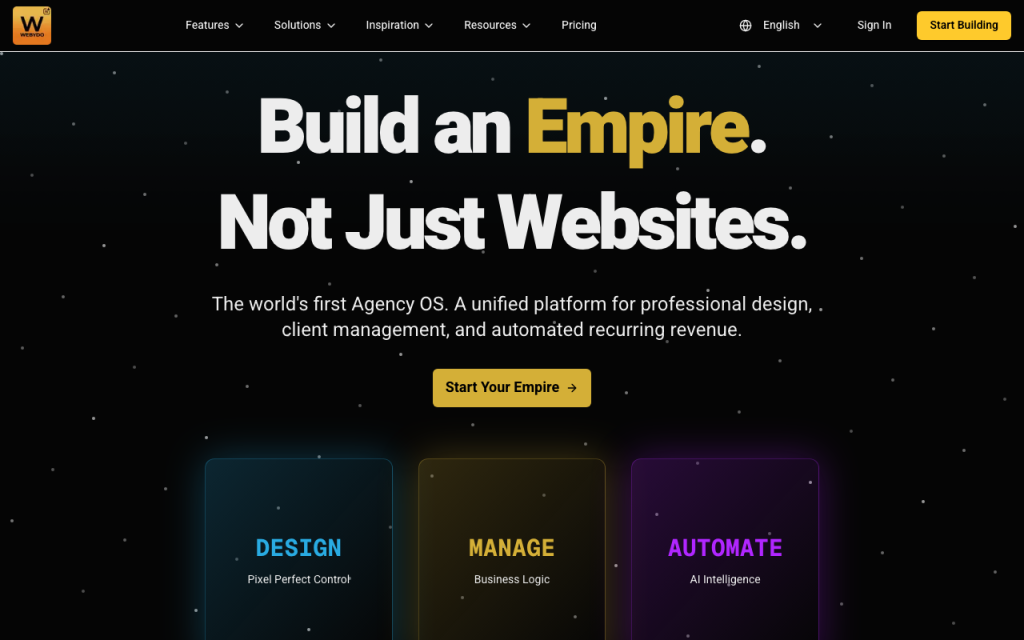
The official site positions Webydo as a website builder for agencies and professionals, offering white-label control, a no-code design workflow, CMS tools, hosting, collaboration, and AI-driven website-building support. In other words, it is designed for teams that want to ship sites without living inside a brittle plugin stack.
If you want to inspect the platform while you read, start with Webydo here.
[IMAGE: Webydo design canvas with white-label client site controls]
Problem Before Webydo
Before the switch, the agency had a familiar problem: site delivery depended too heavily on engineering-style maintenance.
The design team wanted control over layouts. The account team wanted a smoother client handoff. The clients wanted to edit content without breaking the site. The agency owner wanted margin, not recurring plugin emergencies.
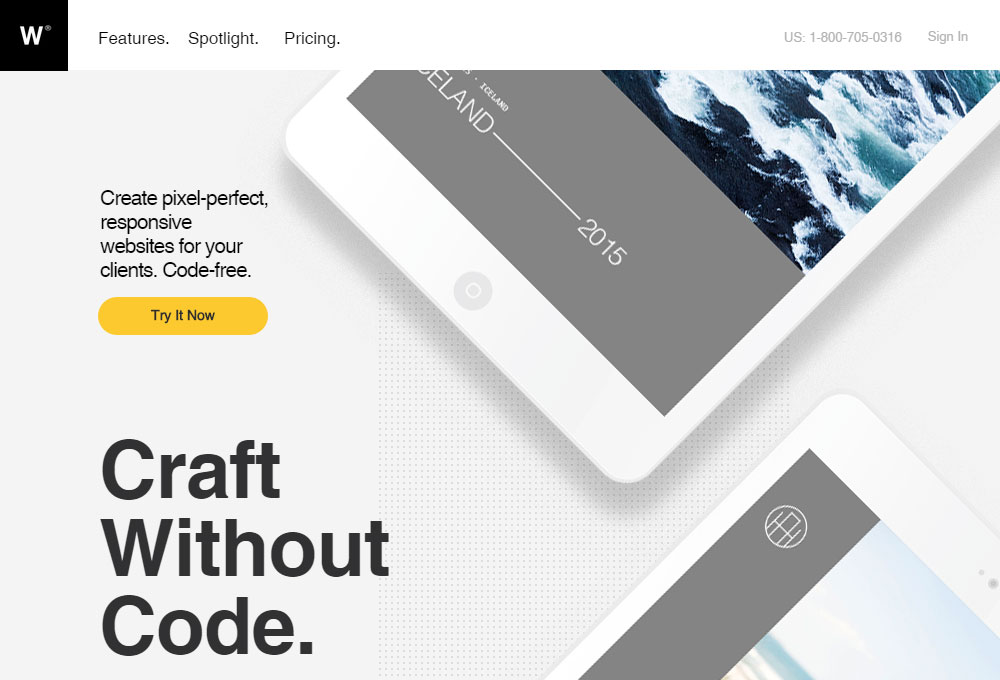
Webydo is interesting because it attacks exactly that problem. The public product pages highlight:
- A visual website builder.
- White-label delivery.
- A CMS that clients can use.
- Hosting and site management.
- E-commerce and advanced feature add-ons.
- AI website building support.
That combination is aimed at agency operations, not just page design.
Implementation Process
The rollout followed a simple sequence.
Step 1: Standardize The Site System
The agency moved new projects into Webydo’s visual builder so the team could keep layouts consistent without hand-coding every page. That reduced the dependency on custom theme work for every new launch.
Step 2: Separate Design From Client Editing
The CMS layer let the agency keep the design system stable while giving clients a cleaner way to update content. That is one of the biggest wins in agency work because it reduces support requests after launch.
Step 3: Turn On White Label Controls
Webydo’s white-label positioning is useful because the client sees the agency brand, not a generic platform. That makes handoff cleaner and keeps the delivery experience consistent.
Step 4: Add The Right Modules
The agency only added add-ons where the project needed them. The public pricing and product pages show optional modules for things like e-commerce, LMS, CRM, and branding. That made the stack feel lighter than a one-size-fits-all website suite.
If you want a client-ready website workflow instead of a plugin pile, start with Webydo here.
Results And Metrics
The results of a rollout like this are usually operational first and financial second.
The agency gets:
- Faster site launches.
- Less plugin maintenance.
- Fewer client-editing mistakes.
- Cleaner handoffs.
- Less rework after launch.
- Better margin on each project.
For an illustrative example, imagine the agency spends 6 hours per site after launch fixing client edits, layout drift, or plugin conflicts. If Webydo cuts that to 2 hours, the agency gets 4 hours back per client site. Multiply that across multiple projects, and the margin story becomes obvious.
That is where Webydo earns its keep. It reduces the amount of invisible labor that usually gets buried inside “website design.”
Important Features
The features that matter most in this case study are the ones that make agency delivery smoother:
- White-label site delivery.
- Drag-and-drop website building.
- Client CMS editing.
- Hosting and publishing.
- AI website builder support.
- SEO and site management tools.
- E-commerce add-ons.
- LMS and CRM add-ons.
- User management and collaboration.
Those features work together. A visual builder without a white label still leaves the agency exposed. A CMS without a clean workflow still creates handoff problems. Webydo works because it bundles the operational pieces that agencies actually need.
If you want the build, handoff, and client-edit process to stay in one system, start with Webydo here.
Lessons Learned
The first lesson is that client editing is a workflow problem, not just a permissions problem. If the CMS is hard to use, the client will call the agency anyway.
The second lesson is that white-label matters. Agencies do not just sell pages. They sell a branded delivery experience.
The third lesson is that add-ons should be used intentionally. The best Webydo rollout is not the one that turns everything on. It is the one that adds modules only when the site actually needs them.
The fourth lesson is that operational simplicity has real value. If a platform reduces support tickets, that is revenue protection.
ROI Calculation
Here is a realistic way to think about the return.
Suppose an agency launches 10 client sites in a quarter and spends 4 extra hours per site on handoff cleanup, client edits, or plugin-related fixes. That is 40 hours of avoidable work.
If Webydo reduces that overhead by even half, the agency gets 20 hours back in the quarter. That time can go into new proposals, design improvements, or client strategy work. The platform is not only saving time. It is a protective margin.
For agencies, that is the real commercial argument. A smoother delivery stack means fewer support hours after launch and more predictable project profit.
How To Replicate It
If you want to replicate the same rollout, start with a simple sequence:
- Move a low-risk client project into Webydo first.
- Standardize the core design blocks.
- Set up the client CMS editing flow.
- Enable white-label branding.
- Add only the modules the project truly needs.
- Use the first project as the template for the next one.
That sequence keeps the implementation sane. It also gives the team a repeatable delivery model instead of a new experiment every time a new client signs.
If your agency wants a cleaner site delivery system, start with Webydo here.
Pricing Context
Webydo’s pricing is tiered by site and by agency scale. The public pricing pages show a ladder that includes Starter, Pro, Team, and Agency options, plus add-ons for things like e-commerce, CRM, and LMS.
That matters because it means you do not have to buy a giant platform bundle on day one. You can match the tool to the site or agency’s needs and expand as the business grows.
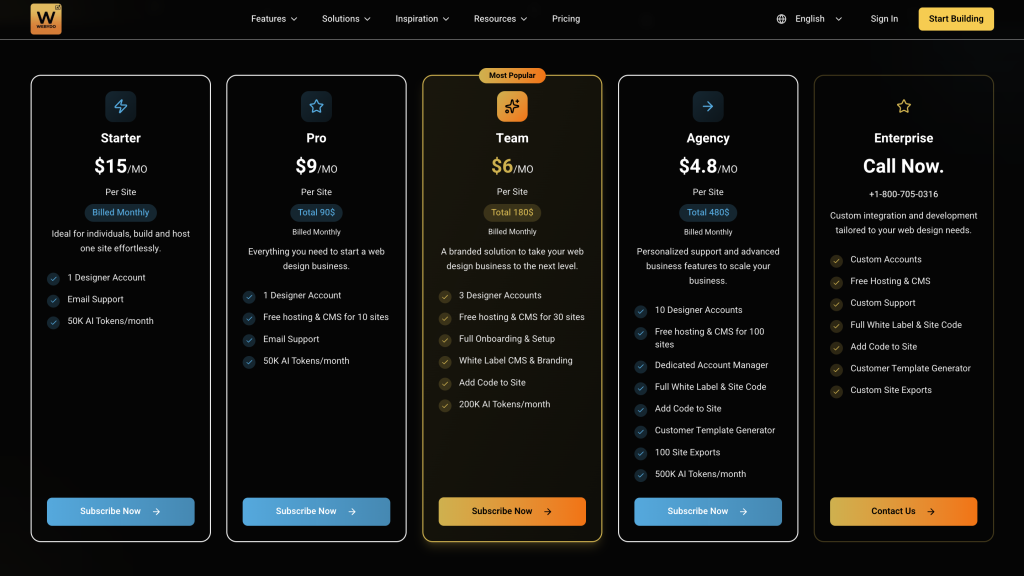
For agencies, that flexibility is the selling point. You can keep the delivery stack light for a small client, then expand the feature set only when the project justifies it.
What The First Month Usually Reveals
The first month usually tells the team whether Webydo is helping the agency behave more like a productized service or just another tool.
If the rollout is good, the team should notice:
- Faster first drafts.
- Fewer client-editing surprises.
- Less launch-day cleanup.
- Cleaner white-label handoff.
- Less time spent on plugin or theme maintenance.
That is the real measure of success. The site should still look good, but the process should also feel calmer.
Buying Rule
Use Webydo if your agency wants:
- White-label control.
- Client-friendly editing.
- Fewer maintenance headaches.
- A reusable delivery system.
Consider alternatives if:
- Your team prefers a general-purpose site builder.
- You need deep custom development for every project.
- You are not trying to standardize client delivery.
Verdict
Webydo is a strong case-study fit for agencies that want to move away from plugin-heavy site delivery and toward a cleaner white-label workflow. The visual builder, client CMS, white-label controls, and modular add-ons make it practical for team-based delivery.
The biggest advantage is operational simplicity. The biggest risk is trying to use it like a generic builder instead of an agency delivery system.
If your team wants a design-to-client-handoff workflow that is easier to own, start with Webydo here.
FAQ
Is Webydo meant for agencies?
Yes. The product is positioned around agency workflows, white-label delivery, and client-facing site management.
Does Webydo have a CMS?
Yes. The platform includes client CMS functionality.
Can Webydo handle e-commerce or other modules?
Yes. The public pricing and product pages show optional add-ons for e-commerce, LMS, CRM, and branding.
Why would an agency choose it over a plugin stack?
To reduce maintenance, simplify handoff, and keep the client editing workflow inside one system.
What is the biggest hidden win?
Margin protection. Less cleanup after launch means more billable time stays billable.
That is the kind of gain that compounds quietly across every client project.
Over time, that matters more than one flashy launch win.
It is the kind of improvement that shows up in retained margin, not just aesthetics.
That is the business result that agencies actually care about.
That is the sort of thing agency owners notice after the second or third launch.