

Power User Intro :
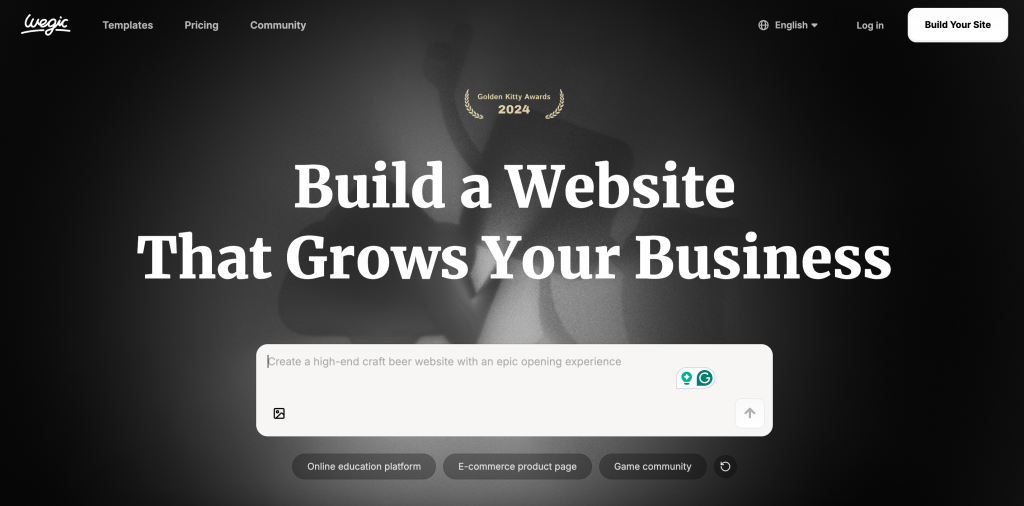
Wegic’s official homepage is surprisingly helpful for advanced users because it tells you exactly what kind of product it wants to be. The public headings are not random marketing fluff. They are business-shaped:
- Build a Website That Grows Your Business.
- Built Around Real Business Goals.
- Promote Your Brand.
- Sell Products or Services.
- Turn Visitors into Customers.
- Build Something Unique.
That matters because advanced users are not usually asking whether a product can make a page. They are asking whether the product can be pushed hard enough to support more serious business outcomes.
For Wegic, the advanced conversation is not about tinkering for its own sake. It is about using the AI website builder more intentionally so the output is stronger, more branded, more conversion-aware, and more scalable over time.
If you want to inspect the product while you read, start with Wegic here.
Advanced Feature #1: Business-Goal-Oriented Site Building
This is the most important advanced feature, even though it does not sound like a feature in the usual checkbox sense.
The official site keeps emphasizing real business goals, promotion, selling products or services, and turning visitors into customers. That tells a power user something important:
Wegic is not only trying to generate a website. It is trying to orient the website toward commercial outcomes.
That changes how an advanced user should work inside the tool.
Instead of only asking:
“How do I make this page look better?”
The better advanced question becomes:
“How do I make the site structure, messaging, and page flow better match the business objective?”
That is where the product gets more interesting.
Advanced Feature #2: Build Something Unique Instead Of Accepting Generic Output
The official heading “Build Something Unique” matters a lot for power users.
One of the biggest criticisms of AI site builders is that they can produce bland first drafts. So if Wegic is publicly promising uniqueness, advanced users should take that as a challenge:
- Push the prompt quality higher.
- Refine the site structure more deliberately.
- Customize the positioning.
- Improve the page hierarchy beyond the first automatic pass.
This is where an advanced user can separate a lazy AI-generated site from a useful business asset. The tool may create the starting structure quickly, but the power user should shape the final outcome toward brand clarity and better conversion flow.
Advanced Feature #3: Guided AI Workflow Without Losing Direction
One of the more important official lines on the site is: “Wegic AI Guides Every Step, You Always Know What to Do Next.”
That is a major advanced-workflow clue.
Beginners may read that as reassurance. Power users should read it differently:
The product is trying to reduce decision paralysis while still letting the user move the project forward in steps.
That is useful because website projects often stall when too many choices arrive too early. A guided step-by-step workflow can help advanced users move faster as long as they do not become passive inside it.
The best advanced use of that guidance is:
- Let Wegic accelerate the structure.
- Keep human judgment on business goals.
- Refine pages with intent instead of accepting the first suggestion.
Automation Workflows :
Wegic’s automation value is not presented like a traditional API-first tool, so I would not invent a technical automation story that the official site does not show clearly.
But there is still a meaningful, advanced automation angle here.
The site’s business-goal framing suggests that Wegic helps compress the cycle between:
- Website idea.
- First site structure.
- Business-oriented copy direction.
- Initial launch path.
That is a real workflow automation benefit, even if it does not look like Zapier language.
For advanced users, the practical automation gain is speed with direction. If the platform shortens the time from concept to conversion-ready draft, it is already automating part of the website creation burden that used to be slower and more manual.
Customization And Power-User Control :
This is where advanced users usually care the most.
Power users do not want an AI builder that only gives them one generic answer. They want enough flexibility to refine:
- Page structure.
- Business emphasis.
- Brand messaging.
- Customer journey logic.
- How the site supports selling or lead generation.
Wegic’s public promise around uniqueness and growth implies that the product expects users to push beyond the first output. That is a good sign. It means the platform is not only selling instant generation. It is also selling iterative improvement.
If you want to test that in practice, open Wegic here and judge whether the second and third rounds of refinement improve the site in a meaningful way rather than only cosmetically.
How A Power User Should Prompt And Refine Wegic :
The advanced difference with an AI site builder is rarely the first prompt. It is the quality of the refinement loop that comes after it.
With Wegic, I would treat the first generation as the starting structure, not the finished answer. Then I would iterate on:
- Audience clarity.
- Business objective.
- Offer hierarchy.
- Page sequence.
- Conversion path.
That matters because advanced users do not win by asking the tool for “a nice website.” They win by giving the tool a more disciplined business context and then improving the result with sharper editorial judgment.
If you want to test that process directly, review Wegic here and compare the first output with the version you get after two or three rounds of more specific refinement.
Performance Optimization :
The official page is not giving me a deep technical performance spec sheet I would want to quote beyond what is publicly visible, so I want to stay honest there.
But the advanced performance question is still easy to frame:
Does the product help the user move from a generic AI-generated page toward a site that is clearer, more business-aligned, and more likely to turn visitors into customers?
For many power users, that is the optimization question that matters most anyway.
Performance in this context is not only page speed. It is also:
- Goal alignment.
- Message clarity.
- Site usefulness.
- Commercial intent.
That is a good match for Wegic’s official public language.
It is also why advanced users should judge Wegic by outcome quality, not only by generation speed. A fast draft is useful, but a fast draft that actually supports positioning, trust, and conversion is where the product becomes strategically valuable.
How To Avoid Generic AI Site Output :
This is probably the most important advanced habit.
If a power user accepts the first pass too quickly, the final site may feel competent but forgettable. To avoid that, the user should actively improve:
- Differentiation in the headline.
- The order of supporting sections.
- The clarity of the offer.
- The trust-building elements on the page.
- The strength of the final call to action.
That is where advanced users can make Wegic produce something more commercially useful instead of something merely fast.
Another way to think about it is this: the advanced advantage comes from making the site feel intentional. If the structure, wording, and offer sequence all feel generic, visitors will notice that weakness quickly. Wegic becomes much more useful when the user keeps pushing the result toward sharper business specificity, clearer commercial intent, stronger audience fit, and better positioning.
Expert Workflows :
If I were using Wegic as a power user in 2026, I would not treat it like a magic one-shot tool. I would use it like a structured acceleration layer.
The expert workflow would look more like this:
- Define the business goal very clearly.
- Let Wegic generate the first serious structure.
- Improve the positioning and page logic manually.
- Make the site more distinct instead of more generic.
- Re-check whether the final structure actually promotes, sells, or converts better.
That sequence respects what the official site is promising.
It also stops the power user from falling into a common trap: treating AI output as final output. Wegic looks strongest when the user collaborates with it instead of surrendering judgment to it.
Where The Advanced Fit Gets Weaker :
Wegic gets weaker for power users who want:
- A deeply technical developer platform.
- A heavy custom code environment.
- A workflow built mainly around engineering complexity.
That does not look like the product’s center of gravity.
Its center of gravity looks much closer to:
- Fast site creation.
- Guided business-oriented building.
- Faster movement from idea to usable website.
That is not a weakness. It just defines the advanced fit more precisely.
Verdict :
Wegic’s advanced value in 2026 is not that it replaces good website thinking. It is that it helps good website thinking move faster.
That is an important distinction.
The best power users will get the most out of Wegic when they use the platform to accelerate:
- Website structure,
- Business-goal alignment,
- Brand promotion,
- Selling flow,
- And conversion-focused refinement.
If that sounds like the kind of AI builder you want, try Wegic here and see whether the guided workflow helps you build a more business-ready site with less friction.
FAQ :
What Makes Wegic “Advanced” For Power Users?
The advanced angle comes from using the AI builder more deliberately to align structure, branding, and conversion flow with real business goals rather than accepting a generic first draft.
Does Wegic Only Help Beginners?
No. The official site’s language around business goals, uniqueness, and guided next steps gives advanced users plenty of room to push the output further.
Can Power Users Build Something More Unique With Wegic?
Yes. The official site explicitly highlights uniqueness, which suggests the platform expects deeper refinement beyond the first generated version.
Is Wegic Better For Business Sites Than Pure Experimentation?
Based on the official public language, yes. The product consistently frames itself around growth, brand promotion, selling, and customer conversion.
What Is The Best Advanced Use Of Wegic?
Use it as a fast structural and workflow accelerator, then refine the business logic and page quality with stronger human judgment.